






FIX Windows Autopilot Device Import Error 806 808
This post helps you fix Windows Autopilot Device Import Error 806 808, an issue where you receive when you import Windows Autopilot device CSV files in Microsoft Intune.
Extracting the Hardware Hash from the end device, all starts with extracting the Device hash from a device, The CSV file generated by running this script is uploaded in Intune to register the Device to Autopilot services.
With the help of Intune and AutoPilot, you can pre-configure, reset, re-purpose, and recover your devices. You can do the customization, and deploy the setting without re-imaging, which saves you a lot of time. There is no days limit, and the re-registration is needed to complete a successful deployment if the device is registered and not enrolled.
What Information does Autopilot CSV Contain? If you check the CSV contents, the thing that will catch your attention is the extremely large HEX value. To see the contents of this HEX value, you would need to decode it. This can be done using the oa3tool.exe, part of the Windows ADK.

If you are looking for a simple way to export and import your Windows Autopilot devices, there are multiple methods available, and Intune has a built-in option. Learn how to export the windows autopilot devices in Intune.
- Windows Autopilot Behind The Scenes Top Secrets
- Windows Autopilot Hybrid Azure AD Join Troubleshooting Tips
Windows Autopilot Device Import Error 806 808
When you try to import a CSV file in the Microsoft Intune admin center (Devices > Windows > Windows enrollment > Devices (under Windows Autopilot Deployment Program) > Import), you might receive an error message similar ZtdDeviceAlreadyAssigned (806) or ZtdDeviceAssignedToOtherTenant (808).
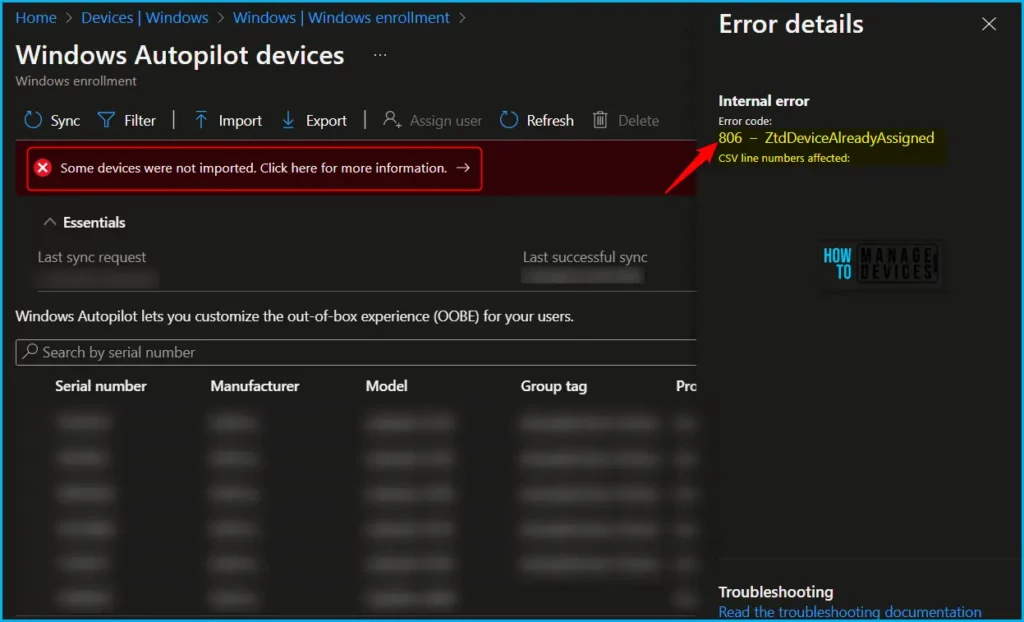
Error details
Device is already registered to the same Tenant.
Error code:
806 - ZtdDeviceAlreadyAssigned
CSV line numbers affected:
 1

Error details
Internal error
Error code:
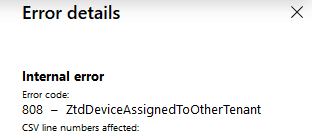
808 - ZtdDeviceAssignedToOtherTenant
CSV line numbers affected:
 1
What are the meaning of the error you are experiencing and the possible reason? If the device is already registered in intune, it fails with Error 806 or 808 when importing Windows Autopilot device CSV files in Intune. You may notice the following Windows Autopilot device import error 806 808 in different scenarios.
| Error Code | Description |
|---|---|
| 806 | ZtdDeviceAlreadyAssigned. The device is already registered to the specified tenant. |
| 808 | ZtdDeviceAssignedToOtherTenant. The device is already registered to a different tenant. |
Reasons for Error 806 or 808 when you import Windows Autopilot Device CSV files
The 806 – ZtdDeviceAlreadyAssigned and 808 – ZtdDeviceAssignedToOtherTenant errors can occur if a device is already registered in your tenant or if a record of the device already exists in the Microsoft Store for Business.
Since the device entry already exists. If you don’t need it, there is no need to reimport the hardware hash otherwise, the record must be removed before the device’s CSV file can be imported into Intune.
Here you can learn how to delete windows autopilot device from Intune, and review the steps to clean up your Intune Windows Autopilot devices more quickly.
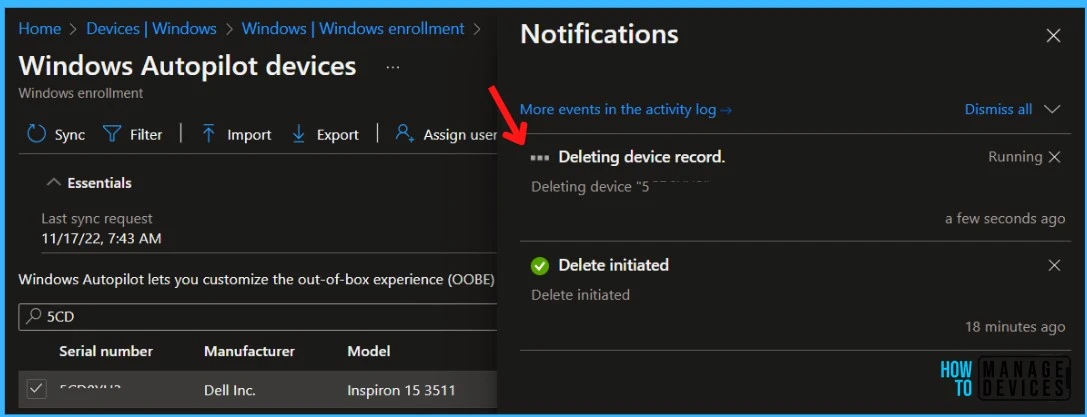
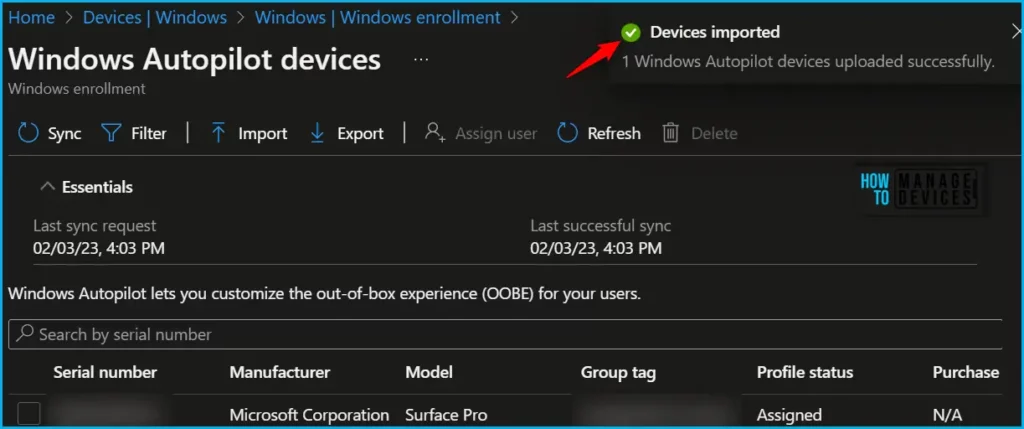
Once you are able to delete the device hardware hash successfully, You will be able to reimport it if you needed them.
In the post Windows Autopilot Behind The Scenes Top Secrets, As Joy, already explained about Autopilot Error Code 808. The DDS registration Id (ZTDID) is universally unique based on hardware hash. What will happen when you have a device registered to Autopilot from one tenant and plan to move it to another tenant?
You would need to delete the device entry from the Autopilot devices of that first tenant, which will trigger a deregistration call from Intune clearing the ZTDID from DDS.
This will help the same device registration with another tenant so that it can be added from another tenant. Failing to do so will always result in an error, Autopilot Error Code 808 – ZtdDeviceAssignedToOtherTenant. CSV line numbers affected.
Author
About Author – Jitesh, Microsoft MVP, has over six years of working experience in the IT Industry. He writes and shares his experiences related to Microsoft device management technologies and IT Infrastructure management. His primary focus is Windows 10/11 Deployment solution with Configuration Manager, Microsoft Deployment Toolkit (MDT), and Microsoft Intune.


Discussion