






How to Reset Windows PIN of a Windows 10 Windows 11 | Forget PIN | How to Fix Guide
Let’s learn how to Reset Windows PIN of a Windows 10 or Windows 11 device. Yes, it happened to me. 🙂 Now it’s time to learn how to Reset your Windows PIN.
I forgot my Windows 10 or 11 PIN, which I set a few hours ago. Now, the question is, how do I reset the PIN of a Windows 10 or 11 laptop? The only way to set up your PIN again is to reset it.
If you use Windows PIN to access games, social networking, etc., you must log in from scratch in each place after you reset your Windows 10 PIN.
NOTE! – I have tested the reset pin option from Windows 11 devices on the production and insider versions. You can reset the Windows 11 PIN using your email ID and password. I have followed the same method explained in this post.

- Best Methods to Reset Windows 11 PIN Fix Forgot PIN Issue
- Storage Sense Cleanup of Temporary Files for Free Up Disk Space in Windows 11
- 2 Methods to View Reserved Storage Size in Windows 11
- How to Find Network Adapter Connection Speed in Windows 11
- 6 Different way to Find File System of a Drive in Windows 11
- Different Methods for Deleting Files in Windows 11
Latest Updated Post for Windows 11 – Best Methods to Reset Windows 11 PIN Fix Forgot PIN Issue
How to Reset Windows PIN of a Windows 10 Machine
You can get more details about Windows 10 PIN in the post “What is Windows 10 or Windows 11 PIN and How to Set PIN for Windows 10“. Once you forget or lose your Windows 10 or 11 PIN, you may have to log in to your Windows 10 or Windows 11 PC with the Microsoft account password option, as highlighted in the following picture.
- By default, Windows 10 doesn’t provide the following screen; you need to press on Sign-in Options to get this screen.
How to Reset Windows PIN on Windows 11 PC
You can click on the RESET PIN using the option “I forgot my PIN” on a Windows 11 device.
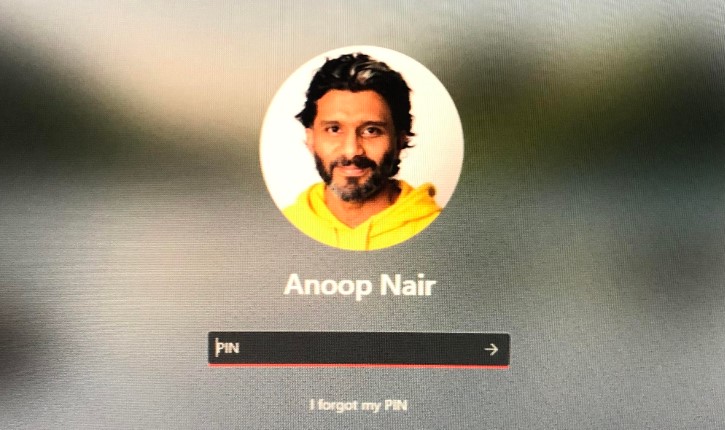
You will get a prompt to enter the password for Outlook or any other Microsoft account you have added to your Windows 11 device. Once you have verified a valid password for your Microsoft account, the forget PIN wizard needs another confirmation using the backup/recovery email ID that you have configured for your Outlook account.
- 3. You need to enter the recovery email ID (it can also be gmail.com), and the Microsoft forgot PIN workflow will send an authentication code to that email ID.
- 4. Click on the recovery email in the screenshot below to continue with the Windows 11 PIN reset process.
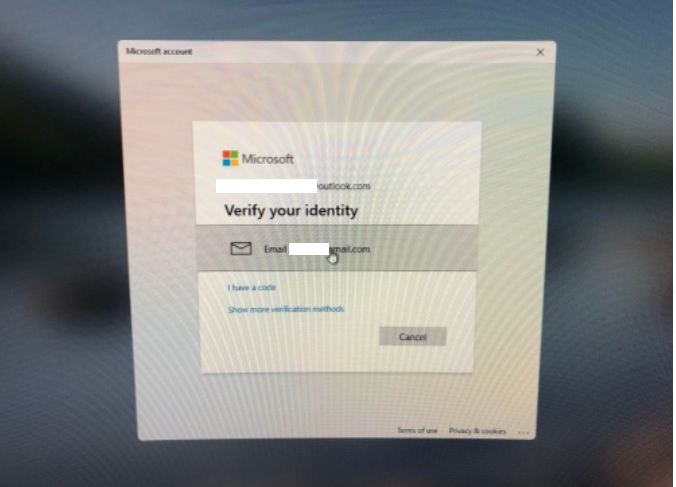
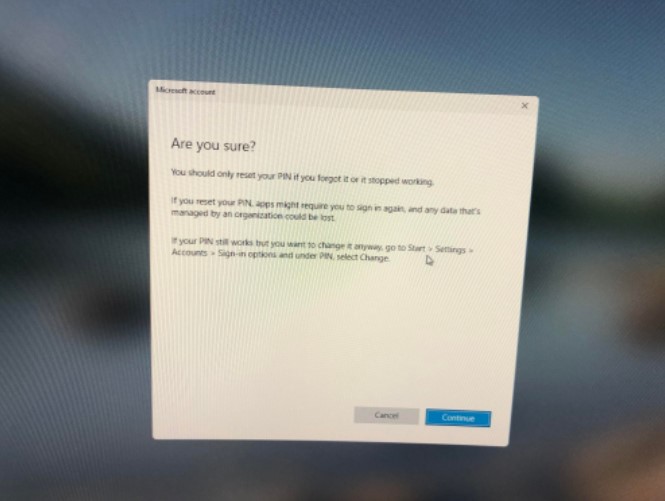
Once you enter the authentication code from the recovery email ID, you need to confirm by clicking on the Continue button, RESET PIN, to reset the PIN on the Windows 11 device.
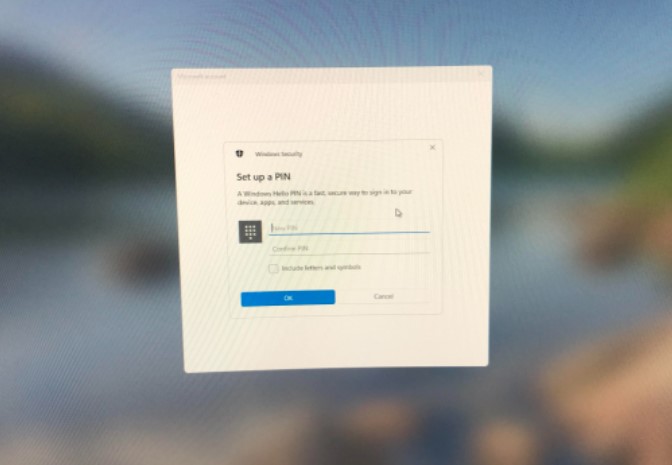
Enter the new Windows 11 PIN twice and click OK to log in to the Windows 11 device.
Windows PIN Reset using Email ID Login Option
Let’s try to reset the Windows 10 PIN using the email ID recovery option. There is no option to retrieve the lost PIN via email or something. The main reason is that the Windows PIN is “so local.”:) The only way to reset the Windows 10 PIN is to set up a NEW PIN.
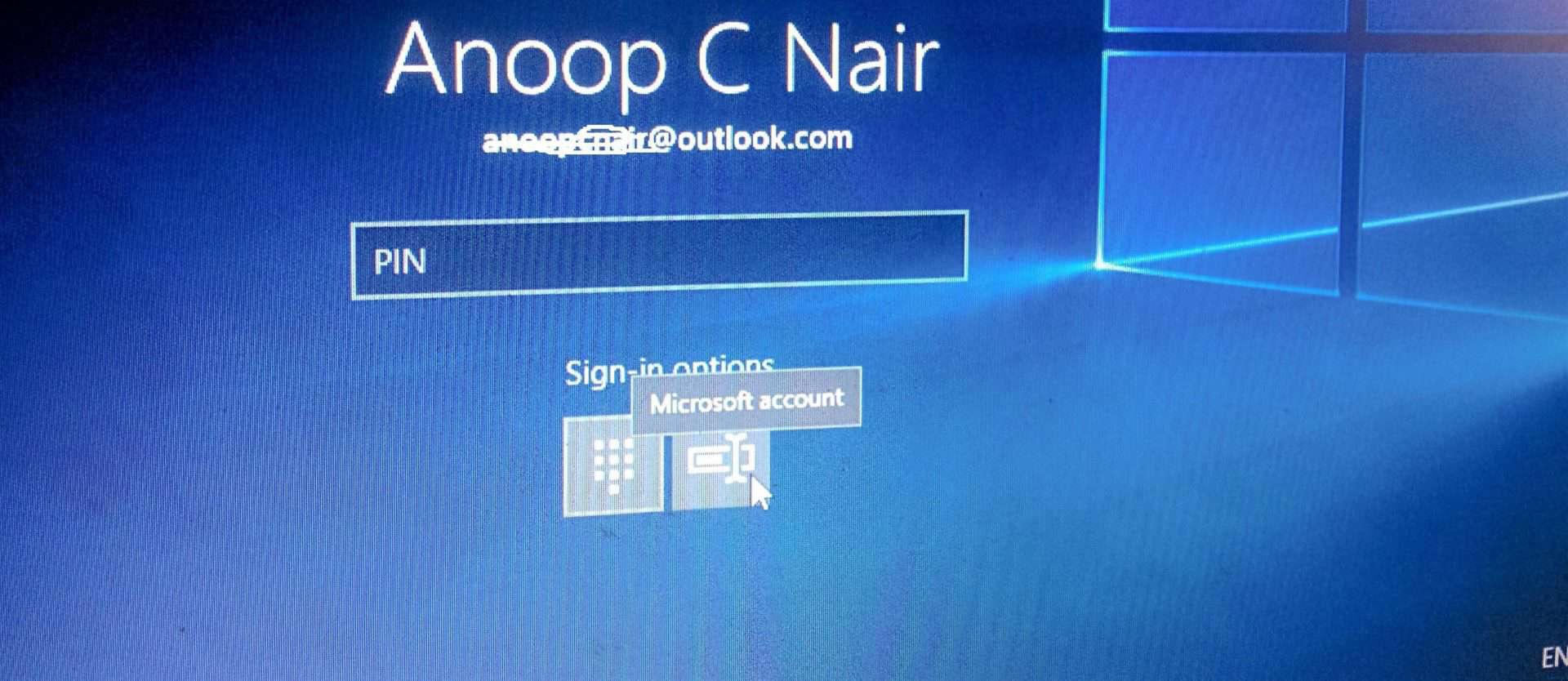
Once you log in with your email ID and password, you can reset the Windows 10 PIN. To reset the Windows PIN for a Windows 10 machine, go to Settings –> Accounts –> Sign-in Options and click on I forgot my PIN.

How Do you Reset the Windows PIN of a Windows 10 Machine?
The only way to set up your PIN again is to reset it. If you use your PIN to access games, social networking, or financial institutions, you must log in from scratch to each place after resetting your PIN.
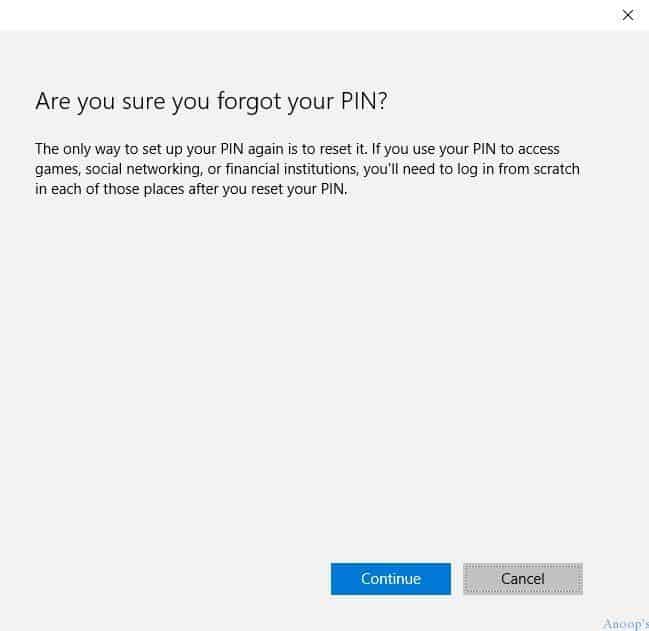
FIX: How Do I Reset the Windows PIN of a Windows 10 or Windows 11 Machine?
Once you click “I forgot my PIN,” the new page “Are you sure you forgot your PIN?” will open, and you need to click the continue button to proceed. On the next page of Windows 10 (or Windows 11), reset the PIN, and it will ask you to enter your Microsoft Account password to proceed.
- This is just another layer of security before resetting the Windows 10 PIN for the machine. Enter the password for the Microsoft account (Outlook, Hotmail, etc.) and click the Sign-in button.

As you can see in the following screen capture, you need to validate and verify your identity using a security code. When accessing sensitive info from your account or device or if Microsoft detects suspicious account activity, they may ask for a security code to verify your identity.
- If you sign in frequently on this device, Microsoft won’t ask you to verify after this. Click on the NEXT button to proceed to the next page of the Windows 10 reset PIN wizard.
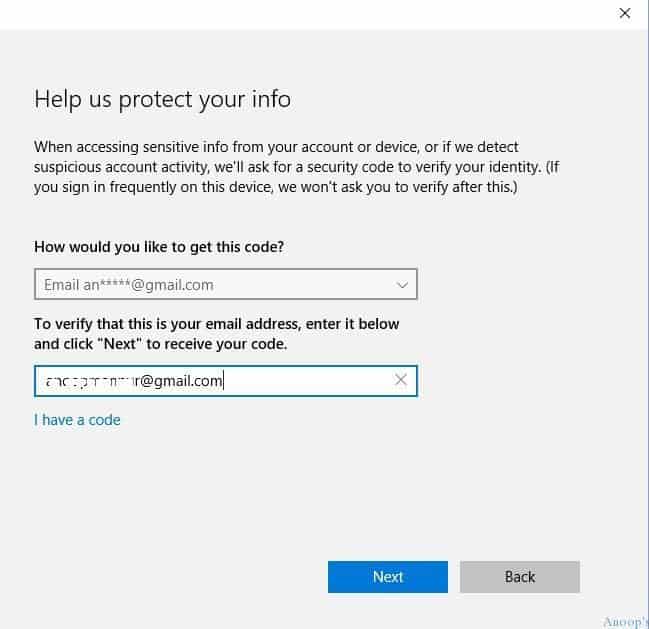
Please check the mail you entered in the above step (check the spam folder :)). Please copy the security code from the mail and paste it as seen in the following screen. Then click the NEXT button!!

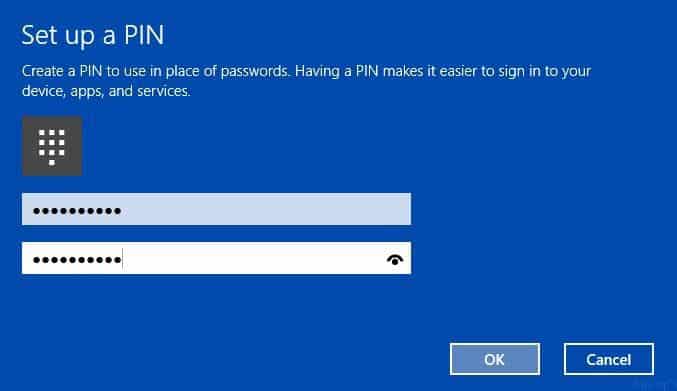
On the next screen, “Set up a NEW PIN” – Create a PIN to use in place of passwords. A PIN makes signing into your device, apps, and services easier. Please enter your new PIN and remember it 🙂
Resources
- Windows 10 Version Numbers & Build Numbers Major Minor Build Rev
- Windows 10 Shortcut Keys Keyboard Shortcuts
- Windows 10 Product Key Change Home to Professional Upgrade | Activate.
We are on WhatsApp now. To get the latest step-by-step guides, news, and updates, Join our Channel. Click here. HTMD WhatsApp.
Author
Anoop C Nair is Microsoft MVP! He is a Device Management Admin with more than 20 years of experience (calculation done in 2021) in IT. He is a Blogger, Speaker, and Local User Group HTMD Community leader. His main focus is on Device Management technologies like SCCM 2012, Current Branch, and Intune. He writes about ConfigMgr, Windows 11, Windows 10, Azure AD, Microsoft Intune, Windows 365, AVD, etc.



I followed these instructions to reset the pin but Microsoft is not sending the email for the code and yes, I have checked my spam folder.
If laptops is stolen and it is configured with Microsoft InTune. Will anybody can remove the hard disk from the laptop and can access the data?
StaffHi It depends what are the policies you have configured in that laptop. Microsoft has 3 kind of policies to deal with these kind of scenario. Bitlocker encryption should be ON for protecting the data in Hard disk. Without disk level encryption, we can’t protect data if somebody might have taken out hard disk from laptop and connects to another laptop. Another kind of protection is EDP or WIP, so this is for accidental data leakage protection. We have Intune policies implement this. 3rd level protection Azure Information protection this is for file level encryption on the fly.
KR
Anoop
What if you say “I forgot my PIN” and restart your laptop? My laptop does not use a Password and the thumbprint requires a PIN. if you restart there is no option for PIN on the sign in screen.
I can’t even get into my laptop. I am getting this message “your pin is no longer available due to a change to the security settings on this device ….
Can someone please advise what to do.
How am I supposed to go into settings when I can’t even get past the login screen? I use the PINcode as the login code…
When I select the “I forgot my PIN” option from Settings->Sign-in options nothing happens. How do I get you software to function again?
In windows 11 werkt dit zo niet, je blijft in een cirkel ronddraaien en windows vraagt steeds de pin om je te verifieren.
Ook een nieuwe aanmaken werkt niet, ook hier naar verificatie
StaffIk heb de Windows 11-resetpin-optie toegevoegd met behulp van de link Ik ben de pincode vergeten in het lange scherm in de post. Controleer het bericht nog eens.