Skip to content
How to collect Intune logs from MacOS devices

How to collect Intune logs from MacOS devices

Written By Snehasis Pani
Last Updated March 9, 2023
Posted In Intune
SHARE

Hi everyone, In this post, let’s discuss the process of how to collect Intune logs from macOS devices using the Company Portal application. We’ll go over the steps needed to be done while collecting the logs from the application on the client’s device.

Our last blog post discussed how to Block macOS devices using Intune. An IT administrator who manages devices enrolled in Intune may want to prevent macOS devices from enrolling in your organization. We can use the device platform restriction feature in Intune to do this.

For Intune logs collection process, we can send diagnostics reports of a problem or error in the Company Portal app for macOS. We will also discuss the process of how to collect and share app diagnostic logs with a Microsoft Support person for help in troubleshooting, or IT Admins can troubleshoot themselves.

The diagnostic logs include device info, enrollment details and user details, and device connectivity logs. These are helpful logs for Intune admins to understand what is the exact issue with macOS devices while troubleshooting.

Patch My PC

How to share app diagnostic logs with IT Admin

To create logs, The issue can be reproduced on a test device or can be collected directly from the end-user device. To collect logs, do the below steps :

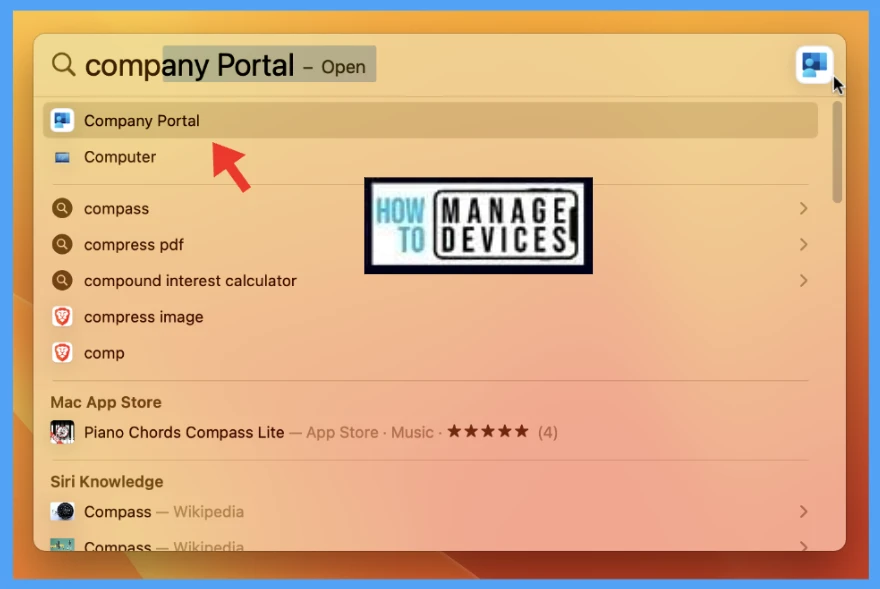
  • Launch the Company Portal app from Spotlight.
How to collect Intune logs from MacOS devices Fig. 1

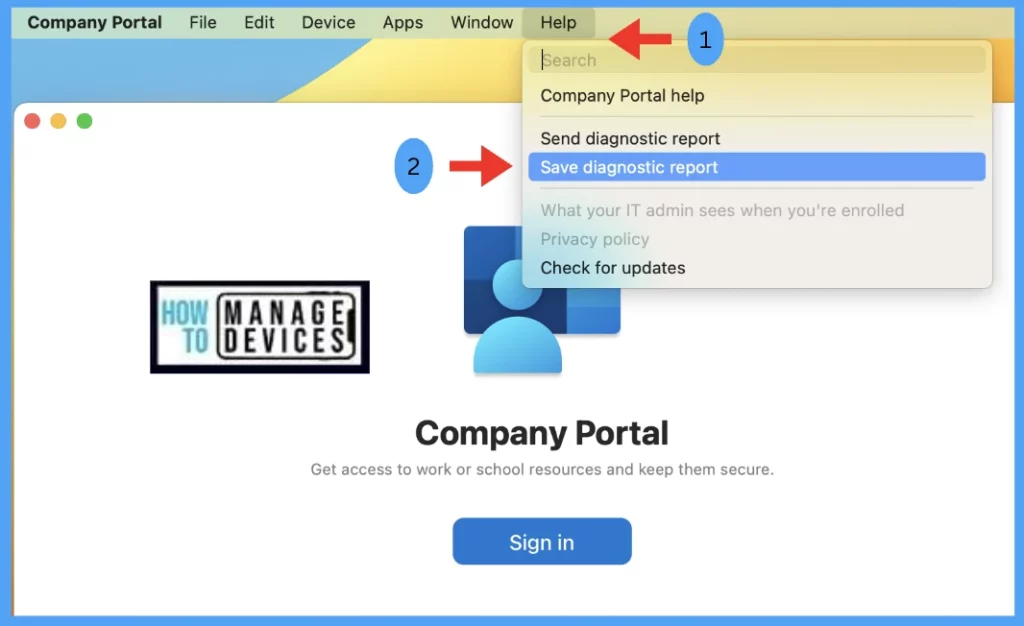
At the top left corner, On the menu bar Go to HelpSave Diagnostic Report.

How to collect Intune logs from MacOS devices Fig. 2

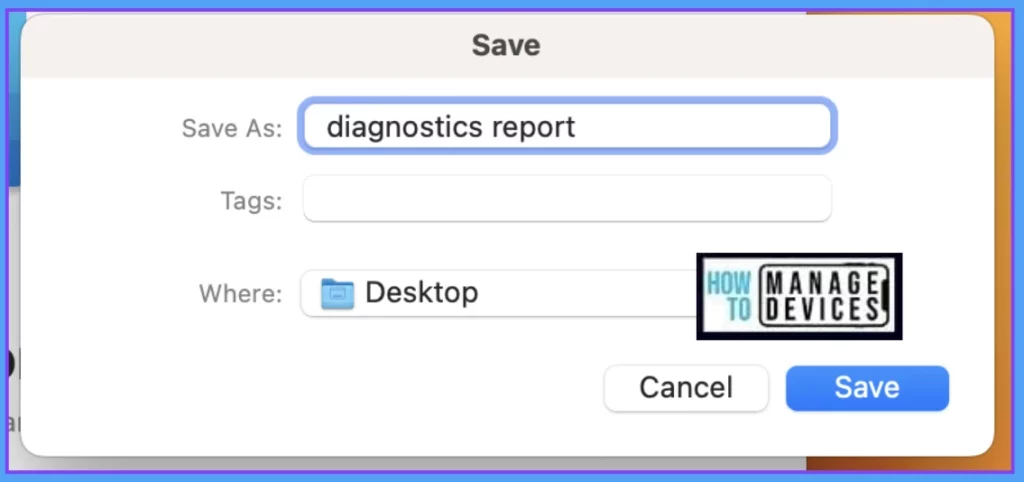
Choose a location, where to save the file.
How to collect Intune logs from MacOS devices Fig. 3

Once saved, It can be shared over teams/ e-mail, by attaching the diagnostics file. Also please describe the details of the error, along with the behavior noticed.

Validate Intune logs in macOS

After downloading the logs, to validate you can extract the zip file.

Double-click on the diagnostics report zip file to extract the companyportal.log file
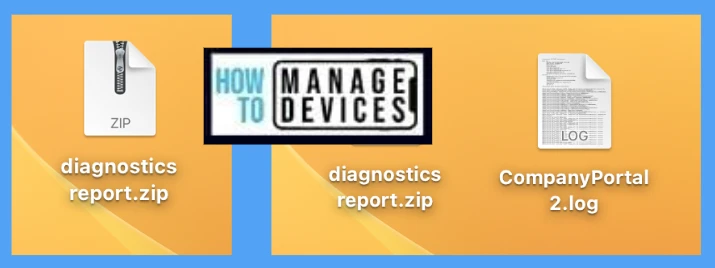
How to collect Intune logs from MacOS devices Fig.4
How to collect Intune logs from MacOS devices Fig. 4

Double-click on the log file and go through the logs, it contains the Mac device details (OS, build details, etc.), user details (account id, login state, etc.), and company portal connectivity logs starting from the installation date to till date.


How to send diagnostic report to Microsoft
Support

Microsoft uses Company Portal diagnostics logs to learn and improve in the future. To generate logs, First, reproduce the problem with the error message. Then Report to Microsoft Support, follow the below steps.

  • Launch the Company Portal app from Spotlight
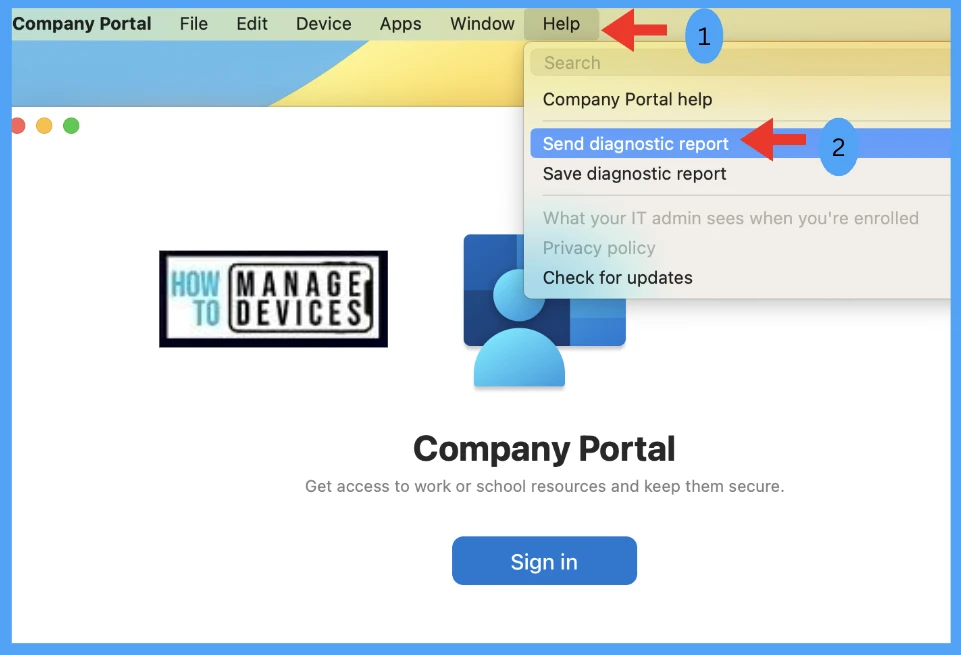
  • At the top left corner, On the menu bar, Go to HelpSend Diagnostic Report.
How to collect Intune logs from MacOS devices Fig. 5

Save the incident number which will be auto-generated at the time of uploading logs to Microsoft.
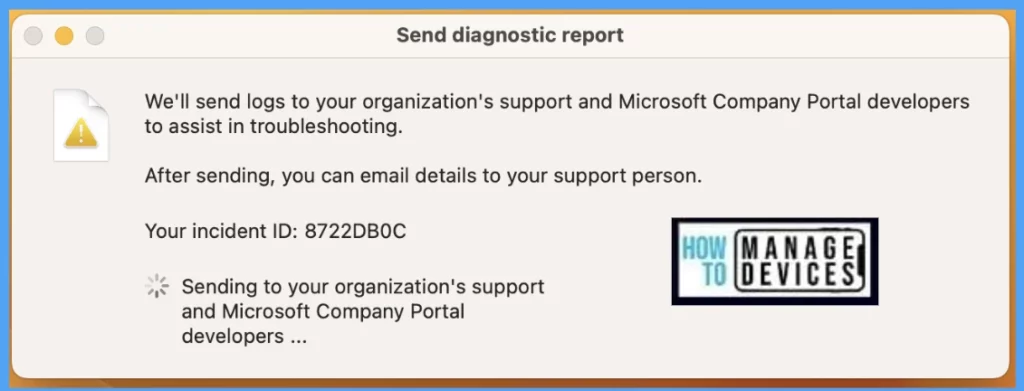
How to collect Intune logs from MacOS devices Fig.6
How to collect Intune logs from MacOS devices Fig. 6

Conclusion

As we know, while enrolling MacBooks in Microsoft Intune users get errors while signing in to the client device, this method can be helpful in troubleshooting and fixing the issues by IT Admins to secure and protect the device inside the organization.

Author

Snehasis Pani is currently working as a JAMF Admin. He loves to help the community by sharing his knowledge on Apple Mac Devices Support. He is an M.Tech graduate in System Engineering.

Written by

Snehasis Pani has 7+ years of IT Support experience and is currently a macOS Administrator. He loves to help the community by sharing his knowledge of Apple Mac Devices Support. He is an M.Tech graduate in System Engineering.

Discussion

Join the discussion

Your email address will not be published. Required fields are marked *

Related guides

Intune

Simplify Windows Devices to Run Only the Required Applications using Intune

Key Takeaways Hey, let’s learn about Simplify Windows Devices to Run Only the Required Applications using Intune. This policy lets administrators replace the default windows shell with a custom or lightweight shell. it improves performance by using system resources and is useful for devices that run a dedicated application. If the policy is disabled or […]

AC Anoop C Nair 8 min read
Intune

Enhance macOS Compliance with Custom Security and Compliance Checks to Improve Device Security using Microsoft Intune

Key Takeaways In this post we are discussing about Enhance macOS Compliance with Custom Security and Compliance Checks to Improve Device Security using Microsoft Intune. Microsoft has announced the general availability of Custom Compliance Settings for macOS in Microsoft Intune. The feature helps organizations strengthen security controls while supporting many types of macOS management scenarios. […]

AC Anoop C Nair 4 min read
Intune

Manage Samsung Galaxy Firmware Versions to Improve Security and Compliance using Microsoft Intune

Key Takeaways In this post we are discussing Manage Samsung Galaxy Firmware Versions to Improve Security and Compliance using Microsoft Intune. Microsoft Intune has received a new update that expands firmware management capabilities for Samsung Galaxy devices through Firmware Versionsintegration. This enhancement gives IT administrators more control over firmware and operating system updates, helping them […]

AC Anoop C Nair 4 min read
Intune

MS Intune Adds Windows Registry Data Collection to Device Inventory for Single Values All Key Values and Subkeys

Key Takeaways Microsoft Intune 2607 introduces Windows Registry Data collection in Device Inventory, allowing IT admins to verify actual device configurations without relying on custom discovery or remediation scripts. Using the Properties Catalog, admins can collect registry information through Single Value, All Values Under a Key (Non-Recursive), or Same Value Across Subkeys. MS Intune Adds […]

AC Anoop C Nair 5 min read