






Copilot in Excel AI Integration to Automate Excel Tasks Coming Soon
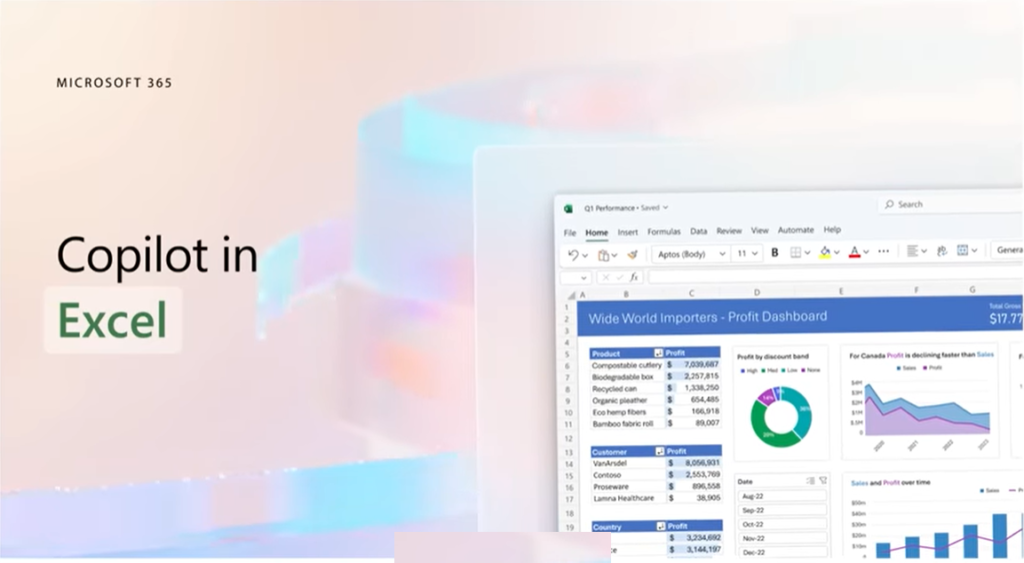
Let’s discuss Copilot in Excel AI Integration to Automate Excel Tasks. The things that we can do with AI Integrated Excel is called Copilot in Excel, as we shared this news on 21st March via YouTube shorts.
Copilot is an artificial intelligence (AI) program developed by OpenAI in collaboration with Microsoft. Copilot helps you to use machine learning algorithms to generate code suggestions and completions.
Copilot in Excel helps you to analyze and explore your data. Ask Copilot questions about your data set in natural language, not just formulas. It also allows you to Identify trends, create powerful visualizations, or ask for recommendations to drive different outcomes.
Copilot in Excel helps you to reveal correlations, propose what-if scenarios, and suggest new formulas based on your questions – generating models based on the questions that help you explore your data without modifying it.

Microsoft 365 Copilot In Excel
The human brain is naturally inclined towards imagination, innovation, and creativity. Copilot is trained on a large code dataset from various programming languages and can generate entire functions or classes based on the user’s natural language descriptions or partial code snippets.
- Add additional coloring themes to the spreadsheets
- Available as a technical preview and requires an invite to use
- Analyze the Excel data and produce a summary of it
- Deep dive into the data analysis
- Ask follow-up questions to Copilot
- Create a model where you will get a lot of insights
- Explain you and create a graphical representation

Copilot AI Integrated Excel
Copilot in Excel helps you make sense of all your data. Copilot can help reduce the time and effort required to perform complex data analysis tasks, making it a valuable tool for professionals in various fields who rely on Excel.
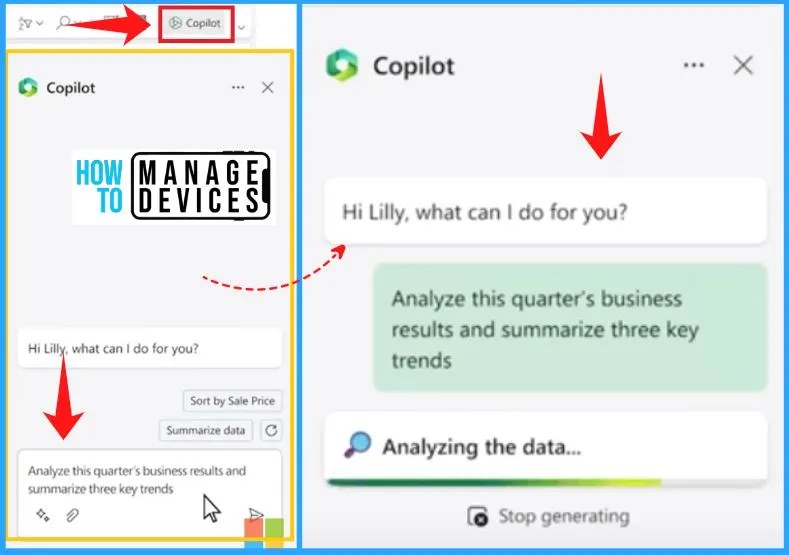
Copilot to Analyze the Excel Data
With the help of Copilot, you can easily analyze the Excel data and produce a summary of it. Copilot can simplify the task of researching and summarizing data in Excel.
With its advanced natural language processing and machine learning capabilities, Copilot can assist in efficiently extracting valuable insights from Excel data, allowing users to generate informative summaries easily.
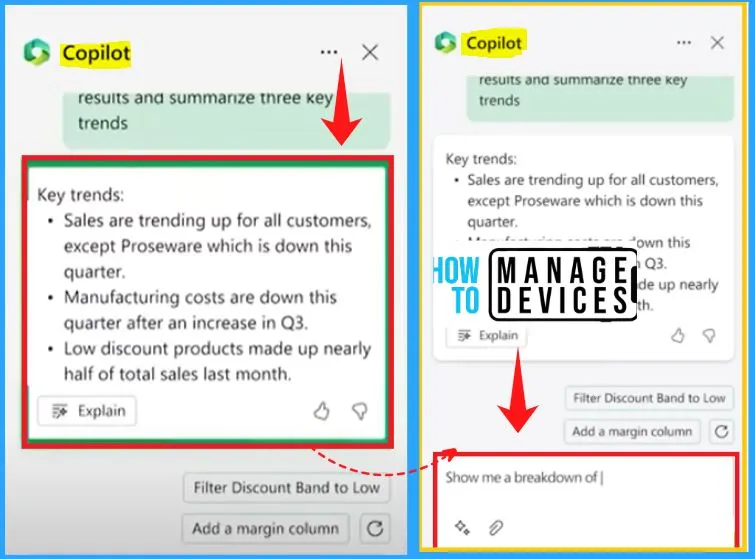
Three key Trends In Copilot
You can easily analyze this quarter’s sales results. You start by asking Copilot to analyze the data and give three key trends. Within seconds, you have what you need but want to drill in.
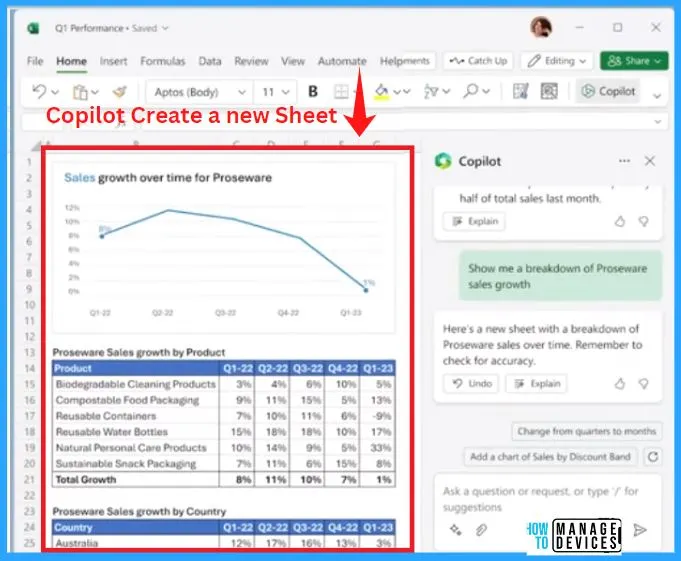
Copilot Create a New Sheet
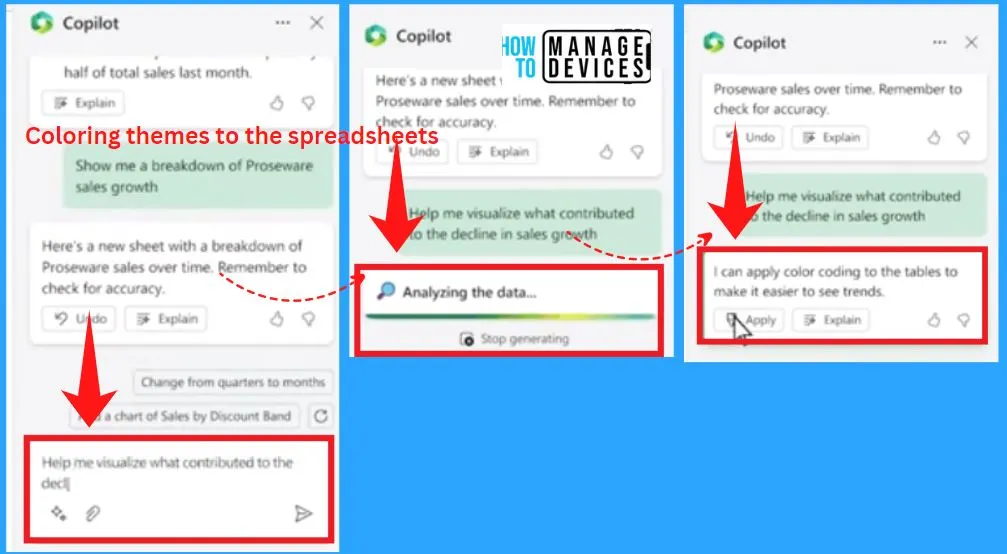
Copilot creates a new sheet, giving you a sandbox to play in and helping you better understand what’s happening. You ask Copilot to visualize what contributed to the decline in sales growth during this period.
Coloring Themes to the Spreadsheets in Excel
Copilot adds a little color to make the problem jump off the page. You can ask Copilot to add additional coloring themes to the spreadsheets can be easily understandable, and the trend is Highlighted. Also, you can deep dive into the data analysis with the help of Copilot.
Ask follow-up Questions
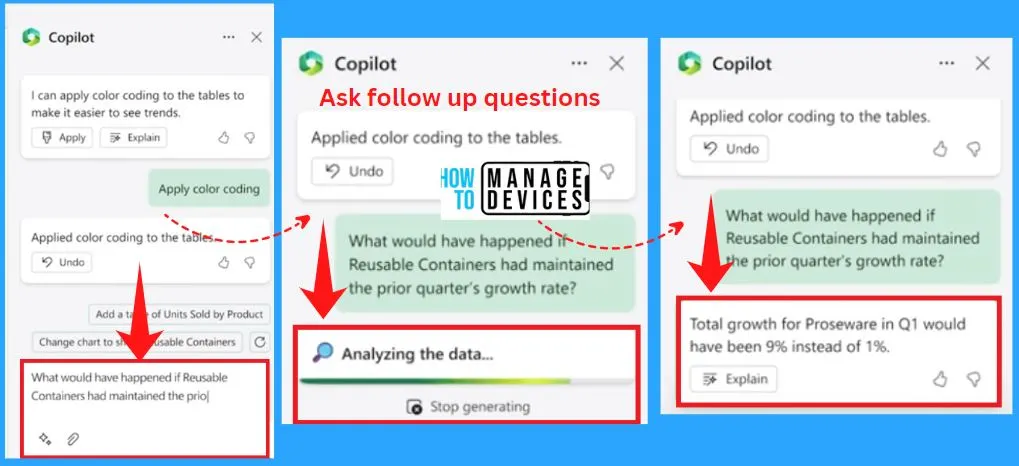
You can ask follow-up questions to Copilot, and it can help create a model where you will get a lot of insights about the data and trend it. The below screenshots show how to ask follow-up questions in Excel.
Create a Graphical Representation in Excel
Copilot can explain this to you and create a graphical representation of that as well. Open Copilot in Excel and select the Create model button on the right of the Excel; it will immediately show the graphical representation of the data.
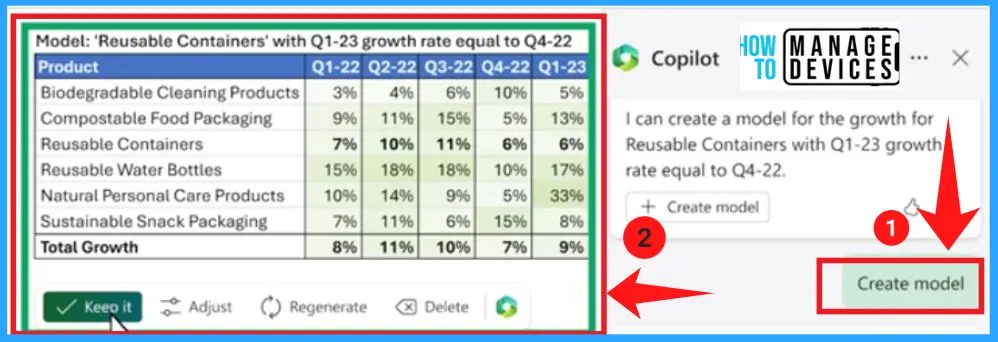
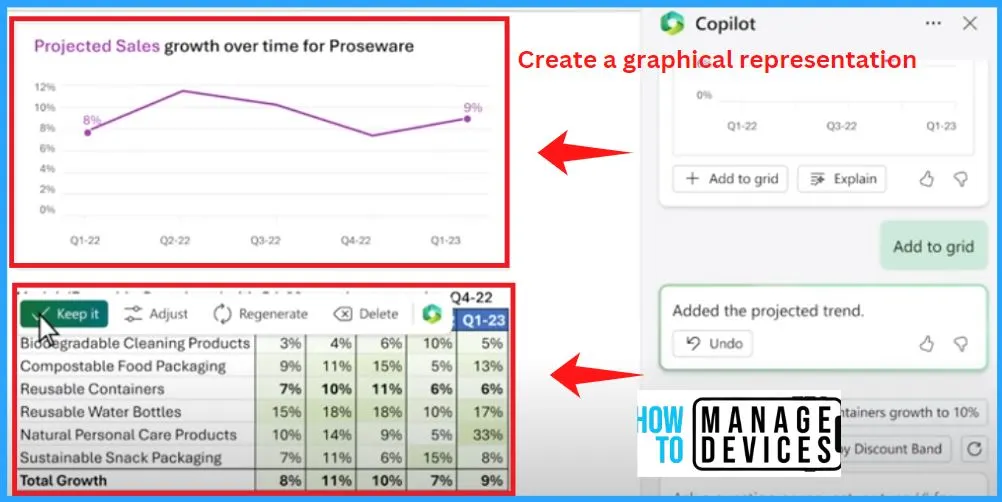
It creates a simple model and even asks if you want to learn more about what it did with a step-by-step breakdown. Finally, you can ask it to graph your projected model. Copilot in Excel turned a sea of data into clear insights and actions.
Author
About Author – Vidya is a computer enthusiast. She is here to share quick tips and tricks with Windows 11 or Windows 10 users. She loves writing on Windows 11 and related technologies. She is also keen to find solutions and write about day-to-day tech problems.




Discussion