






Copilot in OneNote | Your Digital Notebook Reimagined with Copilot
Exciting news! Copilot in OneNote | Your Digital Notebook Reimagined with Copilot. OneNote will soon receive an upgrade in the form of Microsoft 365 Copilot. Get ready to revolutionize the way you write and take notes. Greg MacEachern reported Copilot in OneNote news on 5th April 2023.
Microsoft 365 Copilot will soon be available across all major M365 apps, including Word, Excel, PowerPoint, Outlook, and Teams. With Copilot, users can expect to experience Copilot’s AI-powered capabilities and streamlined workflows to increase the productivity suite.
In addition, Microsoft has recently introduced Security Copilot, a new feature that leverages AI to help users identify and address potential security threats more efficiently. With Security Copilot, users can stay one step ahead of security risks and protect their data and systems more easily and confidently.
With Copilot, Microsoft is bringing the power of AI to its users, allowing them to work smarter and more efficiently. Copilot offers a more intuitive and efficient writing process and improved organization and collaboration features.

Copilot in OneNote
Copilot in OneNote helps you confidently create, capture, organize, and recall information. Copilot also allows you to draft plans, generate ideas, create lists, collect data, and more.
Microsoft Copilot transforms existing text by summarizing, rewriting, formatting, and adding visual context. Uplevel your digital notebook with natural language commands to reorganize your notebook, adjust the design, and highlight what’s important. The Advantages of using Copilot in OneNote are as follows.
- It helps you to Create a plan
- It allows you to Summarize notes into bullet points on a new page.
- It helps you to Generate a list of topics and talking points to be covered
- Copilot in OneNote allows you to Plan a spring trip
- It helps to give suggestions for a company name and vision statement
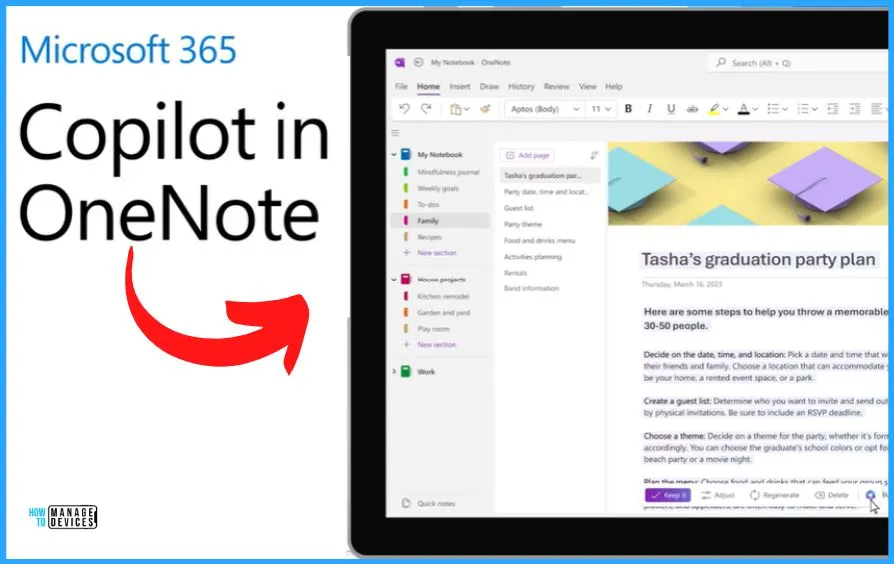
Create Pages by Capture All Your Thoughts and Ideas
With the help of Copilot in OneNote, you can easily capture all your thoughts and ideas by creating pages for everything that comes to mind. And also, make quick notes, brainstorm new concepts, or organize your thoughts into actionable plans. Copilot provides a seamless and intuitive platform to help you do so.
- You can quickly and easily locate the notes and ideas you need whenever you need them.
- Whether working on a project, studying for an exam, or simply trying to stay organized, Copilot in OneNote is essential for any productivity-minded individual.
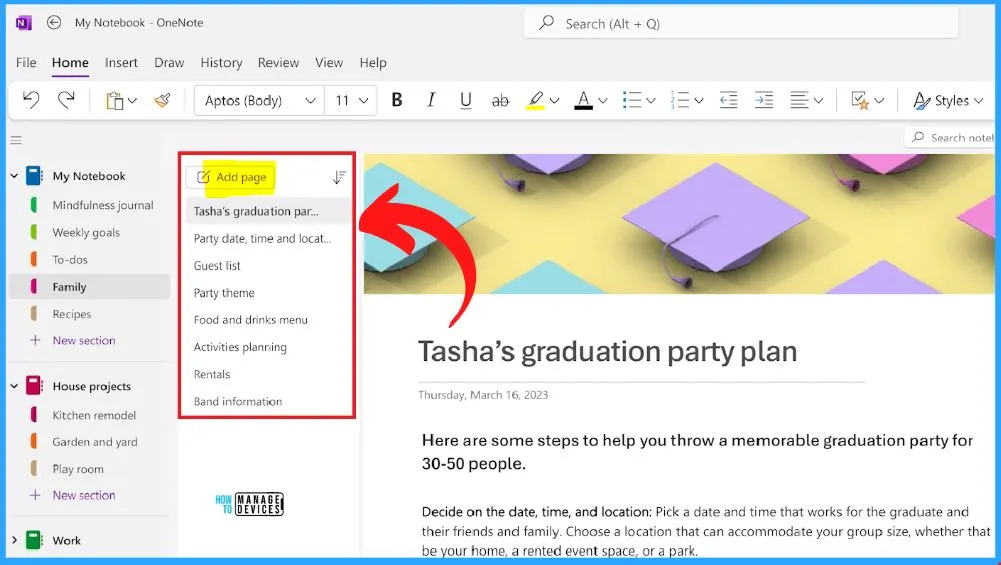
Make a To-Do List of New Ideas and Thoughts
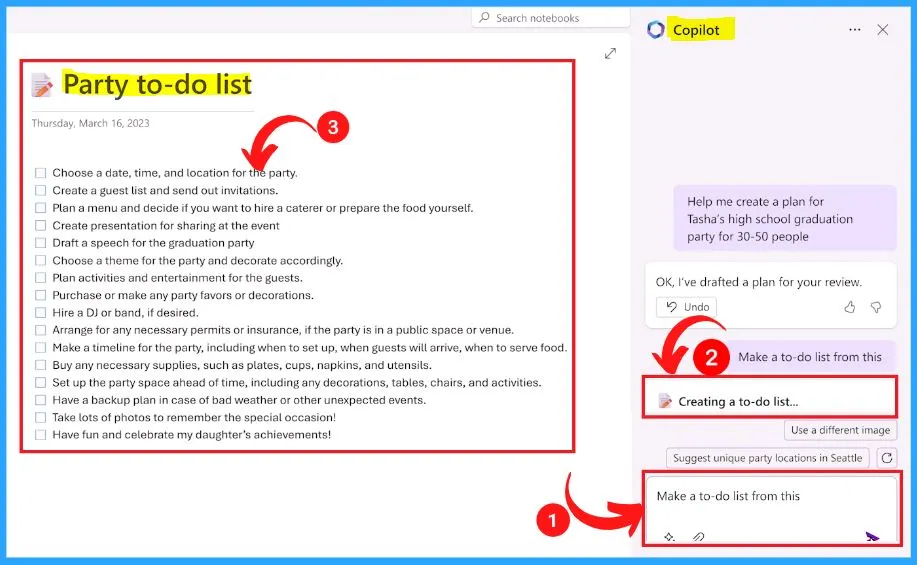
You can easily make a to-do list from your new ideas and thoughts. The to-do list in OneNote helps you prioritize your work and allows you to organize and complete the most crucial tasks first.
Copilot provides a to-do list feature to improve time management because your tasks are laid out clearly in advance. Microsoft 365 Copilot is a highly advanced tool that brings together the power of large language models (LLMs) and data from the Microsoft Graph to create a powerful productivity tool.
By leveraging your data from notes, calendars, emails, chats, documents, meetings, and other Microsoft 365 apps, Copilot transforms your words into actionable insights, enabling you to work more efficiently and effectively.
Microsoft 365 Copilot is designed for the needs of the enterprise. Microsoft efforts are guided by AI principles and Responsible AI Standards and build on decades of research on grounding and privacy-preserving machine learning.
The Copilot System builds on our existing commitments to data security and privacy in the enterprise. Copilot automatically inherits your organization’s security, compliance, and privacy policies for Microsoft 365.
Reference site – OneNote Copilot (microsoft.com)
Author
About Author – Vidya is a computer enthusiast. She is here to share quick tips and tricks with Windows 11 or Windows 10 users. She loves writing on Windows 11 and related technologies. She is also keen to find solutions and write about day-to-day tech problems.




Discussion