






Remote Help for Android in Intune for Enhancing Support and Troubleshooting Coming Soon
Let’s check about the latest development in Microsoft Intune supporting Remote Help for Android. Remote Help quickly troubleshoots and resolves technical issues and is currently only offered for Windows devices, and Microsoft is extending management to Android.
Remote Help is a tool that will assist helpdesks—especially important as workers now work away from the office more often. Remote Help is available for Windows users and will also come to Android and Mac endpoints in future releases.
It enables IT helpdesk teams, to remotely troubleshoot a user’s desktop and mobile devices based on a user’s existing company identity. The extra Android support will prove particularly useful for managing frontline workers’ devices.
To ensure helpdesks continue improving their support levels, announced the public preview expected date of a new remote help capability for Android in Microsoft Intune. This new cloud-based remote assistance solution will empower helpdesks to support users of Windows devices more securely.

The Intune Remote help application for Windows is based on Quick Assist. Quick Assist has some security concerns, but with this new solution, Microsoft will eliminate those security issues with the quick assist.
- New Microsoft Intune Suite For Endpoint Management
- Intune Driver Firmware Update Policies | Review Approve Schedule Suspend Options
Remote Help for Android with Intune – Roadmap
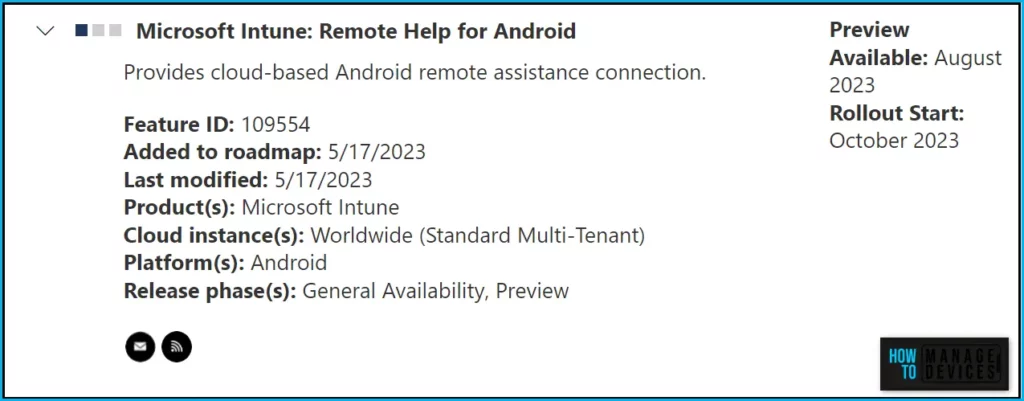
Microsoft added the Remote Help for Android from Intune to the roadmap in May 2023. The Remote Help is expected in the Public preview in August 2023, and based on the mentioned date Rollout will start: in October 2023.
| Feature | Release phase | Preview Expected (Year) | Rollout Start (Expected) |
|---|---|---|---|
| Microsoft Intune: Remote Help for Android | General Availability, Preview | August 2023 | October 2023 |
Microsoft Intune has something for everyone, from lightweight endpoint management capabilities to advanced security features. Microsoft Intune Suite offers a variety of subscription options to cater to different business needs and budgets.
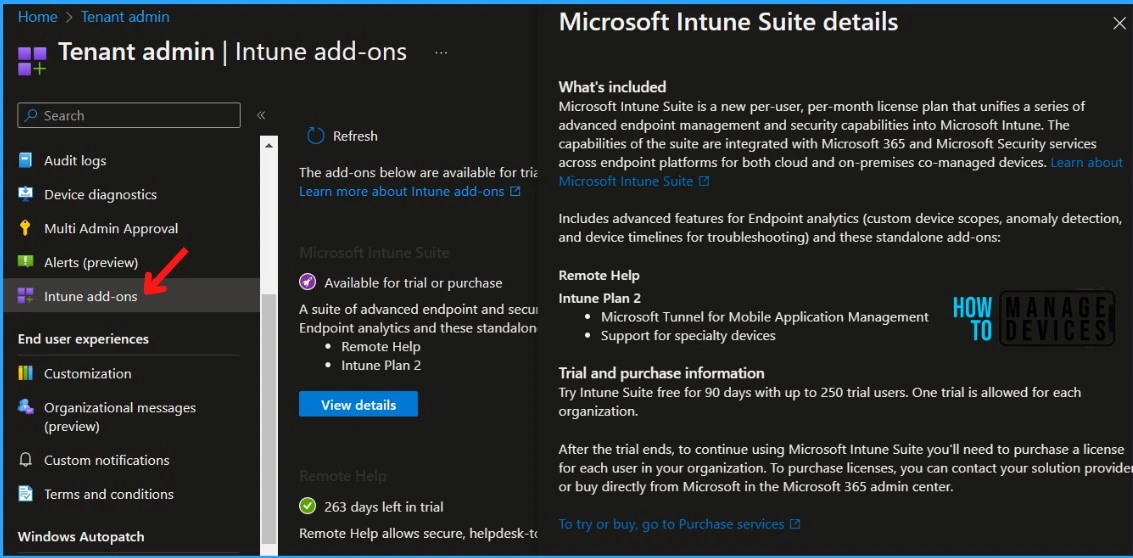
The following table provided a list of add-on capabilities and associated Intune Plans. Some capabilities are available to buy as a standalone add-on. Other capabilities are only available with Intune Plan 2 or the Intune Suite, you can check out Microsoft Intune Suite | How much does it cost 10$? | Privilege Access Mgmt | Remote Help | App VPN
| Capability | Standalone add-on | Intune Plan 2 | Intune Suite |
|---|---|---|---|
| Remote help | ✅ | ✅ |
Microsoft has shared a breakdown of the release apart from the roadmap item on several enhancements with Microsoft Intune Suite. Here you may find the details of the feature, which is currently in preview, General Availability, and expected to be released in upcoming months specific to Remote Help for Windows, Android, and Mac.
| Solution | Preview Release Date | GA Release Date |
|---|---|---|
| Remote Help – Windows | Already GA’d | Already GA’d |
| Remote Help – ServiceNow Incident Details | March 2023 | April 2023 |
| Remote Help – Android | August 2023 | 2H CY23 |
| Remote Help – Mac | NA | 2H CY23 |
Author
About Author – Jitesh, Microsoft MVP, has over six years of working experience in the IT Industry. He writes and shares his experiences related to Microsoft device management technologies and IT Infrastructure management. His primary focus is Windows 10/11 Deployment solution with Configuration Manager, Microsoft Deployment Toolkit (MDT), and Microsoft Intune.


Discussion