






Microsoft Defender for Endpoint Portal Walkthrough
Let’s discuss the Microsoft Defender for Endpoint Portal Walkthrough. Within this powerful portal, you can explore a wealth of information, such as vulnerability reports, the assets section, and device details.
With the help of Microsoft Defender for Endpoint, you can secure endpoints. Suppose you want to know more about Microsoft Defender for Endpoint Product Comparison and License Assignment Options. Click the hyperlink.
By exploring the endpoint device-related features of the Microsoft 365 Defender portal, you now possess the knowledge to manage and secure your organization’s endpoint devices effectively. The portal’s comprehensive device details, vulnerability reports, risk score assessments, and asset management capabilities empower you to enhance endpoint security and protect your valuable assets proactively.
Microsoft Defender for Endpoint is a powerful solution that empowers enterprises to effectively counter attacks, optimize security resources, and continually strengthen their defense mechanisms. It delivers industry-leading endpoint security across various platforms, including Windows, macOS, Linux, Android, iOS, and network devices.

- Microsoft Defender for Endpoint Onboarding Process using Intune
- Intune Integration with Microsoft Defender for Endpoint
What is Microsoft 365 Defender for Endpoint?
Microsoft 365 Defender is a unified solution that spans multiple security areas, providing comprehensive protection across endpoints, identities, emails, apps, and cloud applications. Microsoft Defender for Endpoint (MDE) is an enterprise endpoint security platform.
What are the Advantages of Microsoft 365 Defender for Endpoint?
Let’s focus on the specific features of Microsoft Defender for Endpoint (MDE), an enterprise-grade endpoint security platform. The following are the features of Microsoft 365 Defender for Endpoint.
1. Endpoint security platform
2. Threat Protection and Detection
3. Incident Response and Remediation
4. Integration with Microsoft 365 Defender Suite
Microsoft Defender for Endpoint Portal Walkthrough – Video 1
Let’s discuss Microsoft Defender for Endpoint Portal Walkthrough in this video. After watching this video, you have comprehensively understood the Microsoft 365 Defender portal, particularly its endpoint device-related functionalities.
Microsoft Defender for Endpoint Portal
As you access Security.microsoft.com, which serves as the home page for Microsoft 365 Defender, you are presented with a user-friendly interface. This centralized platform combines the power of various security tools and features, allowing you to manage and protect your organization’s digital assets efficiently.
- To log in to the Microsoft 365 Defender portal, you need a valid Azure AD user ID and the appropriate access permissions.
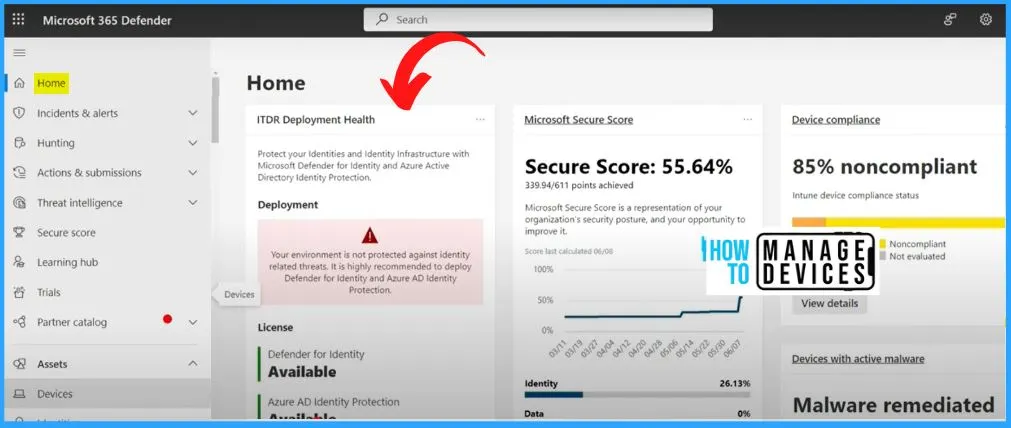
- On the Home page, you will get the following details.
- Noncompliant
- Secure score
- Malware remediated
MDE Device Inventory Details
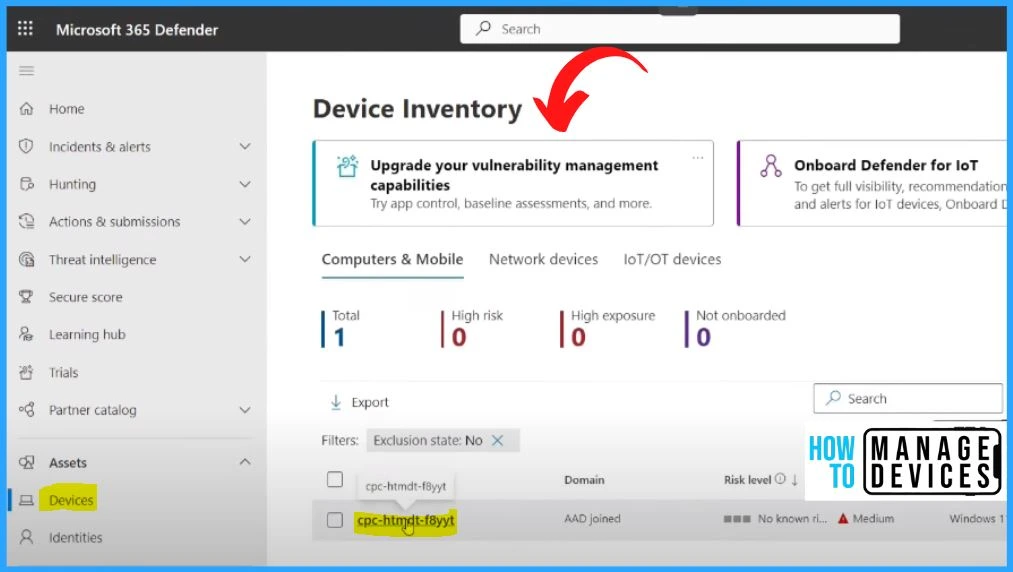
The below window shows the Device Inventory.
- Select Devices under Assets.
- In the Device tab, you will be able to see the device which we onboarded.
- You can see the onboarded device, and the Total number is 1. The Onboarded device is a cloud pc, an Azure AD joint device.
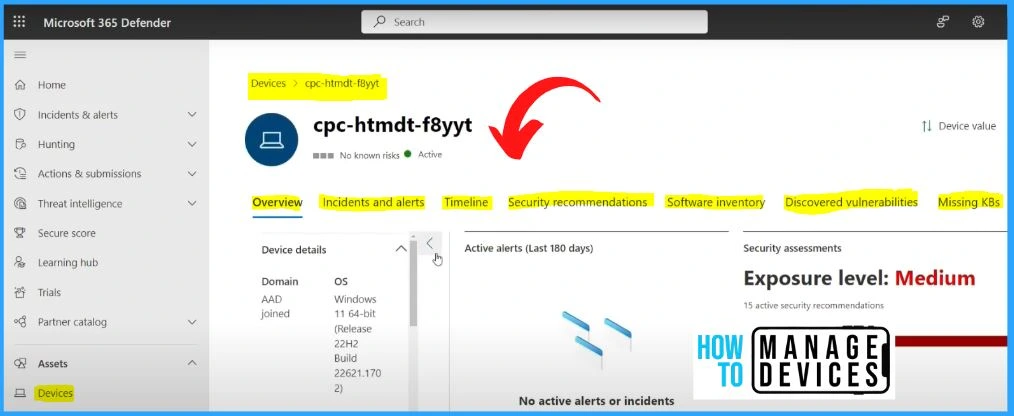
MDE Device Properties Walkthrough
Suppose you click on the device that will take you to the detailed analysis of this particular device. It includes the menus such as Overview, incidents, Alerts, Timeline, security recommendations, software inventory, discovered vulnerabilities, etc.
- The overview menu will help you to give the Device details such as Domain join type, Windows version, and Onboarding scenarios managed by Intune. It also helps you to see the exposure level, logged-on users, etc.
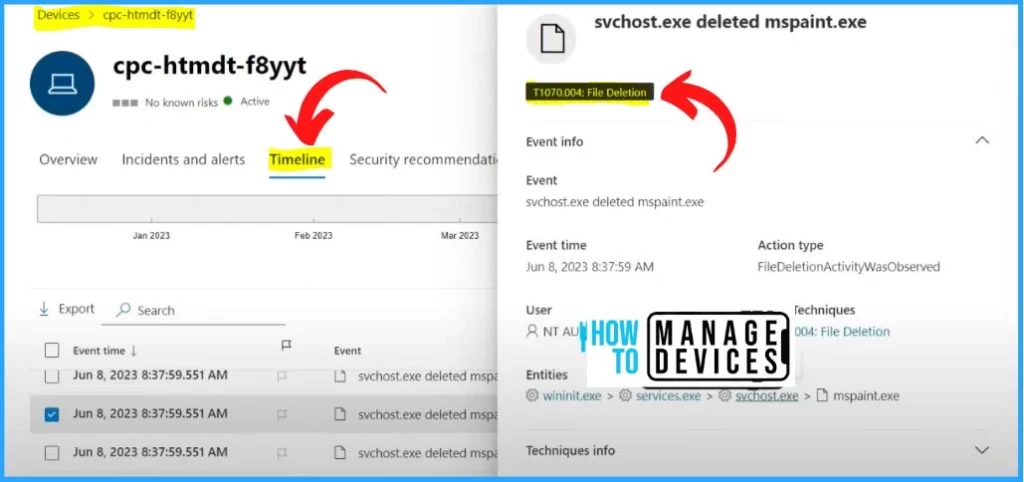
In Timeline, you can see some details, such as an SVC host initiating an HTTP connection to a particular Windows update portal and an SVC host deleting some files. If you click on the black box in the Timeline, you can see the details such as event information, event time, user, entities, etc.
Security Recommendations for Windows Devices
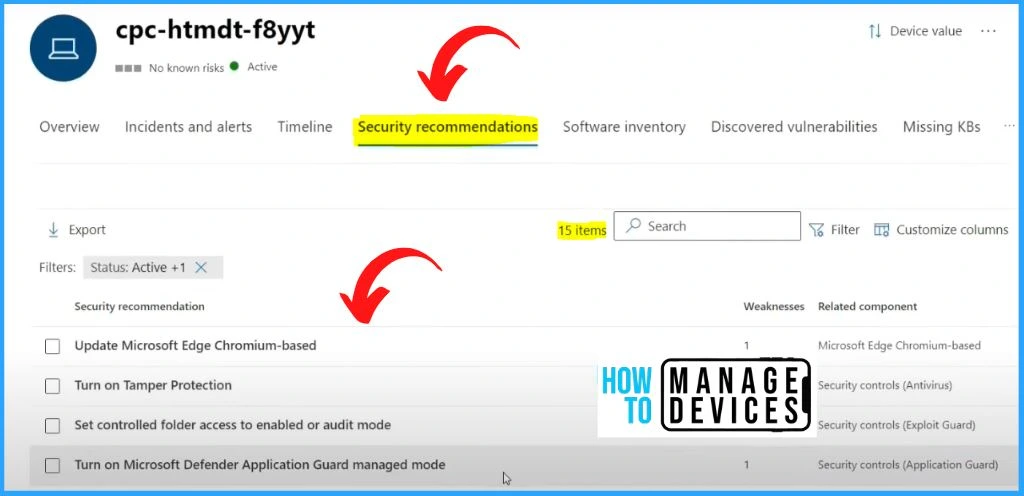
In the security recommendation, you can see a lot of security recommendations. The security recommendation includes 15 items, such as updating Microsoft Edge Chromium-based, Turning on Tamper protection, Set controlled folder access to enable or audit mode, etc.
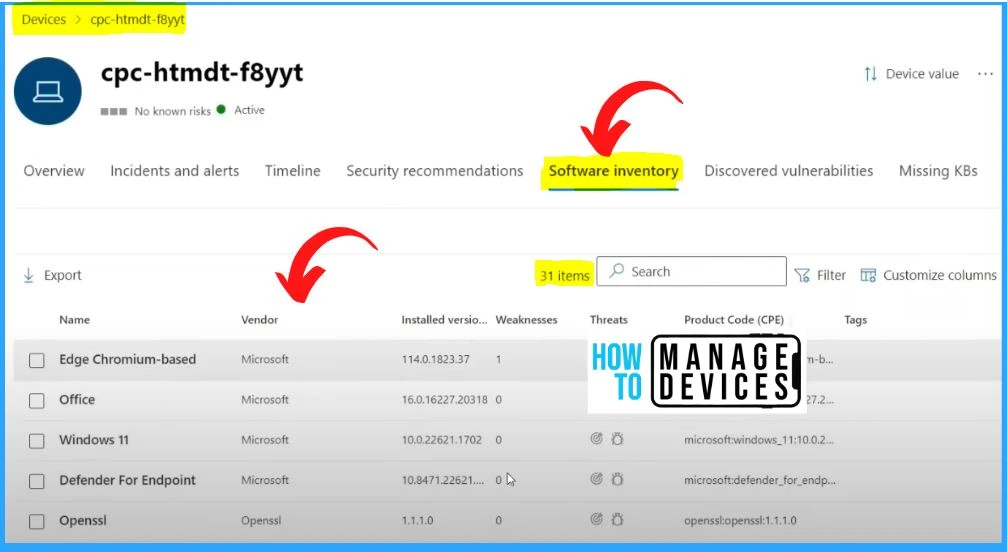
Software Inventory Option in Microsoft 365 Defender Portal
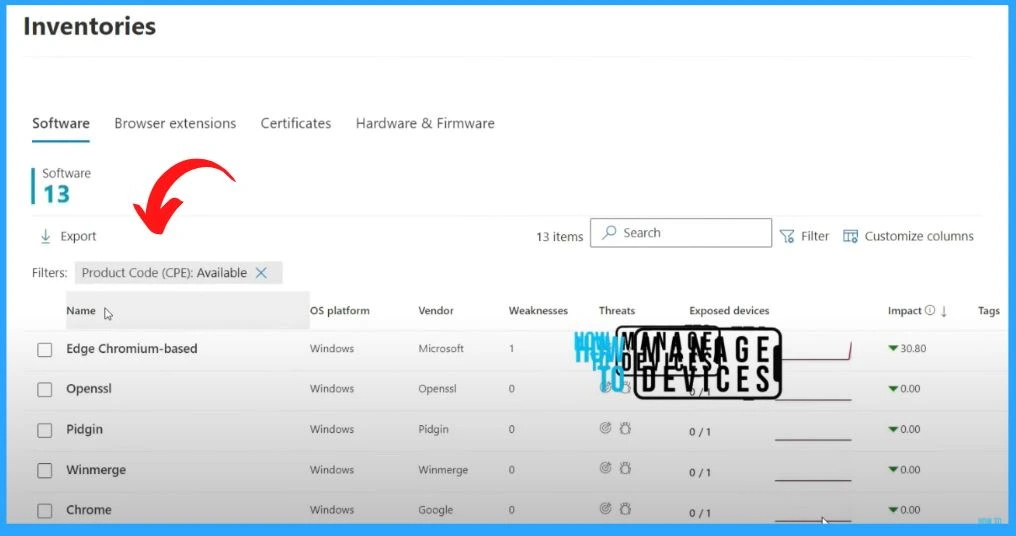
Microsoft 365 Defender can collect the software inventory details and save products, which is very important for analyzing the CVE, etc., and installed versions, vendor, and Product Code (CPE) details. All those details are available in the Software inventory tab.
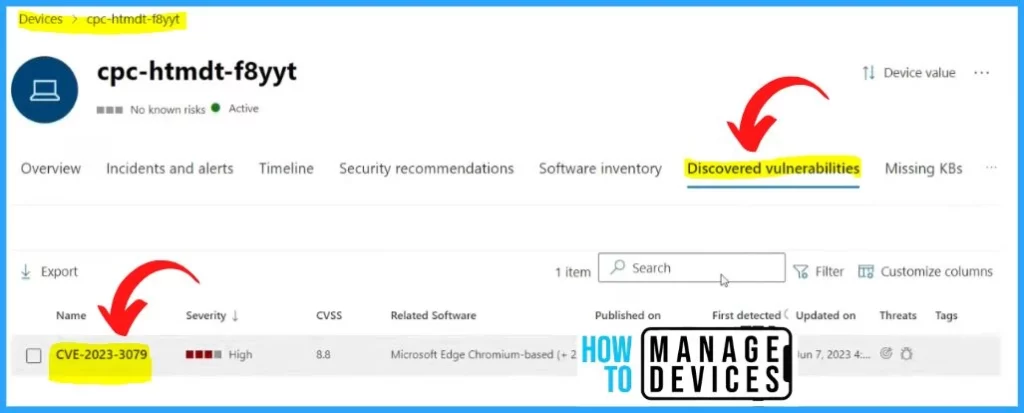
Discovered Vulnerabilities from MDE Portal
Discovered vulnerabilities are another Important tab. Microsoft Defender found one vulnerability related to Microsoft Edge chromium, and it also shows the details such as published date, first detected, updated on, threats, Tags, etc.
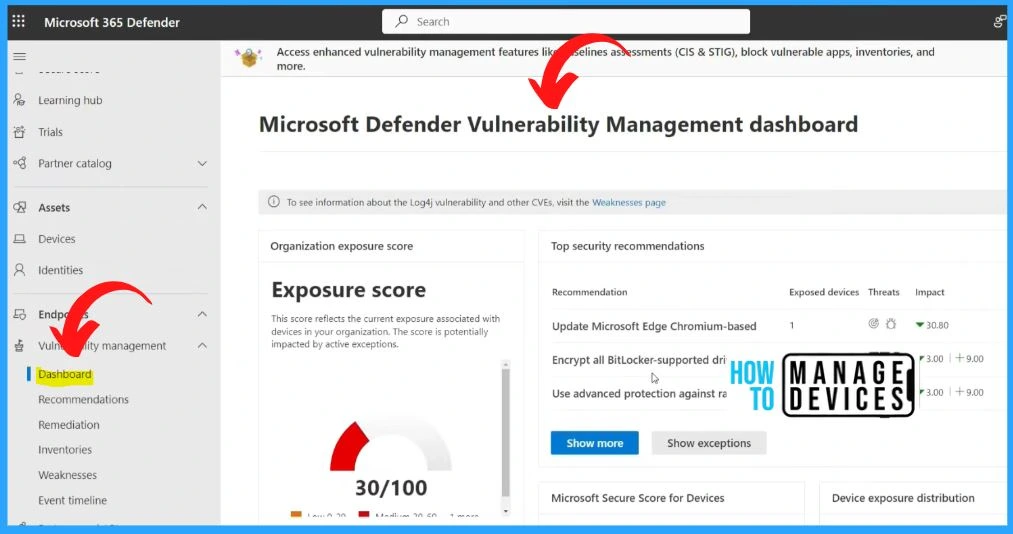
Microsoft Defender Vulnerability Management Dashboard
Defender Vulnerability Management is a robust solution offering comprehensive capabilities to enhance your organization’s security posture. It provides valuable asset visibility, intelligent assessments, and powerful remediation tools across various platforms, including Windows, macOS, Linux, Android, iOS, and network devices.
- Vulnerability management includes the following.
- Dashboard
- Recommendations
- Remediation
- Inventories
- Weaknesses
Vulnerability Management Security Recommendations
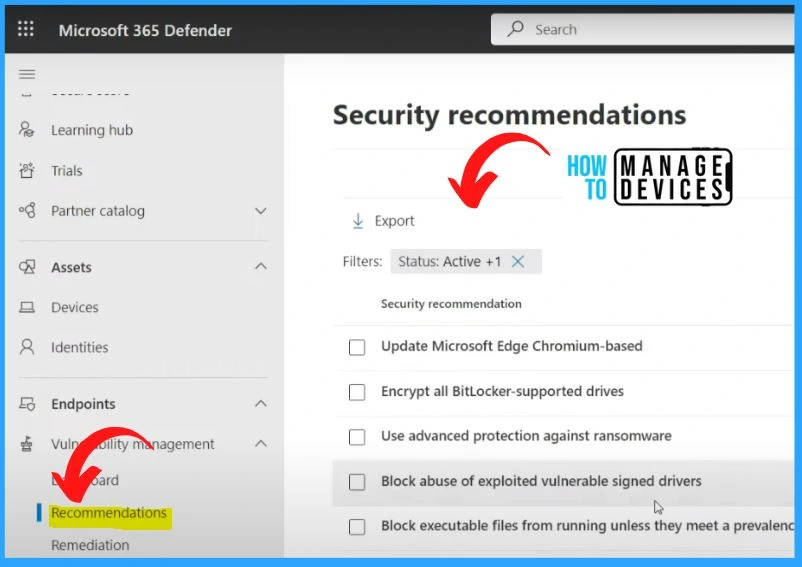
The below window shows the security recommendations tab under vulnerability management. It includes the security recommendations such as updating Microsoft Edge Chromium-based, encrypting all Bitlocker-supported drives, Using advanced protection against ransomware, etc.
Vulnerability Management Remediation
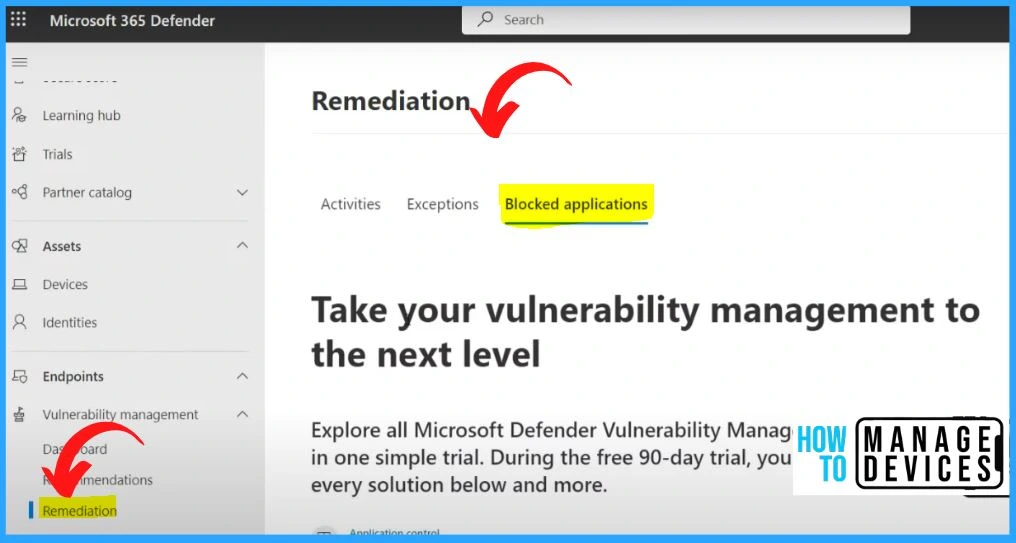
Within the Vulnerability Management section of Microsoft Defender, you will find the Remediation tab, which provides a comprehensive overview of your organization’s remediation efforts. This page has three tabs: Activities, Exceptions, and Blocked Applications.
Vulnerability Management Inventories
The Inventory section within the Vulnerability Management of Microsoft Defender offers a comprehensive view of various inventories crucial for maintaining a robust security posture.
| Inventories | Used to |
|---|---|
| Software Inventory | The Software Inventory provides a detailed overview of the software installed across your organization’s endpoints. |
| Browser Extensions Inventory | Browser Extensions Inventory allows you to monitor and manage the extensions installed within web browsers across your endpoints. |
| Certificates Inventory | The Certificates Inventory provides visibility into the digital certificates present on your organization’s endpoints. |
| Hardware and Firmware Inventory | The Hardware and Firmware Inventory offers insights into the hardware components and firmware versions running on your endpoints. |
Configuration Management Dashboard
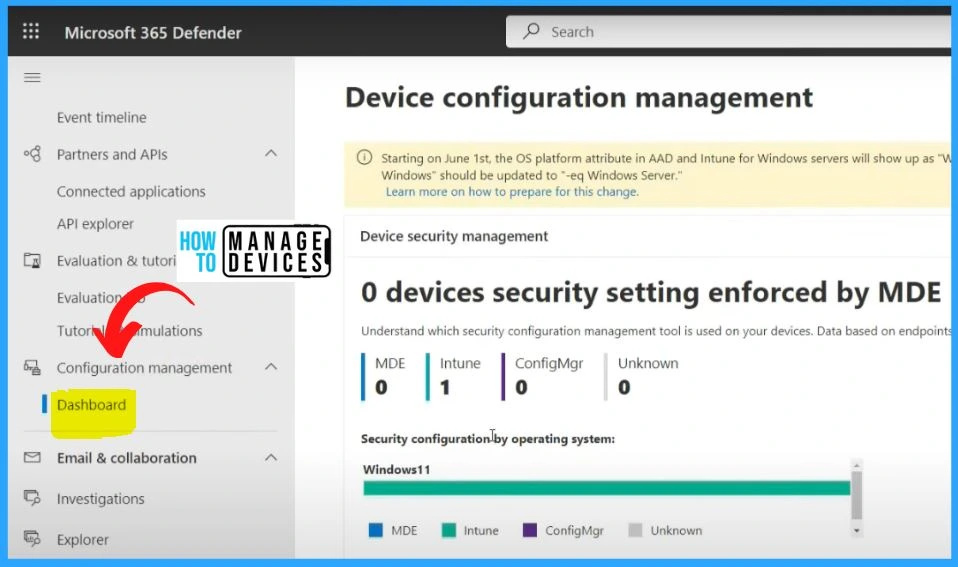
In the Device configuration management, you can see the Intune managed device is 1. MDE is 0, ConfigMgr is 0, and unknown is 0. The Device Configuration Management section provides valuable insights into the management status of different device types within your organization’s environment.
Microsoft Defender for Endpoint in Microsoft 365 Defender | Microsoft Learn
Author
About Author – Vidya is a computer enthusiast. She is here to share quick tips and tricks with Windows 11 or Windows 10 users. She loves writing on Windows 11 and related technologies. She is also keen to find solutions and write about day-to-day tech problems.




Discussion