






Intune Supports Assignment Filters for Android AOSP
Intune now supports Assignment Filters for Android AOSP. As an Intune Admin, the addition of this feature brings enhanced flexibility when it comes to assigning apps and policies to groups of users or devices for Android AOSP.
Intune offers enhanced support for assignment filters specifically designed for Android AOSP (Android Open Source Project) devices. With this new capability, organizations using Android AOSP can apply granular policies and configurations based on specific criteria, such as device properties and enrollment profile name.
By leveraging Intune assignment filters for Android AOSP, organizations can effectively streamline their device management processes while maintaining a high level of control and compliance across their Android AOSP device fleet.
It’s important to note that while Intune supports managing AOSP devices, the level of control and management capabilities may vary compared to devices running Android with manufacturer modifications. Device manufacturers often provide additional management features that may not be available on stock AOSP devices.

The advantage of Intune Assignment Filters for Android AOSP lies in its ability to streamline and optimize device management workflows, enhancing security and overall operational effectiveness.
- Run Remediation Script On-demand For Windows Devices Using Intune
- New Features In Intune Service Release 2306 June Update
Create Assignment Filters for Android AOSP
Here’s how you can create a filter rule for managed devices or apps in Intune. You may find different options to navigate to the filter pane. The following steps guide you to follow the Android (AOSP) available filter properties. These filters can be used when assigning apps, policies, and profiles.
- Sign in to the Microsoft Intune admin center https://intune.microsoft.com/.
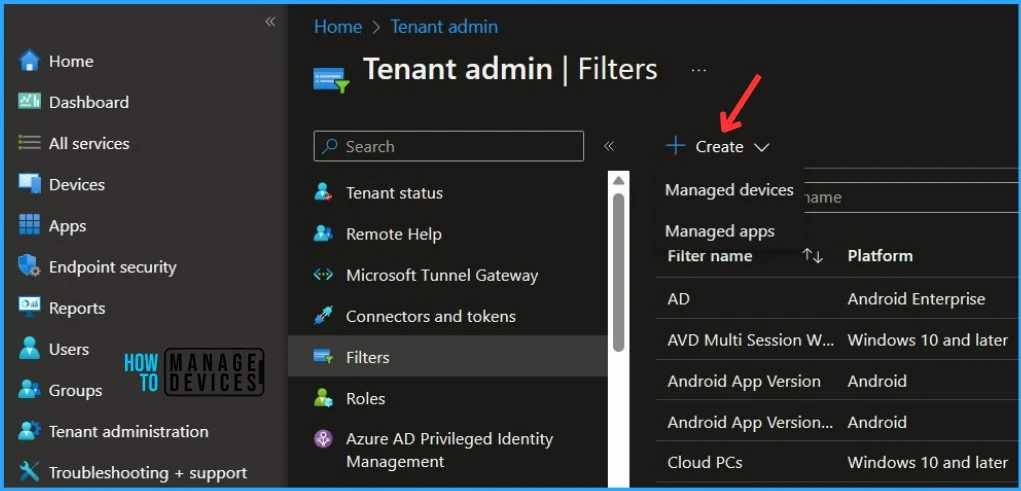
- Select Tenant Administration> Filters > Create. You can have two option Managed devices or managed apps for the selection.
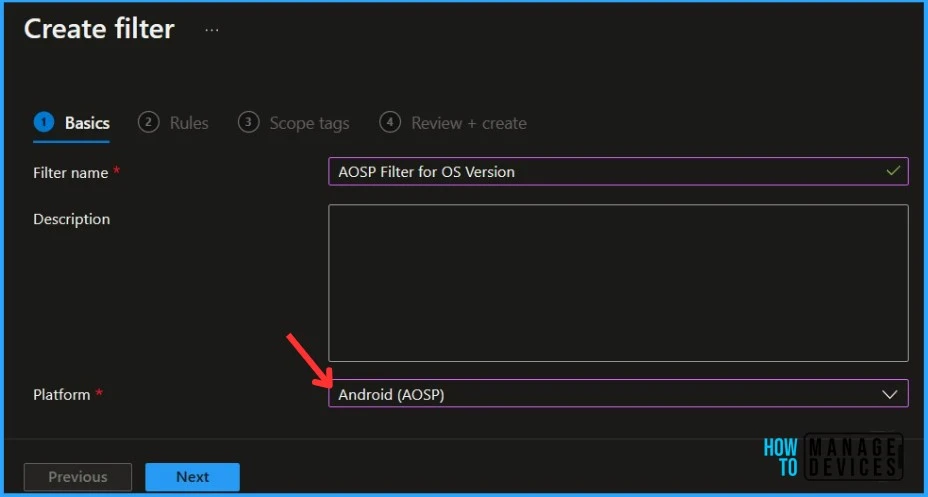
In Basics, specify the filter name you want to provide and the description, and you can now select your platform Android (AOSP), from available options: iOS/iPadOS, Windows 10 and later, Android device administrator, Android Enterprise, macOS, and Click Next.
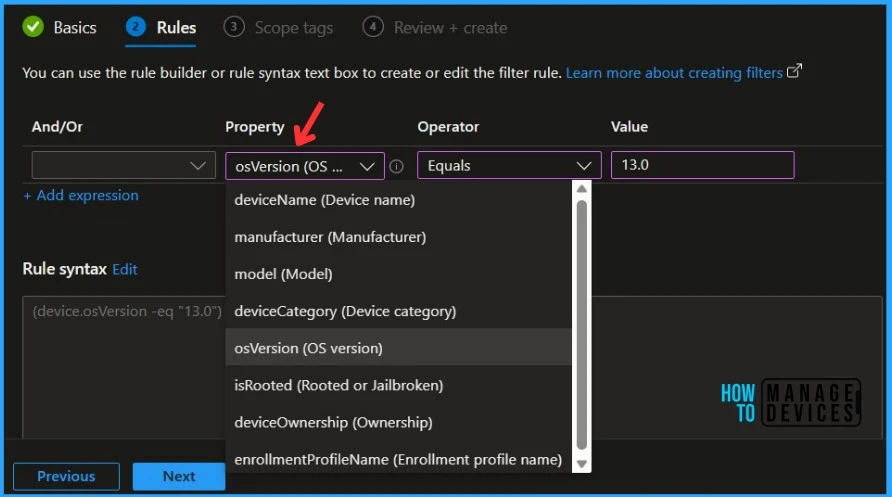
There are two ways to create a rule in Rules: Use the rule builder or use the rule syntax. The expression you created with the rule builder is automatically added to the rule syntax editor. When you create a filter for Android (AOSP), you can use the following properties:
- deviceName
- manufacturer
- model
- deviceCategory
- oSVersion
- isRooted
- deviceOwnership
- enrollmentProfileName
You have the Preview Devices option to check whether the Intune filter rules are correctly configured or not. Device preview – You can see a sample set of devices that match the filter rules. The below example shows the Android devices OS version equals to 13.0 in Intune.
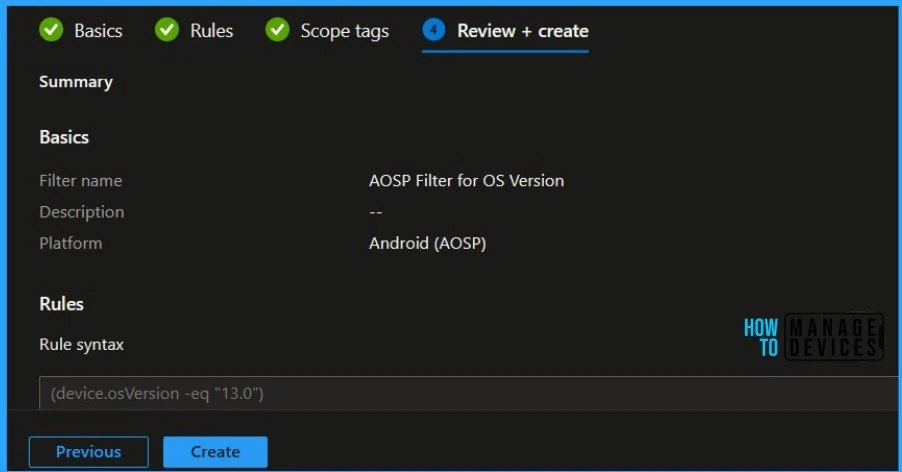
In Review + create, review your settings. When you select Create, your changes are saved. The filter is created and ready to be used.
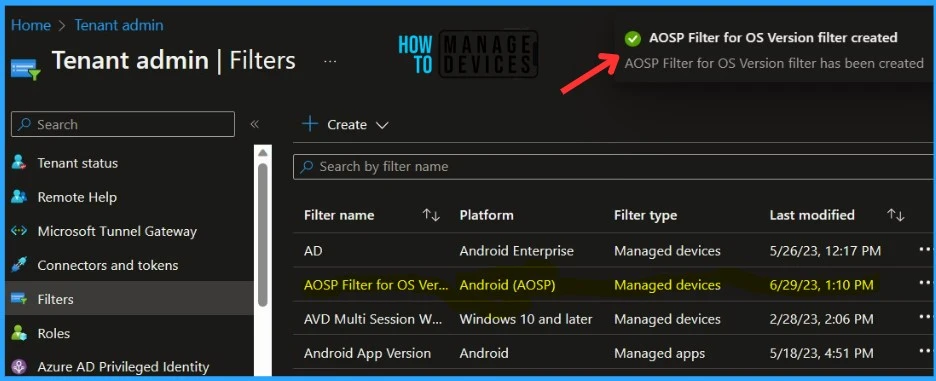
A notification will appear with the message AOSP Filter for OS version created. The filter is also shown in the filters list. You can use the same filter while assigning apps or policies for the devices or users specific to Android (AOSP).
Video Guide – Intune Assignment Filter Walkthrough
In the video guide, you will gain valuable insights into the world of Intune Assignment Filters and explore the Associated Assignments and supported workloads. Discover how Intune Assignment Filters can streamline and enhance your device management experience, allowing you to target specific devices and users within your organization effectively.
Join us in this detailed video to unlock the potential of Intune Assignment Filters and optimize your device management strategies.


Discussion