






Excellent Resource to Learn and Become an Expert in SCCM Reporting
Excellent Resource to Learn and Become Expert in SCCM Reporting Configuration Manager? I always get requests from the management, asset, and licensing team to create custom SCCM reports.
SCCM Reporting is one of the areas I never tried to spend more time on. It’s a vast topic, and you can master it in a day or two.
First, you need to properly understand SCCM concepts like Data Discovery, Data collection, Hardware Inventory, and SQL Queries + SSRS.
This blog post will allow you to learn more about an excellent book called “System Center Configuration Manager Reporting Unleashed” and how this resource will help to improve your SCCM Reporting skills.

I read SCCM guru Garth Jone’s (and co-authors Dan Toll and Kerrie Meyler) new book on SCCM reporting. I loved their “System Center Configuration Manager Reporting Unleashed” approach to explaining complex topics like SCCM data collection, State messages, Status Messages, Report Design, and RBA-based reports.
Table of Contents
- FIX Firefox Installation Failed SCCM Reporting Issue| ConfigMgr
- Setup Configure SCCM Reporting Services Point Configuration Manager ConfigMgr
- Fix SCCM Report Server Cannot Open A Connection Error
- SCCM Troubleshooting Tips On Reporting Server SSRS Issues
Introduction – Expert in SCCM Reporting Configuration Manager
They explained each topic straightforwardly and easily. This is done via a real-world explanation of each SCCM concept, sample SQL queries, and result screenshots. This is an excellent approach to teaching SCCM reporting from beginner to expert level.
I highly recommend this book to all IT Pros who want to learn more about SCCM reporting and become experts in creating custom SCCM reports. You can purchase it from the following link!! I have provided the book’s high-level content at the bottom of this post.
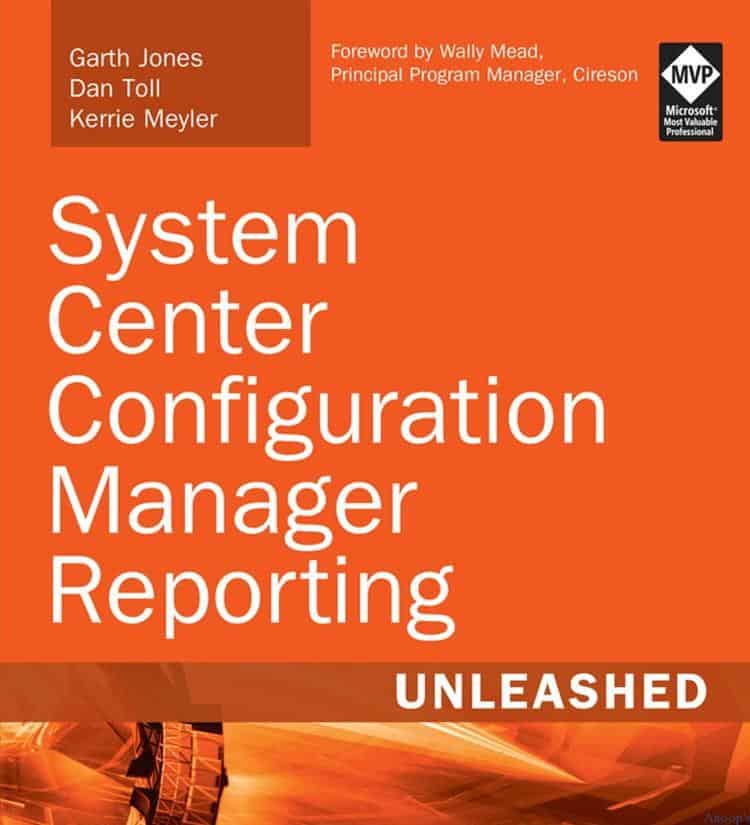
A Quick Glance at the – High-Level Content of “System Center Configuration Manager Reporting Unleashed”
Purchase and download the “System Center Configuration Manager Reporting Unleash” eBook from here. Purchase the “System Center Configuration Manager Reporting Unleashed” book from here.
Part I Installing and Configuring SSRS for Configuration Manager
1 Installing SQL Server Reporting Services
2 Installing and Configuring Configuration Manager Reporting
Part II About Data and Retrieval
3 Understanding Configuration Manager Data
4 Transact-SQL Primer
Part III Using SSRS for Configuration Manager Reporting
5 Basic Report Design
6 Building a Basic Report
7 Intermediate Reporting Concepts
8 SSRS Reporting Features
9 Role-Based Administration and Reporting
Part IV Appendixes
A Glossary
B Demonstration Outcomes
C Available Online
SCCM Related Posts Real World Experiences Of SCCM Admins
SCCM Reporting Point Issue – Fix SCCM SSRS Issues – Install and Configure SCCM SSRS
This information is stored in SCCM SQL DB. We can make beautiful reports with the data collected by SCCM. SCCM has nearly 500 default reports that are available out of the box. To access these default SCCM reports, you must set the Configure SCCM CB Reporting Services point.
We are on WhatsApp now. To get the latest step-by-step guides, news, and updates, Join our Channel. Click here. HTMD WhatsApp.
Author
Anoop C Nair is Microsoft MVP! He is a Device Management Admin with more than 20 years of experience (calculation done in 2021) in IT. He is a Blogger, Speaker, and Local User Group HTMD Community leader. His main focus is on Device Management technologies like SCCM 2012, Current Branch, and Intune. He writes about ConfigMgr, Windows 11, Windows 10, Azure AD, Microsoft Intune, Windows 365, AVD, etc.




Yes, this book is in discussion from few months… but I guess not yet available here in India… Also but would be the expected price for it…?
StaffIt’s there for India as well… See this is what I can see in Amazon ”
Buy new
$26.62
Only 16 left in stock (more on the way).
Ships from and sold by Amazon.com. Gift-wrap available.
Free Shipping for Prime Members
This item ships to Bangalore, India. Want it Tuesday, May 17? Order within 10 hrs 48 mins and choose AmazonGlobal Priority Shipping at checkout. Learn more “