






SCCM ConfigMgr How to Convert Legacy BIOS to UEFI a Fully Supported Way Configuration Manager
Let’s discuss SCCM ConfigMgr and how to Convert Legacy BIOS to UEFI, a Fully Supported Way to Configure a Configuration Manager. Windows 10 enterprise has loads of security enhancements. I think Microsoft invested heavily, mainly in three pieces: Secure Identities, Information Protection, and Threat Resistance.
One of the most important pieces in this is Threat Resistance. Windows 10 Threat Resistance involves Device Guard (What is Device Guard?) SCCM ConfigMgr How to Convert Legacy BIOS to UEFI a Fully Supported Way Configuration Manager?
Conditional Access and Credential Guard (What is Credential Guard?). To fully secure the Windows 10 enterprise and use the modern technologies mentioned above, it’s very important to have a secure boot with UEFI.
In this post, I will share the solution to “Automate migrations from Windows 7/8 to secure Windows 10” from Adaptiva. Using the process explained in the White paper, you can automate the Windows BIOS conversion (to UEFI) as part of Windows 10 migration.
Table of Contents
- How to Check UEFI BIOS Firmware Version in Windows 11
- Understanding Windows 10 UEFI Secure Boot – How it helps to secure Pre-Boot Phase
- 2016 Top 10 Posts about SCCM ConfigMgr Intune Windows 10
SCCM ConfigMgr How to Convert Legacy BIOS to UEFI a Fully Supported Way Configuration Manager
This is a fully supported way of converting to UEFI via the SCCM/ConfigMgr Task Sequence. The techniques described in this document use standard tools for any SCCM installation (SCCM 2012, SCCM CB 1511, 1602). No third-party software or special tools are required to implement the solution in your SCCM ConfigMgr environment.
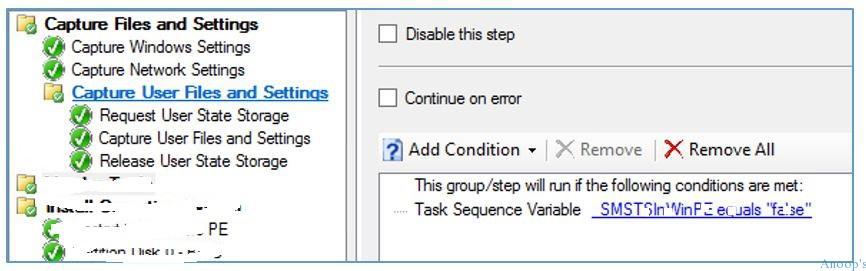
In addition, instructions are provided to add this functionality to your existing task sequences, including example command lines. To modify a computer’s firmware from BIOS to UEFI and Secure Boot, you must download each vendor’s BIOS configuration utility.
This guide only covers the three major computer manufacturers Dell, Hewlett-Packard, and Lenovo, so download the utilities applicable to your environment.
Download the Solution
Description from the following link “Free ConfigMgr Community Solution: Automate migrations from Windows 7/8 to secure Windows 10.”
Resources
SCCM Related Posts Real World Experiences Of SCCM Admins
We are on WhatsApp now. To get the latest step-by-step guides, news, and updates, Join our Channel. Click here. HTMD WhatsApp.
Author
Anoop C Nair is Microsoft MVP! He is a Device Management Admin with more than 20 years of experience (calculation done in 2021) in IT. He is a Blogger, Speaker, and Local User Group HTMD Community leader. His main focus is on Device Management technologies like SCCM 2012, Current Branch, and Intune. He writes about ConfigMgr, Windows 11, Windows 10, Azure AD, Microsoft Intune, Windows 365, AVD, etc.


Does anyone have a direct download link for this document?
I tried to go through Adaptiva which said after entering my email I would get the doc. I never got it since yesterday. I’ve tried a few more times but still never got access to download the info.
StaffHi Leo ! – Can you check the junk folder. Most probably it will be there in Junk folder. Let me know ::)
KR
Anoop
Hi Anoop,
Can you please let me know how to get this guide and the utilities for lennovo and HP.
I am currently working on Bitlocker deployment and would be interested in know if you have any documents for the same and if you have faced any issues or challenges with TPC, Bios etc.
Can i converted bulk of machines legacy mode to uefi mode win10 machines from sccm