






Start Menu Issues of Third-Party UI Customization Apps in Windows 11
Let’s delve into the topic of the Start Menu Issues of Third-Party UI Customization Apps in Windows 11. Microsoft detected a problem that impacts the functionality of third-party user interface customization applications. This issue leads to the disruption of the Start menu’s proper functioning within the Windows 11 operating system.
The most recent update provided by Microsoft for Windows 11, denoted as version 22H2, KB5028254, has brought about a significant problem for third-party user interface customization applications. These apps are now experiencing a major disruption due to the effects of this update.
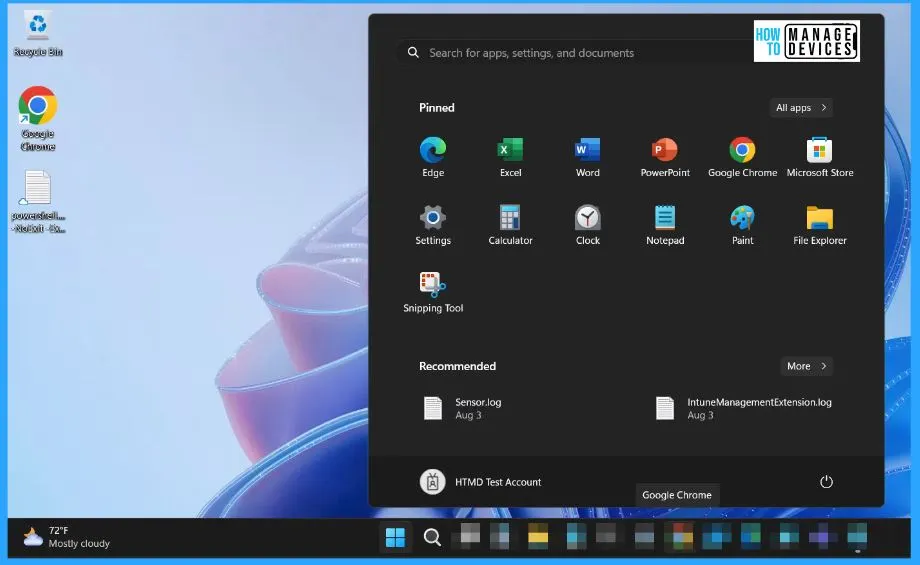
We have an article highlighting deploying the Start Menu Taskbar custom layout settings using Intune. This post helps you to learn more about Intune device restriction policies. And another article shows how to customize Windows 11 start menu layout settings using Intune. Start menu layout customization is important for Windows 11 after the production release on 4th Oct 2021.
A user interface (UI) refers to the part of an operating system, program, or device that facilitates the interaction between a user and the system, enabling the input and output of information. Within Windows 11, a fresh user interface takes center stage, showcasing a redesigned Start Menu and Taskbar, improved touch controls, enhanced security features, and integrated widgets for quick access to information.

- Remove the Search link from Start Menu Using Intune
- Disable Right Click Context Menu from Start Menu Using Intune
- Remove the Search link from Start Menu Using Intune
What is the Issue Affecting the Start Menu in Windows 11?
The issue pertains to disruptions and malfunctions in the Start Menu functionality within Windows 11. This problem has been traced to third-party user interface (UI) customization applications.
Start Menu Issues Caused by Third-Party UI Customization Apps in Windows 11
After installing KB5028254 or later updates, a prevalent issue has shown in the Start menu, which becomes unresponsive on Windows devices hosting particular third-party UI customization applications. The known app with such an impact is ExplorerPatcher, although other similar applications might also encounter this challenge.
These customization tools often employ methods that lie outside the realm of official support to achieve their modifications. Consequently, the results of these actions can lead to unintended disruptions on your Windows device.
| Status | Originating update | History |
|---|---|---|
| Resolved External | OS Build 22621.30000 KB5028254 2023-07-25 | Last updated: 2023-08-17, 16:01 PT Opened: 2023-07-26, 11:24 PT |
What is the KB5028254 Update?
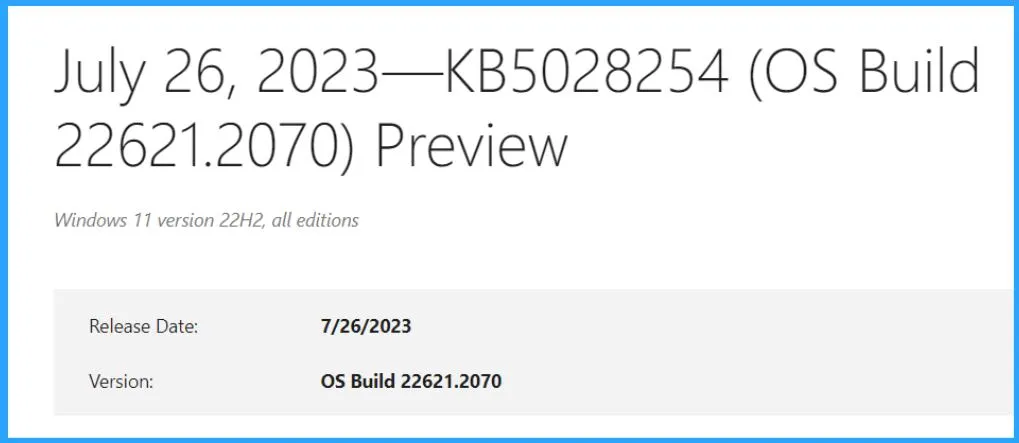
The KB5028254 update is a specific cumulative update released by Microsoft on 7/26/2023 for the Windows operating system. The version of the Windows update is OS Build 22621.2070. This Cumulative updates, like KB5028254, typically include various improvements, bug fixes, security enhancements, and compatibility adjustments. This update will be installed on top of the existing Windows version to ensure the operating system is up-to-date.
Which Windows 11 Update is Associated with these Start Menu Issues?
Microsoft’s latest update for Windows 11, version 22H2, is causing a major issue for third-party UI customization apps (KB5028254).
Important Information Regarding Start Menu Issues Caused by Third-Party UI Customization Apps in Windows 11
You must know some Important Information Regarding Start Menu Issues Caused by Third-Party UI Customization Apps in Windows 11. The list below helps you show the information regarding the Start Menu Issues Caused by Third-Party UI Customization Apps in Windows 11.
- The latest Windows 11 update, version 22H2 (KB5028254), is causing a significant problem for third-party UI customization applications.
- As per Microsoft’s assessment, the responsibility for this issue falls upon third-party software developers. They are responsible for creating these UI customization apps encountering compatibility conflicts with the recent update.
- ExplorerPatcher has been identified as one of the platforms affected by this issue.
- Microsoft has pointed out that the software developers are using unsupported methods, which is why the users are encountering this glitch.
Suggested Solution for Start Menu Issues Caused by Third-Party UI Customization Apps
Microsoft recommends workarounds or suggested solutions for Start Menu Issues caused by Third-Party UI Customization Apps. To avoid this issue, uninstall any third-party UI customization app before installing KB5028254. If your Windows device is already experiencing with this problem, you might need to contact customer support for the app developer you are using.
Resolution and Affected Platforms
The below table helps you to show the Resolution and affected platforms. “Resolution of the Start Menu Issues Caused by Third-Party UI Customization Apps refers to the solution implemented to address a particular issue.
| Resolution | Affected platforms |
|---|---|
| ExplorerPatcher has taken a rectifying step through the release of a version that confirms the resolution of this issue | Client: Windows 11, version 22H2 Server: None |
Windows 11, version 22H2 known issues and notifications | Microsoft Learn
Author
About Author – Vidya is a computer enthusiast. She is here to share quick tips and tricks with Windows 11 or Windows 10 users. She loves writing on Windows 11 and related technologies. She is also keen to find solutions and write about day-to-day tech problems.




Discussion