






Configure Android System Update Setting Using Intune
This post helps you to configure Android System Update Setting using Intune. You can create an Android device restrictions configuration profile for enrolled and managed Android Enterprise devices for managing software updates behaviour on your organization-owned devices.
As the patches, major & minor updates, and new os versions are released frequently. You must keep devices updated to get the latest security updates, by configuring the policies to control over the update behaviour provide you more flexiblity.
Intune has built-in policies that can manage software updates. You can use Intune to manage Android device updates, configure when devices are updated, and review the device update status.
For enrolled Android Enterprise devices, you can manage OS updates using the Android System update setting. This setting is configurable in an Intune device restrictions configuration profile. When you configure this setting, you choose when the updates are installed. For example, you can:

- Use the device’s default behavior, which automatically installs updates if the device is connected to Wi-Fi, is charging, and is idle.
- Automatically install updates without user interaction. Pending updates install immediately.
- Postpone updates for 30 days and then prompt users to install updates. Expect your device manufacturer and/or carrier to prevent important security updates from being postponed.
- Create a maintenance window to automatically install updates during a specific time frame.
- Software Update Patching Options With Intune Setup Guide
- Enable Automatic Updates For MacOS Devices Using Intune
Configure Android System Update Setting
Let’s check how you can choose an option to define how the Android system update handles over-the-air updates, The device restriction policy helps you to enable or disable device features, run apps on dedicated devices, control security, and more. This profile is for fully managed, dedicated, and corporate-owned work profile devices.
- Sign in to Microsoft Intune Admin Center https://intune.microsoft.com/
- Click on Devices > Android > Configuration Policies. I selected the existing configuration profile (Device Restriction) for modification and click on General.
You can check more details, you wanted to create device restriction policies from scratch, Enforcing Screen Lock For Android Devices In Intune.
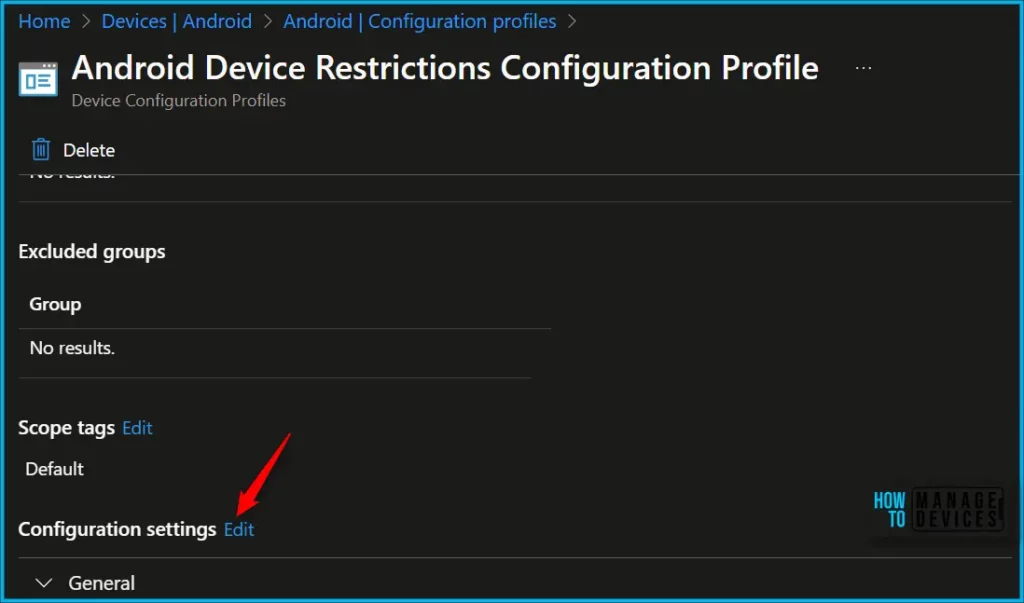
In the System update, By default the device restrictions profiles selected the Device Default option. You can choose the different available option from the drop-down list.
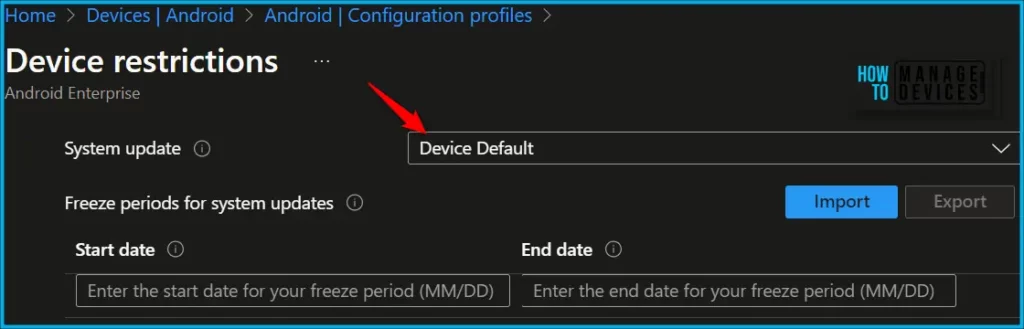
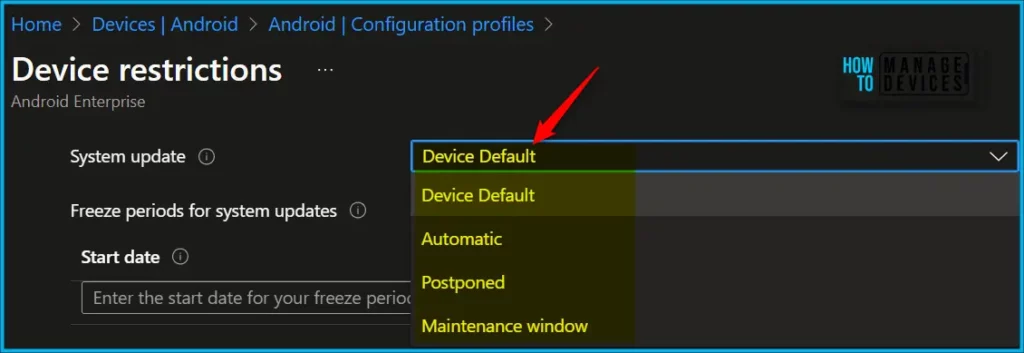
System update: Choose an option to define how the device handles over-the-air updates. Your options
- Device Default (default): Use the device’s default setting. By default, if the device is connected to Wi-Fi, is charging, and is idle, then the OS updates automatically. The OS also validates for app updates if the app isn’t running in the foreground.
- Automatic: Updates are automatically installed without user interaction. Setting this policy immediately installs any pending updates.
- Postponed: Updates are postponed for 30 days. At the end of the 30 days, Android prompts users to install the update. It’s possible for device manufacturers or carriers to prevent (exempt) important security updates from being postponed. An exempted update shows a system notification to users on the device.
- Maintenance window: Installs updates automatically during a daily maintenance window that you set in Intune. Installation tries daily for 30 days, and can fail if there’s insufficient space or battery levels.
- After 30 days, Android prompts users to install. This setting applies to operating system and Play Store app updates. Any maintenance window takes precedence over in-progress device changes. Use this option for dedicated devices, such as kiosks, as single-app dedicated device foreground apps can be updated.
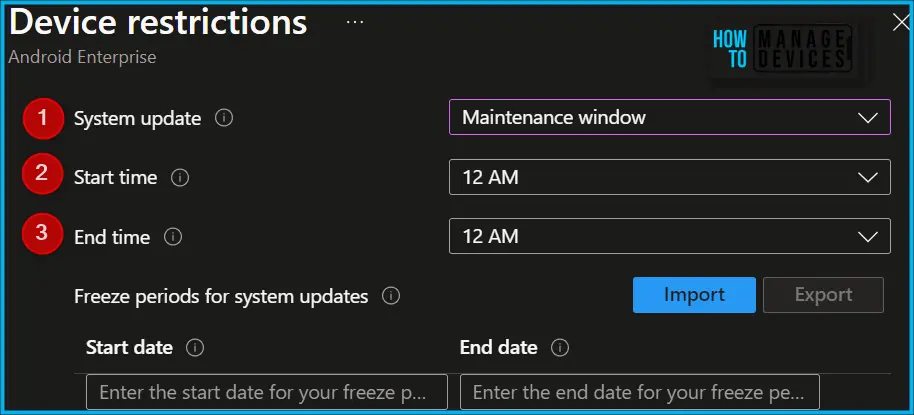
In the following options, you can configure the start time, end time for the System update maintenance window.
- System update – When over-the-air updates are available for this device, they will be installed based on this policy.
- Start time – Beginning of the maintenance window in the device’s time zone.
- End time – End of the maintenance window in the device’s time zone.
Author
About Author – Jitesh, Microsoft MVP, has over six years of working experience in the IT Industry. He writes and shares his experiences related to Microsoft device management technologies and IT Infrastructure management. His primary focus is Windows 10/11 Deployment solution with Configuration Manager, Microsoft Deployment Toolkit (MDT), and Microsoft Intune.


Is this feature supported even in Android Device Administrator enrolled devices?
Hey, i am having a hard time deploying this to my kiosk devices..
they wont update even with automatic set.
I am having the same issue with Kiosk-mode devices. Non-Kiosk mode devices are fine, however. Not sure how to resolve!