






How to Perform SCCM ConfigMgr CB Production Upgrade to 1702 Video Tutorial Configuration Manager
Let’s discuss how to Perform the SCCM ConfigMgr CB Production upgrade to 1702 Video Tutorial Configuration Manager. Microsoft released a new version of SCCM/ConfigMgr CB 1702 here.
If your SCCM infrastructure runs with an ONLINE “service connection” point and your SCCM CB version is 1602 (and later), you will receive the SCCM CB 1702 update in the console.
For SCCM CB infra with an online service connection point, the SCCM CB 1702 update will automatically appear in the console once Microsoft releases it for the “slow ring. ” Microsoft released SCCM CB 1702 updates only for the “fast ring.” I have upgraded the standalone SCCM CB 1610 primary site to SCCM CB 1702. My experience with this upgrade was very smooth and robust.
I didn’t face any hiccups after automatically downloading the SCCM CB 1702 source files to the primary server. The video below will give a step-by-step walkthrough of the SCCM/ConfigMgr CB 1610 and 1702 upgrade process.

- Feature Comparison Video Between SCCM ConfigMgr CB 1610 and 1702 Configuration Manager ConfigMgr
- SCCM 2203 Upgrade Guide with Top 5 Best New Features
- SCCM 2111 Upgrade Step by Step Guide | New Features
- SCCM Server In-place OS Upgrade to Server 2022 Guide
Table of Contents
How to Perform SCCM ConfigMgr CB Production Upgrade to 1702
The video tutorial on “How to Perform SCCM ConfigMgr CB Production Upgrade to 1702” provides a comprehensive guide for IT administrators upgrading their SCCM Current Branch (CB) to version 1702. The tutorial helps you to cover all essential steps, from the prerequisites and preparatory tasks to the upgrade process and post-upgrade verification.
How to Perform SCCM ConfigMgr CB Production Upgrade to 1702 Video Tutorial Configuration Manager
Don’t upgrade to the SCCM/ConfigMgr CB 1702 version if your primary servers/CAS run on a Windows 2008 R2 server. The minimum OS requirement for the SCCM CB 1702 upgrade is Windows Server 2012 and Later.
You must ensure that a supported version of SQL is installed on the primary servers/CAS. SQL 2008 R2 SP3 is not supported, and you should have a minimum of SQL 2012 R2. So, hold on with your SCCM CB 1702 to upgrade if you lack supported SQL and OS versions.
Issues with Getting ConfigMgr SCCM 1702 Updates Available in the SCCM CB Console?
Is the SCCM/ConfigMgr CB 1702 update still unavailable in the SCCM CB console? How do you perform the SCCM ConfigMgr CB Production upgrade to 1702 Video Tutorial Configuration Manager?
Following are the steps you need to follow for the FAST RING release of SCCM CB 1702:- More details are available in my previous post, “SCCM ConfigMgr 2012 to CB upgrade Unofficial Checklist“
- Download the PowerShell script to ENABLE the first wave of customers (The script is available at the above link). SKIP THIS STEP, which is NOT required NOW.
- Run the PowerShell Launch from an elevated command prompt (local admin access) PS Command – “EnableFastUpdateRing1702.ps1 <SiteServer_Name | SiteServer_IP>” – SKIP THIS STEP – NOT Required NOW
- Force a check for the update. Go to \Administration\Overview\Cloud Services\Updates and Servicing and click “Check for Updates.” You may need to try “Check for Updates” more than once if the package is not downloaded on the first try.
- Wait for some time. The DMP Downloader component will start the Download via SCCM CB 1606 updates and the Servicing channel (DMPdownloader.log for more details)
- SCCM CB 1702 Prerequisites check
- Start the installation and wait for the replication of source files to the server in the hierarchy if you have CAS and Primary servers (this is not covered as I don’t have the SCCM CB hierarchy in the lab)
- Once installation is completed on the CAS server, the automatic SCCM CB 1702 upgrade process will kick in for child Primary servers per the service windows scheduled on the respective primary server.
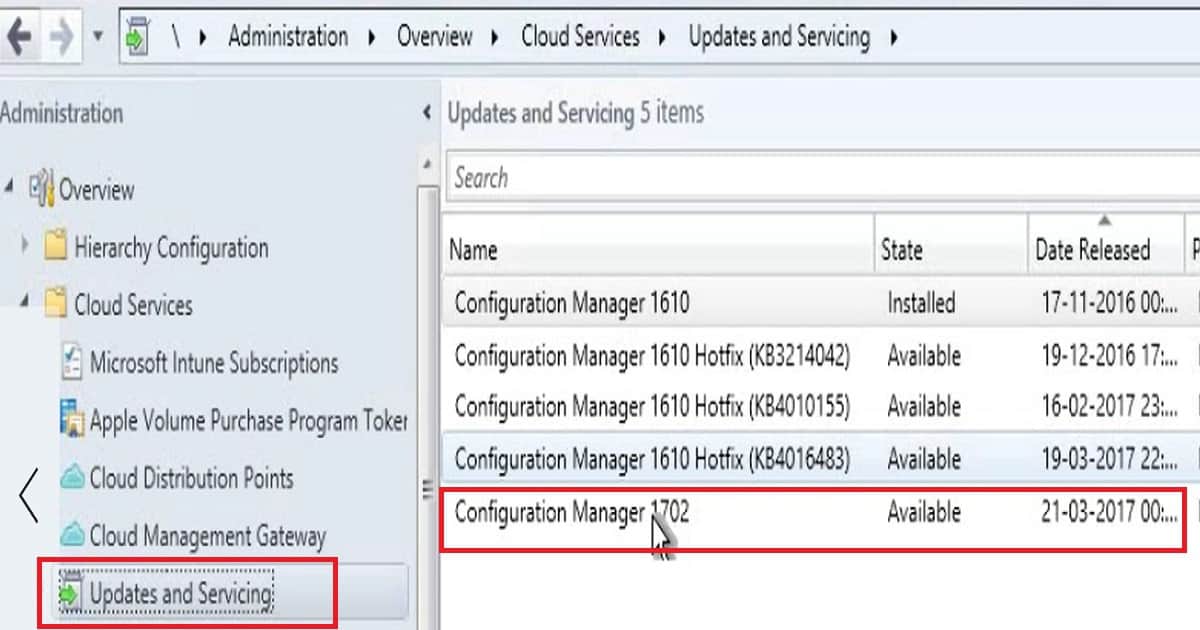
As you can see in the above screen capture, the SCCM/ConfigMgr CB 1702 has already been downloaded and is available for the upgrade process on my SCCM primary server. However, the download process still has some challenges, and there is room for improvement.
The SCCM CB 1702 download was stuck in the downloading state for a long time. I had to restart the SMS Executive service to make the “in-console” 1702 update available. Please right-click on the Configuration Manager 1702 update and Install it.
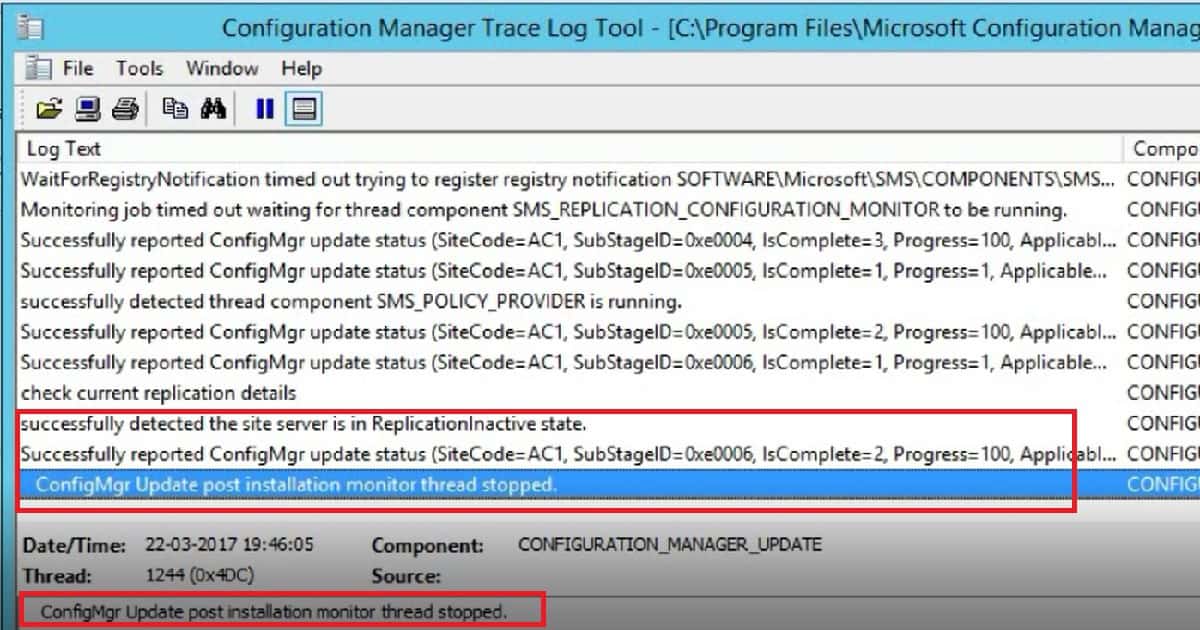
The SCCM/ConfigMgr CB 1702 upgrade experience was very smooth for me. However, the process can take time, depending on factors like server components’ hardware performance and the SQL DB’s size. You can monitor the status of the upgrade from CMUpdate.log.
Also, check the Monitoring workspace for a more standardized status table with the respective log file details for each stage of an upgrade. How do you perform the SCCM ConfigMgr CB Production upgrade to 1702 Video Tutorial Configuration Manager?
Version
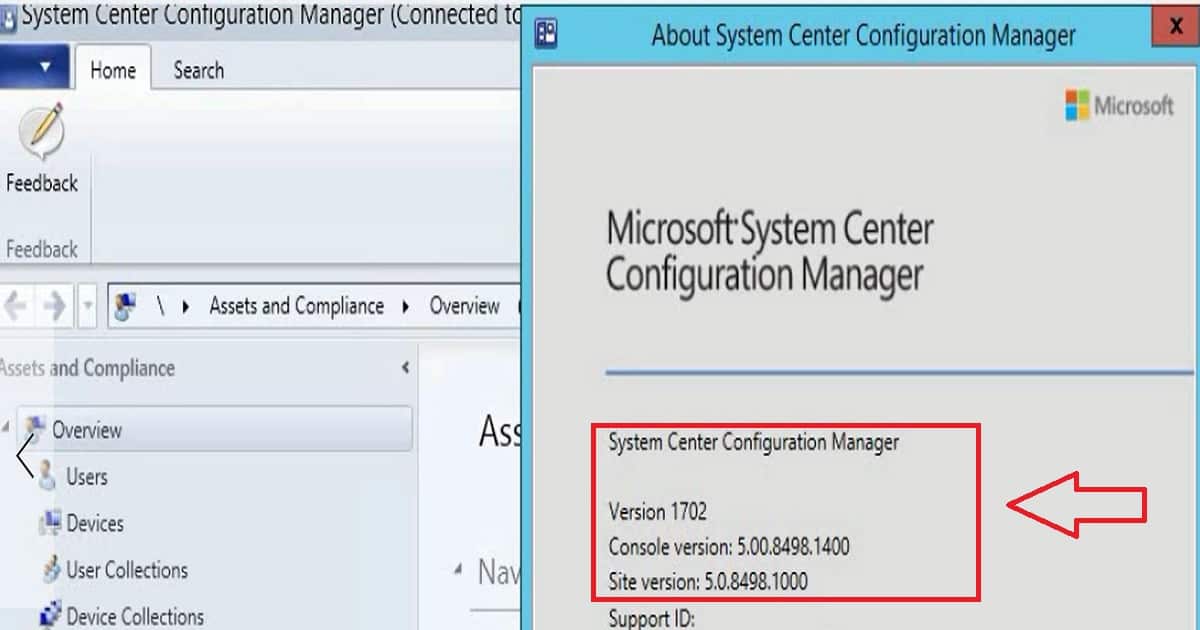
The last stage of the ConfigMgr/SCCM CB 1610 to 1702 upgrade process is the SCCM CB console upgrade. Once the console is upgraded successfully, you can see the latest site server version.
Also, the SCCM CB 1702 version details will be updated in the primary servers or CAS server registry key.
Version 1702
Console Version 5.000.8498.1400
Site Version:5.0.8498.1000
References
- Now Available: Update 1702 for System Center Configuration Manager
- Deprecated operating systems and SQL support details for SCCM/ConfigMgr CB 1702
We are on WhatsApp now. To get the latest step-by-step guides, news, and updates, Join our Channel. Click here. HTMD WhatsApp.
Author
Anoop C Nair is Microsoft MVP! He is a Device Management Admin with more than 20 years of experience (calculation done in 2021) in IT. He is a Blogger, Speaker, and Local User Group HTMD Community leader. His main focus is on Device Management technologies like SCCM 2012, Current Branch, and Intune. He writes about ConfigMgr, Windows 11, Windows 10, Azure AD, Microsoft Intune, Windows 365, AVD, etc.




HI Anoop
We are facing issue while upgrading our secondary sites. Some secondary sites got upgraded but some are failing to upgrade. Following are the errors which we are getting:
1. The collation of the site database does not match the collation of the parent site’s database. All sites in a hierarchy must use the same database collation.
2. Current SUM configuration uses virtual locations for some of the active SUPs. Please remove any virtual locations from the existing SUM configuration.
3. Either the user account running Configuration Manager Setup does not have sysadmin SQL Server role permissions on the SQL Server instance selected for site database installation, or the SQL Server instance could not be contacted to verify permissions. Setup cannot continue
And it is not our first upgrade. We upgraded from 1511 –> 1602 –> 1606 –> 1610
Dont know why this time while upgrading from 1610 –> 1702, we are getting above errors.