






SCCM SCUP Third-Party Application Patching System Center Update Publisher
Let’s discuss the SCCM SCUP Third-Party Application Patching System Center Update Publisher. 3rd-party, patching has always been a big headache for SCCM/ConfigMgr Admins because most organizations don’t have a packaging team to handle the 3rd patch packages.
Also, it’s not an ideal scenario to put effort into creating patch packages for each third-party application. In the modern world, every organization is looking for automation of 3rd party application patching.
Our recent post demonstrates how to enable SCCM Third-Party Software Update Support without relying on SCUP (System Center Updates Publisher). This guide provides detailed steps on configuring ConfigMgr for third-party application patching, ensuring your systems stay updated with the latest software patches efficiently and effectively.
I have a post that explains SCCM third-party (3rd) Software Update patching troubles for SCCM admins. Also, there are some SCUP and SCCM integration video tutorials for more details. In this post, you will get all the details of the SCCM SCUP Third-Party Application Patching System Center Update Publisher.

- SCCM SCUP 2017 How To Publish 3rd Party App Patches
- SCCM 2403 New Key Features and Improvements
- Fix SCCM Third-Party Updates Trust Failed Issue
- New Features in SCCM Technical Preview 2401
- New Key Features of SCCM 2309 | Top Improvements
- Download SCCM 2309 Early Ring Version using PowerShell Script
- SCCM Versions Build Numbers Client Console Site
- End of Support Dates for SCCM CB Current Branch | ConfigMgr | SCCM End of Life
Table of Contents
SCCM SCUP Third-Party Application Patching System Center Update Publisher
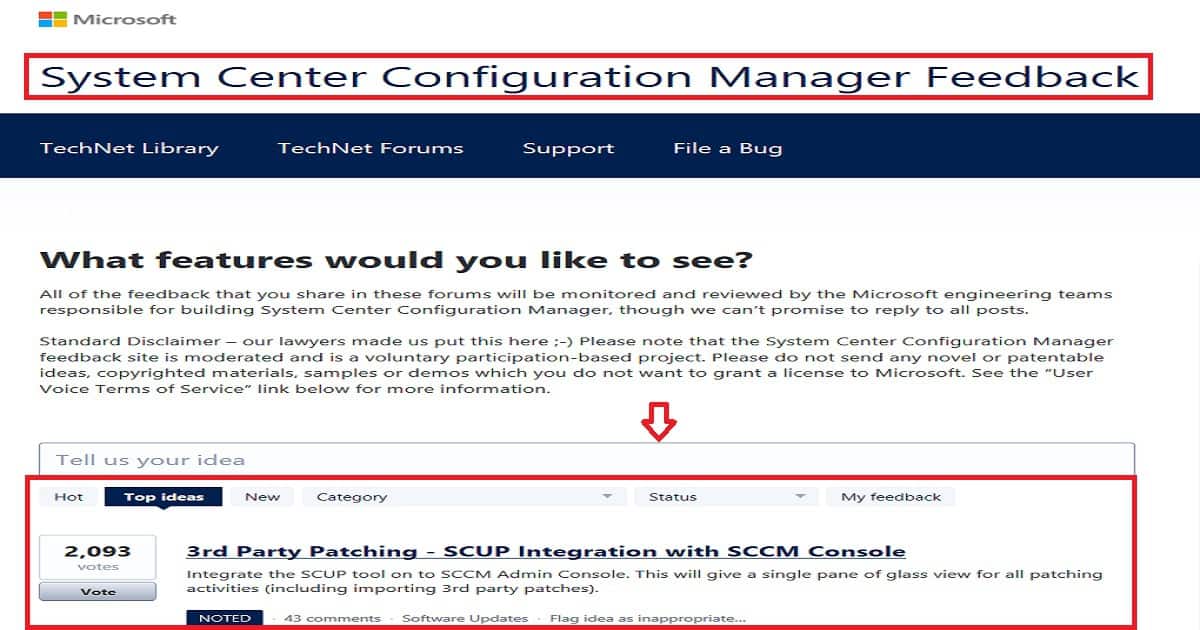
The top-rated/voted SCCM/ConfigMgr User voice item here is the most significant proof that third-party application patching is the most tedious activity for SCCM admins. The SCCM technical community has always been vocal about the issues of third-party application patching.
In this post, I will go through the process SCCM admin should follow to get Adobe patches into Windows devices. As I noted in my previous post, “Now Automate Third-Party Patch Management using SCCM ConfigMgr,” there are great solutions available in the market to improve the productivity of SCCM admins.
- What is the most tedious task for SCCM administrators? Undoubtedly, patching third-party updates.
- Setting up the SCUP environment itself is a massive task with specific dependencies.
| 3rd Party Patching – SCUP Integration with SCCM Console |
|---|
| Integrate the SCUP tool on to SCCM Admin Console. This will give a single pane of glass view for all patching activities (including importing 3rd party patches) |
Step-by-Step Guide?
Manually loading the catalogue in SCUP, publishing the patches to WSUS, and syncing the patches with SCCM for further deployment is complex and time-consuming. Let us see the steps involved when third-party updates are patched manually,
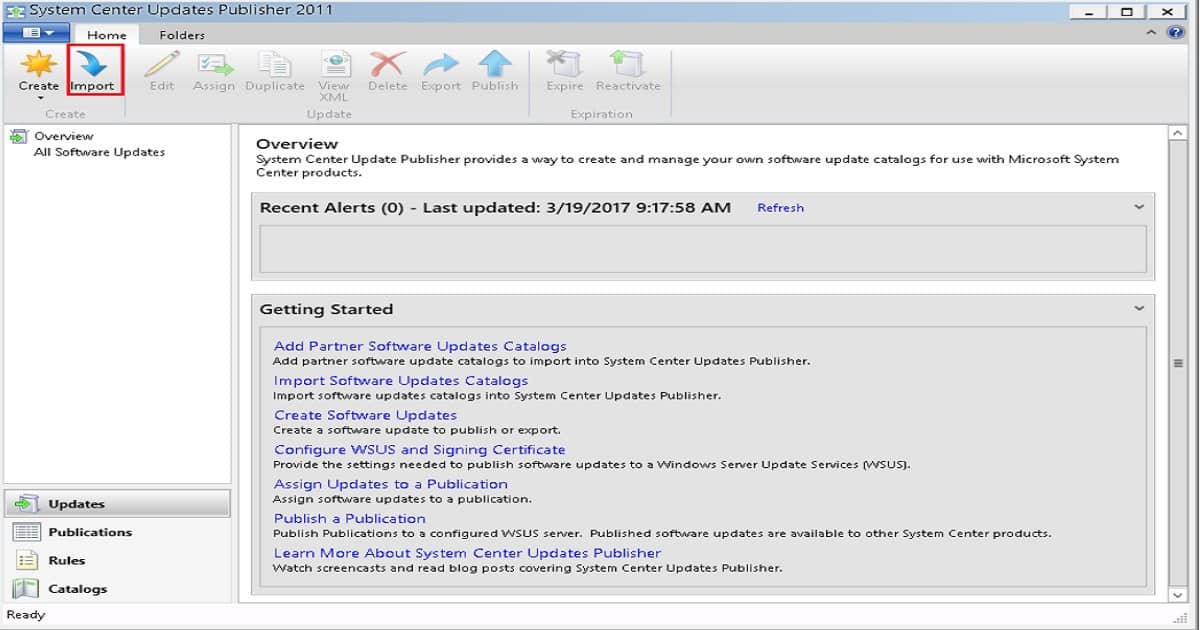
1) Open SCUP and select Import
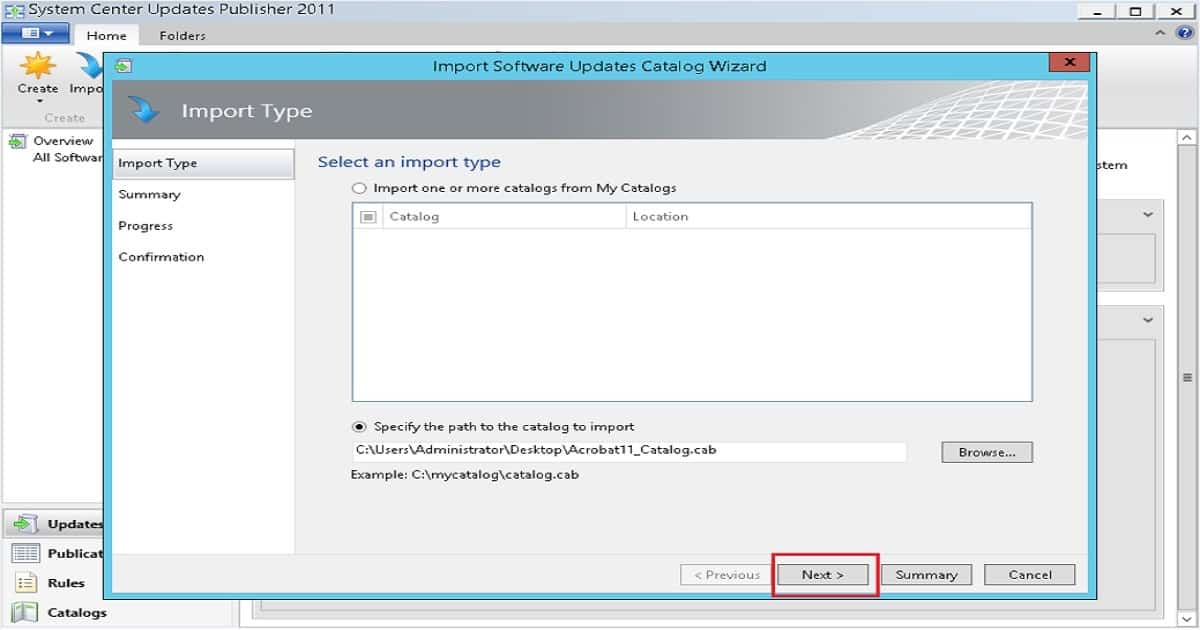
The second step is to Browse for and select the required patch catalog file and click Next. We have downloaded and imported the readily available Adobe catalog.
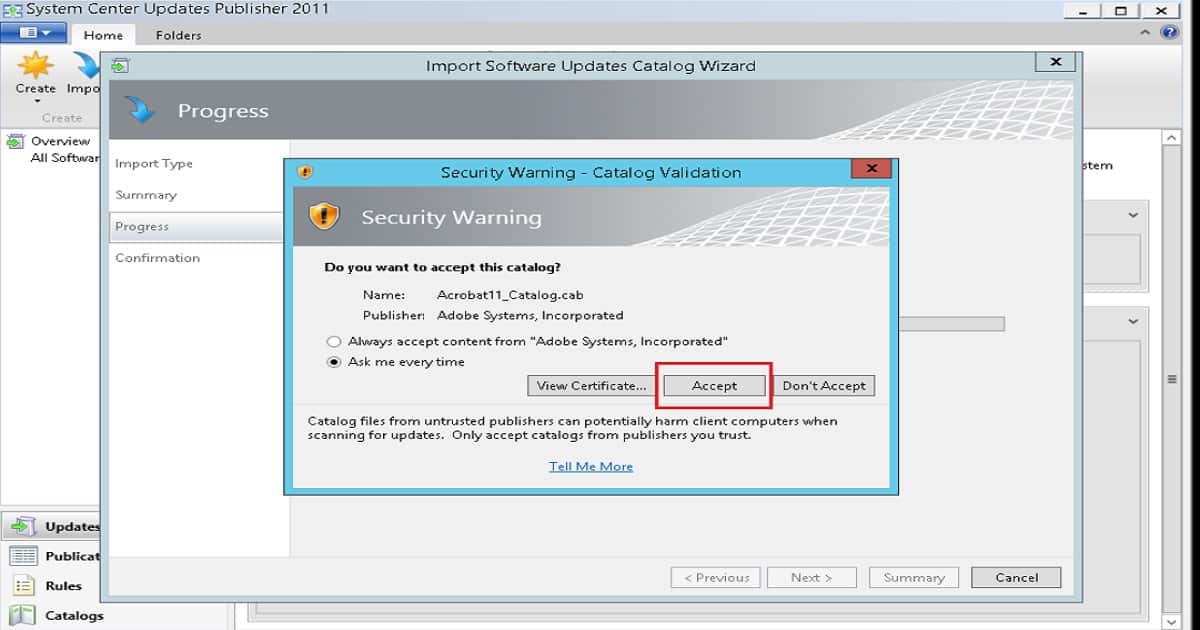
The third step is to Confirm the settings by clicking Next. Select Accept to trust the catalog certificate.
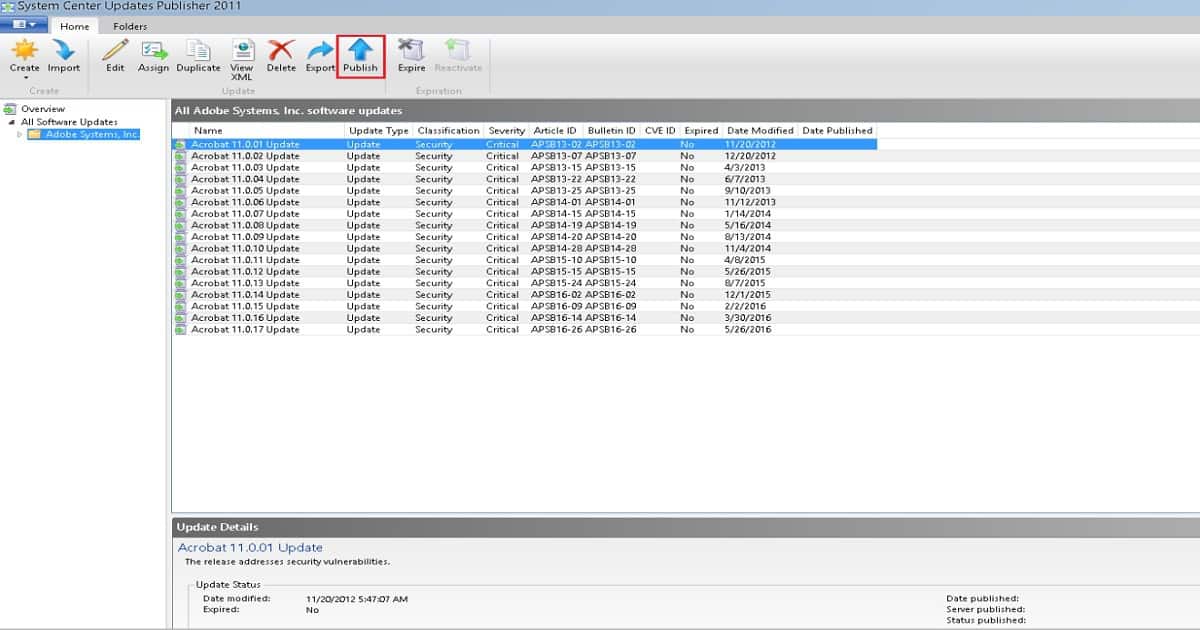
The patches will get imported now. The fifth step is to select the patches you want to publish to the Update Server and click Publish.
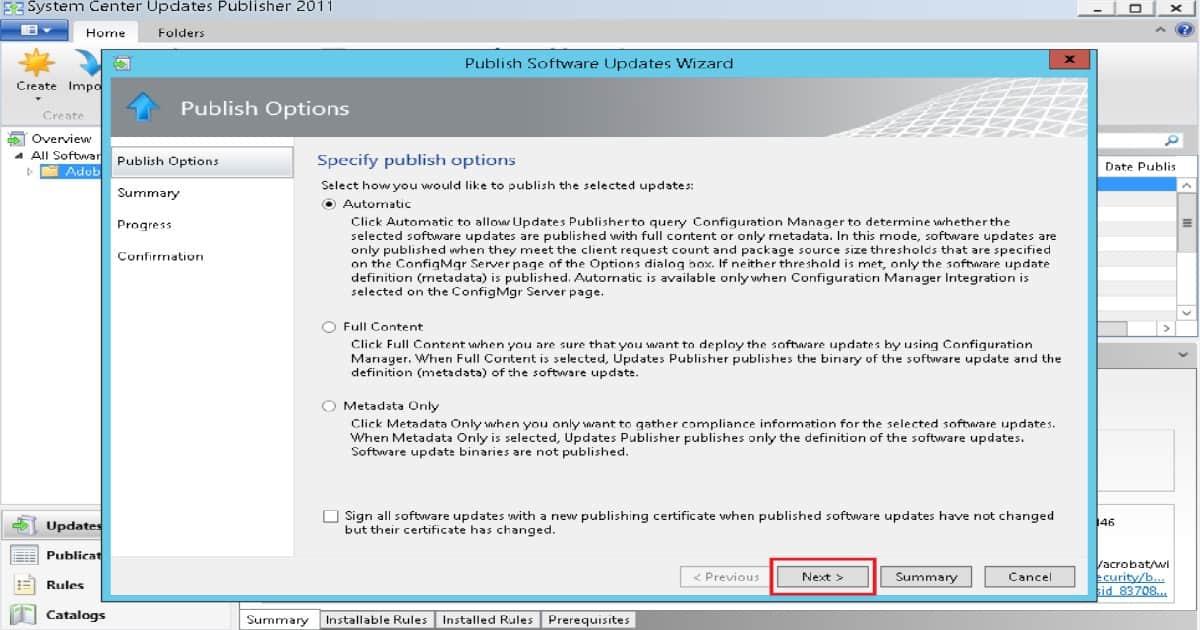
Select the type of publishing you want and click Next.
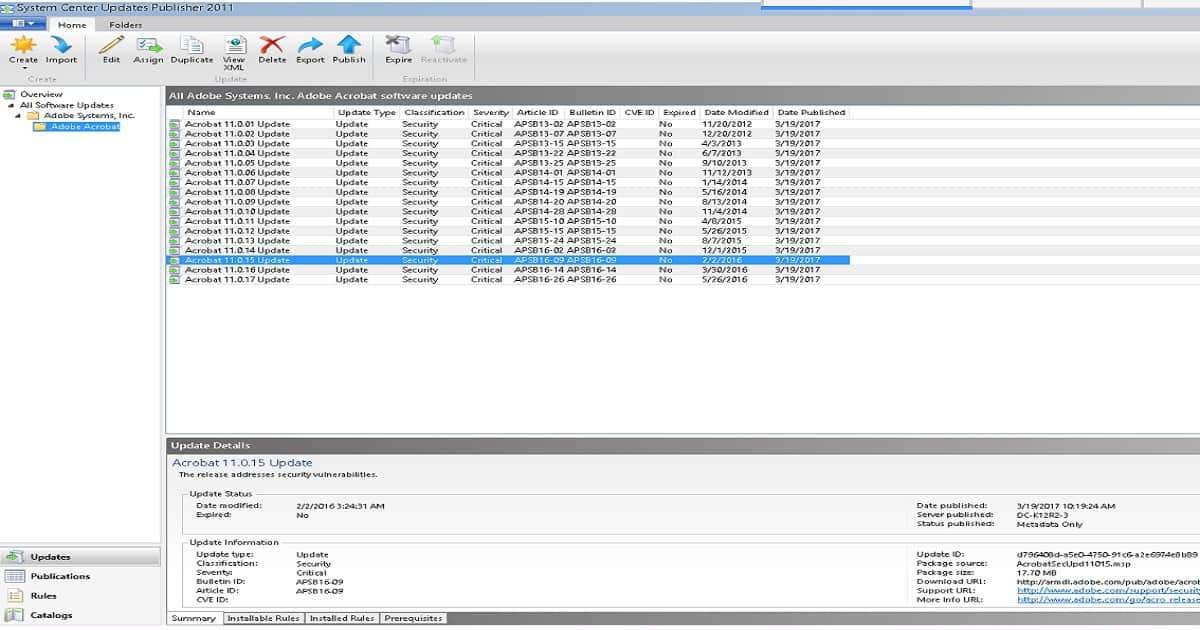
The patches will be published now. The below screenshot will give more information.
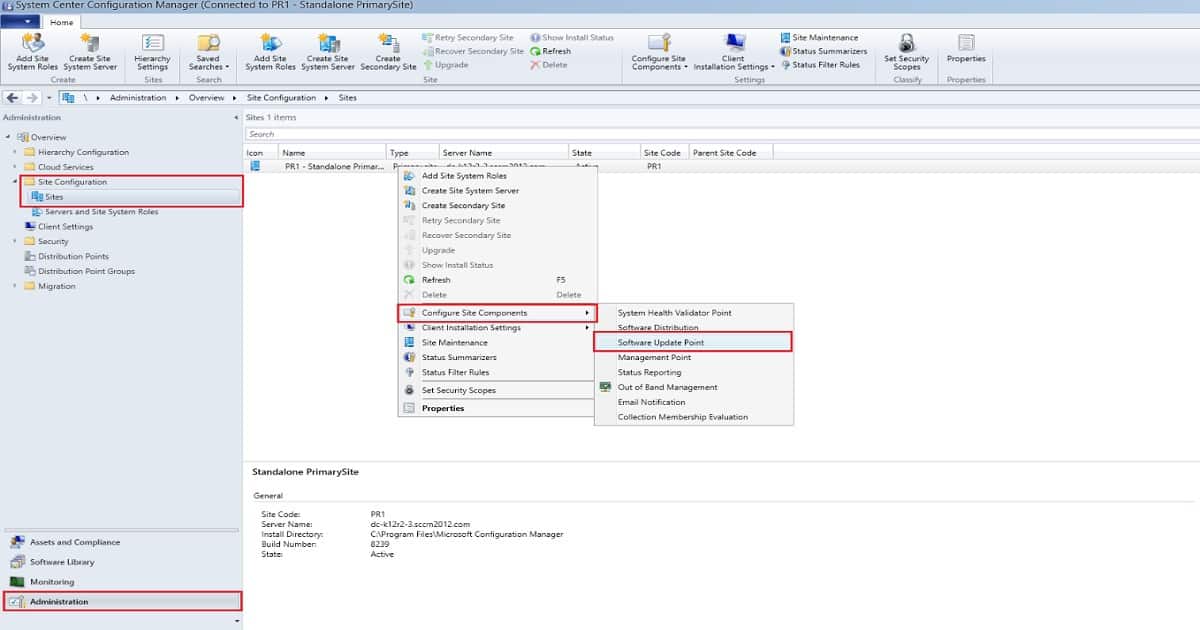
Now open SCCM, Go to Administration, Expand Site Configuration, Click Sites, Right-click on your primary site > Configure Site Components > Software Update Point.
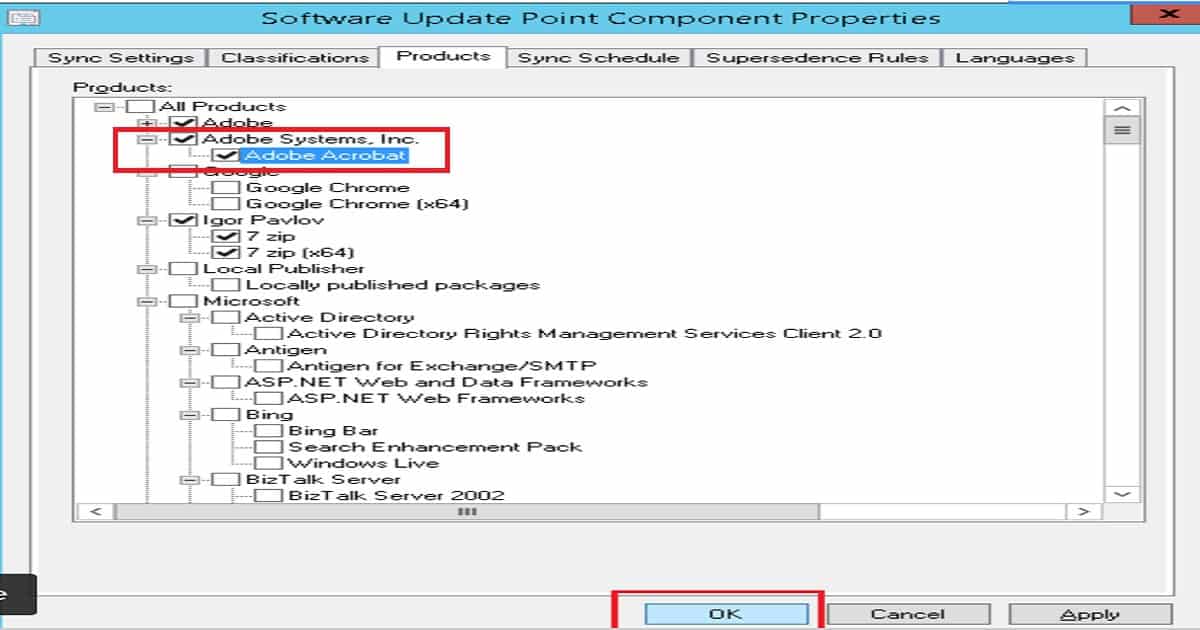
Select the Products tab, choose the required applications, and click OK.
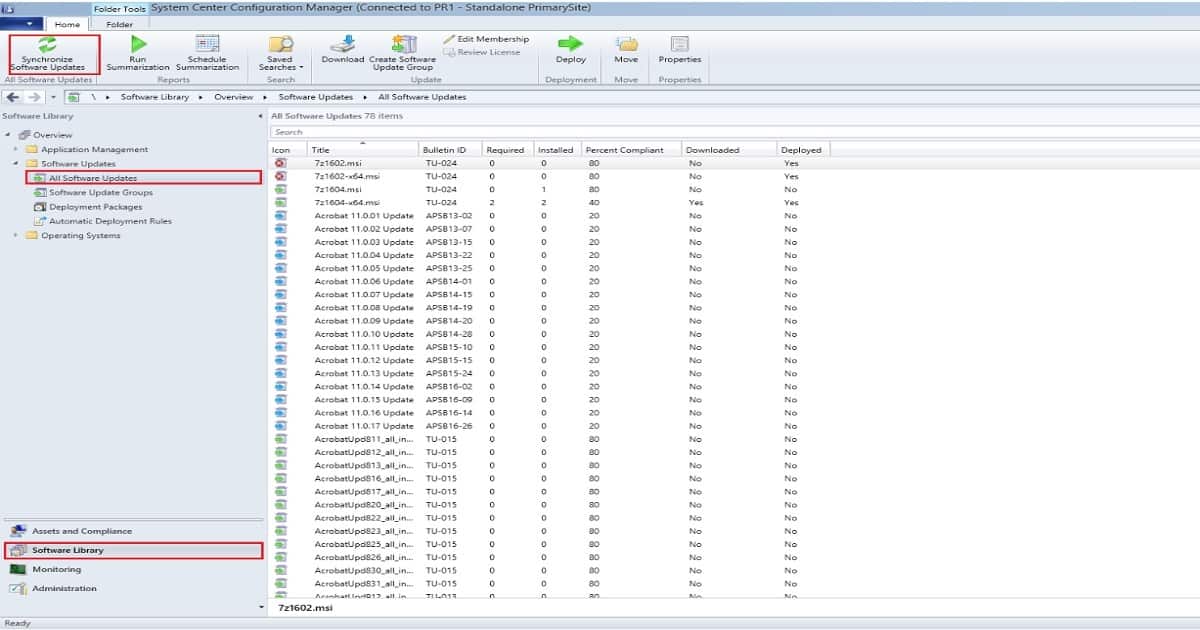
In the home tab, enable the Synchronize Software Updates options.
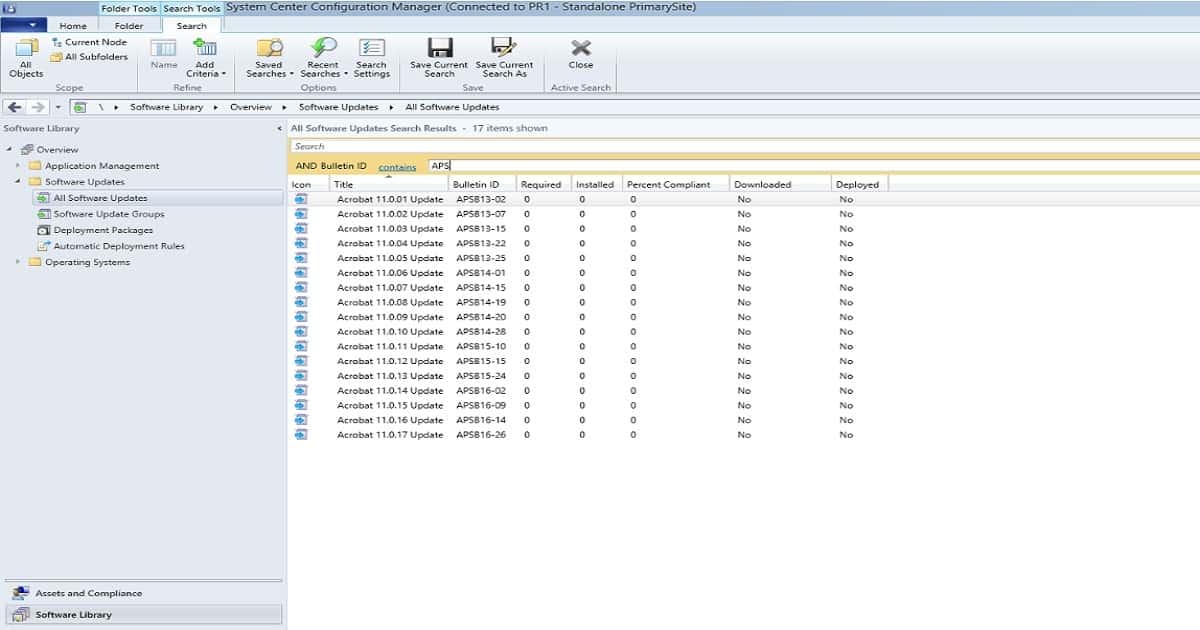
You can now view the updates in all software updates view. From this view, you can deploy the required patches to the client computers using SCCM.
Solution? SCCM SCUP Third-Party Application Patching System Center Update Publisher
In the Adobe example shown above, the catalog was readily available, but these types of readymade catalogs are generally not available for many applications. Imagine if you have to generate a cab file, create a catalog, and then load it to SCUP. This is going to be a far more exhaustive patching routine.
As a solution to all this complexity, ManageEngine offers Patch Connect Plus. It is an add-on to SCCM for patching third-party applications. Patch Connect Plus provides pre-tested patches for 250+ third-party applications, which can be automatically pushed to WSUS and SCCM.
Thus, it eases your third-party patch management. Getting things done more increases your productivity. Try Patch Connect Plus. With a few clicks, deploy the third-party patches and maximize your SCCM investment.
- How tedious is it to patch third-party applications manually?
- The complexity behind manual third-party patching
- How do you patch third-party applications manually?
Deprecated Features – System Center Update Publisher (SCUP) and ConfigMgr Integration
As of January 2024, support for System Center Update Publisher (SCUP) and its integration with Configuration Manager (ConfigMgr) will end. SCUP has been a valuable tool for creating and managing custom software update catalogs, allowing organizations to publish updates for third-party applications.
However, with changing requirements and advancements in software update management, Microsoft has decided to deprecate SCUP and its integration with ConfigMgr.
References:
- Enable SCUP in ConfigMgr 2012 R2 with WSUS 4.1
- SCUP Signing Certificate Requirements & Step-by-Step Guide
We are on WhatsApp now. To get the latest step-by-step guides, news, and updates, Join our Channel. Click here. HTMD WhatsApp.
Author
Anoop C Nair is Microsoft MVP! He is a Device Management Admin with more than 20 years of experience (calculation done in 2021) in IT. He is a Blogger, Speaker, and Local User Group HTMD Community leader. His main focus is on Device Management technologies like SCCM 2012, Current Branch, and Intune. He writes about ConfigMgr, Windows 11, Windows 10, Azure AD, Microsoft Intune, Windows 365, AVD, etc.




Discussion