






Intune Android Device Support for Google Android for Work Enrollment
Let’s discuss Intune Android Device Support for Google Android for Work Enrollment. Google has a list of supported devices with its Android for Work program. But does Google’s list contain all supported devices?
I don’t think the list is exclusive and lists all the supported devices. I have tested 2 devices not listed as part of Android for work-supported devices. And surprisingly, both devices can enrol in Intune via the Android for Work program.
The article Intune Android Device Support for Google Android for Work Enrollment shows you how to configure the Android Enterprise platform for use with Intune Device Management. We will walk through the steps to set up Intune Enrollment for Android Enterprise Device Management, enabling you to manage corporate-owned devices efficiently with Microsoft Intune.
In this post, you will find all the details about Intune Android Device support for Google Android for Work enrollment. We’ll cover everything you need to know to get started and manage your Android devices effectively using Intune.

- Configure Android Shared Devices using Intune
- Prepare Android Virtual Device For Intune Deployment Testing
- Best Way To Remediate Vulnerabilities With Microsoft Defender For Endpoint Using Intune
- Intune Onboard Android Devices to Microsoft Defender for Endpoint
Table of Contents
Intune Enrollment via Android for Work with Cheap and Affordable Devices
In this video, you will learn all the details about Intune enrollment through Android for Work using cheap and affordable devices. We’ll guide you on how to set up and manage these devices efficiently with Intune.
Video Tutorials for Android for Work Management via Intune
I tried Samsung Galaxy J7 and LetV Android devices. These devices are not very costly. Instead, the cost is less than 150 USD. Organizations always struggle to find cost-effective and affordable Android for Work devices from Google’s new list.
After testing two fundamental Android devices, I found that we need to perform trial and error to understand whether the low-cost Android devices support Android for Work.
| Android for Work management via Intune |
|---|
| Enterprise Devices |
| Affordable work Devices |
| Featured Device |
Android – Intune Android Device Support for Google Android for Work Enrollment
Google recently rebranded, and now the name of Android for Work has changed to just “Android” management. Google announced that they are simplifying the names of Android for Work and Play for Work, directly calling Android and Google Play.
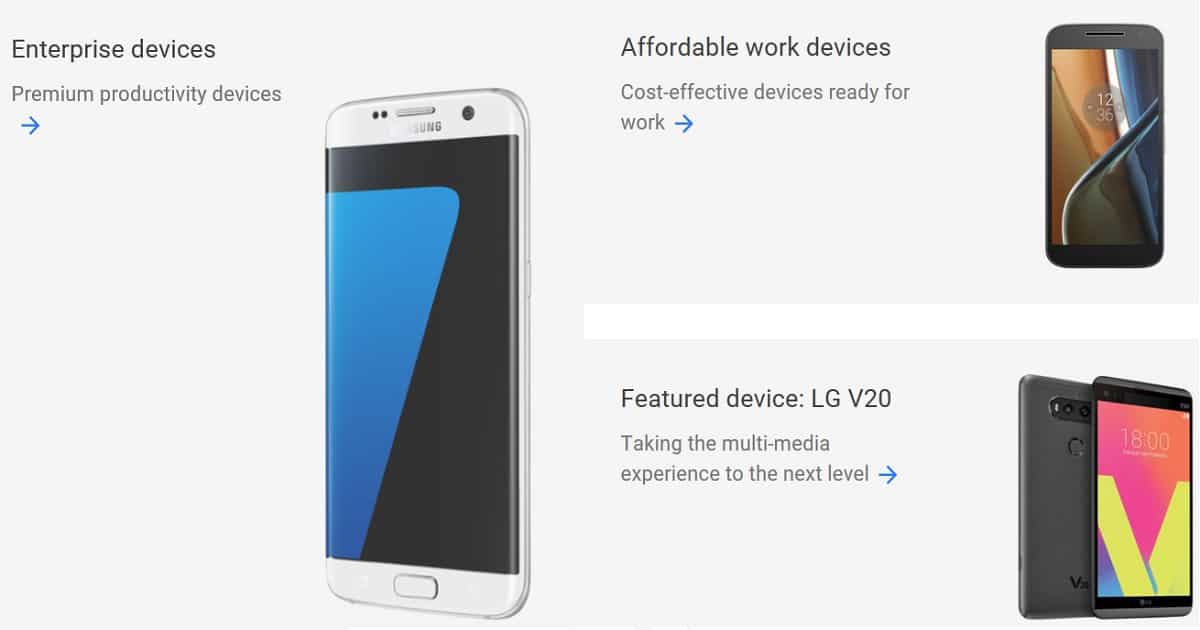
According to Google, there are 3 categories of Android devices. The new list also does not cover Samsung S7 and LetV devices.
- Enterprise Devices – Premium productivity devices
- Affordable work devices – Cost-effective devices ready for work
- Featured devices
I successfully enrolled low-cost (cheap) Android devices with Android for Work. Intune managed Samsung S7 and LetV devices with the Google Work profile. Both these devices are running Android version 6.
Conclusion – Intune Android Device Support for Google Android for Work Enrollment
Android for Work is supported for devices not listed in the Google portal. I recommend performing thorough testing before approving Android for Work-supported devices within your organization. Maintaining a recommended list of “Android for Work” supported devices within your organization is always better.
I hope Google will remove support for pain Android management and allow only “Android for Work” to manage Android devices. Also, we need to remember that Android for Support is available only for specific countries or regions. For example, in China, we don’t have any support for Android for Work.
We are on WhatsApp now. To get the latest step-by-step guides, news, and updates, Join our Channel. Click here. HTMD WhatsApp.
Author
Anoop C Nair is Microsoft MVP! He is a Device Management Admin with more than 20 years of experience (calculation done in 2021) in IT. He is a Blogger, Speaker, and Local User Group HTMD Community leader. His main focus is on Device Management technologies like SCCM 2012, Current Branch, and Intune. He writes about ConfigMgr, Windows 11, Windows 10, Azure AD, Microsoft Intune, Windows 365, AVD, etc.


Discussion