






How to Recover SCCM Boundaries and Recreate Boundary Groups
Let’s learn how to Recover SCCM Boundaries and Recreate Boundary Groups. What will happen when someone accidentally deletes all your SCCM CB boundaries and boundary groups? Your SCCM infrastructure is useless without boundaries and boundary groups. Once SCCM boundaries are removed, Application deployment, OS deployment, and patching will be impacted.
How do we recover from this kind of situation? The SCCM community is very strong and has loads of helpful tools to help us get out of stressful situations. SCCM Boundary Groups Recovery options!
Don’t make any mistakes; SCCM/ConfigMgr CB backup is always important in any situation. Apart from SCCM backup, having full documentation of your entire SCCM/ConfigMgr hierarchy is always better.
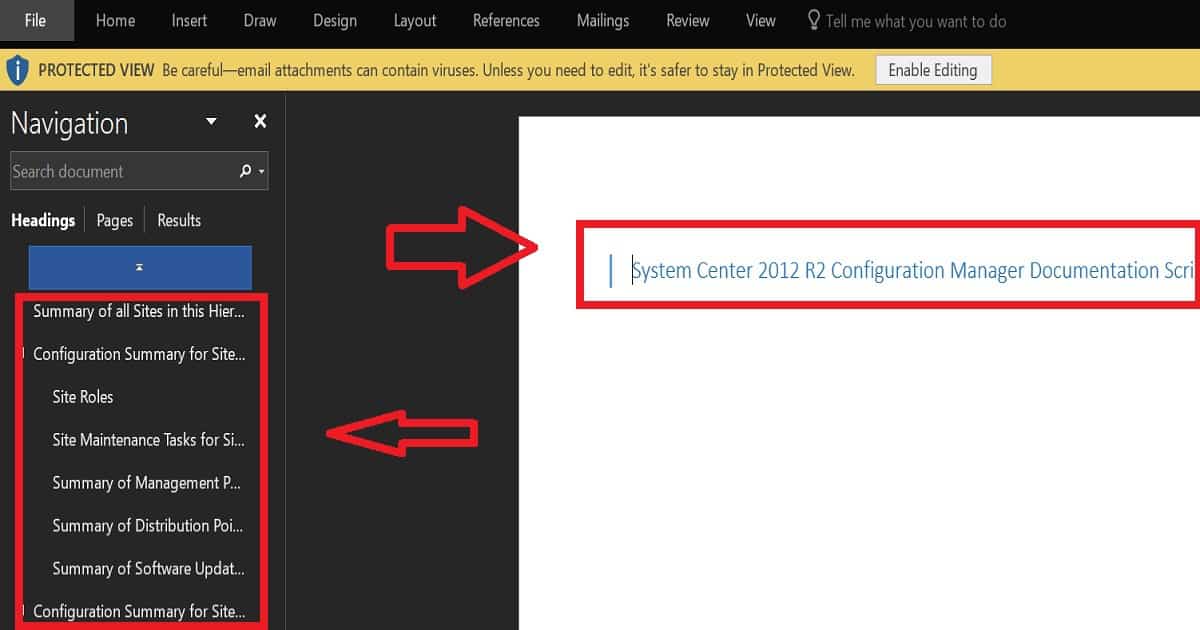
David O’Brien has created an excellent script to document your SCCM infrastructure automatically. Now, Carl Webster maintains this script, which is a community teamwork. You can get the latest copy of the SCCM CB documentation PowerShell script from here.

- Easiest Method to Export Backup SCCM Boundaries and Boundary Groups
- How To Create Boundaries and Boundary Groups in SCCM
- ConfigMgr VPN Boundary Setup Process Explained
Table of Contents
How to Recover SCCM Boundaries and Recreate Boundary Groups – What are the Options to Recover the SCCM CB Boundary and SCCM CB Boundary Group Details?
Four options are available for recovering the SCCM IP details of each boundary and boundary group. Any one of these steps will help you recover the list of SCCM boundary IPs and groups.
I recommend the first two options as the best ones, but unfortunately, if you don’t have that kind of documentation, go ahead and check option 3. Option 4 is very drastic; I would always avoid it!
Create documentation of your SCCM/ConfigMgr infrastructure and retrieve the IP details of boundaries from it. You can also retrieve information about boundary groups from this documentation.
Maintain a list of all the IP address boundaries and boundary groups with site system details. Update the spreadsheet whenever you make any changes related to boundaries or boundary groups.
Look for the latest SCCM CB SQL database backup, and attach the copy of the SCCM site DB backup CM_PR1 (where PR1 is the site code) to another SQL Server. Query the boundary-related tables or views to get details of IP Details boundaries and boundary groups.
This is a drastic step/option, and I will never recommend this option. The option is to restore SCCM CB CAS/Primary SA from the last SQL backup or SCCM Full backup. But the advantage of this option is that you don’t have to recreate the boundaries and boundary groups.
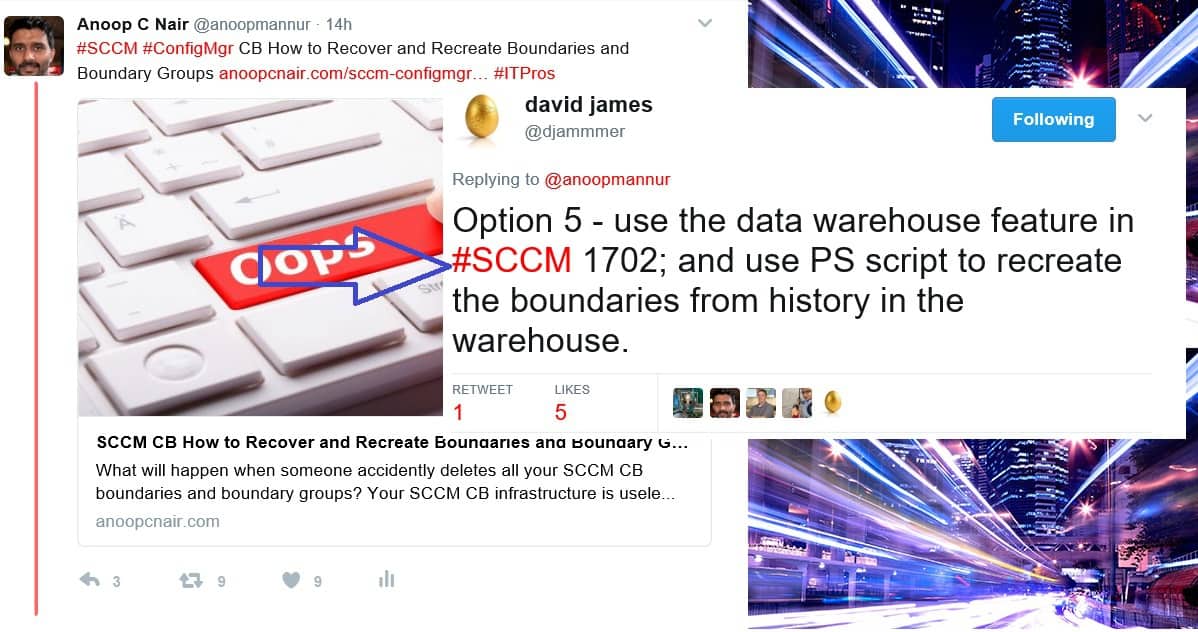
Djam’s option shared via Twitter is Option 5: Use the data warehouse feature in #SCCM 1702 and a PS script to recreate the boundaries from history in the warehouse.
What are the Options to Recreate the SCCM CB Recovered Boundaries and Boundary Groups?
When somebody mistakenly deleted all the IP range boundaries (more than 1000) and more than 700 boundary groups, the recovery is a pretty easy task if you compare the task of recreating those. Following are the high-level tasks that we need to perform to get your SCCM infra back on track.

- – Create boundaries from retrieved IP Ranges (Using PowerShell Script)
- – Create boundary groups with boundaries (Using PowerShell Script)
- – Perform the site assignments for each boundary group (Using PowerShell Script)
- – Add DPs to specific boundary groups (Using PowerShell Script)
- – Add MPs to specific boundary groups (Using PowerShell Script)
Manually creating boundaries and boundary groups is impossible. The better way is to research and find a PowerShell script that will perform all these tasks automatically with less manual effort.
We found the PS script for creating boundaries without much effort here. Big thanks to “Marius A. Skovli” !! However, we struggled a bit to find a script for creating boundary groups along with the rest of the tasks I mentioned in the above list.
How to Recover SCCM Boundaries and Recreate Boundary Groups
James Bannan has a PowerShell script to create boundary groups from the boundaries(his website is down now but I had a copy of the script). Big thanks to James B!!
Update – Jason Sandys came up with a one-liner PowerShell code to export boundaries and Boundary groups, you can refer to Boundary and Boundary Group Import and Export – MEMFTW.
We modified Jame’s script (check out the copy of the edited script below) to match our requirement (loop) and to take the input from the CSV file. Have you learned about SCCM How to Recover Boundaries | Recreate Boundary Groups?
Import-Module "$($ENV:SMS_ADMIN_UI_PATH)\..\ConfigurationManager.psd1" # Import the ConfigurationManager.psd1 module
Set-Location "II0:" # Set the current location to be the site code.
$CMSiteCode = 'II0'
# 1.0 Get Existing Boundary
$Boundaries = Import-Csv -Path "C:\Users\Abhay\Desktop\te\BoundaryGroup.csv"
foreach($Boundary in $Boundaries)
{
            write-host $Boundary.BoundaryName
            $BoundaryName = Get-CMBoundary -BoundaryName $Boundary.BoundaryName
# 1.1 Create Boundary Group
             New-CMBoundaryGroup -Name $Boundary.BoundaryGroupName `
              -Description $Boundary.BoundaryGroupName `
              -DefaultSiteCode $CMSiteCode `
# 1.2 Get Newly-created Boundary Group
            $NewBoundaryGroup = Get-CMBoundaryGroup -Name $Boundary.BoundaryGroupName
# 1.3 Add Boundary to Boundary Group
            Add-CMBoundaryToGroup -BoundaryName $BoundaryName.DisplayName -BoundaryGroupName $NewBoundaryGroup.Name
}
We must perform site assignments for each boundary group and DP/MP server assignments. We tried to automate the process of adding site system server details to the boundary group, but that was a bit complex because of the problem with PowerShell.
The addsitesystemserver parameter specifies the site system server and link speed as the key/value pair in a hash table. The Hashtable value for the AddSiteSystemServer parameter was creating issues when we tried to automate it, but we successfully automated it with the help of Microsoft Excel’s concatenation function.
Important: Starting in version SCCM CB 1610, FastLink is the only supported value for the hash table for the AddSiteSystemServer parameter.
Set-CMBoundaryGroup -Name "Bangalore Boundary" -AddSiteSystemServer @{"ACNCMSite.com" = "FastLink"}
Set-CMBoundaryGroup -Name "Mumbai Boundary" -AddSiteSystemServer @{"ACNCMSite2.com" = "FastLink"}
Set-CMBoundaryGroup -Name "Pune Boundary" -AddSiteSystemServer @{"ACNCMSite3.com" = "FastLink"}
Set-CMBoundaryGroup -Name "Hyb Boundary" -AddSiteSystemServer @{"ACNCMSite4.com" = "FastLink"}
We are on WhatsApp now. To get the latest step-by-step guides, news, and updates, Join our Channel. Click here. HTMD WhatsApp.
Author
Anoop C Nair is Microsoft MVP! He is a Device Management Admin with more than 20 years of experience (calculation done in 2021) in IT. He is a Blogger, Speaker, and Local User Group HTMD Community leader. His main focus is on Device Management technologies like SCCM 2012, Current Branch, and Intune. He writes about ConfigMgr, Windows 11, Windows 10, Azure AD, Microsoft Intune, Windows 365, AVD, etc.




Discussion