






How to Enable Intune Company Portal Browser Access for Conditional Access Enabled Web Apps
Let’s discuss how to Enable Intune Company Portal Browser Access for Conditional Access Enabled Web apps. I have been testing and developing a solution for Android device management with Intune. I have shared my Android for Work learning experiences in my previous posts – Android.
In this post, we will see and learn how to enable Intune Company Portal Browser Access for Android devices. What is the need for enabling company portal browser access?.
To put it in simple words, if your organization is using Azure AD Conditional Access (CA) enabled internal web applications, then we need to enable the Company portal browser access option.
This post will provide a comprehensive guide on enabling Intune Company Portal browser access for conditional access-enabled web apps. We will walk you through the necessary steps to configure your settings, ensuring easy access control and security compliance.

- Automate Intune App Deployment using Microsoft Graph API and PowerShell
- How to Exclude Devices or Users from Intune App Assignments
- Filter Intune App Policy Assignments based on Domain Join Type
Table of Contents
How to Enable Intune Company Portal Browser Access
The above video recording gives you the same user experience when you have CA access-enabled web applications and you have not enabled company portal browser access. As you can see in the video, the managed browser for Android devices gives an error stating that the device is not enrolled.
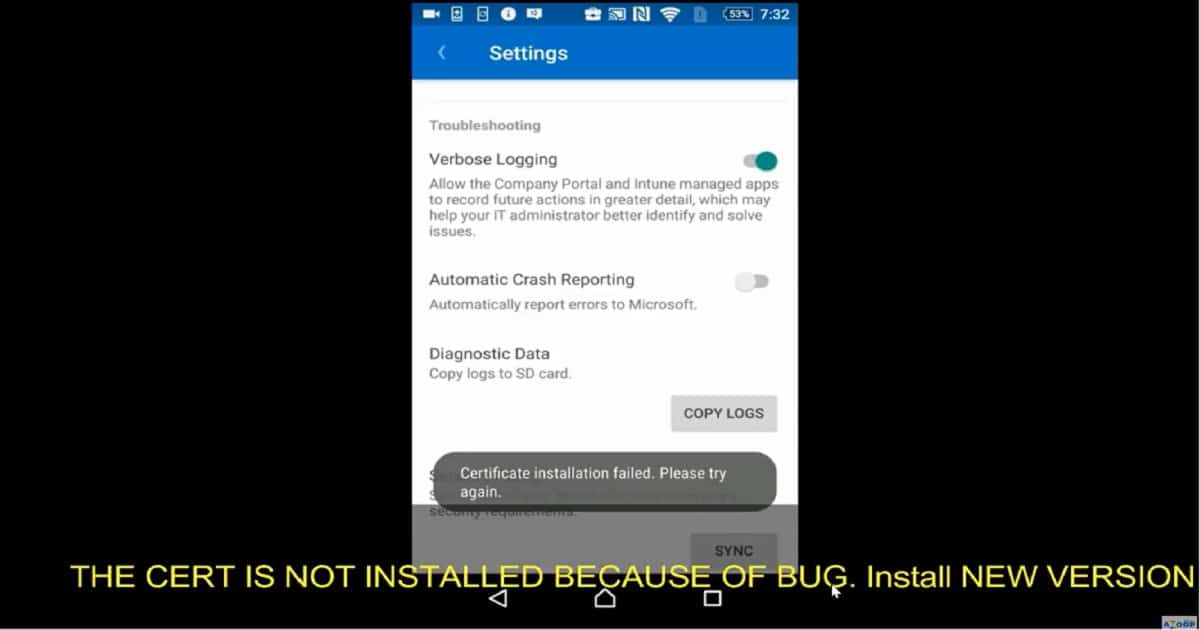
Yes, the managed browser application can’t understand whether the device is already enrolled. When you perform an action like “Intune Company Portal Browser Access, ” the app will try to install the Microsoft work account certificate on an Android device. There is a known issue with the previous version of the Company Portal application on Android devices.
| How to Enable Intune Company Portal Browser Access |
|---|
| Open the Company Portal app. |
| Go to the Settings page from the ellipsis (…) or hardware menu button. |
| Press the Enable Browser Access button. |
Microsoft Work Account Certificate Installation Error
Allow the Company portal and Intune-managed apps to record future actions in greater detail, which may help your IT administrator better identify and solve issues.
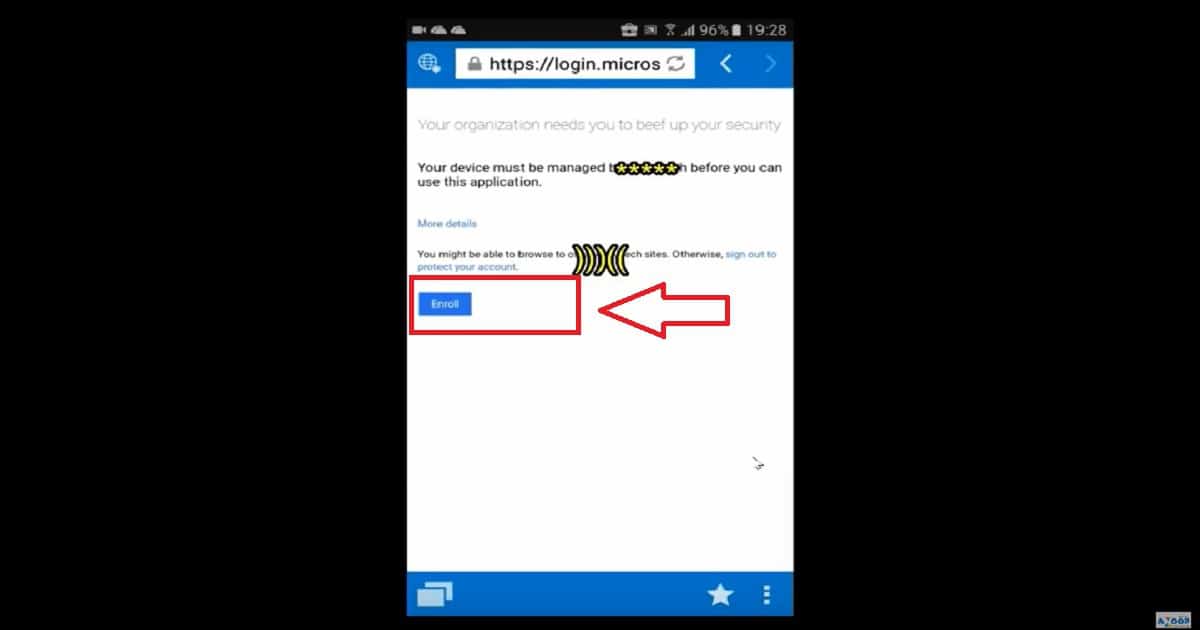
End-User Experience of ENROLL Device Error
The solution to the Microsoft mentioned above “work account certificate installation” error is to update the company portal application for Android devices. Are you getting an ENROL error on your device (as you can see in the following screen capture)?
Does this error appear when you try to access Conditional Access-enabled web applications through the managed browser? The web apps without CA are working fine? If so, you must perform the following action from your Android device: “Intune Company Portal Browser Access.”
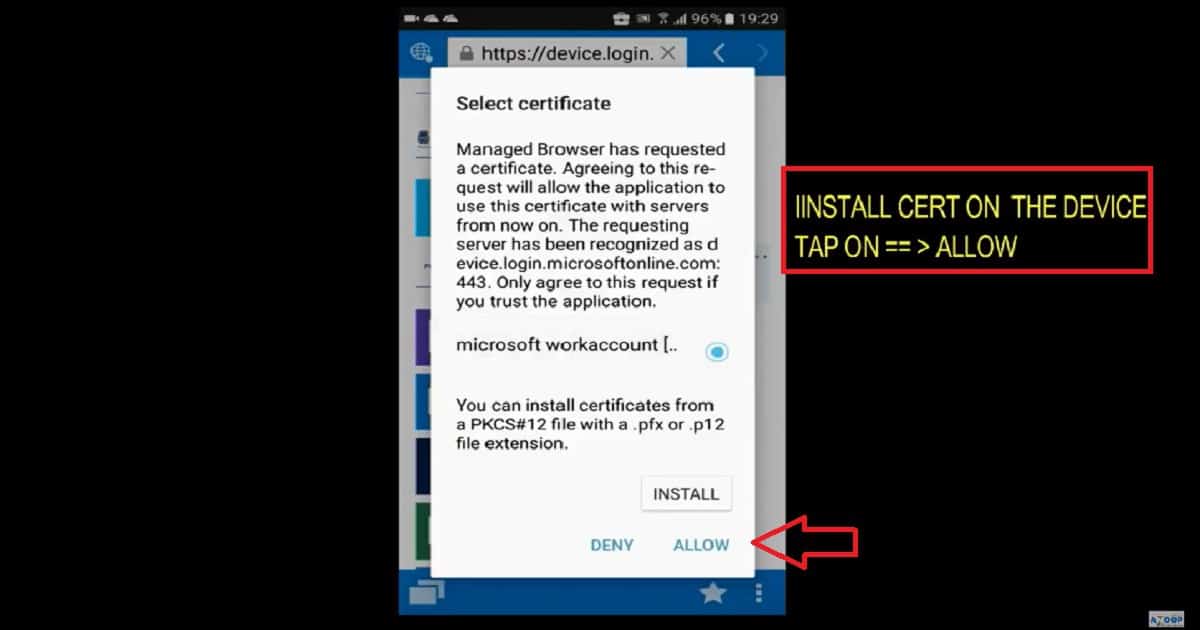
Microsoft Work Account Certificate Installation
Now, it’s time to update the company portal application on Android for work-enabled devices. Once the device is updated with the latest version of the company portal app, then open up the company portal app and go to settings – tap on the button “Enable Browser Settings.”
This action opens a popup for installing a Microsoft Work Account certificate. The user must select the cert and tap on the ALLOW button. The video tutorial at the top of this post explains this process.
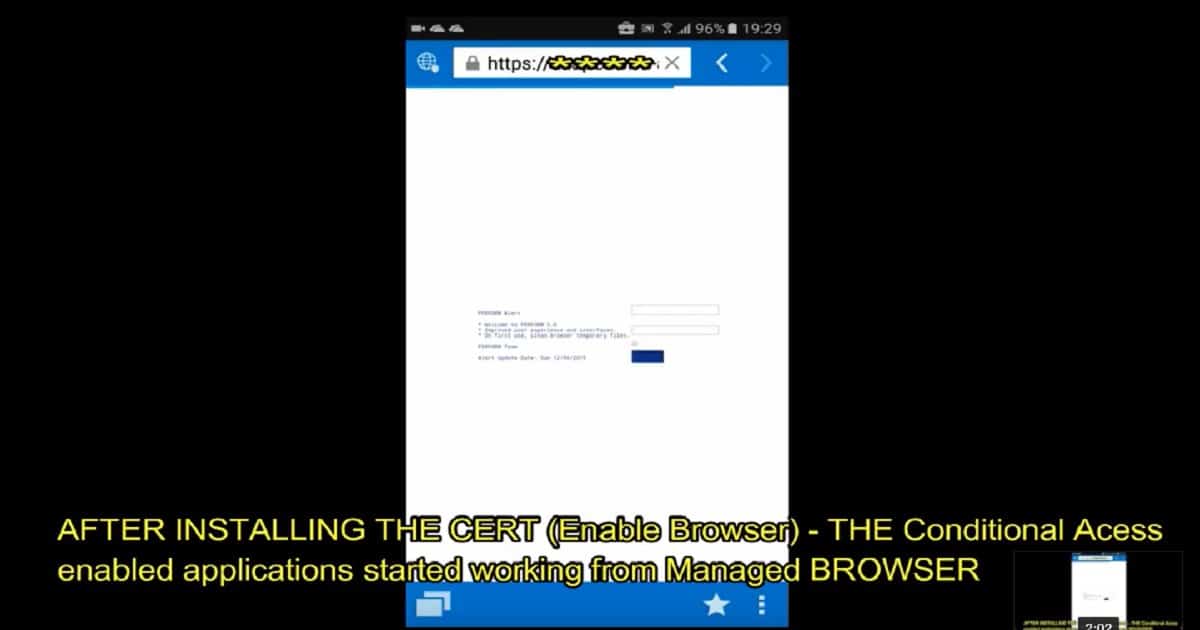
End USER Experience of CA-enabled Web Application Access
Once the managed browser has a certificate, the web applications opened in the Managed browser can use the Microsoft Work account cert. This will allow the managed browser to securely open conditional access-enabled internal web applications. In my experience, the user doesn’t require a tap on the INSTALL button; rather, the user must tap on the ALLOW button to complete this configuration.
We are on WhatsApp now. To get the latest step-by-step guides, news, and updates, Join our Channel. Click here. HTMD WhatsApp.
Author
Anoop C Nair is Microsoft MVP! He is a Device Management Admin with over 20 years of IT experience (calculation done in 2021). He is a Blogger, Speaker, and leader of the Local User Group HTMD Community. His main focus is on Device Management technologies like SCCM 2012, Current Branch, and Intune. He writes about ConfigMgr, Windows 11, Windows 10, Azure AD, Microsoft Intune, Windows 365, AVD, etc.


Thanks Anoop for thie article. this really help us with one of the production Proxy app.
So for my company we don’t have the option in the Company Portal settings to Enable Browser Access. I can enroll on a Pixel but no samsungs. Microsoft didn’t give us much to go on.