






Let’s learn Intune Device Assistance Features with Copilot. Microsoft Intune is Introducing a robust suite of features known as Device Assistant. It is designed to integrate with Security Copilot and provide swift answers to your crucial device-related queries.
With Device Assistant, provide the efficiency of Copilot to gain insights into important aspects of your device effortlessly, whether it’s troubleshooting, configuration details, or any other inquiry. This dynamic combination ensures a quick and accurate response, enhancing the device management experience.
Discover the convenience at your fingertips by introducing the new Copilot button in the actions menu. Getting help is super easy now; click the Copilot button to start fixing any issues with your device.
This user-friendly feature simplifies the process, making it easier than ever to access the power of Copilot for efficient problem-solving and device support. Explore the simplicity of a single click to unlock a world of assistance for your device needs.

- Overview of Security Copilot with Microsoft Intune
- Turn Off Copilot in Windows using Intune and Group Policy
- Download Microsoft 365 Copilot Architecture Visio
What Benefits Does the Copilot Button in the Actions Menu Bring?
The Copilot button in the actions menu simplifies the initiation of support and assistance. This feature makes it easy to access Copilot to fix device issues promptly.
What is Device Assistant in the Context of Intune and Copilot?
Device Assistant is a suite of features integrated with Copilot in Microsoft Intune. It facilitates quick and efficient resolution of device-related queries. It offers insights into troubleshooting, configuration details, and other inquiries.
Intune Device Assistance Features with Copilot
Copilot helps you to deliver fast and accurate responses whether you are troubleshooting or seeking configuration details. The below window helps you to show the Copilot button in Intune.
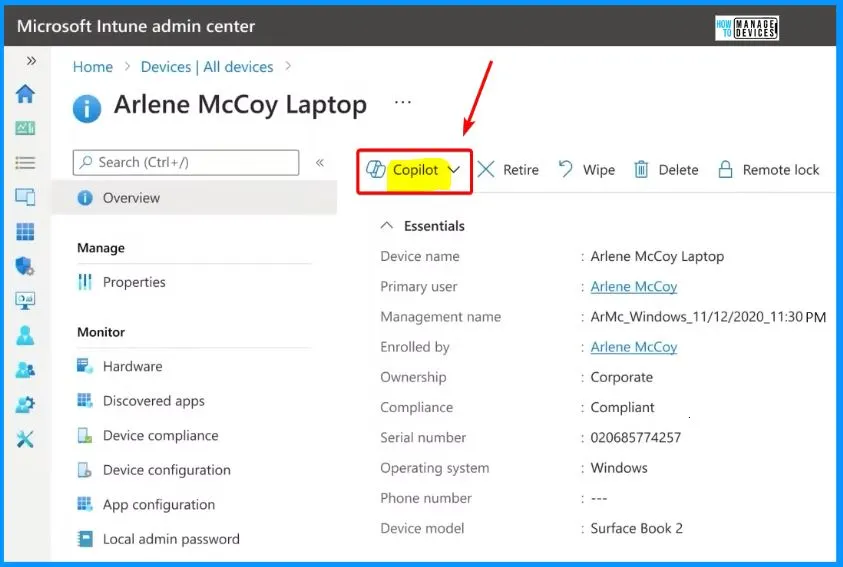
Use Security Copilot to Get Answers to Questions about your Device Quickly
Go to the Intune console and look at a device. You can see that we have a new Copilot button available in the actions menu. You can quickly start by clicking it. After clicking the Copilot button, You can see a few options such as Explore device, Compare device and Ask about the error.
- Sign in to the Intune Admin center portal https://intune.microsoft.com/.
- Select Devices > All Devices.
| Copilot Button in Intune |
|---|
| Explore Device |
| Compare Device |
| Ask about the error |
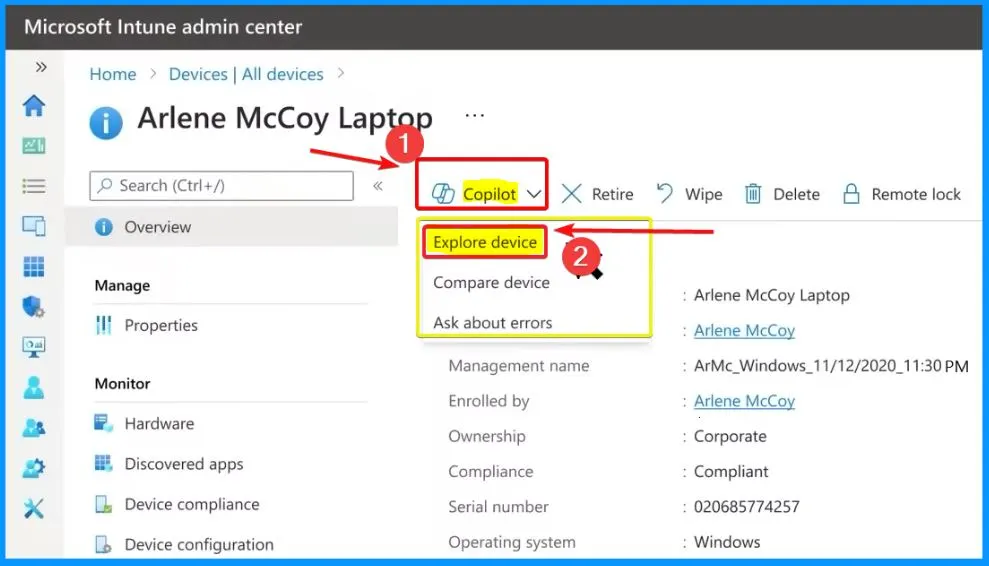
Let’s go with the “Explore device” option. It is like having a friendly guide for your device. You will find helpful examples to start your journey. Use the starter prompts to ask anything about your device or come up with your questions.
- Copilot is ready to assist when you ask your questions.
- The Copilot thinks about the information it knows about the device and gives an answer based on that.
- Copilot saves time and effort by quickly finding information about the device.
- It acts like a shortcut, making it easier to investigate and figure out what to do next.
| Explore Device Helpful Examples |
|---|
| Summarize device |
| See device health this week |
| List applications on the device |
| Summarize application deployment status |
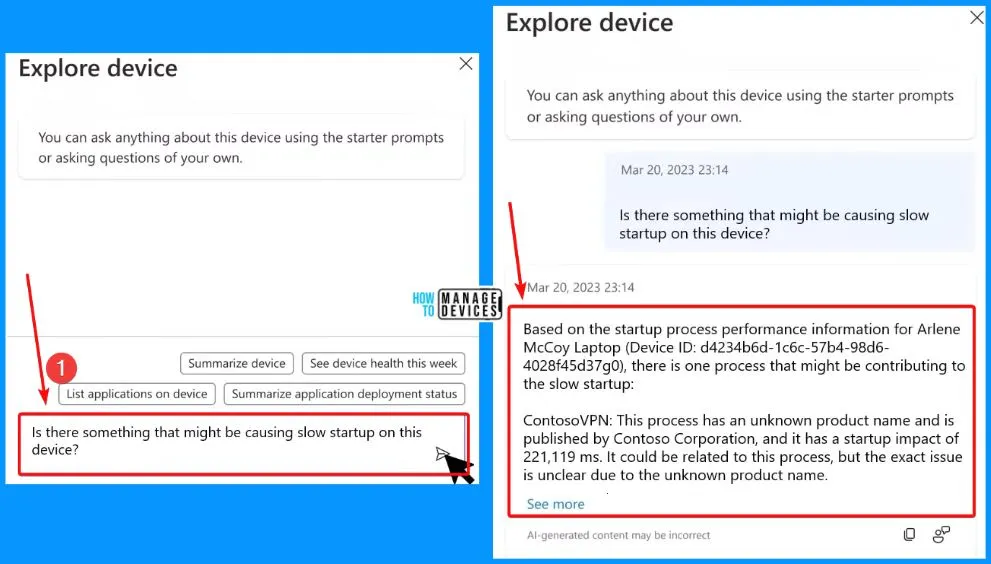
Ask about Error Codes Recommended Settings and More
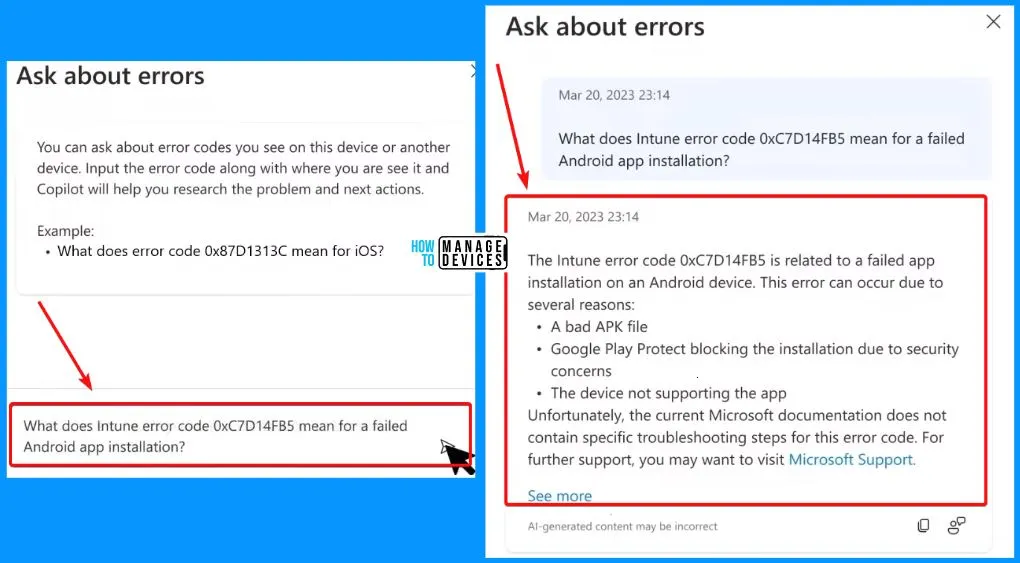
Let’s explore another example of how Copilot and Device Assistant can make diagnosing device issues a breeze. To start, open the Copilot device assistant menu and pick the “Ask about errors” option.
You can ask about error codes you see on this device or another device. Input the error code along with where you see it, and Copilot will help you research the problem and subsequent actions.
- Explore Device
- Compare Device
- Ask about Errors
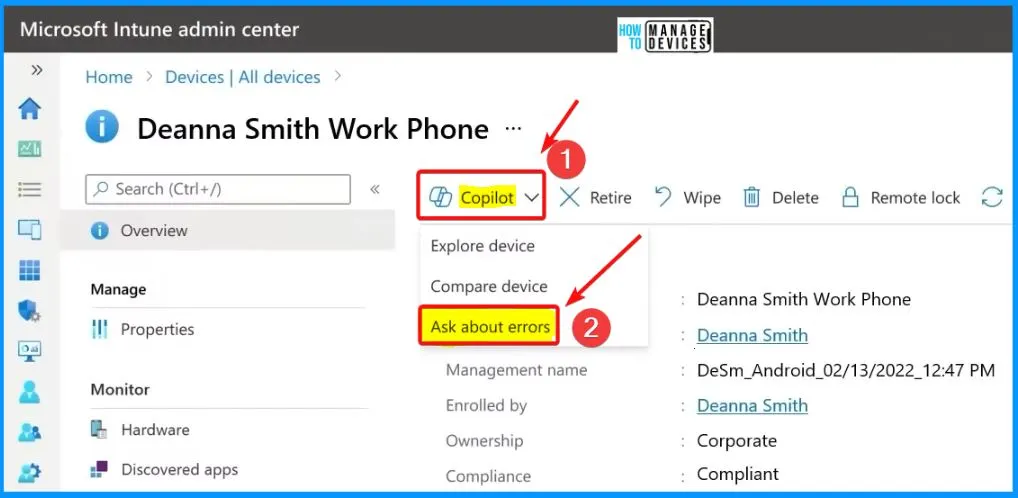
Type your question effortlessly in the “Provide an error code you see in the console or Intune logs” area. Copilot helps you provide an answer directly within Intune, helping you understand more about the issue.
- It saves time and effort.
- It helps to figure out the issue or what to consider next to resolve it.
We are on WhatsApp. To get the latest step-by-step guides and news updates, Join our Channel. Click here – HTMD WhatsApp.
Author
About the Author – Vidya is a computer enthusiast. She is here to share quick tips and tricks with Windows 11 or Windows 10 users. She loves writing on Windows 11 and related technologies. She is also keen to find solutions and write about day-to-day tech problems.


Discussion