Skip to content
3 Key ways to Deliver Windows to End Users

3 Key ways to Deliver Windows to End Users

Written By Sumitha P
Last Updated November 29, 2023
Posted In Windows 11
SHARE

Let’s discuss about 3 Key ways to Deliver Windows to End Users. Microsoft shared in the recent Technical Takeoff sessions after Ignite 2023. Microsoft is codifying Windows in different ways, and let’s get into it in more detail.

Most Windows Client Deployments are based on a Local OS running on a Laptop or Desktop PC. However, Microsoft is pushing enterprises for Cloud PCs for easy management and to reduce the hardware replacement challenges.

In Windows 365 cloud PC solution that streams a complete, personalized, and persistent Windows desktop from the cloud to any device, anywhere. This is the Cloud service (W365) announced on July 14, 2021.

Azure virtual desktop, or AVD, is a Microsoft Azure-based system for virtualizing Windows operating systems, providing virtualized desktops and applications securely in the cloud.

Patch My PC

3 Key Ways to Deliver Windows to End Users

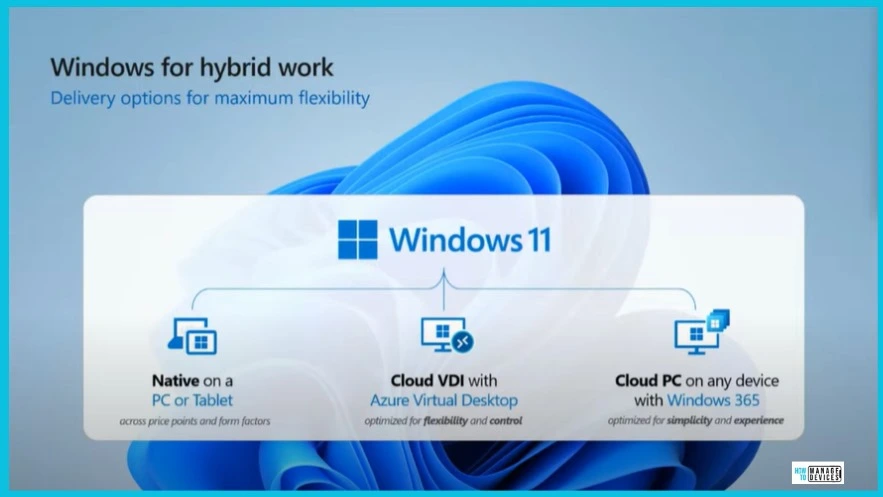
There are 3 Key ways to Deliver Windows to End Users. Those experiences include Local OS, Azure Virtual Desktop (AVD), and Windows 365 (Cloud PC).

In their Technical Takeoff session, Scott Manchester and Carolyn Carnes explained the different options for delivering the Windows Experience to end users.

NativeCloud VDICloud PC
PC or Tablet across price points and Form factorsAzure Virtual Desktop (AVD) optimized for flexibility and controlOn Any device with Windows 365 – optimized for simplicity and experience
3 Key Ways to Deliver Windows to End Users – Table 1
3 Key ways to Deliver Windows to End Users Fig. 1
3 Key Ways to Deliver Windows to End Users Fig. 1

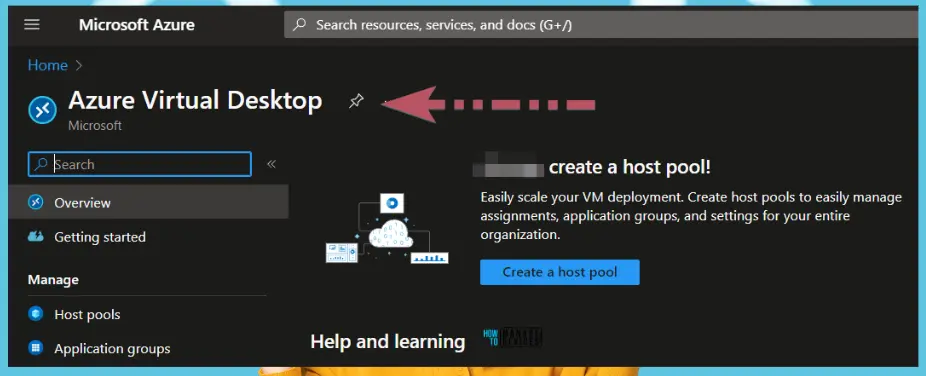
Cloud VDI with AVD Solution to Deliver Windows Experience

Cloud VDI with AVD solution provides flexible options for organizations to deliver multi-session and non-persistent VDI from the cloud. This provides a unique user experience for end users.

Flexibility and Control are the key features of AVD (aka Cloud VDI solution). You must decide and configure 30 things to add a Windows VM to an existing AVD hostpool.

3 Key ways to Deliver Windows to End Users Fig. 3
3 Key Ways to Deliver Windows to End Users Fig. 3

Cloud PC Windows End User Experience

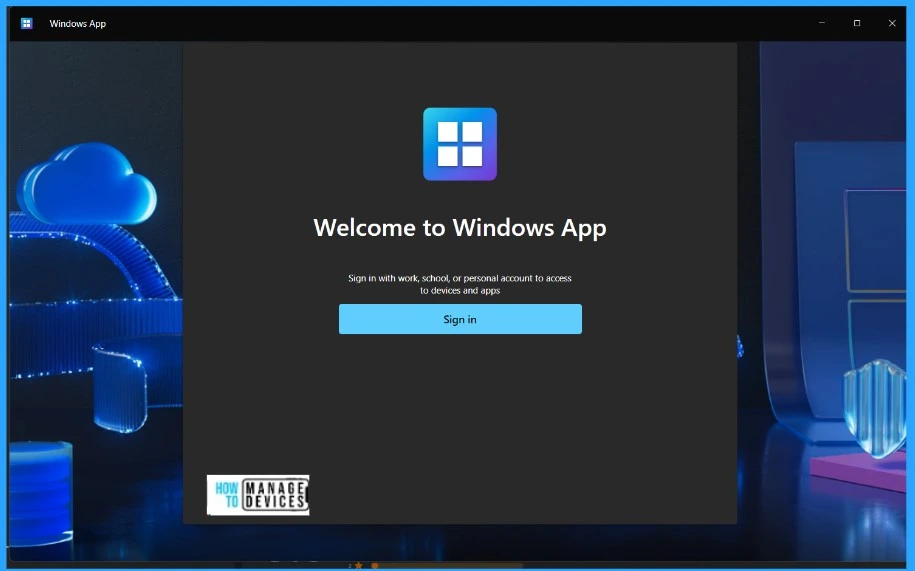
There are 10 different things to configure for Windows 365 Cloud PC solution. So many of the complex configurations are moved to the Cloud. Cloud PC provides the personal device experience with additional capabilities such as Resize Cloud PC options.
3 Key ways to Deliver Windows to End Users Fig. 4
3 Key Ways to Deliver Windows to End Users Fig. 4

We are on WhatsApp. To get the latest step-by-step guides and news updates, Join our Channel. Click here for HTMD WhatsApp.

Author

Sumitha was introduced to the world of computers when she was very young. She loves to help users with their Windows 11 and related queries. She is here to share quick news, tips and tricks with Windows security.


Written by

Sumitha was introduced to the world of computers when she was very young. She loves to help users with their Windows 11 and related queries. She is here to share quick tips and tricks with Windows security.

Discussion

Join the discussion

Your email address will not be published. Required fields are marked *

Related guides

Security

Microsoft Fixes 570 Security Vulnerabilities and 3 Zero-Day Vulnerabilities in July 2026 Patch Tuesday

Key Takeaways Microsoft Fixes 570 Security Vulnerabilities and 3 Zero-Day Vulnerabilities in July 2026 Patch Tuesday! Microsoft fixed 3 zero-day vulnerabilities as part of the July 2026 Patch Tuesday updates. Two of them, CVE-2026-56164 (Microsoft SharePoint Server Elevation of Privilege) and CVE-2026-56155 (Active Directory Federation Services Elevation of Privilege), were actively exploited before the security […]

AC Anoop C Nair 29 min read
Intune

Windows 11 KB5101650 KB5099414 July 2026 Patch and 3 Zero Day Vulnerabilities and 570 Flaws

Key Takeaways Windows 11 KB5101650 KB5099414 July 2026 Patch and 3 Zero Day Vulnerabilities and 570 Flaws! In the July 2026 Patch, Microsoft introduced new features designed to improve the overall Windows experience. The update adds enhancements to Windows Update for more flexible update management and introduces Point-in-Time Restore, providing an additional recovery option for […]

AC Anoop C Nair 9 min read
Windows 11

Boost Productivity with Zoom Workplace on Windows 11 | Setup Guide for Meetings Chat Calls and Collaboration

Key Takeaways Hey, let’s learn about Boost Productivity with Zoom Workplace on Windows 11 | Setup Guide for Meetings Chat Calls and Collaboration. Zoom workplace is an AI-powered collaboration app used for online meetings, team collaboration, and video calls. This application helps to conduct meetings Including chat and messaging, screen sharing and Calendar Integration. Boost […]

AC Anoop C Nair 35 min read
Windows 11

13 Windows AI Features to Turn Off for Better Privacy

Key takeaways Hey, let’s discuss about 13 Windows AI features to turn off for better privacy. AI is widely used in modern systems such as Windows 11 to automate tasks, improve productivity, and enhance user experience. However, AI also has several disadvantages. It may raise privacy concerns because personal data can be collected and analysed […]

AC Anoop C Nair 15 min read