






How to Reduce Security Threats with 3rd Party App Patching using SCCM
Let’s discuss how to Reduce Security Threats with 3rd Party App Patching using SCCM. 3rd party application patching has proven to be a surefire way to keep systems secure and overcome vulnerabilities.
It’s also important to note that patches for third-party applications can be just as crucial as those for Windows. In today’s context, it is very important to deploy the latest patches from third-party application vendors as soon as possible.
In this post, I will discuss the importance of third-party application patching with SCCM and show how this method can reduce security threats.
Most organizations use SCCM to patch Windows devices. The following is the widely used method (as per my experience) to patch third applications. Is this method agile? I don’t think so. This process could take days of effort by different teams in the organization.

- Download the patches from vendor websites.
- Create separate packages for different vendors with complex command lines etc..
- Create SCCM packages for each vendor patch
- Deploy those SCCM packages to the required machines
- Learn About 8 Common Cyber Security Threats
- 2024 Cybersecurity Certifications for IT Professionals
- 40% of All Incoming emails Pose a Potential Cybersecurity Threat
Table of Contents
How to Reduce Security Threats with 3rd Party App Patching using SCCM
Recently, Delta Charlie, the malware used by the hacking group Hidden Cobra, has affected thousands of computers worldwide as a part of a distributed denial-of-service (DDoS) botnet network.
Once Delta Charlie infects a computer, it can download hazardous executables onto the infected systems, update unwanted binaries, change real-time configurations, and initiate even more DDoS attacks.
Why is 3rd Party Application Patching So Important
Adobe Flash Player, a popular third-party application in most organizations, is a favorite application of this botnet malware. Failing to regularly patch third-party applications can lead to malware like this, bringing serious security threats.
- SCCM administrators who are up-to-date with their Windows patching must also be conscious about updating their third-party patches.
How to Reduce Security Threats with 3rd Party App Patching and Remediation Efforts – 3rd Party App Vulnerabilities
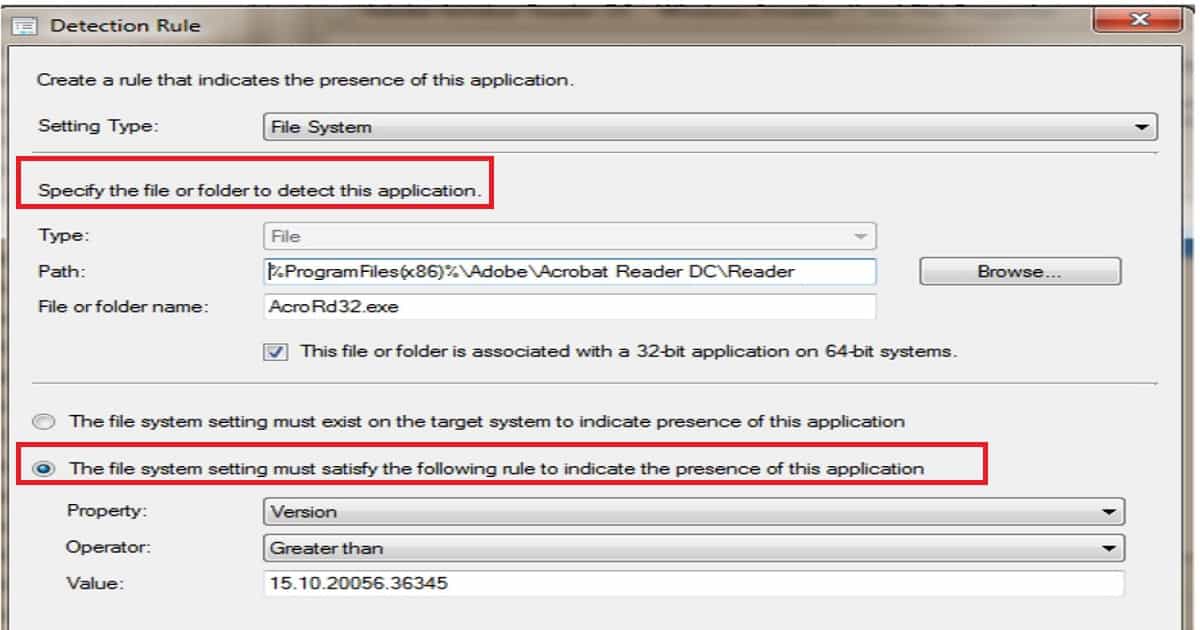
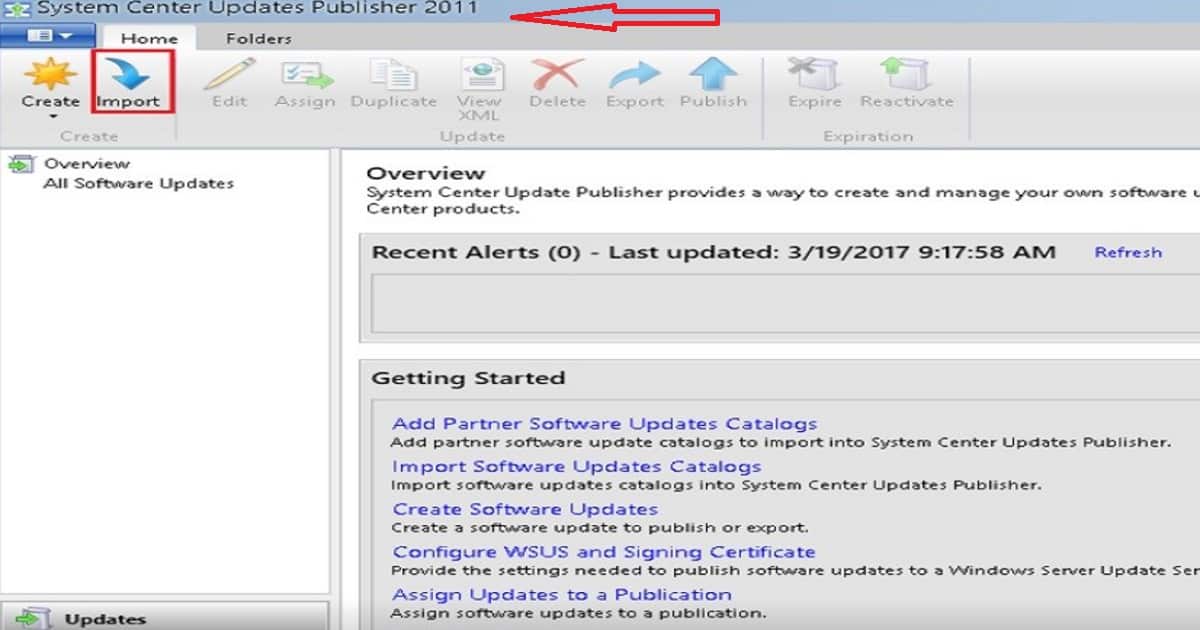
To secure your computers from Delta Charlie, you must patch them with the following Adobe Flash Player security updates: SCUP + SCCM is a different, complex method used for third-party app patching.
For a moment, forget about all the integration complexities of SCCM + WSUS + SCUP. Imagine how difficult it would be to manually create an Adobe Flash Player package using SCUP and deploy it in SCCM.
I blogged about the complexities of this topic in the following post, “How Tedious for SCCM Admins to Patch 3rd Party Applications via SCUP“. In the time it would take to patch these third-party updates manually, your systems would likely have already been affected by Delta Charlie.
| 3rd Party App Vulnerabilities |
|---|
| Adobe Flash Player 18.0.0.324 and 19.x vulnerability (CVE-2016-0034) |
| Adobe Flash Player 21.0.0.197 vulnerability (CVE-2016-1019) |
| Adobe Flash Player 21.0.0.226 vulnerability (CVE-2016-4117) |
Ideal Approach to Remediate 3rd Part App Vulnerabilities
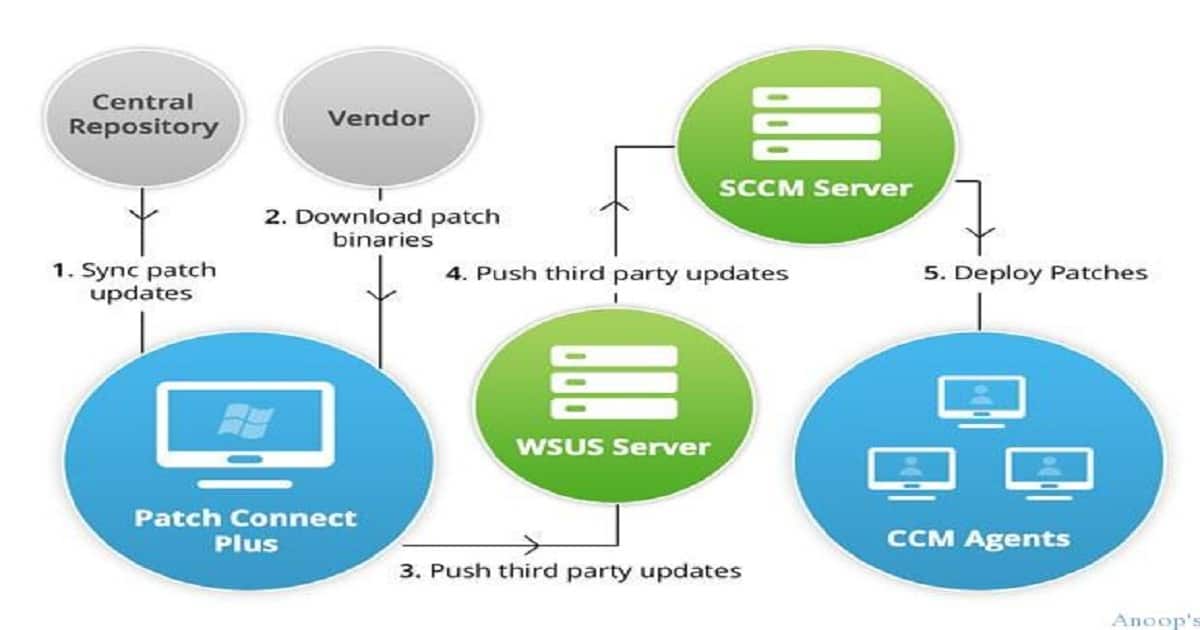
As I mentioned at the start of this post, we need to remediate the vulnerabilities ASAP. The best remediation approach is to automate the entire 3rd party patch management solution. There are loads of 3rd party patching solutions available in the market to automate this process.
In this post, I will cover the Manage Engine solution called Patch Connect Plus. I previously blogged about this topic in the post “Now Automate Third-Party Patch Management using SCCM ConfigMgr.”
ManageEngine offers the solution you need to patch all your third-party applications: Patch Connect Plus quickly. Download Patch Connect Plus to patch Adobe Flash Player completely in no time.
It’s Adobe Flash Player; tomorrow, it might be any other third-party application. With Patch Connect Plus, you can control third-party patching for Windows machines and save your systems from dangerous vulnerabilities.
We are on WhatsApp now. To get the latest step-by-step guides, news, and updates, Join our Channel. Click here. HTMD WhatsApp.
Author
Anoop C Nair is Microsoft MVP! He is a Device Management Admin with more than 20 years of experience (calculation done in 2021) in IT. He is a Blogger, Speaker, and Local User Group HTMD Community leader. His main focus is on Device Management technologies like SCCM 2012, Current Branch, and Intune. He writes about ConfigMgr, Windows 11, Windows 10, Azure AD, Microsoft Intune, Windows 365, AVD, etc.




Discussion