






SCCM CB 1708 Preview Upgrade Video Guide New Features
Let’s discuss the SCCM CB 1708 Preview Upgrade Video Guide New Features. SCCM CB preview version 1708 has been released.
I enjoy upgrading my lab environment to the SCCM CB 1708 preview version. However, upgrading to SCCM CB preview version 1708 will fail if you have an SCCM primary server in passive mode.
It would help if you remembered that the SCCM ConfigMgr CB technical preview version should not be deployed to a production environment. This post will see the SCCM CB 1708 Preview Upgrade Video Guide. You can find the YouTube video tutorial here.
The SCCM CB preview version is similar to the Windows Insiders program, which helps SCCM admins test the new features of SCCM CB. Before installing this technical preview, you can review the limitations of the SCCM CB version here.

Table of Contents
- SCCM Server OS Upgrade WSUS SUP Notes from Real World
- SCCM Server In-place OS Upgrade to Server 2022 Guide
- New Features in SCCM Technical Preview 2401
- New Key Features of SCCM 2309 | Top Improvements
- Download SCCM 2309 Early Ring Version using PowerShell Script
- SCCM Versions Build Numbers Client Console Site
- End of Support Dates for SCCM CB Current Branch | ConfigMgr | SCCM End of Life
- SCCM Unsupported Deprecated or Removed Features
What is the Importance of SCCM Preview Releases?
We can’t install the CAS version of SCCM CB with the preview version. The prerequisite for installing the SCCM CB 1708 preview version has not changed.
How to Download SCCM CB Preview Version
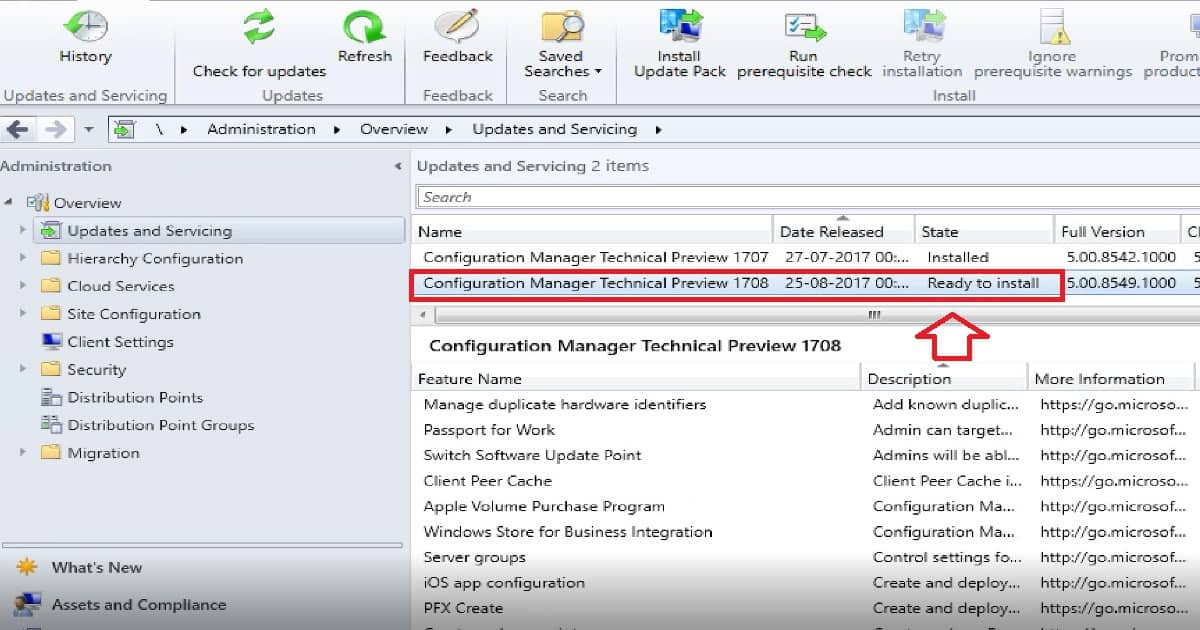
The upgrade process is explained in the video tutorial here. Have you installed an SCCM CB preview version? If not, you can download the latest baseline version of ConfigMgr SCCM CB Technical Preview from here. One particular version of the SCCM preview has a maximum validity of only 3 months (90 days).
How to Upgrade from SCCM CB 1707 to 1708?
The SCCM CB update and servicing process are the same as before. Once the latest version of the preview is released, the update will be available in the SCCM console.
The update will automatically download to your server. This behavior depends on the Service connection point (SCP) mode. There are two modes for SCP: ONLINE and OFFLINE.
The next upgrade process step is the replication of new content to secondary servers. Once replication is completed successfully, the update component will start the prerequisite checks on the SCCM CB hierarchy. The prerequisite checks will run on all the site servers and site systems.
| Detailed Status for the SCCM Technical Preview 1708 | Details |
|---|---|
| Installation | In progress |
| Start WMI | Completed |
| Install Services | Not Started |
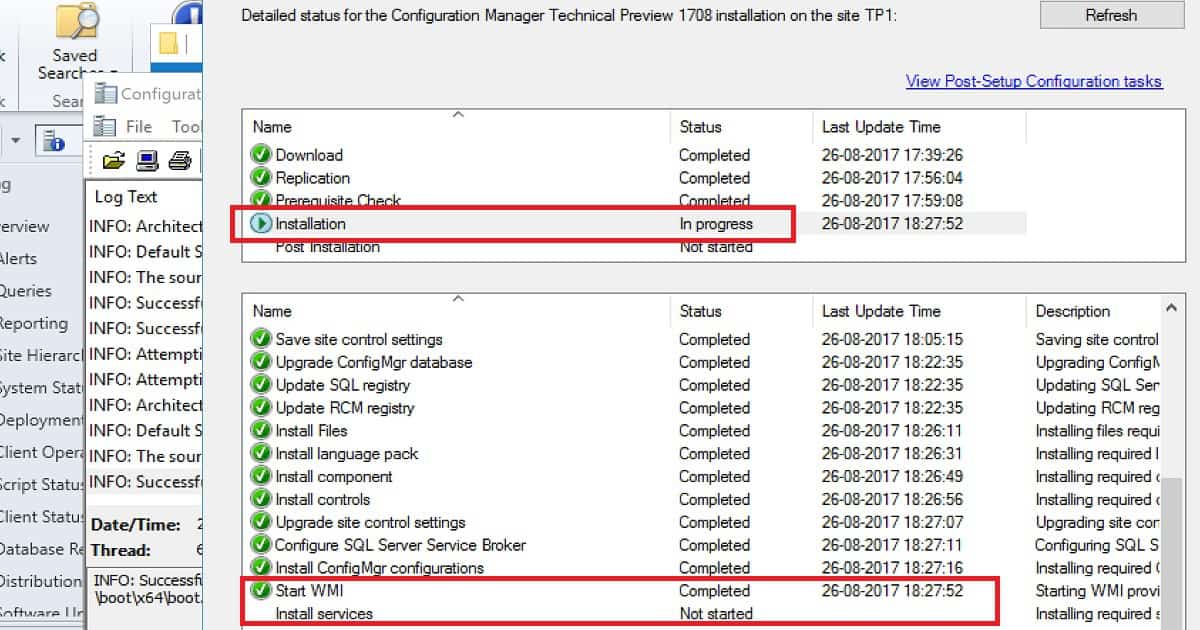
Once prerequisite checks have been completed, the update component will start the actual upgrade/installation process of SCCM CB 1708. After the upgrade process, the post-installation or upgrade process will begin. All these are explained in the video tutorial here.
New Features of SCCM CB 1708 Preview Version
One of the newest features added to SCCM CB 1708 is the ability to create and run scripts with optional parameters. This script deployment is done through SCCM CB’s new fast channel.
Supported Scenarios of Run Script Option Scenarios
There is no need to deploy the script as a package or application; rather, you can directly import the PowerShell script. This Script can be targeted to collections or devices without creating any deployment.
- Create and run PowerShell scripts on collections of devices from the Configuration Manager console.
- Create and run PowerShell scripts with parameters to devices and collections from the Configuration Manager console.
- Create and run PowerShell scripts with optional parameters to devices and collections from the Configuration Manager console.
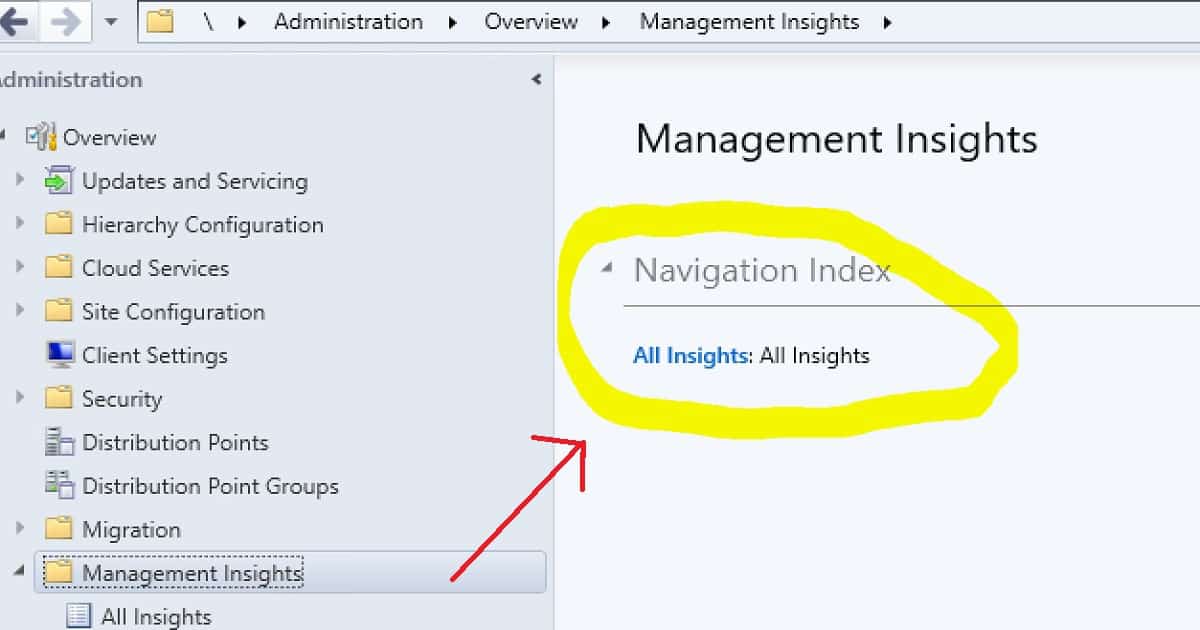
SCCM Infra Management insights is another option in SCCM CB 1708. This will give you valuable insights into your environment’s current state based on the data analysis in the site database. This will provide the details of EMPTY collections and applications without deploying your environment.
- You can view the management insights below – \Administration\Overview\Management Insights.
- Scenarios: Review a management insight to understand your environment better and take action based on the insight
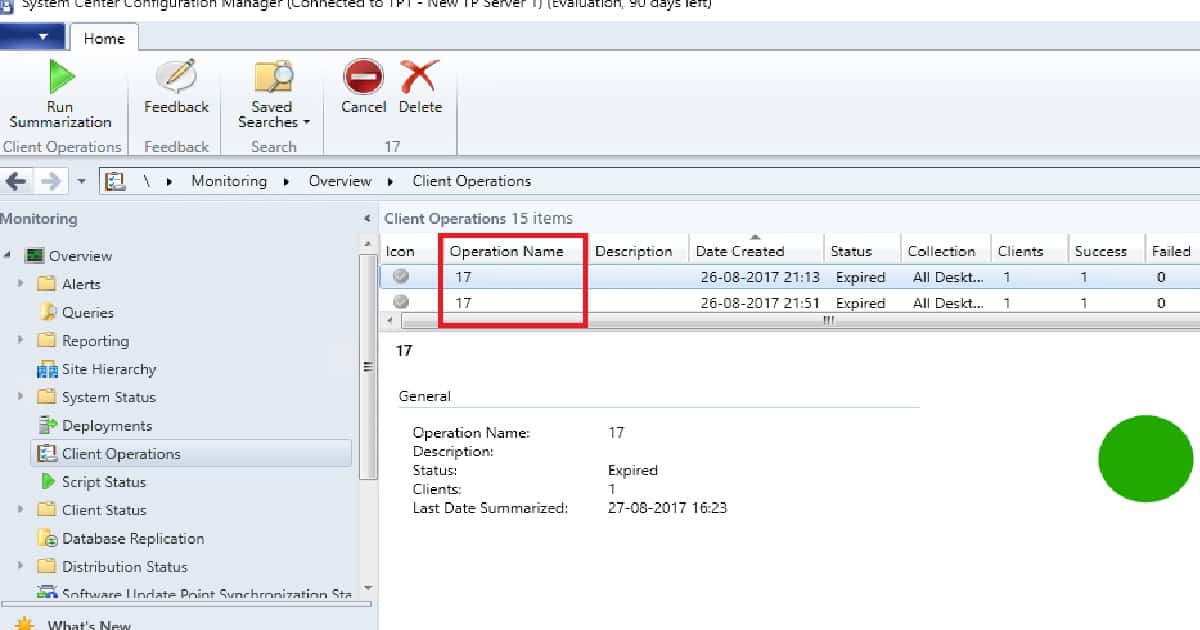
The two new features added to SCCM CB 1708 are initiating restarting computers from the admin console and the pending restart column. The restart computer action is also performed through SCCM fast channel notification.
The monitoring workspace in the SCCM CB 1708 console shows a different name for the Restart computer action: Operation Name #17.
References
- Update 1708 for Configuration Manager Technical Preview Branch – Available Now! – here.
- Capabilities in Technical Preview 1708 for System Center Configuration Manager – here
- What is SCCM CB Management Insights – here
We are on WhatsApp now. To get the latest step-by-step guides, news, and updates, Join our Channel. Click here. HTMD WhatsApp.
Author
Anoop C Nair is Microsoft MVP! He is a Device Management Admin with more than 20 years of experience (calculation done in 2021) in IT. He is a Blogger, Speaker, and Local User Group HTMD Community leader. His main focus is on Device Management technologies like SCCM 2012, Current Branch, and Intune. He writes about ConfigMgr, Windows 11, Windows 10, Azure AD, Microsoft Intune, Windows 365, AVD, etc.




Discussion