






Configure Group Policy ADMX ADML WMI Filter for Windows 10 ConfigMgr SCCM
Let’s discuss the Configure Group Policy ADMX ADML WMI Filter for Windows 10 ConfigMgr SCCM. Microsoft released Administrative Templates (.admx) for Windows 10 Fall Creators Update (1709).
Group Policy tools use Administrative template files to populate policy settings in the user interface.
This allows administrators to manage registry-based policy settings. In this post, we will see “Configure ADMX ADML WMI Filter for Windows 10 1709 Devices.” We are still waiting for the Windows 10 1802 admx file.
The ADMX files contain the technical information for the settings, such as the registry critical path and values set for Windows 10 1709. The ADML had the language-specific displayed text when you went into the Group Policy Management Console to edit real GPOs.

Table of Contents
- Video Tutorial to Import ADMX and WMI Filters to Group Policy Management
- Fix Windows Bugs using Known Issue Rollback KIR – Group Policy and WMI Filter
- Security Baselines Download Configuration Guide
- Download Intune CIS Benchmark for Windows 10 or Windows 11
- Download Microsoft Edge ADMX Group Policy Templates
- New Group Policy Settings Available in Different Versions of Windows 10
What are ADMX and ADML Files? Configure Group Policy ADMX – Configure Group Policy ADMX ADML WMI Filter for Windows 10 ConfigMgr SCCM
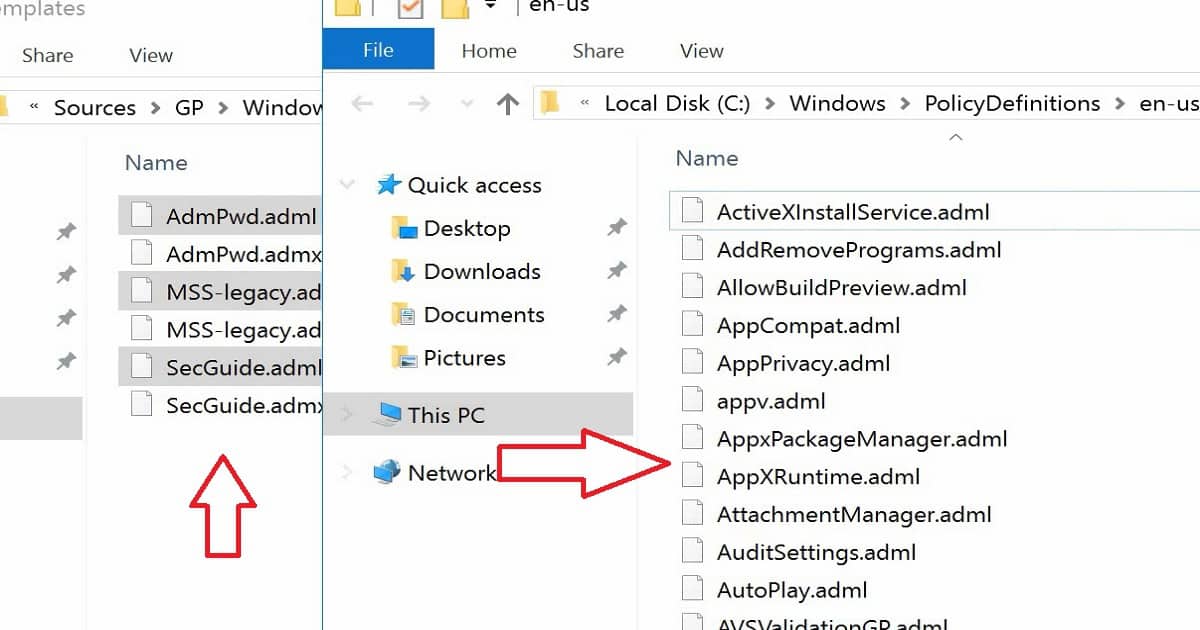
“Redstone 3,” or RS3) ADMX files should be copied to the “C:\Windows\PolicyDefinitions” folder. The ADML files are language-specific files, and they should be copied to the “C:\Windows\Policy Definitions/En-US” folder if you have only En-US machines.
- Download – Administrative Templates (.admx) for Windows 10 (1607) and Windows Server 2016
- Administrative Templates (.admx) for Windows 10 Fall Creators Update (1709)
Group Policy Errors After ADMX File Import
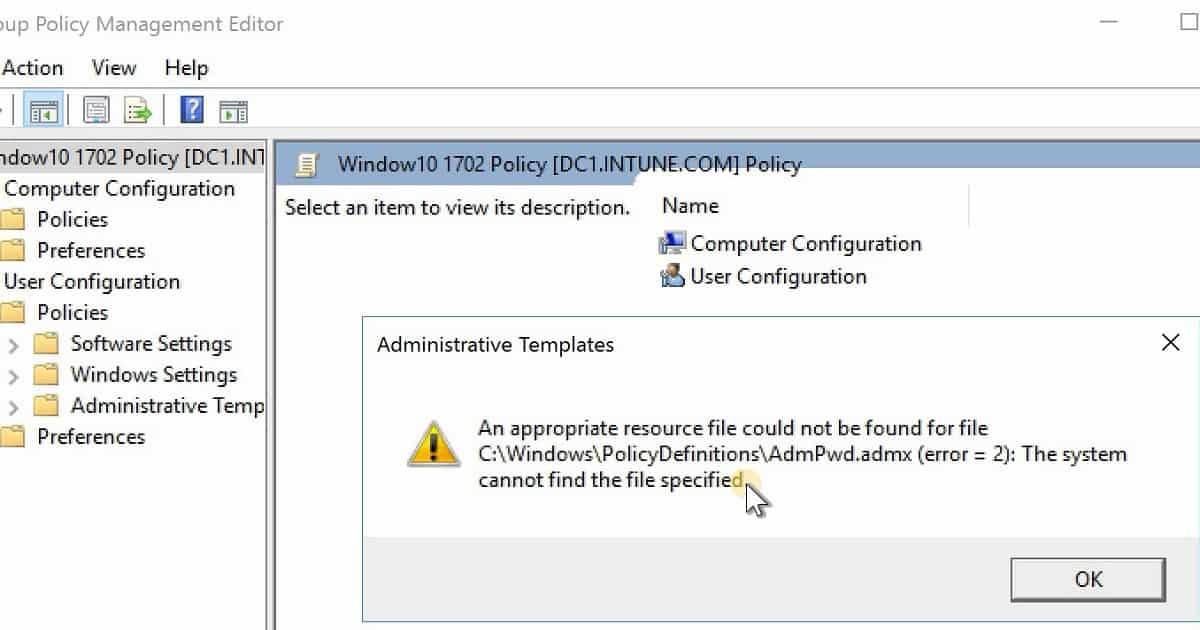
I received the following error when I copied Windows 10 1709 ADMX files should be copied to the “C:\Windows\PolicyDefinitions” folder. But I didn’t copy ADML files to “C:\Windows\ Policy Definitions/En-US“.
An appropriate resource file could not be found for the file C: Windows\PolicyDefinitions\AdmPwd.admx (error=2): The system cannot find the files specified.
How to Configure Windows 10 Related ADMX ADML WMI Filter
The issue was resolved after the ADML file was sent to the respective language folder, as mentioned below.
What are WMI Filters – Group Policy Management
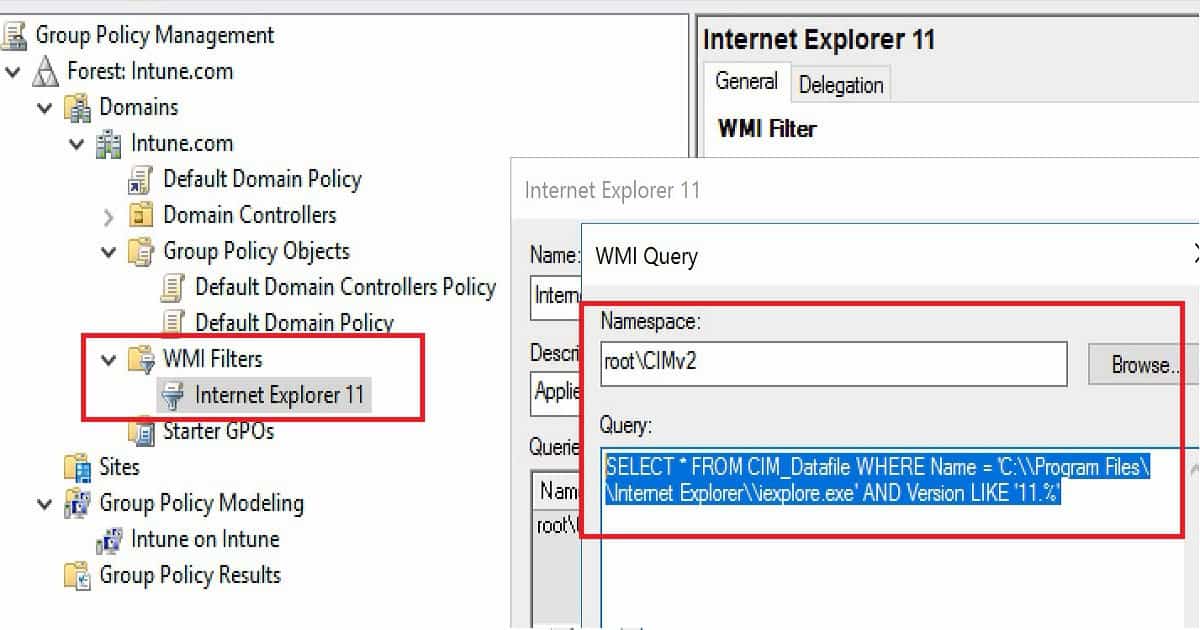
I’m not a big fan of using WMI filters to apply Group Policies to Windows 10 devices. However, WMI Filters can help when using certain policies based on special characteristics of instruments like Operating System version, network configuration, or other criteria.
The MOF files can be imported into the group policy management tool to create WMI filters. However, I would deploy MDM policies to Windows 10 devices using SCCM or Intune. The video tutorial provides more details.
| WMI Filters |
|---|
| Internet Explorer 11 |
Resources
- Download Administrative Templates (.admx) for Windows 10 Fall Creators Update (1709)
- Security baseline for Windows 10 “Fall Creators Update” (v1709) – DRAFT
We are on WhatsApp now. To get the latest step-by-step guides, news, and updates, Join our Channel. Click here. HTMD WhatsApp.
Author
Anoop C Nair is Microsoft MVP! He is a Device Management Admin with more than 20 years of experience (calculation done in 2021) in IT. He is a Blogger, Speaker, and Local User Group HTMD Community leader. His main focus is on Device Management technologies like SCCM 2012, Current Branch, and Intune. He writes about ConfigMgr, Windows 11, Windows 10, Azure AD, Microsoft Intune, Windows 365, AVD, etc.



Thanks for good article, can i use this adml in windows server 2008 r2 dc to apply on windows 10 clients ?
Thanks for good article, can i use this adml in windows server 2008 r2 dc to apply on windows 10 clients or should i use ws 2016
When you move the adml files to the en-us folder, it does not make a difference in server 2016.