






SCCM CB DMPDownloader Troubleshooting with State Messages
SCCM CB DMPDownloader Troubleshooting with State Messages. SCCM state messages help to troubleshoot updates and service-related issues.
The DMP downloader is the component that downloads the source files of SCCM CB updates. The following is the list of SCCM CB DMP Downloader State Messages.
SCCM State messages are sent using a messaging system built into SCCM / ConfigMgr. This allows SCCM to send messages to site systems based on essential state changes.
State messages are not the same as status messages; status messages provide information about component behavior and data flow, whereas state messages provide a snapshot of a process’s state at a specific time.

Table of Contents
- SCCM CB Release has Changed 2 Versions per Year | March and September
- SCCM CB 1803 Review of Upgrade and Features Configuration Manager ConfigMgr
- Video Review of SCCM CB 1802 New Features
- Reset SCCM CB Critical Site Component Status Summarizer Counter ConfigMgr
What is a State Message? – SCCM CB DMPDownloader Troubleshooting with State Messages
Following is the location in the SCCM CB console to see the status messages of the DMP Downloader component. I have different posts that can help you resolve the SCCM CB update download-related issues. DMPDownloader and ConfigMgrSetup are the log files that give you more details about SCCM CB download errors.
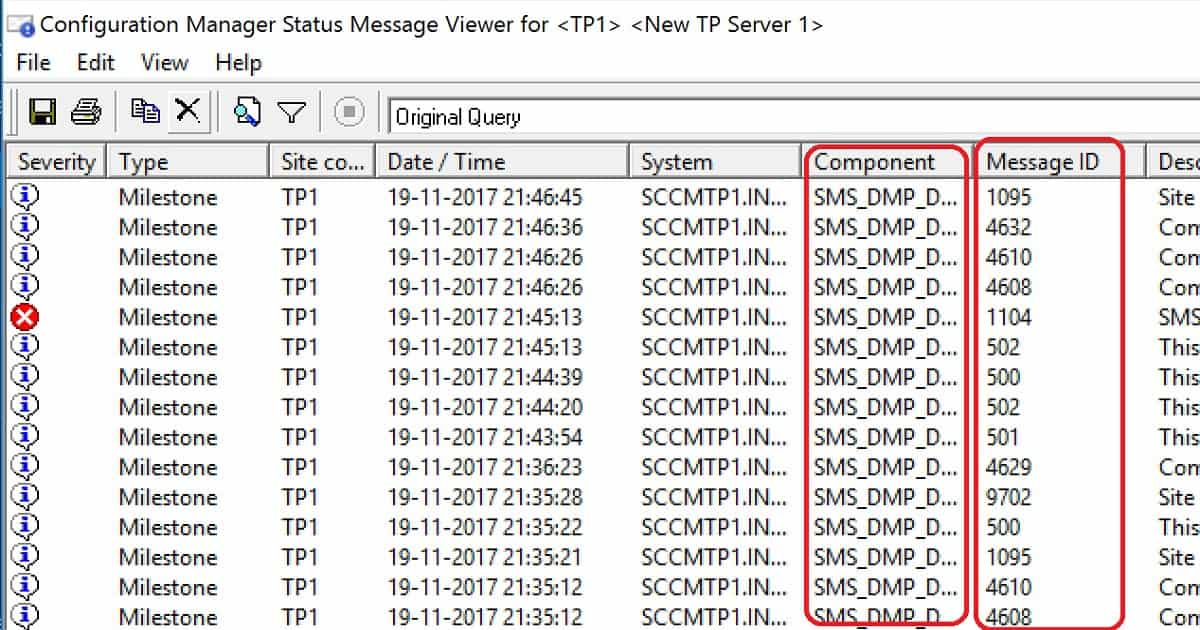
SCCM CB Troubleshooting Guide
Monitoring the workspace in the SCCM CB console is the best place to troubleshoot SCCM CB upgrades. The 5 high-level processes happen in the background when the SCCM CB updates are downloaded to your server.
- Process update package
- Download the updated package cab file
- Extract update package payload
- Download redist
- Report package as downloaded
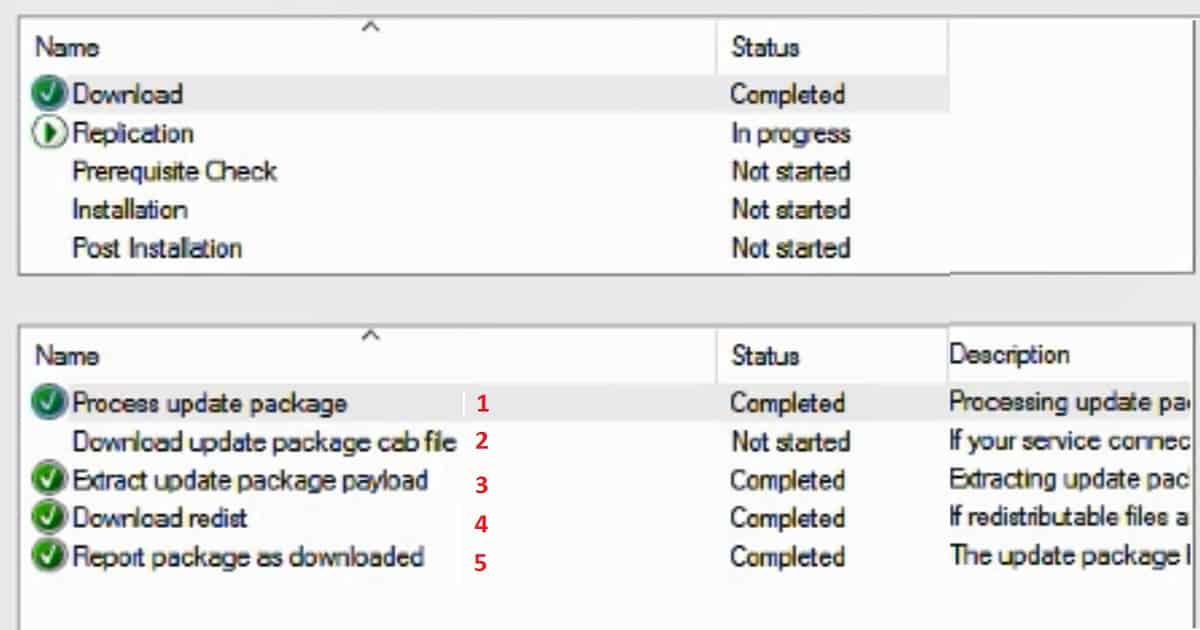
State Messages of DMP Downloader?
These state messages were extracted after analyzing the DMPDownloader.log of different servers in my lab environment. I’m not sure whether there are any other state messages I missed documenting, and I’m not 100% sure whether the descriptions of all these state messages are accurate.
- Generating state message: 0 = Download Admin UI content payload
- Generating state message: 1 = Download manifest.cab
- Generating state message: 2 = Finished calling verify manifest
- Generating state message: 3 = Manifest.cab was successfully moved to the connector outbox
- Generating state message: 4 = Get new Easy Setup Package IDs
- Generating state message: 5 = Found a new available update
- Generating state message: 6 = EasySetupMaintenance – Redownload packages if needed
- Generating state message: 7 = Get new Easy Setup Package IDs
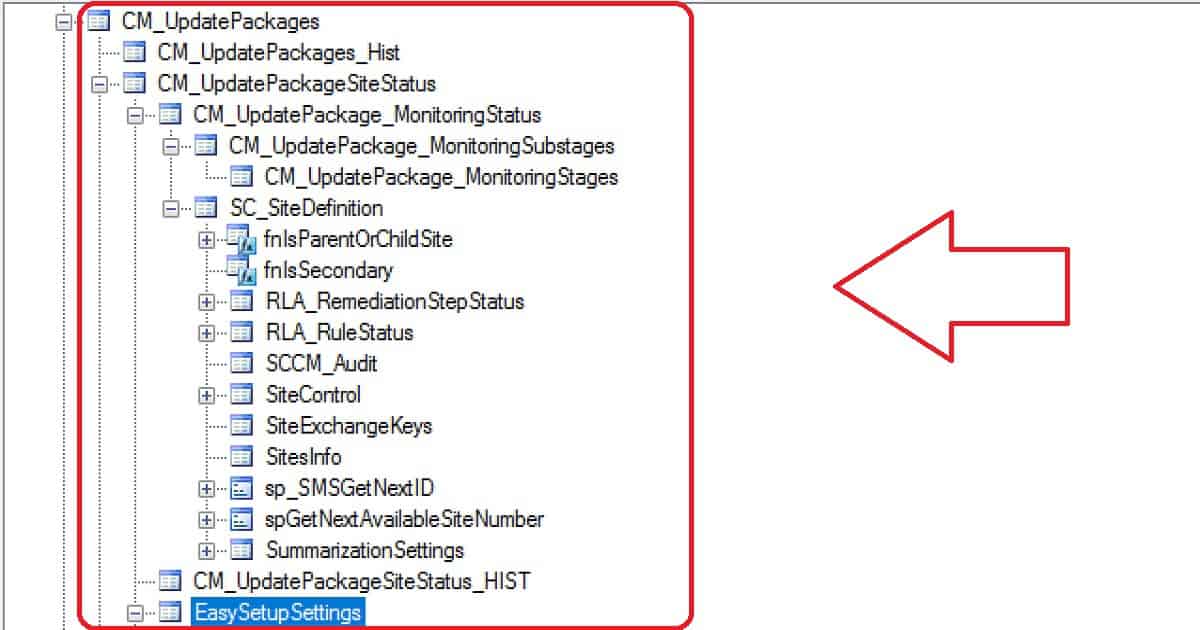
- Generating state message: 8 = Checking IsPayloadLocal with HashAlgorithm = SHA256 …
- Generating state message: 9 = Download content for payload
- Generating state message: 10 = Verify the payload signature, hash value and extract the payload
- Generating state message: 11 = Successfully write the update meta into the package’s outbox. Download redist. They are downloaded if redistributable files are required and not included with the update. If files do not need to be downloaded, this step is skipped.
- Generating state message: 12 = outerxml is <ConfigurationManagerUpdateContent Guid
- Generating state message: 13 = EasySetupDownloadSinglePackage finishes downloading
- (Get Easy Setup installed Packages to delete payload)
- Generating state message: 14 = Searching for QFE packages – Updating LastSyncedTime registry value
- Generating state message: 25 = Check if there is a redist to download for the update. Download redist for the update.
Find Out SCCM CB Update Stage IDs and Stage Names
Let’s find out the SCCM CB update stage IDs and Stage Names. The table below helps you show them.
| Stage Id | Stage Name |
|---|---|
| 10 | Download |
| 11 | Replication |
| 12 | Prerequisite Check |
| 13 | Installation |
| 14 | Post Installation |
References
We are on WhatsApp now. To get the latest step-by-step guides, news, and updates, Join our Channel. Click here. HTMD WhatsApp.
Author
Anoop C Nair is Microsoft MVP! He is a Device Management Admin with more than 20 years of experience (calculation done in 2021) in IT. He is a Blogger, Speaker, and Local User Group HTMD Community leader. His main focus is on Device Management technologies like SCCM 2012, Current Branch, and Intune. He writes about ConfigMgr, Windows 11, Windows 10, Azure AD, Microsoft Intune, Windows 365, AVD, etc.




Discussion