






Exciting News! New 3 Top Features Included in Windows Autopatch. In 2024, Windows Autopatch offers new features that promise efficiency, precision, and perfect integration. Windows Autopatch is a powerful tool designed to simplify and enhance the management of updates for Windows devices.
Windows Autopatch is a cloud service that automates updates for Windows, Microsoft Teams, Microsoft 365 Apps for enterprise, and Microsoft Edge. New updates help keep Windows devices secure and up to date.
The Windows autopatch will ensure your Windows devices receive timely updates without disturbing your workflow. With this, vulnerabilities can be reduced and overall system health enhanced. In 2024, autopatch will have the best feature to improve the organization with better control, management, and accurate insights.
Windows autopatch will manage several management areas, such as device health monitoring, update control and communication. The new features will improve performance and empower you to maintain the security of your devices effortlessly.

New 3 Top Features Included in Windows Autopatch
Windows autopatch is not only an update tool that will respond with features that empower IT administrators, enhance security, and streamline processes. There are 3 new Features included in Windows Autopatch.
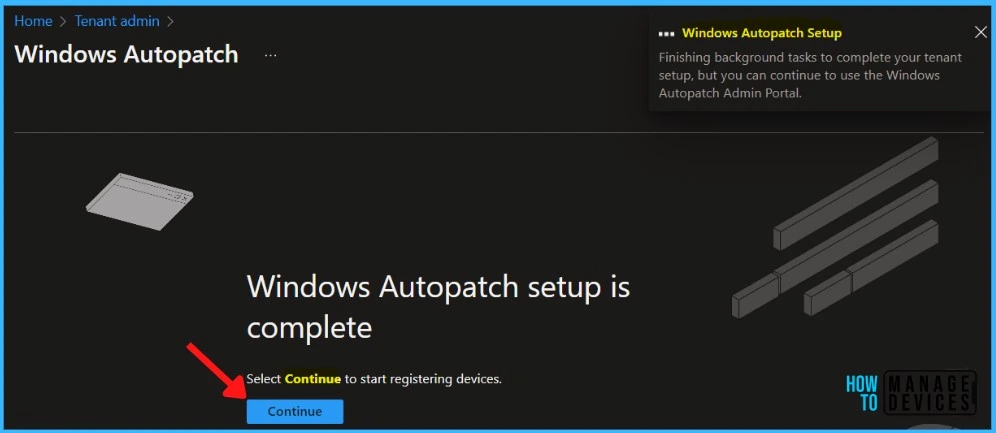
Note: The screenshot below is a sample picture for the Windows Autopatch Implementation Setup, Let’s learn how to set up Windows Autopatch using the step-by-step Implementation Setup Guide.
| Numbers of Features | New 3 Top Features Included in Windows Autopatch |
|---|---|
| 1 | Import Update rings for Windows 10 and later |
| 2 | Customer-Defined Service Outcomes |
| 3 | Improved Data Refresh Speed and Reporting Accuracy |
- Windows Autopatch Implementation Setup Guide
- Windows Autopatch Deployment Schedule for Windows quality updates
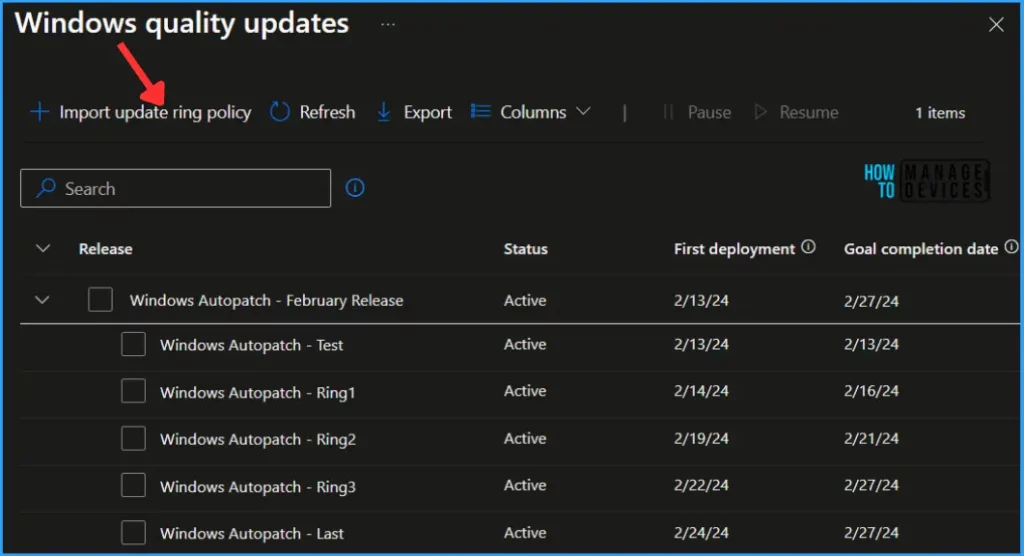
1. Import Existing Update Rings for Windows 10 and later
The update ring is essential in managing the timing and delivery of feature and quality updates to Windows 10 and 11 devices. Update rings are available for Windows 10 and later. If you’re a Windows Autopatch customer, you can now bring existing Update rings for Windows 10 and later policies into Windows Autopatch Management. This feature is now in the Preview.
2. Customer-Defined Service Outcomes
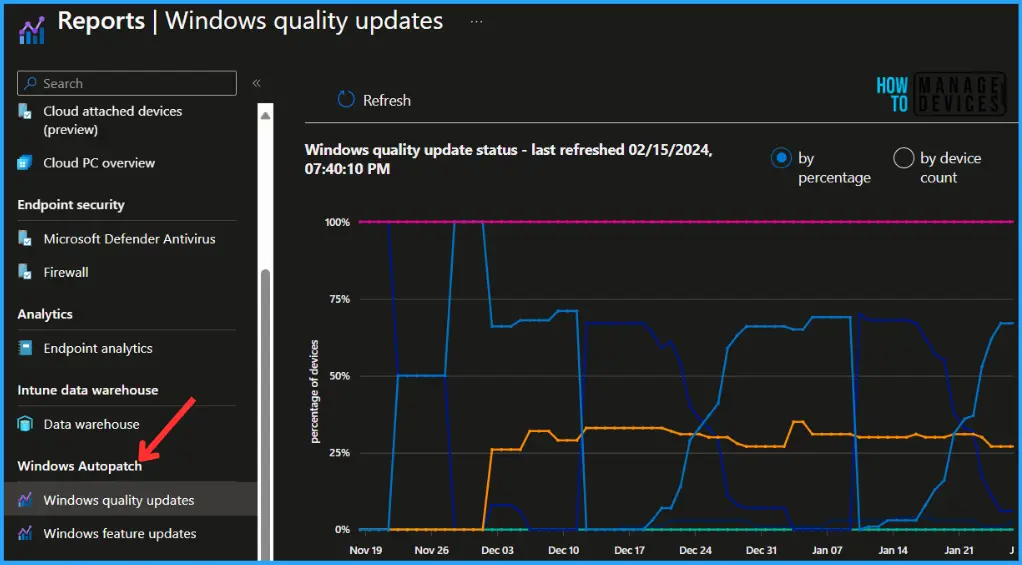
The next feature is Customer-Defined Service Outcomes. With this, you can use Windows Autopatch reports to monitor the health and activity of your deployments. It will help you to these reports provide valuable insights, allowing you to assess whether your devices are meeting update compliance goals.
- Windows Autopatch now assesses deployment success using your custom-defined rings.
- New columns will appear in the release blade; these columns provide insights into the percentage completion of quality and feature updates
- Devices in the ‘In Progress’ status will remain so until they receive the current monthly cumulative update or an alert.
- If an alert is triggered, the status will be updated to ‘Not up to date.
- Enable Windows Autopatch Driver and Firmware Updates Automation
- How to Manage Windows Autopatch Groups from Intune
3. Improved Data Refresh Speed and Reporting Accuracy
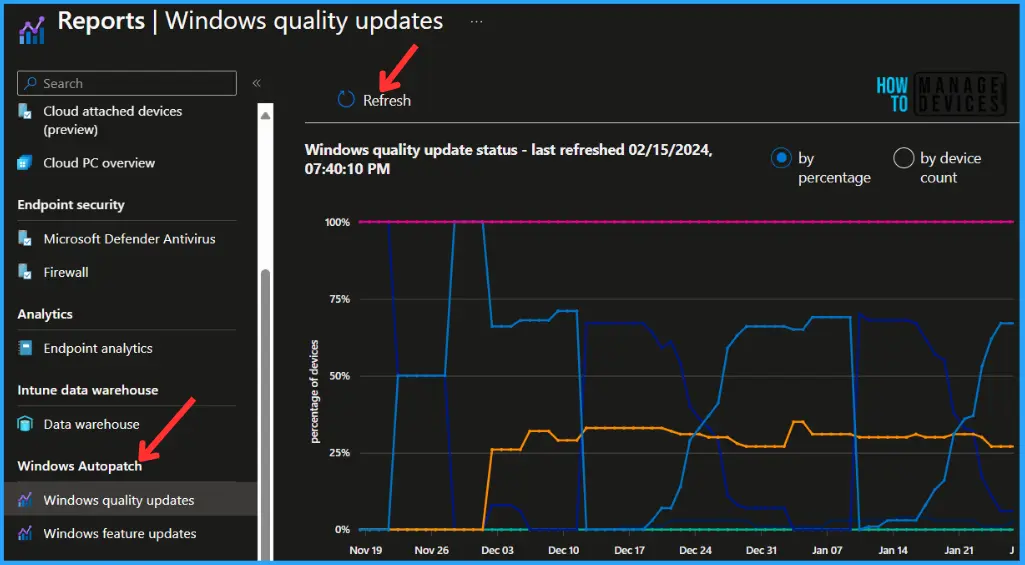
The 3rd new feature is Improved Data Refresh Speed and Reporting Accuracy. Windows Autopatch reporting provides valuable insights into patch compliance. The refresh cycle has been reduced from 24 hours to 30 minutes, ensuring more timely and accurate reporting.
Reference
What’s new in Windows Autopatch: February 2024
We are on WhatsApp now. To get the latest step-by-step guides, news, and updates, Join our Channel. Click here. HTMD WhatsApp.
Author
Krishna. R is a computer enthusiast. She loves writing about Windows 11 and Intune-related technologies and sharing her knowledge, quick tips, and tricks about Windows 11 or 10 with the community.


Discussion