






Let’s discuss the Windows 365 Frontline Concurrency Report Details. Windows 365 Frontline Concurrency Report has been improved using customer feedback, even though it’s not entirely new.
As an administrator, it is essential to see how people use the system. This helps make things better for everyone using it. This report shows you how people are using things, using both recent and older information. This enables you to understand everything better.
It helps you make intelligent decisions, like getting more licenses if needed, so users have a good experience. This report makes your job easier by giving you all the essential information you need and helping you avoid any issues.
Setting idle session time limits for Windows 365 Cloud PC Frontline is simple. When you put these limits, you ensure that users don’t accidentally block others from using their Windows 365 Frontline Cloud PCs because they forgot to log out. It’s like a timer automatically logging out users if they haven’t been active for a while.

- Windows 365 Cloud PC Frontline Provisioning Policy Creation Process | 3 Cloud PC with One License
- Windows 365 Cloud PC Action Status Report
- Windows 365 Cloud PC Performance Report from Intune
Windows 365 Frontline Concurrency Report Details to Save Money
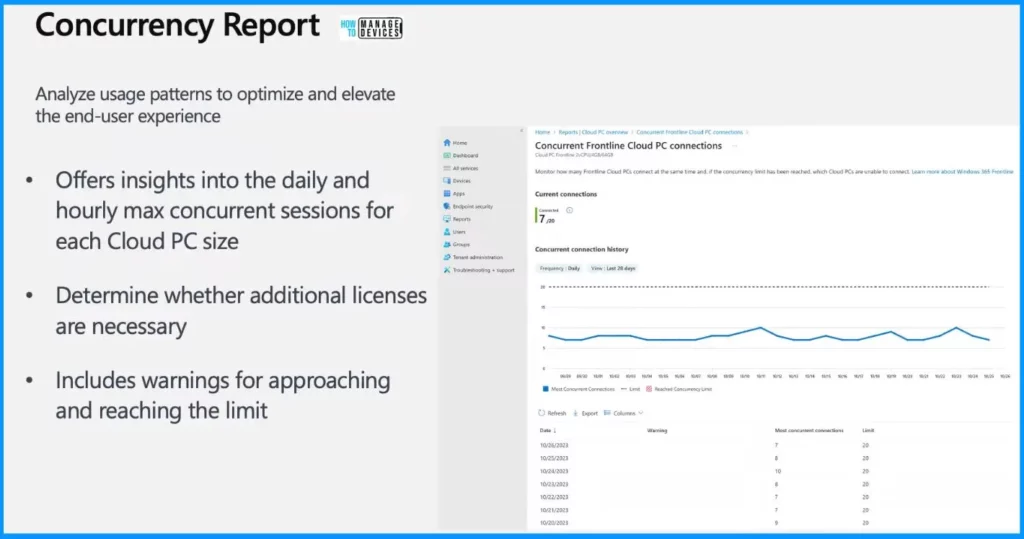
Concurrency Report helps you to analyze usage patterns to optimize and elevate the end-user experience. It offers insights into the daily and hourly maximum concurrent sessions for each Cloud PC size.
- This report determines whether additional licenses are necessary
- It includes warnings for approaching and reaching the limit
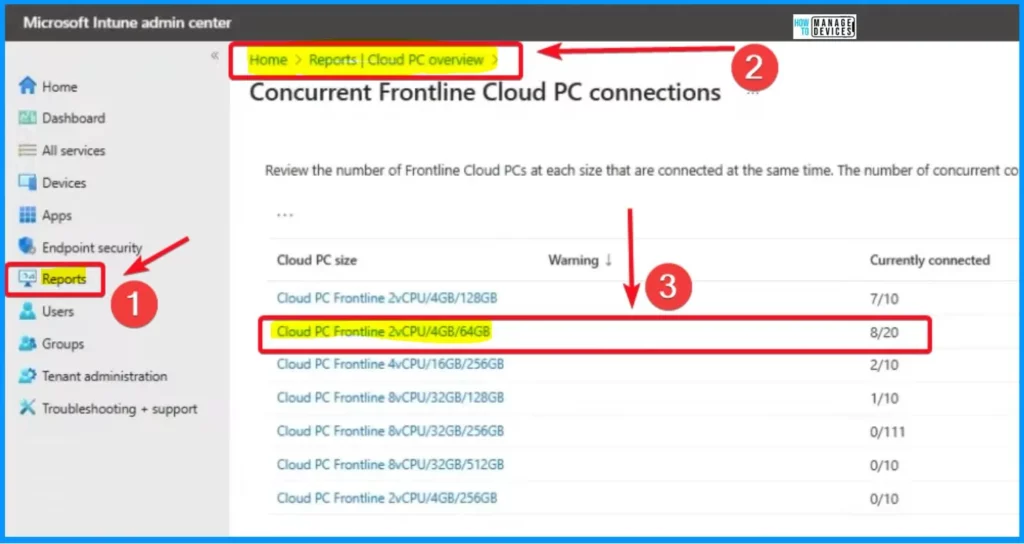
Sign in to the Intune Admin Center portal https://intune.microsoft.com/. The window below helps display the Concurrent reports for Frontline, which you can find at the Cloud PC overview blade under reports.
- It allows you to choose the Cloud PC size you want to explore.
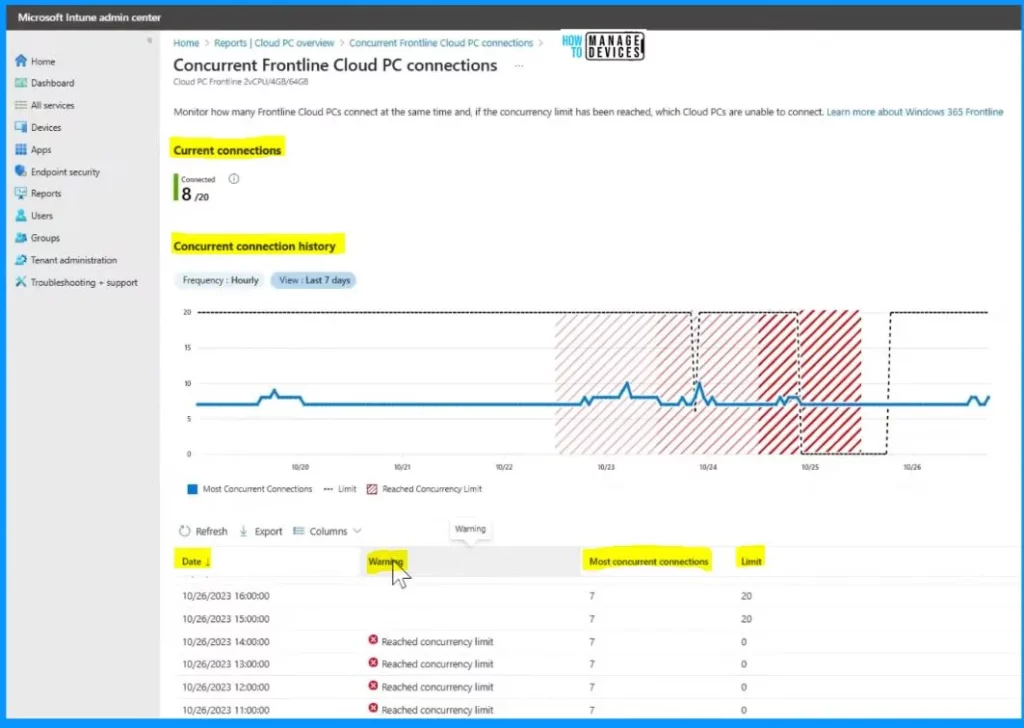
The report is divided into two parts – current connections and historical concurrent connections. At the top, you will see a snapshot of the Frontline Cloud PCs that are currently connected. This gives you the real-time count of active connections.
- Initially, the report shows data for the last 28 days. However, with the latest update, administrators can view data hourly for different time points, offering more flexibility in analyzing usage patterns.
- The graph visually displays the maximum allowed limit for concurrent connections and the moment when this limit is reached.
| Table Informations in Concurrent Frontline Cloud PC Connections |
|---|
| The table below shows you information about the highest number of connections happening at the same time. You can choose to view this data hourly or daily. |
| The “limit” column shows the maximum number of connections allowed, which is the same as the number of licenses you have bought. |
| To help you manage things smoothly, the report also warns you when you are getting close to reaching or have reached the maximum connection limit. |
Proactive Alerting for Frontline
Let’s discuss the Proactive alerting for Frontline. It ensures optimal health for the Windows 365 environment and proactively prevents potential issues that Cloud impact Frontline Cloud PC users.
| Alerting on Reaching Concurrency Limit |
|---|
| Desired level of awareness |
| Define and configure alerts |
| Swiftly take informed actions |
| Customize alerts and notifications |
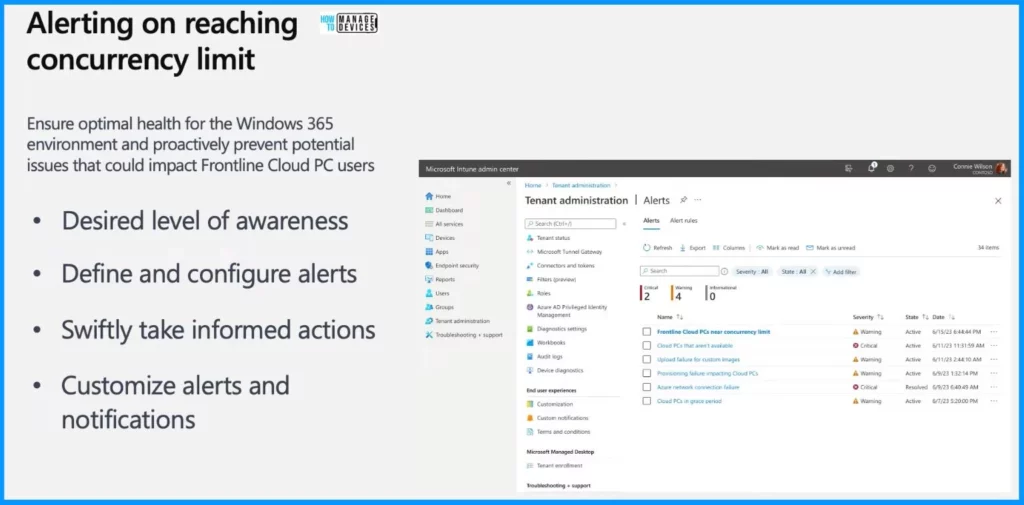
In the Intune console, go to the Tenant Administration tab on the left side of the Intune portal. Then, choose the Alerts option under Tenant administration. The Alert overview page shows alerts an administrator can establish for Frontline Cloud PCs.
- Click the Alert line item from the below window.
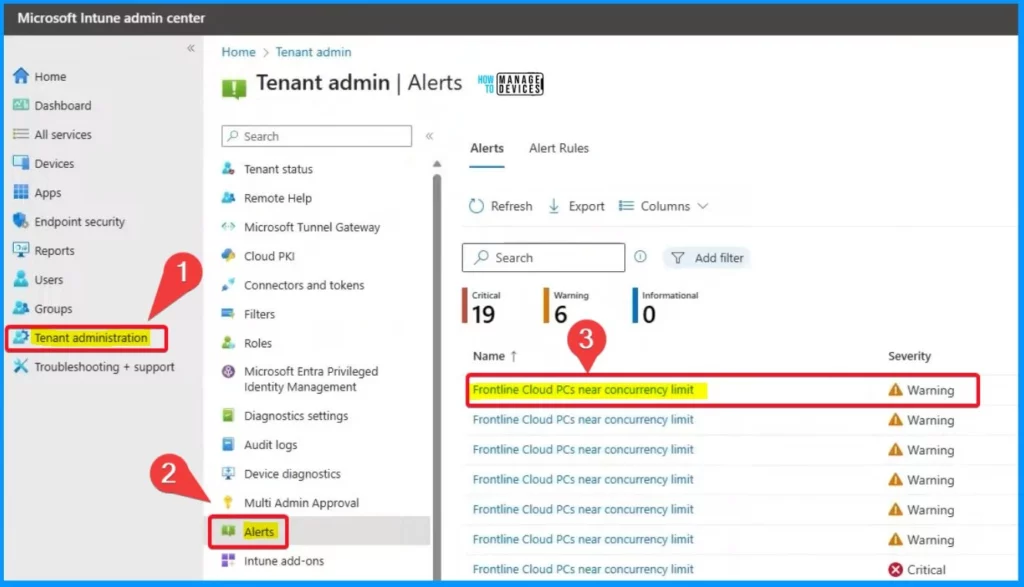
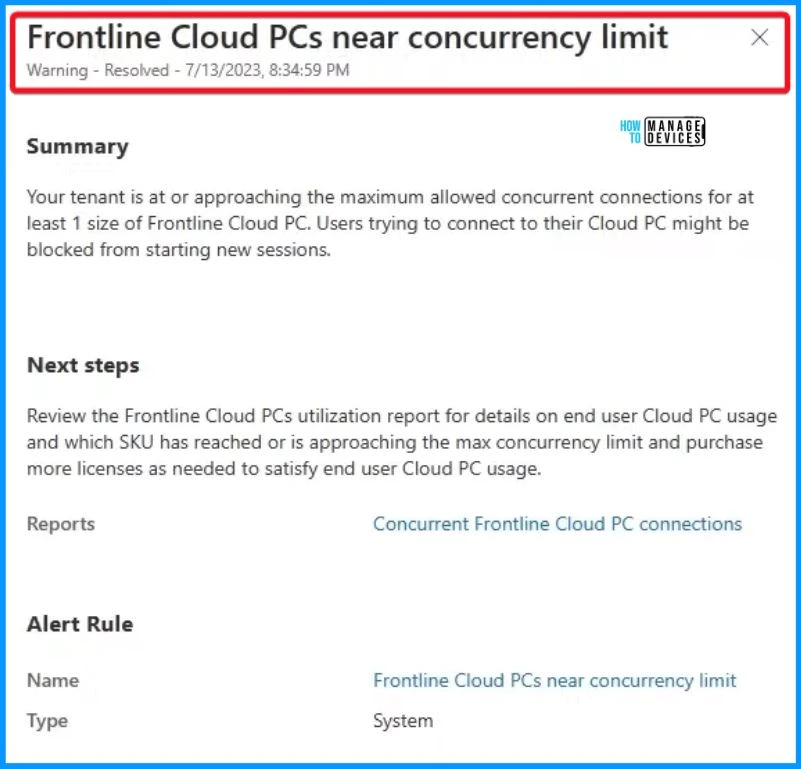
After clicking the Alert line item, the Frontline Cloud PCs Window below will pop up near the concurrency limit window. It shows the information such as the Summary, Next step and Alert rules.
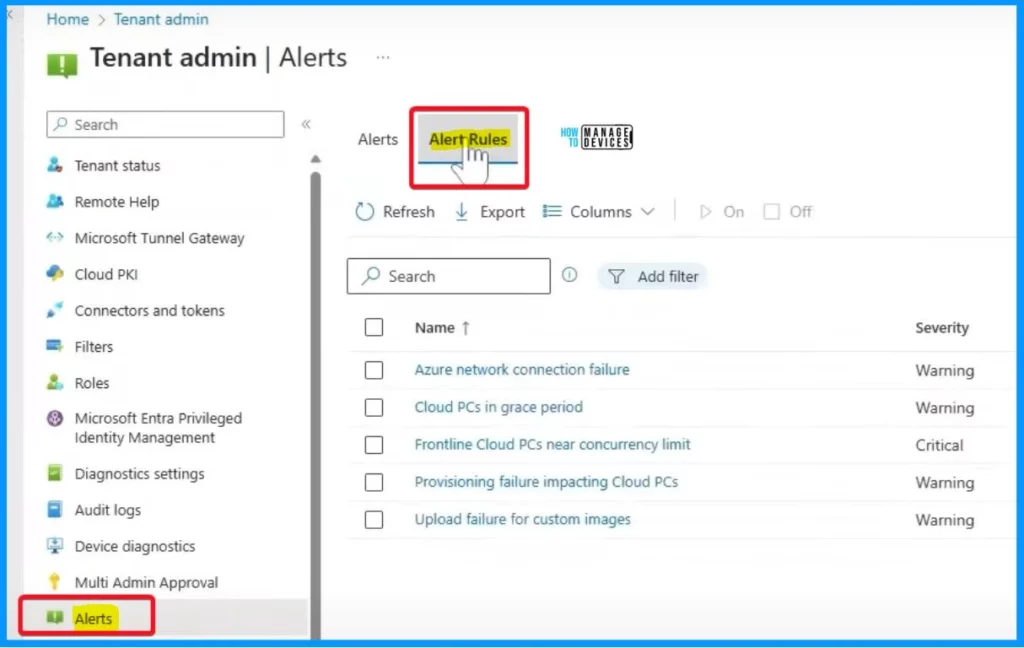
Alerts Rules
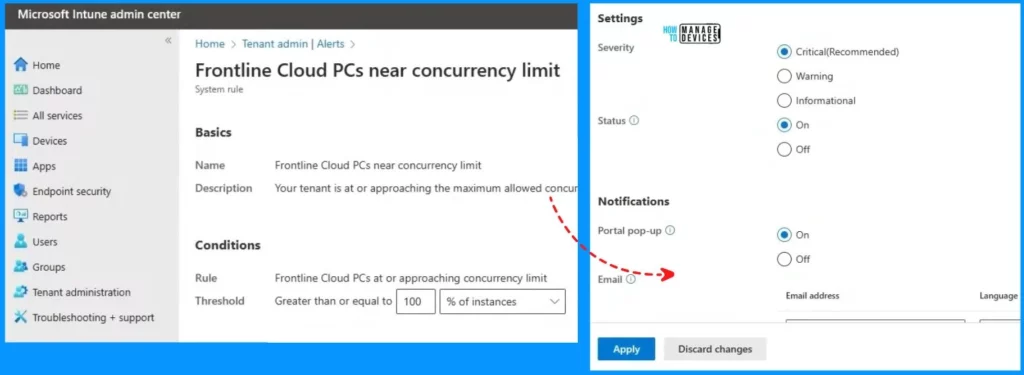
Let’s check how to configure Alert Rules. To configure Alert Rules, start by accessing the Frontline alert rule and clicking on it. This action will open up an “Edit alert” page where you can adjust and set preferences according to your needs.
You have complete control over setting up this alert rule to suit your preferences and the environment you manage. You can customize it as you see fit, enabling or disabling alerts, adjusting conditions, or modifying settings.
Additionally, based on what works best for you, you can define how you want to receive notifications through email or a portal popup. You also have the option to specify the language according to your preference.
Resources
Windows 365 Frontline: let’s talk deployment (and the road ahead!) (youtube.com)
We are on WhatsApp now. To get the latest step-by-step guides, news, and updates, Join our Channel. Click here. HTMD WhatsApp.
Author
About the Author – Vidya is a computer enthusiast. She is here to share quick tips and tricks with Windows 11 or Windows 10 users. She loves writing on Windows 11 and related technologies. She is also keen to find solutions and write about day-to-day tech problems.


Discussion