






Windows 10 Accelerator Program Session at BITPro Event
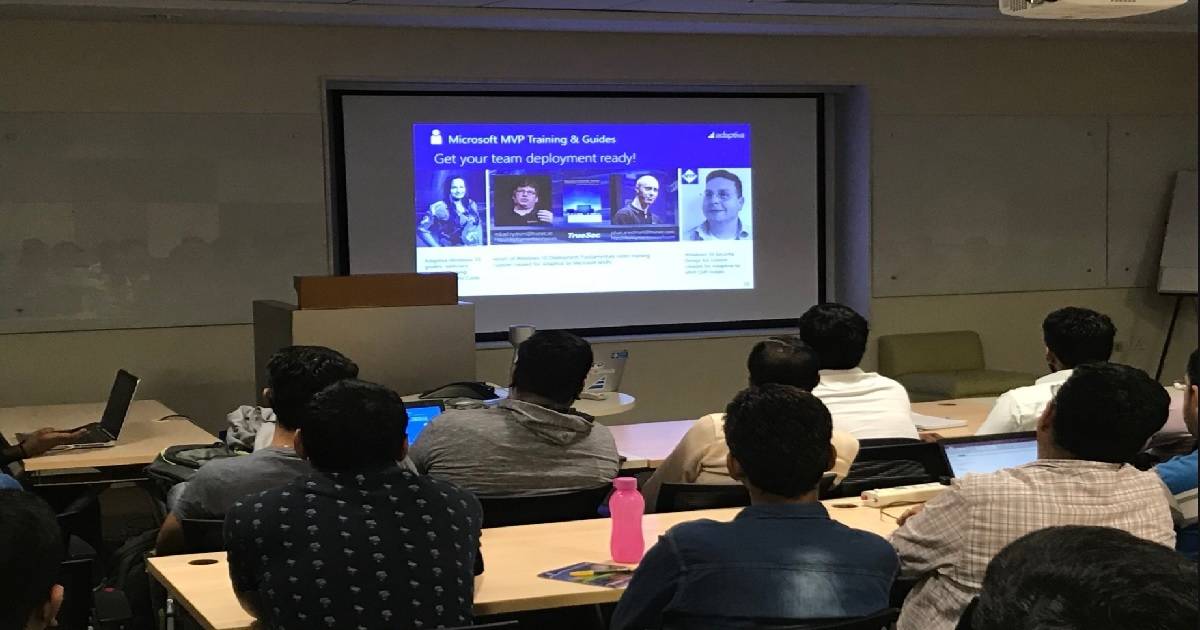
Windows 10 Accelerator Program Session at BITPro Event. This is my last post of this year. Suppose anything super exciting comes my way until 1 January 2018. On the 16th of December, we had a very successful event at Bangalore IT Pro.
We had sessions on Windows AutoPilot, SCCM, Intune, Azure AD, and Terraform. I have already posted about BITPro events in the following post: More details on BITPro User Group Meeting Presentation Decks and Useful Links.
This post will discuss more information about the Windows 10 Accelerator Program session at the BITPro event. My New Year wishes and recap of 2017 are explained in the following post: “2017 SCCM ConfigMgr Intune Community Around Me.”
Adaptiva’s Adam Bresson presented a session on Adaptiva’s Windows 10 accelerator program at the BITPro Event. We could see loads of interest in attendees to know more about the details and demo. This post will have more information about the infra setup required to speed up Windows 10 migration.
Table of Contents
- What are the Exciting Stories Revealed in Windows 10 Event
- EndPoint DLP Endpoint Data Loss Prevention Windows 10 Devices
What is Adaptiva’s Windows 10 Accelerator Program? – Windows 10 Accelerator Program Session at BITPro Event
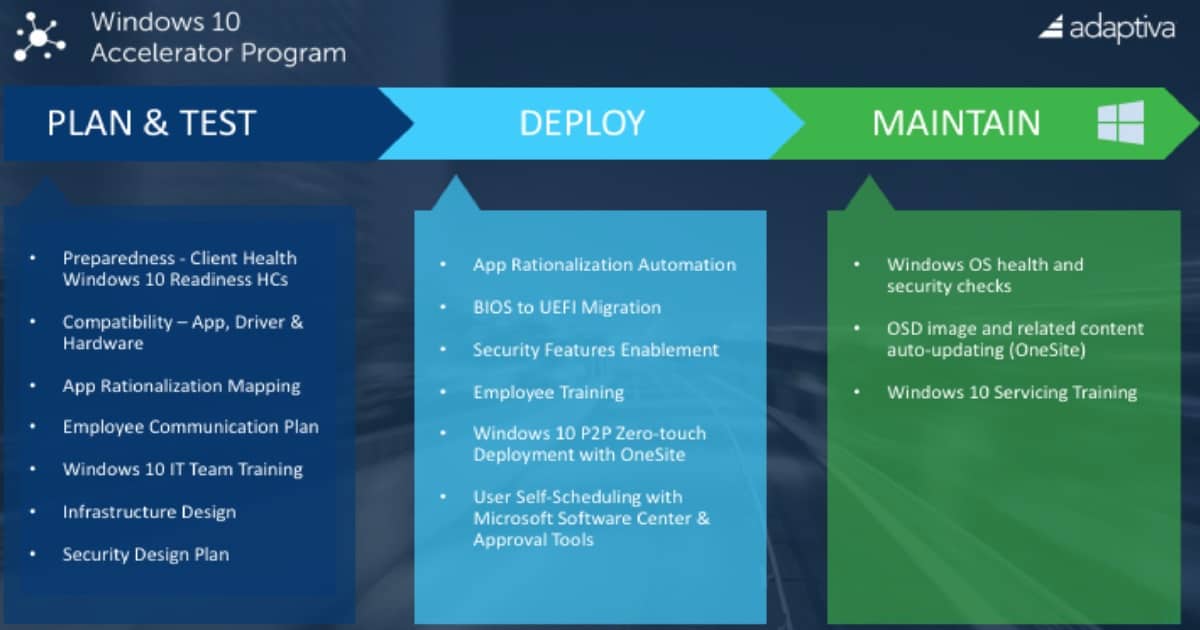
The Adaptiva Windows 10 Accelerator Program is an ecosystem that covers all phases of Windows 10 adoption. The three stages are Plan & Test, Deploy, and Maintain. The plan & Test phase includes compatibility of Applications, Drivers, and hardware models.
What are the Four Components of Adaptiva’s Windows 10 Accelerator Program
App Rationalization Automation and User Self-Scheduling are two of the critical pillar of the deployment phase. Windows OS Health and Security Checks are the starting point of maintaining Windows 10.
Adaptiva’s Windows 10 Accelerator Program helps IT Pros a stress-free, cost-effective way to plan, test, deploy, and maintain Windows 10. This end-to-end ecosystem assembles the products, tools, and training you need to speed zero-touch Windows 10 deployments at scale.
| Four Components of Adaptiva’s Windows 10 Accelerator Program |
|---|
| Adaptiva OneSite |
| Adaptiva Client Health for Windows 10 |
| Microsoft MVP Training and Guides |
| Windows 10 Community Tools |
SCCM & Adaptiva Infrastructure Requirement
We need SCCM Infrastructure and Adaptive Onsite Infrastructure to take advantage of the Windows 10 accelerator program. Yes, we need to have Windows 10 Golden Image ready to use and tested with all the existing devices in your organization.
Why do we want to use Adaptiva Onesite infrastructure to perform stress-free Windows 10 migrations? The webinar recording below provides all these details.
We are on WhatsApp now. To get the latest step-by-step guides, news, and updates, Join our Channel. Click here. HTMD WhatsApp.
Author
Anoop C Nair is Microsoft MVP! He is a Device Management Admin with more than 20 years of experience (calculation done in 2021) in IT. He is a Blogger, Speaker, and Local User Group HTMD Community leader. His main focus is on Device Management technologies like SCCM 2012, Current Branch, and Intune. He writes about ConfigMgr, Windows 11, Windows 10, Azure AD, Microsoft Intune, Windows 365, AVD, etc.


Discussion