






Intune SCCM Free Virtual Labs to Get Hands On Experience
Let’s discuss the Intune SCCM Free Virtual Labs to Get Hands-On Experience. Acquire the SCCM, Intune, Windows 10, and Azure cloud skills at your own pace. As I mentioned in the “Future of SCCM Admin Jobs” post, these new skills are essential for our job security.
In this post, you will see Free SCCM Virtual Labs by Microsoft. Setup – Free Azure Lab And Azure For Students Lab Setup HTMD Blog (anoopcnair.com).
Microsoft provides free SCCM Virtual Labs to help IT Admins and Developers learn new technologies. The old links to SCCM and Intune TechNet Virtual Labs are NOT working.
This post provides more details about SCCM Intune Windows 10 hands-on lab training. NO LABS are available now. Intune SCCM Certification Learning Exams HTMD Blog (anoopcnair.com)

Table of Contents
Video – How to Use New Microsoft Virtual Labs
Intune SCCM Free Virtual Labs to Get Hands On Experience – Have TechNet Virtual Labs been migrated to the Azure platform?
It seems that the TechNet virtual labs have been migrated to the Azure platform. From the jump host server detail, virtual labs have been migrated to Azure Cloud Apps.
The new virtual LABs platform requires a Remote Desktop Protocol (RDP) client. This will work when you have an RDP client on MacOS machines.
- jumphostek5ehejhpwq5g.southcentralus.cloudapp.azure.com:3389
However, I couldn’t find any communication or announcement from Microsoft. Two previous posts contain information about SCCM and Intune TechNet virtual labs.
- List of TechNet Virtual Labs for SCCM ConfigMgr 2012 R2 and Intune
- SCCM ConfigMgr 2012 SP1 List of Virtual Labs Training
- SCCM Co-Management Virtual LAB from Microsoft
- Microsoft Intune Training Course Intune Certification | Free training Videos
- 63 Episodes Of Free Intune Training For Device Management Admins
- Microsoft Intune Starters Kit to start learning Intune
There were 36 hands-on labs available for SCCM and Intune. However, none of these hands-on labs are accessible at the moment. I only saw a Microsoft Excel hands-on lab in the TechNet virtual lab portal.
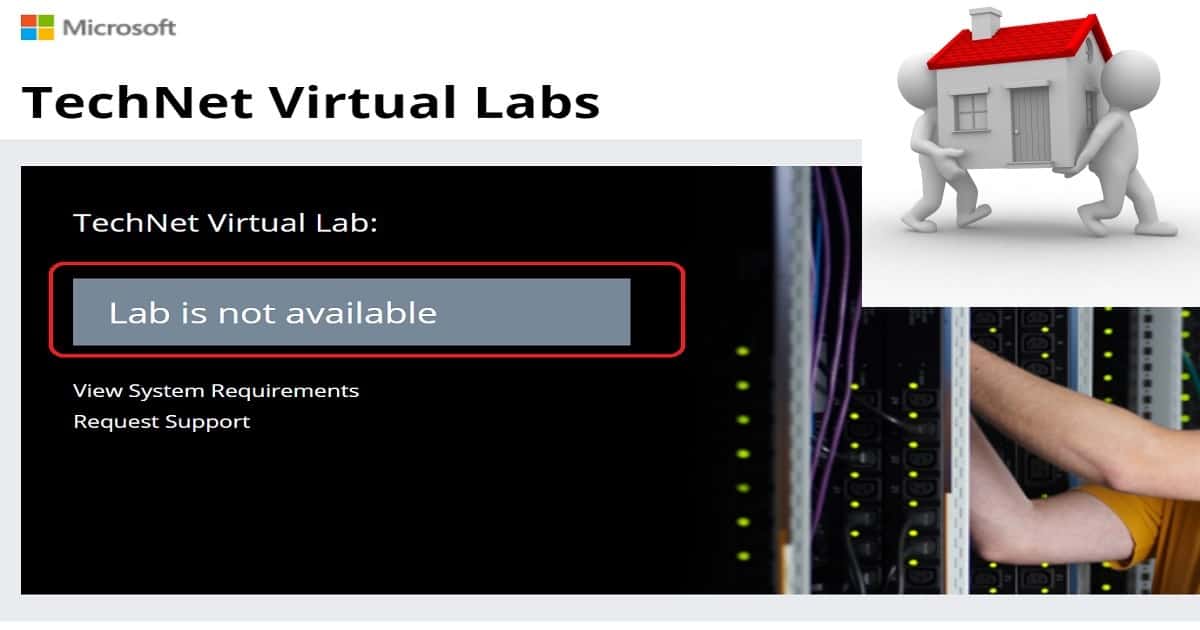
Microsoft moved TechNet Labs http://technet.microsoft.com/en-us/virtuallabs to a new hosting solution or Azure called Microsoft Self-Paced Labs. More details about Self-paced labs are here – https://www.microsoft.com/handsonlabs/SelfPacedLabs.
Advantages of Microsoft Self-Paced Hands-on labs
Microsoft technologies are getting changed frequently. The IT pros struggle to get their private labs updated at the same pace as Microsoft is releasing new features.
Microsoft self-paced labs ( Free SCCM Virtual Labs) can help IT Pros get hands-on experience with new technology features. As of 08-Jan-2017, only 289 Self-paced Labs were available.
The migration to Azure CloudApps suits IT admins who want to learn new technologies using an agile method. The new platform does not depend on browsers or OSs.
These SCCM Intune Windows 10 Hands-On Labs training will run on Chrome, Firefox, Safari, Mac-OS, etc. Microsoft Azure, Intune, SCCM, etc., and hands-on labs (Free SCCM Virtual Labs) are readily available for IT pros to get the experience.
Microsoft self-paced hands-on labs enable IT Pros to experience a software product or technology using a cloud-based private virtual environment.
IT Pros or SCCM admins will be given instructions and access to one or more SCCM SQL virtual servers. No additional software or setup is required. We need to complete these instructions within 120 minutes or less.
Enjoy hands-on learning according to your schedule with Microsoft’s free, Self-paced Labs. This will surely help keep your cloud knowledge fresh.
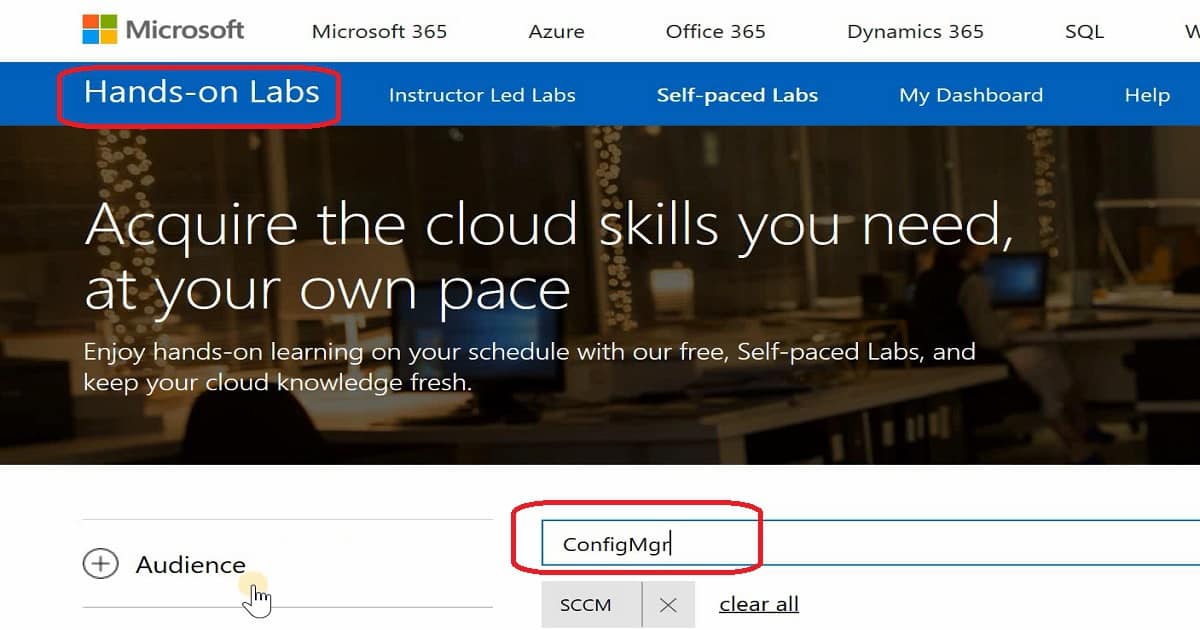
Intune SCCM Free Virtual Labs to Get Hands On Experience – Fig.2
SCCM Intune and Windows 10 Virtual Labs
Following are the links to get access to Hands-on virtual labs. There are only 5 Self-paced Labs for SCCM. As I explained in the video tutorial here, you need to download the RDP file into your machine.
Once the RDP file is downloaded, launch the file to connect to the Jump host server in the Azure cloud. This jump host server will have all the instructions and details to complete the hands-on training activities. These guidelines could vary depending on technology like Intune, SCCM, Azure, or Windows 10.
SCCM Hands-On Labs Training
NOTE—As of 14 May 2019, only two labs are available for SCCM. Start searching with the keyword “Configuration Manager.”
SCCM CO-Management Lab
Getting Started with Co-Management and System Center Configuration Manager and Intune – SC00116.
SCCM Windows 10 In-place Upgrade Task Sequence
Microsoft 365 Deployment Workshop – OS00203
https://www.microsoft.com/handsonlabs/SelfPacedLabs#keywords=Configuration%20Manager&page=1&sort=Newest https://www.microsoft.com/handsonlabs/SelfPacedLabs#keywords=ConfigMgr&page=1&sort=Newest
Microsoft Intune – Free Virtual Labs
Secure your enterprise data on mobile devices with Microsoft 365 and Microsoft Intune… OS00198
https://www.microsoft.com/handsonlabs/SelfPacedLabs#keywords=Intune&page=1&sort=Newest
Windows 10 – Self-paced Labs – Hands-On Labs Training
Let’s discuss the Windows 10 self-paced Labs hands-on labs training.
https://www.microsoft.com/handsonlabs/SelfPacedLabs#keywords=Windows%2010&page=1&sort=Newest
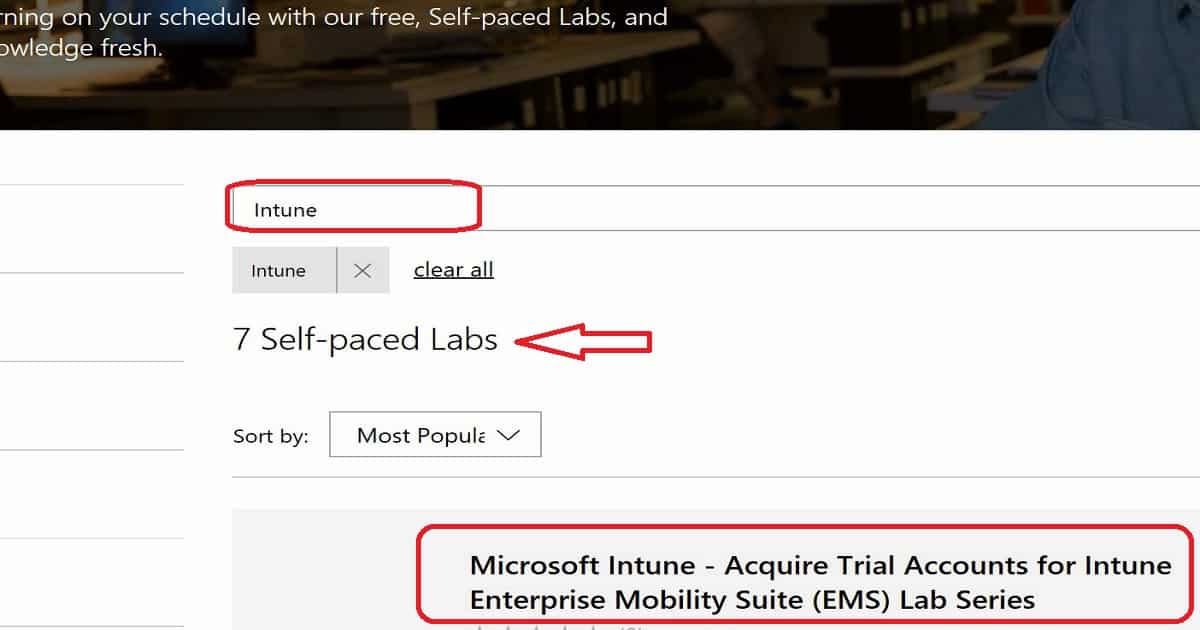
Intune SCCM Free Virtual Labs to Get Hands On Experience – Fig.3
List of SCCM Intune Windows 10 Hands-On Labs Training
Free SCCM Virtual Labs – Most labs are unavailable, but Microsoft promised to work on this topic to provide more virtual labs.
Intune Hands-On Labs Training
Let’s discuss the Intune Hands-On Labs Training. The list below helps you to show it.
| Intune Hands-On Labs Training |
|---|
| Acquire Trial Accounts for Intune Enterprise Mobility Suite (EMS) Lab Series |
| Configure Conditional Access to Exchange Online |
| Configure ActiveSync Email Profiles |
| Configure Mobile Application Management (MAM) Without Enrolling Devices |
| Configure Mobile Application Management (MAM) |
| Deploy MSI Applications to Windows 10 Using Intune and Mobile Device Management (MDM) |
| Configure Multi-Factor Authentication for Mobile Device Management (MDM) |
- Microsoft Intune – Acquire Trial Accounts for Intune Enterprise Mobility Suite (EMS) Lab Series
- Microsoft Intune – Configure Conditional Access to Exchange Online
- Microsoft Intune – Configure ActiveSync Email Profiles
- Microsoft Intune – Configure Mobile Application Management (MAM) Without Enrolling Devices
- Microsoft Intune – Configure Mobile Application Management (MAM)
- Microsoft Intune – Deploy MSI Applications to Windows 10 Using Intune and Mobile Device Management (MDM)
- Microsoft Intune – Configure Multi-Factor Authentication for Mobile Device Management (MDM)
Windows 10 Hands-On Labs Training
Let’s discuss the Windows 10 Hands-On Labs Training. The section below helps you to demonstrate it.
Upgrade to Windows 10 with System Center Configuration Manager Microsoft Intune – Deploy MSI Applications to Windows 10 Using Intune and Mobile Device Management (MDM). Upgrade to Windows 10 using the Microsoft Deployment Toolkit or System Center Configuration Manager. Customize the Windows 10 start menu and taskbar during deployment. Troubleshoot device management in Windows 10. Simplify Windows 10 deployment by using provisioning packages Exploring Virtualization on Windows 10 and Windows Server 2016, Upgrade to Windows 10 by using the Microsoft Deployment Toolkit or System Center Configuration Manager Enable and secure a remote workforce by joining Windows 10 to Azure Active Directory Windows 10 and Enterprise Mobility Windows 10 and Enterprise Mobility – Move between Servicing Rings using a Group Policy Object Windows 10 and Enterprise Mobility – Deploying Windows 10 using Microsoft Deployment Toolkit.
SCCM Hands-On Labs Training
Let’s discuss the SCCM Hands-On Labs Training. The screenshot below helps you provide it.
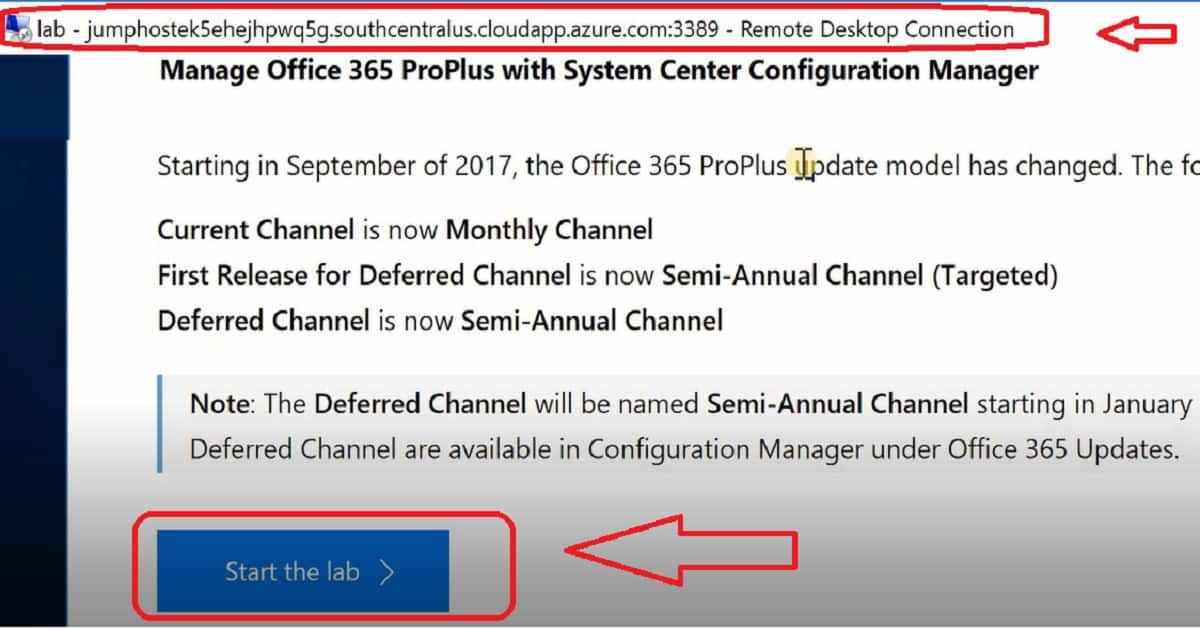
- Upgrade to Windows 10 with System Center Configuration Manager
- Manage Office 365 ProPlus with System Center Configuration Manager
- Upgrade to Windows 10 using the Microsoft Deployment Toolkit or System Center Configuration Manager
- Upgrade to Windows 10 by using the Microsoft Deployment Toolkit or System Center Configuration Manager
- Deploying Windows 8.1 with ConfigMgr 2012 R2 and MDT 2013
We are on WhatsApp now. To get the latest step-by-step guides, news, and updates, Join our Channel. Click here. HTMD WhatsApp.
Author
Anoop C Nair is Microsoft MVP from 2015 onwards for consecutive 10 years! He is a Workplace Solution Architect with more than 22+ years of experience in Workplace technologies. He is Blogger, Speaker, and Local User Group Community leader. His main focus is on Device Management technologies like SCCM and Intune. He writes about technologies like Intune, SCCM, Windows, Cloud PC, Windows, Entra, Microsoft Security, Career etc…




Thanks a lot!
Very bad that MS had removed most of the SCCM labs. I learnt SCCM 7 years ago using those technet labs only. Freshers of this generation will miss these handy labs to study and practice.
StaffMahesh – I do agree. I learned too via TechNet Labs. I think this Azure move is future proof 😉
The ones are left have the expired evaluation version of products installed, which again is of no use.
I guess Microsoft has shifted it’s focus more on AI than mainstream products.
Bad for the new engineers/desktop admins who can’t afford a good lab at home.
amazing! and thanks for sharing.
StaffThank you for the feedback
Remote Desktop can’t find the computer “computername”. This might mean that “computername” does not belong to the specified network. Verify the computer name and domain that you are trying to connect to.
This error i got when opening lab in my laptop.
please help
Same here
Still down, lovely Microsoft hasn’t addressed this issue yet. I miss the old TechNet, it worked so well.
StaffI don’t have any hope unfortunately
I searched with with “configuration manager” which lists 0 results and only searching with “configuration” shares 6 results:
1. Azure VPN advanced troubleshooting AZ00034
2. SQL Server 2016 – Exploring Resource Governor I/O Enhancements SQ00124
3. MDOP: Installing and Configuring App-V WI00013
4. Managing Windows Server 2016 (JEA, DSC, NANO) WS00143
5. Implement Shielded Virtual Machines on Windows Server 2019 WS00147
6. Windows Admin Center and Hybrid WS00155
How do we setup sccm lab setup in azure. I wanted to show it to one of the client as a demo.
No idea why microsoft insist on removing tools to help their MCP’s support their software. Azure is too expensive for an SCCM lab. Going to have to resort to buying my own lab.
StaffHave you checked new lab setup option in eval center ? https://www.microsoft.com/en-in/evalcenter/evaluate-mem-evaluation-lab-kit
God bless you Anoop.
Can I use my laptop with the below configuration for this lab? Or any specific configuration requirement.
RAM 8 GB DDR4
SSD 250 GB
Windows 10 Home
Processor i5 8th Generation