






Learn to Fix Microsoft SCCM Intune Documentation
Let’s learn how to fix Microsoft SCCM Intune Documentation Configuration Manager ConfigMgr. How many of us complain about SCCM Intune documentation?
The documentation is not updated, relevant, etc. Here is the real opportunity to help yourself and update the SCCM and Intune documentation.
But don’t worry about the quality of the SCCM Intune documentation, as there are several steps to validate before your edits/changes are published. Hack a doc is the theme of this post 😉
Check out the Video “Learn How to Help Fixing SCCM Intune Documentation Issues“. This post will give you all the details on learning to fix Microsoft SCCM Intune Documentation.

Table of Contents
Learn to Fix Microsoft SCCM Intune Documentation
We had a great MVPHackaDoc session with Aaron during the MVP Summit 2018. All the credits to Aaron taught me how to update SCCM/Intune documentation. I don’t recommend going around and editing or updating all the documentation. But start small before you leap.
Start Small
- Microsoft Intune 2407 New Features Early July Update
- Turn On Screen Capture Protection in AVD using Intune
- How to Use the New Favorites Menu Option in MS Intune
What has Changed?
The Microsoft documentation service (https://docs.microsoft.com) is hosted on the GitHub platform, which improves the user experience while reading the documentation.
Even SCCM and Intune documents have been migrated to a new platform. The following is my list of key features of the new docs on the Microsoft platform.
- Readability
- Estimated Reading Time
- Content and Site Navigation
- Shortened Article Length
- Responsive Design
- Community Contributions
- Social Sharing
- Friendly URLs
How to Start Updating SCCM Intune Documentation?
I hope you read a lot of Microsoft documentation every day. You found the wrong article and want to inform the Microsoft Doc team about this incorrect information.
- If you don’t have one, create one. It took me one and two minutes to do so.
- You can select the GitHub Free plan during the signup process and tailor your experience to include a short introduction about yourself.
- Open the article you identified and click the EDIT button, as I showed in the video tutorial. You should open the article from the same browser you are already logged in to from your GitHub account.
- Once you click on the EDIT button on that article, it will redirect to the GitHub editor.
- You will perform all the updates in the GitHub editor.
Identify the Article and Start Contributing
How to Contribute to SCCM Intune Documentation
As Aaron mentioned in his “MVP Hack a Doc” session, start small. Standard GitHub accounts may not have access to edit live document code. And you will get the following error when you try to edit or update an article.
- You’re editing a file in a project you don’t have write access to.
- Submitting a change to this file will write it to a new branch in your fork.
- AnoopCNair/SCCMdocs so that you can send a pull request.
As I have shown in the “Hack A Doc“ video, A perfect example of raising an issue from Jason. He raised a problem and a documentation BUG was filed to fix this issue.
I also tried creating a pull request, but I think that requires more access to edit the master file. A normal GitHub account may not have access to proceed with a pull request.
Another interesting thing I learned was how to select the best title, title suffix, description, and ms. Custom, ms. Date, and Ms. Prod for technical articles. As Aaron suggested, we can start doing the following things:-
| Start Doing the Following Things |
|---|
| Clarifications |
| Examples |
| SDK, PowerShell |
| Guidance tips |
| Translations |
| See something, fix something |
I have tried raising an issue with documentation, which is the best and easiest part I learned during the MVPHackaDoc session. I have more details about the problems raised in Hack A Doc’s video tutorial.
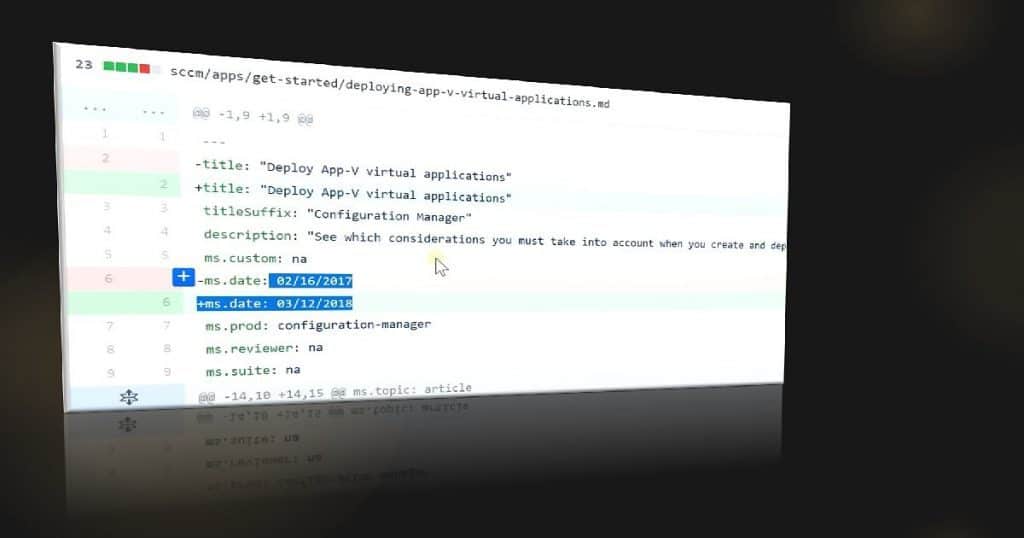
Another useful option trying to try to track the documentation issues with th GitHub account. So we can rest assured that Microsoft is aware of this bug and will fix it soon. Following is the file structure of the GitHub article (for example) SCCMdocs/sccm/core/plan-design/hierarchy/accounts.md .
Start Contributing = Raising an Issue
Resources
- Basic writing and formatting syntax
- https://msdn.microsoft.com/en-us/communitydocs/community/edit-docs-on-github-guide
- https://docs.microsoft.com/en-us/teamblog/introducing-docs-microsoft-com
We are on WhatsApp now. To get the latest step-by-step guides, news, and updates, Join our Channel. Click here. HTMD WhatsApp.
Author
Anoop C Nair is Microsoft MVP from 2015 onwards for consecutive 10 years! He is a Workplace Solution Architect with more than 22+ years of experience in Workplace technologies. He is a Blogger, Speaker, and Local User Group Community leader. His main focus is on Device Management technologies like SCCM and Intune. He writes about technologies like Intune, SCCM, Windows, Cloud PC, Windows, Entra, Microsoft Security, Career etc…


Discussion