






New Appearance for Intune Company Portal App for Windows
Exciting News for Intune Users! Intune Company Portal App for Windows Improved with New Appearance. Microsoft redesigned the appearance of Intune Company Portal App for Windows. The New design is modernized, and a preview version of the updated Company Portal is now available for testing.
Microsoft always provides exciting features for users. This time, Microsoft changed the look of the Intune Company Portal App for Windows. This is very attractive for users, and their desktop app experience is improved.
Microsoft has made many changes to Company Portal App for Windows, which is available for preview now, and will be released to the Microsoft Store in August 2024. This preview version is only for testing purposes and it’ll automatically update for all users where Microsoft Store apps are configured to auto-update.
Your organization needs to prepare to update these changes. In this blog post, I will explain more about the improved Intune Company Portal App for Windows, which has a new appearance. You can also learn how to deploy these changes from this blog post.

- Intune Company Portal App for Windows 11 Android | Install and Uninstall
- FIX Intune Company Portal App Login Issues with Windows 10/11
- Troubleshoot and Fix Company Portal Enrollment Your Device Is Already Connected Error
Intune Company Portal App for Windows Improved with New Appearance
The updated Company Portal preview version can be easily downloaded via Microsoft Download center. Users can use this preview version until August 2024. After that, you can easily get a new Company Portal to the Microsoft Store in late August.
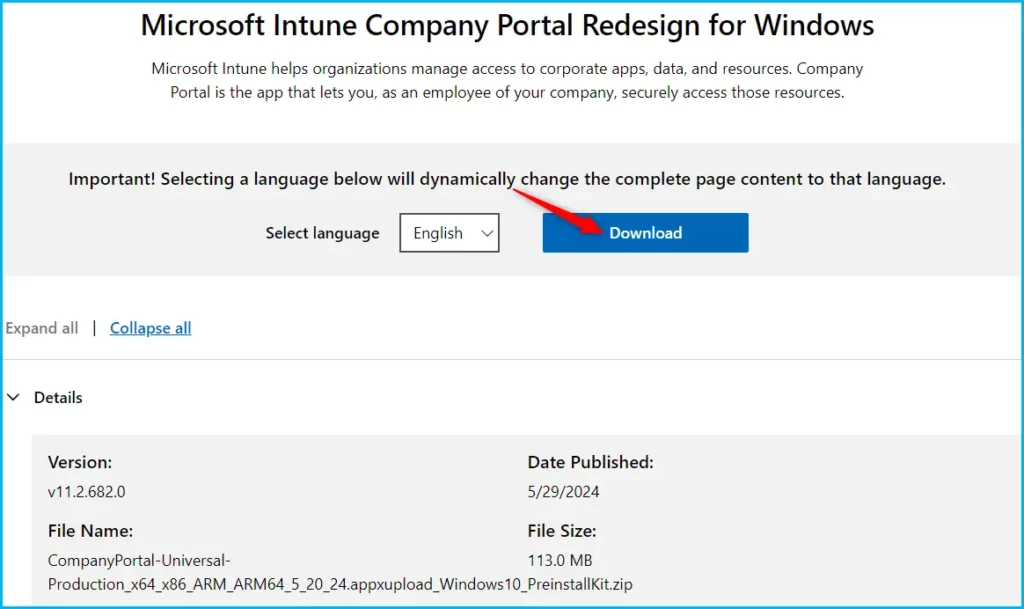
How to Deploy Intune Company Portal App for Windows Preview Version
To deploy this preview, download Company Portal app installation file and all dependencies applicable to your device architecture. Then, launch the Microsoft Intune admin center and follow instructions here to add a Windows line-of-business app to Intune.
You can assign the app to a small group of test devices or users. On your device, sync with Intune and confirm that the Company Portal app has been installed correctly.
Note: If Company Portal from the Microsoft Store is also assigned to the same user/device, make sure you have the latest preview version. Company Portal automatically updates to the latest version targeted, so your preview version needs to be higher than the version available in the Microsoft Store.
Expectations of New Intune Company Portal App for Windows
The new Intune Company Portal app for Windows offers some things we can expect. Users can use the same functionality they’re used to with an improved experience on their desktop app.
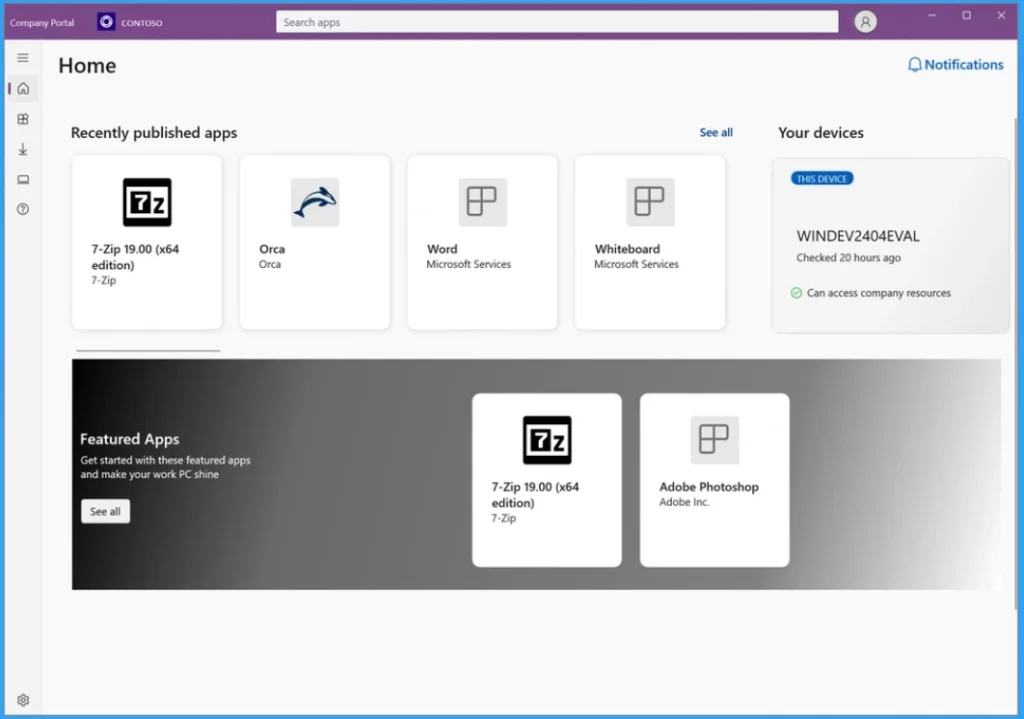
The user experience for the Home, Devices, and Downloads & updates pages has improved. The new design highlights areas where users need to take action.
| Changes Appearing Section in Intune Company Portal App for Windows |
|---|
| Home |
| Devices |
| Downloads & Updates |
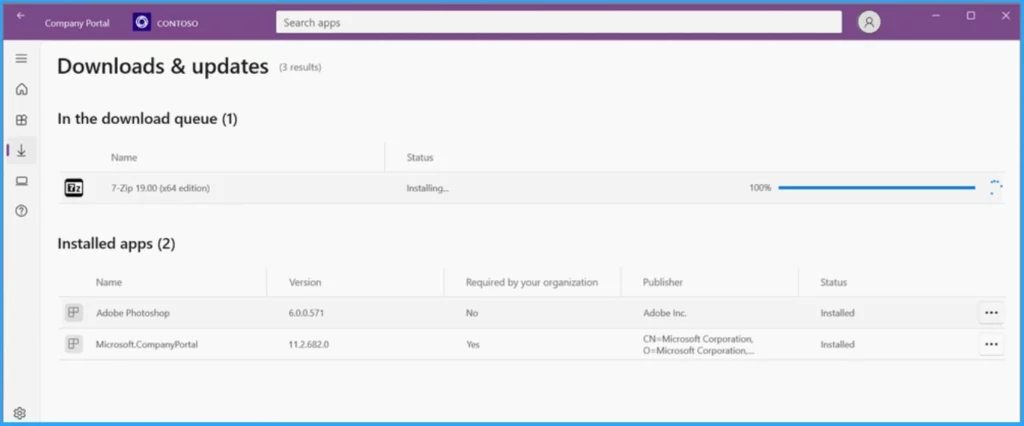
The Downloads & Updates section has many changes. It shows installed apps and apps currently in the download queue. The screenshot below shows that the 7-Zip application is currently installed, and the progress for this installation has just reached 100%.
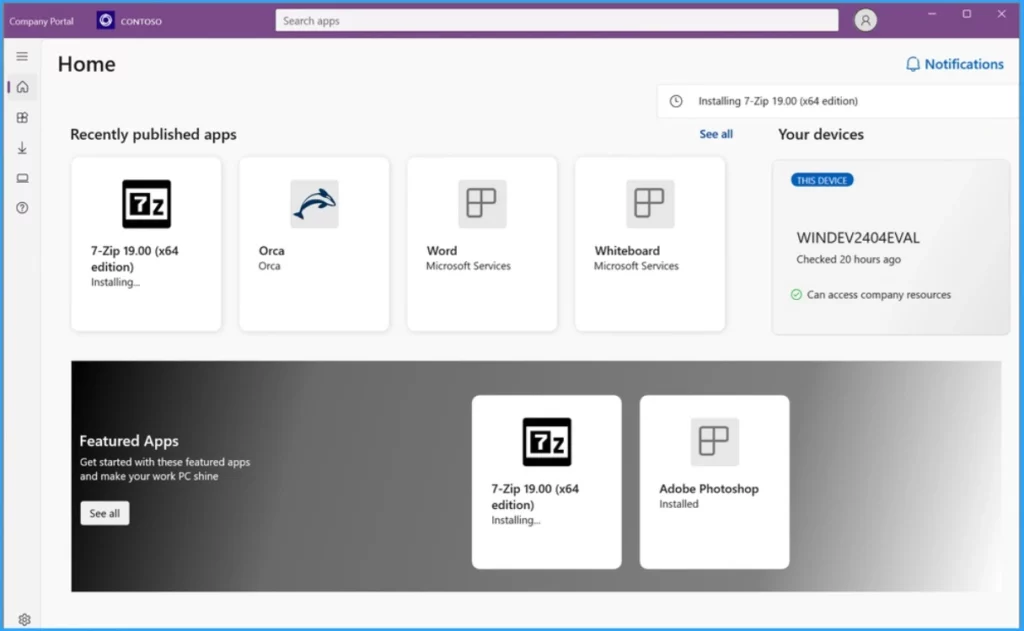
This window shows the Intune Company Portal App for Windows. There is a new notification button on the Home page. You can also see the installation of 7-Zip on the Notifications.
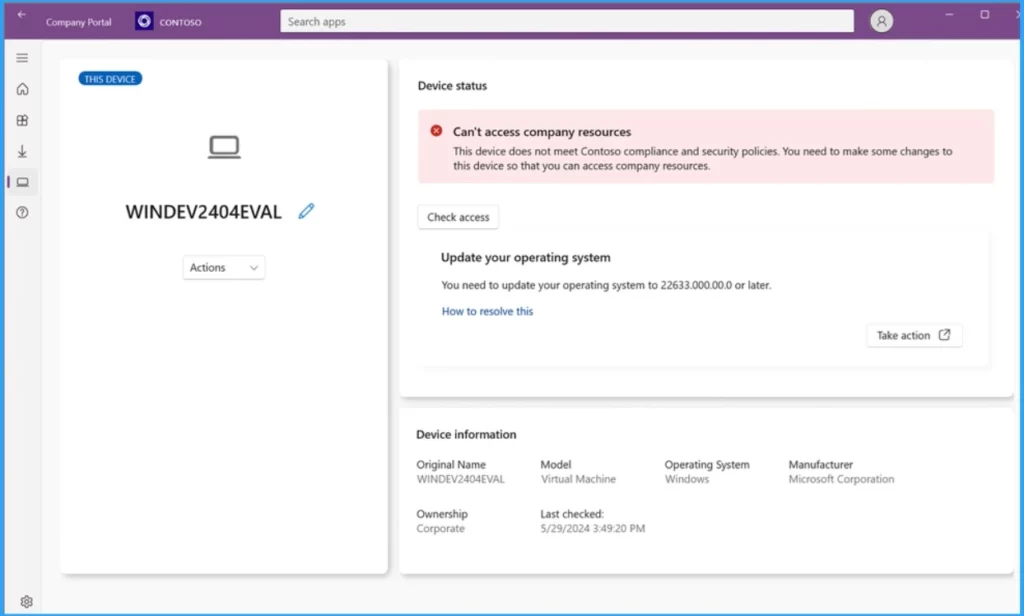
Some changes improve the Device section. Compliance status is highlighted with a color-code block, which helps users spot issues more efficiently. They can also view suggested remediation steps, review device information, and take action for the device.
- Easy Way to Disable Device Password Sync with Intune
- Prevent Users to Change Date and Time on Windows using Intune Policy
Reference
New look for Intune Company Portal app for Windows – Microsoft Community Hub
We are on WhatsApp. To get the latest step-by-step guides and news updates, Join our Channel. Click here for HTMD WhatsApp.
Author
Gopika S Nair is a computer enthusiast. She loves writing on Windows 11 and related technologies. She is here to share quick tips and tricks with Windows 11 or Windows 10 users. She is Post Graduate Diploma Holder in Computer Science.


Discussion