






Remove the Apps and Config From Mobile for Troubleshooting
Exciting News: Remove the Apps and Config From Mobile for Troubleshooting. Microsoft Intune has officially announced a new troubleshooting tool for mobile devices. Mobile devices are an important factor in everyone’s life, so it’s essential to have a tool to fix their issues.
I think these types of tools are helpful for users. They also help us understand what’s wrong with our phones and fix it. These tools help keep our devices healthy and functioning effectively. Microsoft is introducing a new tool called RAC for the first time to enhance the functioning of Mobile devices in iOS/iPadOS and Android corporate-owned devices.
As you know, Microsoft Intune is a cloud service that manages various organizational devices. So, it is essential to manage mobile devices through Intune. Now, Intune has a game-changing feature for removing apps and configurations from mobile devices as part of troubleshooting.
This news comes in the roadmap, and it is announced that this feature will be rolled out in June 2024. Microsoft Intune will soon allow administrators to temporarily remove apps and configurations from individual devices. After troubleshooting, the system will automatically restore them.

| Index |
|---|
| Remove the Apps and Config From Mobile for Troubleshooting |
| Video- What is Intune |
- 2404 Microsoft Intune New Features April Update
- Intune Guide to Turn Off Tracking App Launches
- Intune MAM Benefits Available for Windows 365 and AVD
- New Appearance for Intune Company Portal App for Windows

What is RAC in Microsoft Intune?
Remove the Apps and Config From Mobile for Troubleshooting
As mentioned above, Microsoft introduced a new tool for removing apps and configurations (RAC) from mobile devices as part of troubleshooting. When our phone gets troubleshot, we have to find out any issues. With Intune, it is now easier to configure the issue. The RACK tool will help you in this situation.
- The Roadmap announced that this tool will roll out in June 2024 and early July.
- RAC ensures real-time monitoring. It shows which apps and rules are being removed or restored.
- Also, it allows Temporary removal of apps and policies for 8 to 24 hours.
- Selective Restore is another enhancement. It can be restored to individual apps and policies.
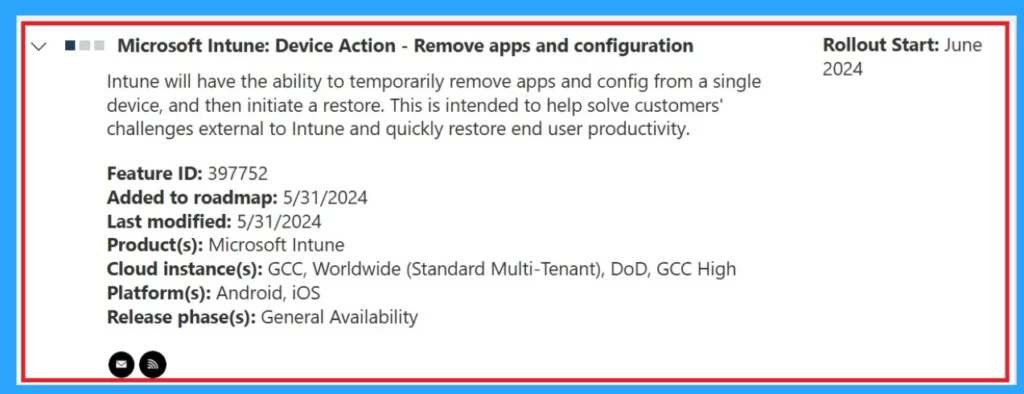
| RAC Details Added in the Roadmap | Info |
|---|---|
Microsoft Intune-Device Action | Intune can temporarily remove apps and config from a single device, and then initiate a restore. This is intended to help solve customers’ challenges external to Intune and quickly restore end-user productivity |
| Feature ID | 397752 |
| Product(s) | Microsoft Intune |
| Cloud instance | GCC, Worldwide (Standard Multi-Tenant), DoD, GCC High |
| Platform | Android, iOS |
| Release phase | General Availability |
- Microsoft Intune Adoption Kit Got a Recent Update
- Troubleshoot MDM Enrollment Error Code 80180004
- iOS iPadOS Intune Enrollment Method is Based on Web-based
Video- What is Intune
We have a video for you if you are new to Intune or interested in learning more about it. Anoop Cnair provides an overview of Microsoft Intune.
Reference
What’s new in Microsoft Intune June 2024
We are on WhatsApp now. To get the latest step-by-step guides, news, and updates, Join our Channel. Click here. HTMD WhatsApp.
Author
Anoop C Nair is Microsoft MVP! He is a Device Management Admin with more than 20 years of experience (calculation done in 2021) in IT. He is a Blogger, Speaker, and Local User Group HTMD Community leader. His main focus is on Device Management technologies like SCCM 2012, Current Branch, and Intune. He writes about ConfigMgr, Windows 11, Windows 10, Azure AD, Microsoft Intune, Windows 365, AVD, etc.


Discussion