






Windows 7 EOL Preparation Tips for IT Professionals
Let us learn about Windows 7 EOL Preparation Tips for IT Professionals. Microsoft released the Windows 7 Professional version on 22nd October 2009. Windows 7 is already out of mainstream support.
January 14, 2020, is the date when Windows 7 will go out of extended support (already out of mainstream support). You will learn tips about Windows 7 EOL Preparation from this post.
Windows 7 End of Life (EOL) = January 14, 2020
Most corporate Windows PCs are still running Windows 7. If you have not started thinking about Windows 7 migrations, you have only 16 months of time. Sixteen months is very little time if you have not started the Windows 10 migration project.

Update – Microsoft extended the support for Windows 7. Only for Security Updates with extra charges.
Table of Contents
Impacts of Windows 7 End of Life (EOL)?
Microsoft won’t offer any security patches for Windows 7 after January 14th, 2020. If you understand the security landscape of the modern world, not getting patched will be the most significant risk for your organization. Even if you have one unpatched Windows 7 PC, your enterprise network would be vulnerable.
You won’t be able to get any of the following support for Windows 7 PCs after January 14, 2020.
1. Security update support
3. Online help
5. Free incident support
6. Warranty claims
7. Design changes and feature requests
What are the Windows 7 EOL Preparation Tips?
First, you must prepare the Windows 7 EOL to take inventory of your Windows 7 fleet of devices. Another critical aspect of Windows 7 end of life preparation is understanding the Windows 10 operating system and the changes of Windows 10 upgrades.
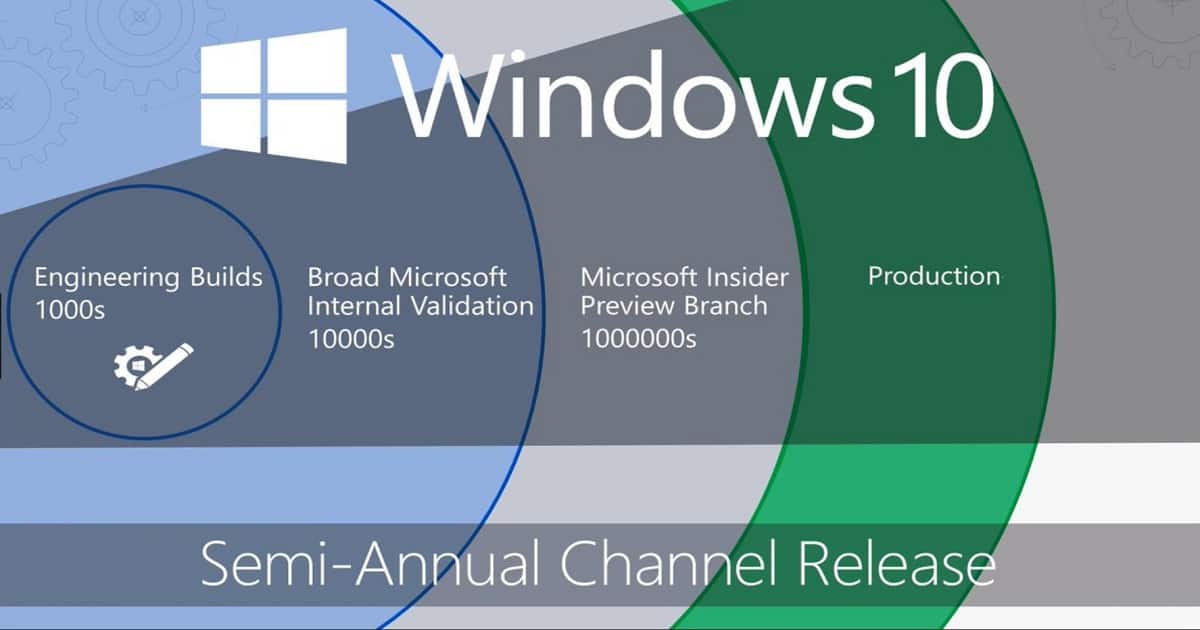
Following are the very high-level processes that you want to follow as part of Windows 7 EOL Preparation.
- Hardware Compatibility – Inventory of Windows 7 Devices
- Software Compatibility – Inventory of LOB/Business Applications
- Decide the Windows 10 version which you want to upgrade
- Make SCCM, AD, and other infrastructure components ready for Windows 10 upgrade
- Understand the changes of Windows 10
- Create the Windows 10 Service Rings for Dev, Pre-Prod(staging), Pilot, and production releases
The following blog post explains the process you should follow for Windows 10 migrations. I recommend reading it before proceeding with Windows 7 migrations.
How to Fast Forward Windows 10 Migrations?
Windows 10 migration is unlike typical Windows migrations, such as Windows XP to Windows 7. It’s much more than a specific migration project.
Windows 10 introduced new security enhancements to make your workplace environment more secure. This section is also the main pillar for Windows 7 EOL Preparation.
We should consider the opportunities to introduce Credential Guard, Device Guard, and Device Health Attestation into your organization’s security landscape. My previous post, “What is Endpoint Security Configuration Management for Windows 10 Devices“, provides more details.
Adaptiva provides a free community tool to speed up your Windows 10 migrations. You can download the Windows 10 Accelerator Program Datasheet.
If you are behind schedule with your Windows 10 migrations, you may want to look at ways to make SCCM deploy Windows 10 faster. Adaptiva offers a cost-effective way for enterprise IT professionals to roll out Windows 10 faster.
Read more and Download – Windows 10 Accelerator Program Datasheet
Resources
- Windows Support Life Cycle Details – https://support.microsoft.com/en-us/help/13853/windows-lifecycle-fact-sheet
- Life Cycle FAQ general policy questions – https://support.microsoft.com/en-us/help/17140/lifecycle-faq-general-policy-questions
We are on WhatsApp. To get the latest step-by-step guides and news updates, Join our Channel. Click here –HTMD WhatsApp.
Author
Anoop C Nair is Microsoft MVP! He is a Device Management Admin with more than 20 years of experience (calculation done in 2021) in IT. He is a Blogger, Speaker, and Local User Group HTMD Community leader. His primary focus is Device Management technologies like SCCM 2012, Current Branch, and Intune. He writes about ConfigMgr, Windows 11, Windows 10, Azure AD, Microsoft Intune, Windows 365, AVD, etc.



Discussion