






How to Make Application Packagers Life Easier – Part 1
Hi, Let’s discuss How to Make Application Packagers’ Life Easier – Part 1. In this series of posts, I will explain and share tips to make application packagers’ lives easier. From this post, you will find out whether there is any need for a Modern Application Packaging Tool.
In most organizations, the application packaging team is also part of the extended SCCM team. I have seen many application packagers who want to learn SCCM and Intune.
Application packaging is the process of creating software packages for easy installation on user devices. The Application Packaging Tool is a software utility that helps prepare and distribute applications for deployment.
Application packaging can significantly benefit companies by cutting costs, reducing disruptions, and enhancing efficiency across various departments.

| Index |
|---|
| What is the Future of Application Packaging? |
| Modern Application Packaging Tool |
| Learn Packaging & Be part of the Modern Packaging Community |
| Why Smart Package Studio |
| Smart Package Studio |
Part 2 – How to Make Application Packagers Life Easier – Part 2 – Get Ready to Setup Smart Package Studio
What are the Advantages of Application Packaging?
The following are the main advantages of application packaging.
1. Standardization and Constancy: Application packaging creates a consistent IT environment.
2. Reduced Support Costs: Packaging minimizes potential application hiccups, leading to fewer support calls.
3. Worldwide Distribution: Package once and deploy everywhere.
4. Minimal Disturbance: Silent installations ensure undisturbed systems.
5. Easy Management: Simplified IT application management for an eased user experience.
6. Enhanced Reporting: Comprehensive application insights for swift troubleshooting.
7. Enhanced Security: A safer IT environment with fewer admin rights.
8. Inhibited Software Installations: No more illegal installs.
9. Customization: Styled packaging meeting precise business needs
10. Best Packaging Decorum: Alignment with worldwide recognized best practices.
What is the Future of Application Packaging?
In today’s world, 99% of organizations have started thinking about modern management and digital transformation. Are we moving away from the traditional workplace? Yes, we’re slowly progressing towards the digital workplace.
Application packaging is a critical stream in your organization’s digital transformation journey. The Application packaging team should undergo a transformation and try to move away from the traditional app packaging. Most organizations are moving from traditional to modern device management technologies.
Every organization should start the modern device management transformation immediately. This requires a Modern Application Packaging Tool, which is discussed below in more detail.
NOTE! – Learn more about modern packaging evolution from industry expert Ronnie Bloch Tynell
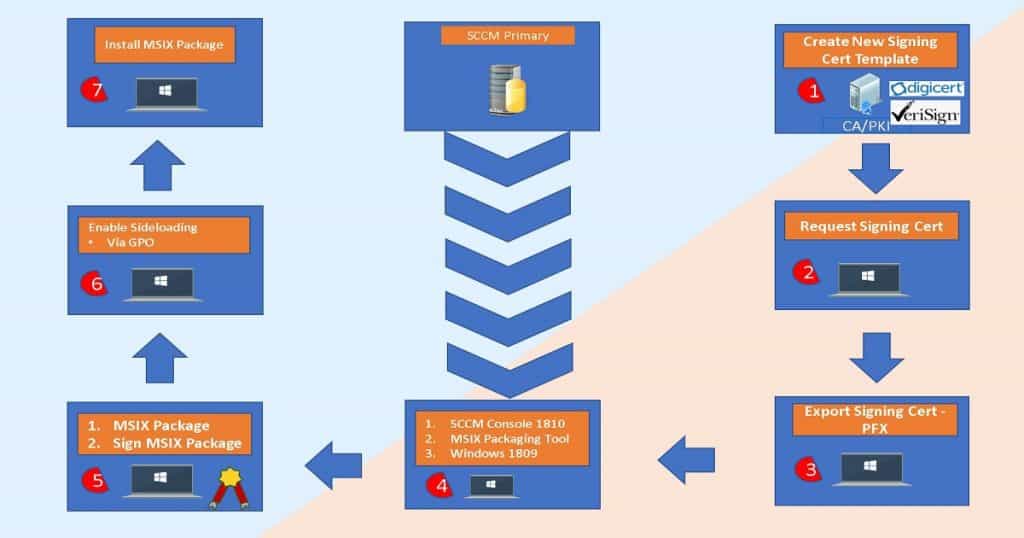
As part of the digital transformation journey, the application packaging team should be able to convert a traditional MSI package to MSIX.
The digital transformation journey will require many more customization efforts, so the near future of packaging is bright.
Modern Application Packaging Tool
I have seen the packaging team waste their time with repetitive tasks. Some examples are preparing virtual machines to test the packages and applying the same customization settings to all the packages.
Modern packaging tools can help you automate many repetitive packaging tasks. I’m sharing my experience with Smart Package Studio, a new tool.
Learn Packaging & Be part of the Modern Packaging Community
Here, I’m giving you an opportunity to learn packaging skills. Join the Packaging community and learn more about the basics of packaging technologies.
Learn about modern packaging technologies and be part of the smart packaging community! https://smartpackagestudio.com/blog/
Why Smart Package Studio
In this series of posts, you will find a step-by-step guide on how to set up a smart package studio and tips on how to become a smart packager. Modern Application Packaging Tools like Smart Package Studio help to build smart packages.
I think any modern packaging tool should help organizations perform digital transformation. Let’s examine whether a smart packaging studio has the following characteristics.
- Machine Learning & Artificial Intelligence
- Next Level of Automation (avoid repetitive tasks)
- Modern Application Packaging Tool to build the package faster
- Smart Integration with virtual Infrastructure to test packages
- Extended Troubleshooting Options
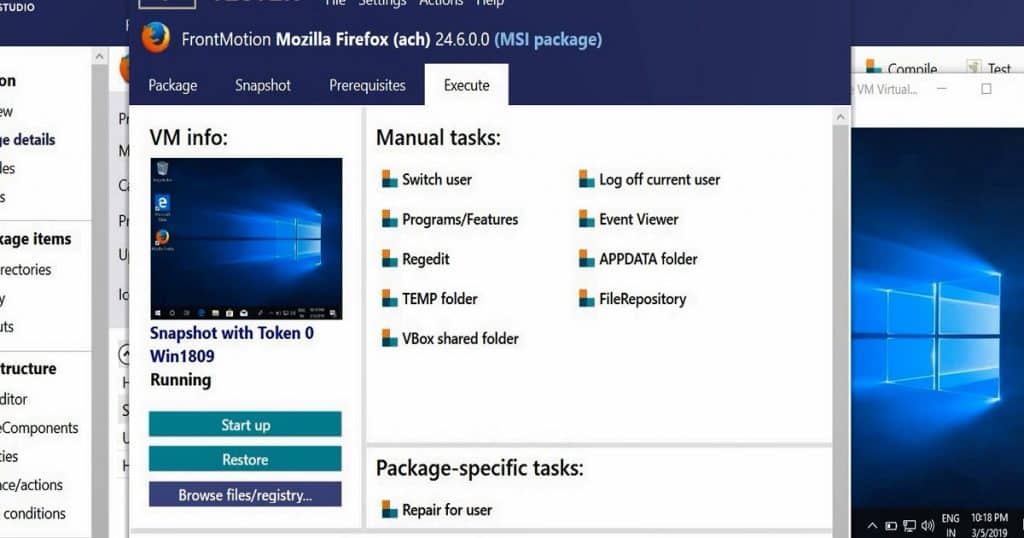
Smart Package Studio
The smart package studio has more than three (3) smart packaging tools. The installation and configuration process is straightforward.
In the upcoming posts, let’s check out that smart Package Studio is a modern application packaging tool.
The packaging and testing environment was ready in less than 30 minutes with the Smart Package Studio and Oracle Virtual Box setup. In the next post, I will cover the step-by-step installation of the Smart Package Studio and other required applications.
Part 2 – How to Make Application Packagers Life Easier – Part 2 – Get Ready to Setup Smart Package Studio
Resources
We are on WhatsApp. To get the latest step-by-step guides and news updates, Join our Channel. Click here –HTMD WhatsApp.
Author
Anoop C Nair is Microsoft MVP! He is a Device Management Admin with more than 20 years of experience (calculation done in 2021) in IT. He is a Blogger, Speaker, and Local User Group HTMD Community leader. His main focus is on Device Management technologies like SCCM 2012, Current Branch, and Intune. He writes about ConfigMgr, Windows 11, Windows 10, Azure AD, Microsoft Intune, Windows 365, AVD, etc.




Discussion