






MacOS Certificates can now be Stored in User Keychain using Intune
MacOS Certificates can now be Stored in User Keychain using Intune! Microsoft has released a significant update for macOS devices, allowing users to store certificates directly in their user keychain. This enhancement is part of the latest MSIntune roadmap update and marks a significant shift in how certificates are managed on macOS.
Previously, certificates were automatically stored in the device keychain for all users and device types. With this new feature, organizations can provide more flexibility and security by allowing users to manage their certificates in their keychains.
This change gives users more control over their security credentials and follows best practices for managing personal data. It is an essential step for businesses using macOS devices, making it easier to manage certificates in a way that suits their needs.
In this post, we will cover all the details regarding Microsoft’s recent announcement about a significant enhancement for macOS. This update allows users to store certificates in their keychains, providing improved flexibility and security.


Table of Contents
What is the New Enhancement Announced by Microsoft for macOS?
Microsoft has announced the ability to store certificates in the user keychain on macOS devices.
What is the Significance of this Update?
This update enhances user control over security credentials and aligns with best practices for personal data management, making it easier for organizations to manage certificates on macOS devices.
MacOS Certificates can now be Stored in User Keychain using Intune
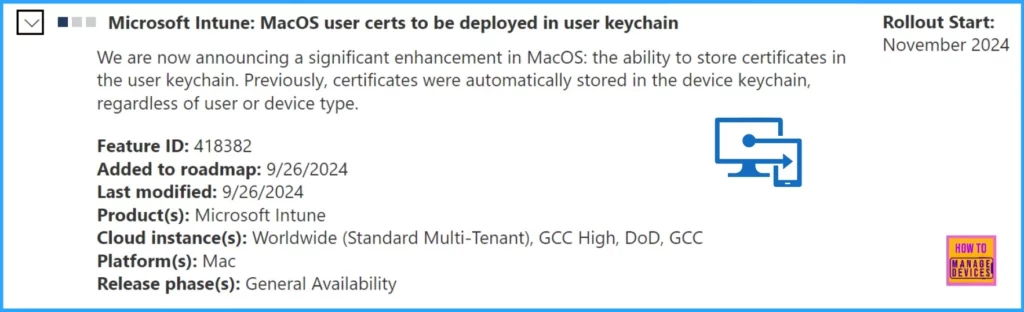
Let’s discuss Microsoft’s significant enhancement for macOS: the ability to store certificates in the user keychain. This update is an essential step for improving certificate management on macOS devices. The table below provides additional details.
| Microsoft Announces Significant Enhancement for MacOS | Details |
|---|---|
| Feature ID | 418382 |
| Added to Roadmap | 9/26/2024 |
| Last Modified | 9/26/2024 |
| Product | Microsoft Intune |
| Cloud Instance | Worldwide(Standard Multi-Tenant), GCC High, DOD, GCC |
| Platform | Mac |
| Release Phase | General Availability |
| Roadmap Link | https://www.microsoft.com/microsoft-365/roadmap?featureid=418382 |
- Intune Fully Supports iOS iPadOS 18 and macOS 15 New Features and Enhancements
- IOS IPadOS ADE Enrollment Profile Authentication Method Company Portal Removal From Intune
- Best Enhancements in Microsoft Intune to Manage Apple Devices
- How To Get Intune Environment Ready For IOS Mac OS Devices
Join the LinkedIn Page and Telegram group to get the latest step-by-step guides and news updates. Join our Meetup Page to participate in User group meetings. Also, Join the WhatsApp Community to get the latest news on Microsoft Technologies. We are there on Reddit as well.
Author
Anoop C Nair has been Microsoft MVP from 2015 onwards for ten consecutive years! He is a Workplace Solution Architect with more than 22+ years of experience in Workplace technologies. He is also a Blogger, Speaker, and Local User Group Community leader. His primary focus is on Device Management technologies like SCCM and Intune. He writes about technologies like Intune, SCCM, Windows, Cloud PC, Windows, Entra, Microsoft Security, Career, etc.


Discussion