






HEVC Video Coding and Symmetric NAT with RDP Shortpath Support with Windows 365 Cloud PC 2409
Let’s discuss HEVC Video Coding and Symmetric NAT with RDP Shortpath Support with Windows 365 Cloud PC 2409. Microsoft introduced many changes to Windows 365 in the service release of September 2024. This new release includes troubleshooting, Device Security, etc.
With this update, IT admins can easily and securely manage their PCs. Device security is crucial for every organization. Service releases help you make new changes and stay up to date with Windows 365’s current features.
The Service Release of Windows 365 Cloud PC provides enhanced hybrid work support, user experience enhancements, and improved security. Continuous updates and improvements in Windows 365 Cloud PC service ensure that it remains a robust, secure, and efficient solution for modern work environments.
Users may get these features after some days. In this blog post, I will help you learn more about Windows 365 Cloud PC’s new features and enhancements of the September Service Release.

Table of Contents
HEVC Video Coding and Symmetric NAT with RDP Shortpath with Windows 365 Cloud PC 2409
As mentioned above, the Windows 365 Cloud PC 2409 September service release includes many security features, troubleshooting, device provisioning, and device management. Let’s check the details of each feature.
- Most Asked 54 Windows 365 Cloud PC Interview Questions and Answers
- Azure Monitor Agent and Remote Session Lock Configuration Windows 365 Cloud PC August 2024 Update
- Windows365 Enterprise Introduces Disk Storage Resizing for Cloud PCs with Step-Up Licenses
Monitor and Troubleshoot
Monitoring and troubleshooting in Windows 365 Cloud PC service releases are essential for maintaining the health and performance of Cloud PCs. The following are the new features in Monitor and Troubleshooting.
Unavailable Cloud PCs Report Added to Reporting Overview Page
The “Cloud PCs that aren’t available” report has been added to the Reporting Overview page in Windows 365. This report helps administrators identify Cloud PCs that might be currently unavailable.
- Login to Windows 365 admin center
- Navigate to Reports > Cloud PC overview page.
Device Provisioning
Device provisioning in Windows 365 Cloud PC Services is an automated process that sets up Cloud PCs for users. In September, Windows 11 24H2 cloud PC gallery images were included in device Provisioning.
Windows 11 24H2 Cloud PCs Gallery Images
Windows 11 24H2 update is the latest version, or 2024 Update. It brings many features and improvements to Cloud PC. Windows 11 24H2 cloud PCs gallery images.
- Windows 11 Enterprise 24H2
- Windows 11 Enterprise + Microsoft 365 Apps 24H2
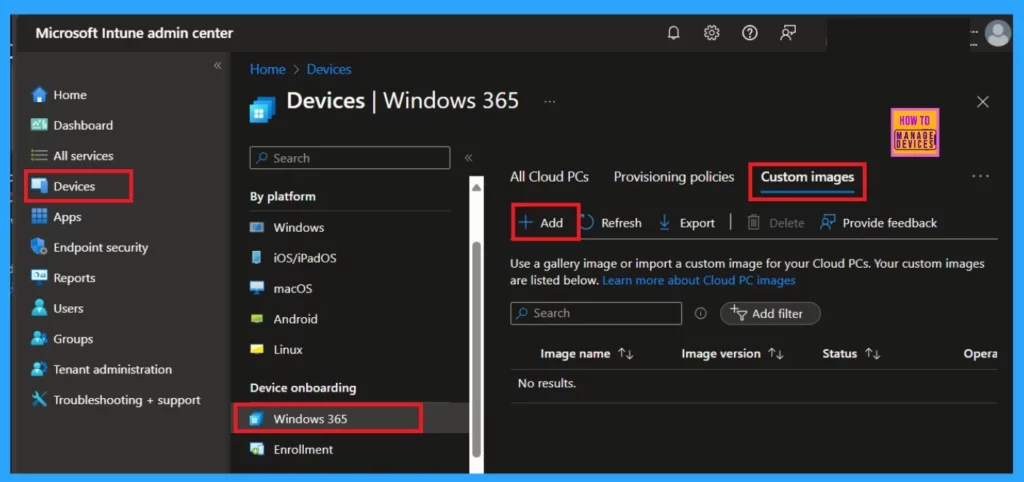
See more Windows 365 May update Service Release: Windows 365 Cloud PC 2405 May Update Service Release
Device Management
Device management in Windows 365 Cloud PC involves overseeing the implementation, operation, and maintenance of physical and virtual devices. Cloud PC now supports EN-NZ and symmetric NAT with RDP Shortpath.
Support for Symmetric NAT with RDP Shortpath
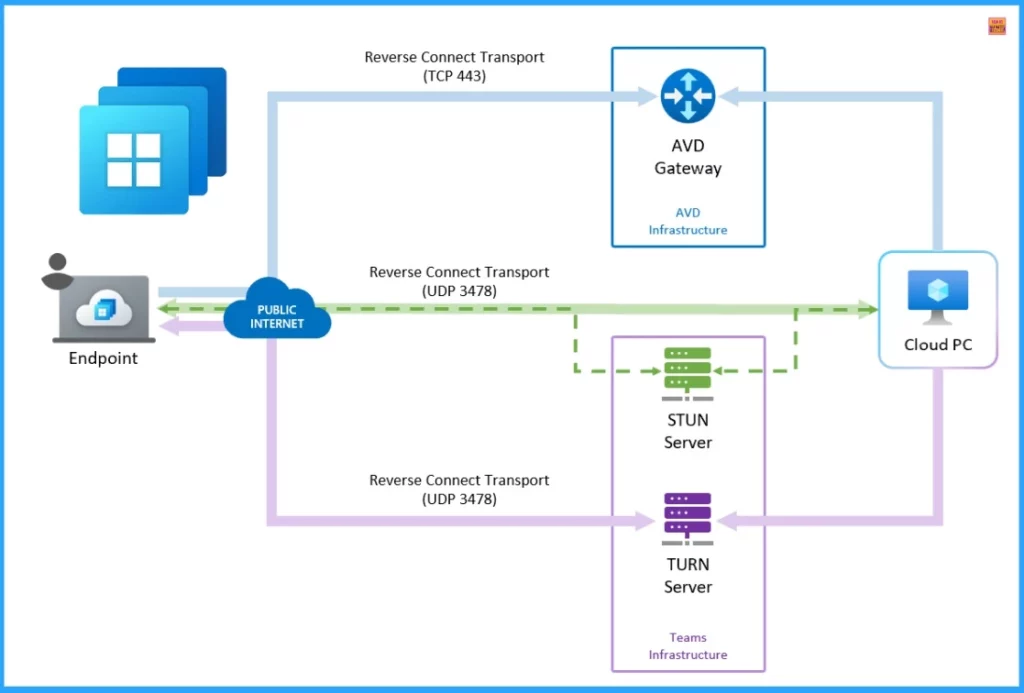
Support for Symmetric NAT with RDP Shortpath in Cloud PC service improves connectivity in complex network environments. RDP Shortpath in Windows 365 supports establishing an indirect UDP connection using Traversal Using Relays around NAT (TURN) for symmetric NAT.
TURN is a popular device-to-device networking standard, allowing for low latency and high-throughput data transmission with Azure Communication Services. The following table shows the different ways the RDP Shortpath can be used.
| Managed networks | Public networks |
|---|---|
| It is established between the client and the session host when using a private connection, such as a virtual private network (VPN). | It is established between the client and the session host when using a public connection. There are two connection types when using a public connection, which are listed here in order of preference |
| A direct UDP connection between the client device and session host, where you need to enable the RDP Shortpath listener and allow an inbound port on each session host to accept connections. | A direct UDP connection using the Simple Traversal Underneath NAT (STUN) protocol between a client and session host. |
| A direct UDP connection between the client device and session host, using the Simple Traversal Underneath NAT (STUN) protocol between a client and session host. Inbound ports on the session host aren’t required to be allowed. | An indirect UDP connection using the Traversal Using Relay NAT (TURN) protocol with a relay between a client and session host. |
- Microsoft Shared GPU Powered Windows 365 Cloud PC with NVIDIA RTX vWS Details
- Differences between W365 Cloud PC and AVD Cloud VDI
- Windows 365 AI based Cloud PC Resize Recommendations
Windows 365 Support for HEVC Video Coding
With this new update, Windows 365 will support Hardware High-Efficiency Video Coding (HEVC) h.265 4:2:0 on Compatible GPU-enabled Cloud PCs. Azure Virtual Desktop supports graphics processing unit (GPU) acceleration in rendering and encoding for improved app performance and scalability using the Remote Desktop Protocol (RDP).
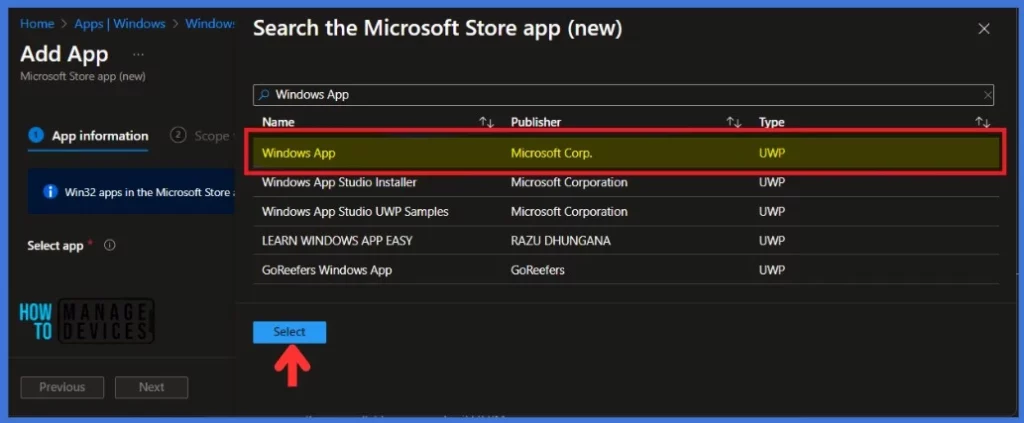
Windows App
Windows App is your gateway to Azure Virtual Desktop, Windows 365, Microsoft Dev Box, Remote Desktop Services, and remote PCs, securely connecting you to Windows devices and apps.
Windows App is Now Generally Available
You can use Windows App on many different devices, platforms, and form factors, such as desktops and laptops, tablets, smartphones, and web browsers.
Join the LinkedIn Page and Telegram group to get the latest step-by-step guides and news updates. Join our Meetup Page to participate in User group meetings. Also, Join the WhatsApp Community to get the latest news on Microsoft Technologies. We are there on Reddit as well.
Author
Anoop C Nair has been Microsoft MVP from 2015 onwards for 10 consecutive years! He is a Workplace Solution Architect with more than 22+ years of experience in Workplace technologies. He is also a Blogger, Speaker, and Local User Group Community leader. His primary focus is on Device Management technologies like SCCM and Intune. He writes about technologies like Intune, SCCM, Windows, Cloud PC, Windows, Entra, Microsoft Security, Career, etc.




Discussion