






Windows 10 ADK Versions SCCM Support Scenarios
This post details Windows 10 ADK versions and SCCM Support Scenarios and includes ADK download links. It will also provide some more information about SCCM 1902 and supported ADK versions.
Windows 10 and Windows 11 ADK and WinPE add-ons help organizations customize Windows images. However, I feel these version numbers and supported scenarios for Windows 10 ADK with SCCM/ConfigMgr are a bit complex. Hence thought of putting it together to help IT kind of admins.
In future posts, we will post more news and details about Windows 11 ADK. I don’t think there is any drastic change between Windows 11 ADK and WinPE. Also, SCCM support for Windows 11 ADKs will follow the same pattern that they use for Windows 10.
As we mentioned in the Windows 10 ADK installation step-by-step guide, we don’t recommend using the SCCM or ADK version combination, which is Backward Compatible as per Microsoft documentation.

| Index |
|---|
| Windows 10 ADK versions Support for SCCM |
| List of Windows 10 ADK Versions |
| Windows 10 ADK Upgrade Myths |
Windows 10 ADK versions Support for SCCM
The following table will help you understand the support mechanism between SCCM versions and Windows 10 ADK versions. I have covered only the fully supported Windows 10 ADK with SCCM versions.
| SCCM Version | Windows 10 Version | ADK Version |
|---|---|---|
| SCCM 2107 | Windows 10 ADK Version for Windows 2004/ Windows 11 ADK | 10.1.19041/10.1.22000 |
| SCCM 2103 | Windows 10 ADK Version 2004 | 10.1.19041 |
| SCCM 2010 | Windows 10 ADK Version 2004 | |
| SCCM 2006 | Windows 10 ADK Version 2004 | |
| SCCM 2002 | Windows 10 ADK Version 2004 | |
| SCCM 1910 | Windows 10 ADK Version 1903 | |
| SCCM 1906 | Windows 10 ADK Version 1903 | |
| SCCM 1902 | Windows 10 ADK Version 1903 | 10.1.18362 |
| SCCM 1902 & 1810 | Windows 10 ADK Version 1809 | 10.1.17763 |
| SCCM 1806 & 1802 | Windows 10 ADK Version 1803 | 10.1.17134 |
| SCCM 1802 & 1710 | Windows 10 ADK Version 1709 | 10.1.16299 |
| SCCM 1706 & 1702 | Windows 10 ADK Version 1703 | 10.1.15063 |
Since we no longer have any special feature update scenarios for Windows 10 (at least since the last few updates), the Windows 10 ADK versions are not changing much, and even the support matrix is not switching much.
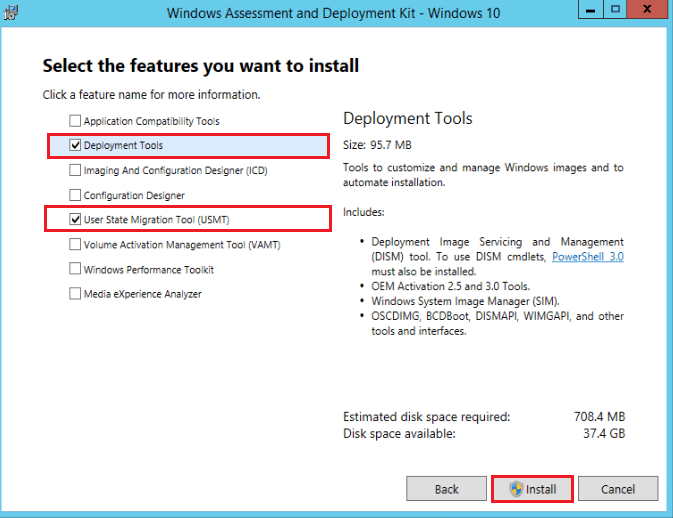
List of Windows 10 ADK Versions
The following table will give you more details about the supported versions of Windows 10 ADK. Microsoft does not support the previous versions, which are not on the list.
NOTE! – Recommendation is to use the latest and supported versions of Windows 10 ADK.
| Windows 10 Version | ADK Version | Download Link |
|---|---|---|
| Windows ADK version for Windows 10 version 21H2 | Microsoft didn’t release a separate ADK version for Windows 10 21H2 | Windows 11 ADK should work for Windows 10 21H2 as well? |
| Windows ADK version for Windows 10 version 21H1 | Microsoft didn’t release a separate ADK version for Windows 10 21H1 | Use the same ADK version for Windows 10 2004 |
| Windows ADK version for Windows 10 version 20H2 | Microsoft didn’t release a separate ADK version for Windows 10 20H2 | Use the same ADK version for Windows 10 2004 |
| Windows 10 ADK Version for Windows 10 2004 | 10.1.19041 | Download ADK 2004 |
| Windows 10 ADK Version for Windows 10 1903 | 10.1.18362 | Download ADK |
| Windows 10 ADK Version 1809 | 10.1.17763 | Download ADK |
| Windows 10 ADK Version 1803 | 10.1.17134 | Download ADK |
| Windows 10 ADK Version 1709 | 10.1.16299 | Download ADK |
| Windows 10 ADK Version 1703 | 10.1.15063 | Download ADK |
Windows 10 ADK Upgrade Myths
I don’t think the Windows 10 1903 ADK upgrade process will impact your custom boot images and OSD process. I have done many Windows 10 ADK upgrades without impacting the OSD process at all.
You don’t have to worry about the SCCM OSD impact while upgrading Windows 10 1903 ADK (especially if you are using custom boot images and MDT boot images).
Resources
We are on WhatsApp. To get the latest step-by-step guides and news updates, Join our Channel. Click here –HTMD WhatsApp.
Author
Anoop C Nair is Microsoft MVP! He is a Device Management Admin with more than 20 years of experience (calculation done in 2021) in IT. He is a Blogger, Speaker, and Local User Group HTMD Community leader. His main focus is on Device Management technologies like SCCM 2012, Current Branch, and Intune. He writes about ConfigMgr, Windows 11, Windows 10, Azure AD, Microsoft Intune, Windows 365, AVD, etc




Hi Anoop,
ADK is upgraded to 1903v and could you please check if below version is correct ?
It is pointing version as 10.0.17763.1 and OS version is 10.0.18362.1 for default boot image in SCCM console