






Intune Simplified App Control Policy Creation using Built-in Toggles and App Control for Business Capabilities
Intune Simplified App Control Policy Creation using Built-in Toggles and App Control for Business Capabilities. The Simplified App Control Policy Creation Experience is coming in 2025. Microsoft is introducing a new simplified way to create App Control policies in Intune, starting in October 2025.
This new feature will make it easier to configure app policies using built-in toggles that let you access all the App Control for Business features directly in the Intune console. The goal is to help IT admins set up app controls more quickly and efficiently without going through complex steps.
It’s designed for desktop platforms and will be available across various cloud environments, such as GCC, GCC High, DoD, and standard multi-tenant setups.
In this post, you’ll find all the important details about the Intune Simplified App Control Policy Creation Experience, which will be available in 2025. It will make creating app control policies easier with a more user-friendly setup, helping IT admins manage policies quickly and efficiently.


Table of Contents
What is the Simplified App Control Policy Creation Experience in Intune?
This new feature allows IT admins to configure App Control policies more efficiently using built-in toggles that expose all App Control for Business capabilities in the Intune console. It simplifies setting up app controls, making it faster and more user-friendly.
How Does this New Experience Benefit IT Admins?
The simplified policy creation experience will save time by allowing admins to easily toggle settings and configure app policies, reducing the complexity of managing app controls within Microsoft Intune.
Intune Simplified App Control Policy Creation using Built-in Toggles
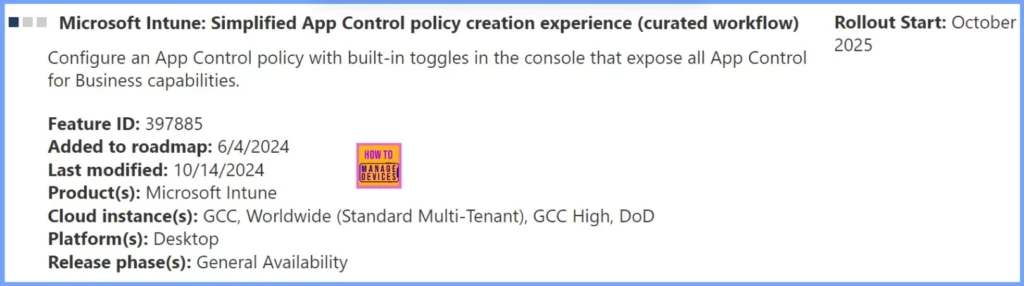
Microsoft Intune is introducing a simplified way to create App Control policies through a curated workflow. The table below provides more details.
| Feature Details | Description |
|---|---|
| Feature Name | Simplified App Control Policy Creation Experience |
| Feature ID | 397885 |
| Added to Roadmap | June 4, 2024 |
| Last Modified | October 14, 2024 |
| Product | Microsoft Intune |
| Cloud Instance | GCC, Worldwide (Standard Multi-Tenant), GCC High, DoD |
| Platform | Desktop |
| Release Phase | General Availability |
| Rollout Start | October 2025 |
- Secure Windows Devices with Intune Application Control Policy Managed Installers
- Intune Application Policy Manager RBA Controls In MEM Portal | Endpoint Manager Role-Based Access
- Efficient Management Of Windows Driver Firmware Updates From Intune Policy
- Secure Windows Devices with App Control for Business Code Integrity Policy using Intune
Join the LinkedIn Page and Telegram group to get the latest step-by-step guides and news updates. Join our Meetup Page to participate in User group meetings. Also, Join the WhatsApp Community to get the latest news on Microsoft Technologies. We are there on Reddit as well.
Resources
Microsoft 365 Roadmap | Microsoft 365
Author
Anoop C Nair has been Microsoft MVP from 2015 onwards for 10 consecutive years! He is a Workplace Solution Architect with more than 22+ years of experience in Workplace technologies. He is also a Blogger, Speaker, and Local User Group Community leader. His primary focus is on Device Management technologies like SCCM and Intune. He writes about technologies like Intune, SCCM, Windows, Cloud PC, Windows, Entra, Microsoft Security, Career, etc.


Discussion