






New Microsoft 365 Taskbar Experiences People Files and Calendar at Your Fingertips
Today, we discussing Microsoft 365 Taskbar Experience People Files and Calendar at Your Fingertips. You all know that Microsoft Ignite announced some extraordinary improvements to Windows 11 24H2 and Windows 365.
The best part is that Microsoft is now developing a new and improved experience for the Windows 11 taskbar. This update will help you access critical information quickly. The Microsoft 365 companion will integrate contacts, files, and calendar appointments directly into the Windows 11 taskbar, providing quick access to essential data.
At the Ignite event, Mr. Pavan Davuluri announced this new feature. Microsoft makes it easier for users to access their essential Microsoft 365 tools directly from the Windows 11 taskbar. This new feature is designed to make work easier, boost productivity, and improve user interaction with their devices.
With this new improvement, Microsoft simplifies collaboration, manages time, and finds essential information quickly by giving quick access to tools like contacts, files, and calendars directly from the taskbar.

Table of Contents
What is a Taskbar?
New Microsoft 365 Taskbar Experiences People Files and Calendar at Your Fingertips
Microsoft has introduced new features to the taskbar that bring your Microsoft 365 people, files, and calendar to your fingertips. This makes it easier to find and collaborate with colleagues. You can quickly access important content, share files more efficiently, and use better tools to manage your time.
- This update aims to boost productivity by keeping the tools you use most right on your taskbar.
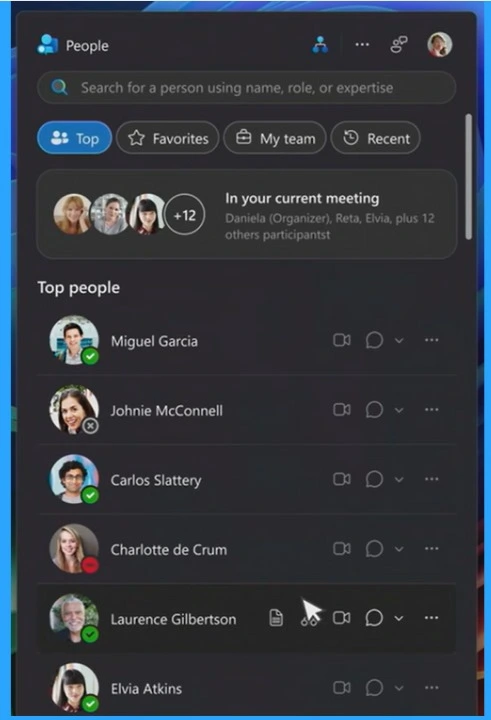
1 Creds to MS
Above, we discussed an overall view of Taskbar Getting Files and Calendar Companions in Microsoft 365. With this new taskbar companion, Users can easily find and connect with coworkers in their organization. One click on the taskbar shows the contact list, making communication easier. The best enhancement in the taskbar is the integration of the People app.
The Taskbar is Getting Files and Calendar Companions in Windows 11, which was announced through the Ignite event 2024. Mr. Pavan Davuluri holds this section and discusses this topic.
- This new integration allows you to find and connect with colleagues quickly.
- A single click opens the contact list, making it easy to start conversations.
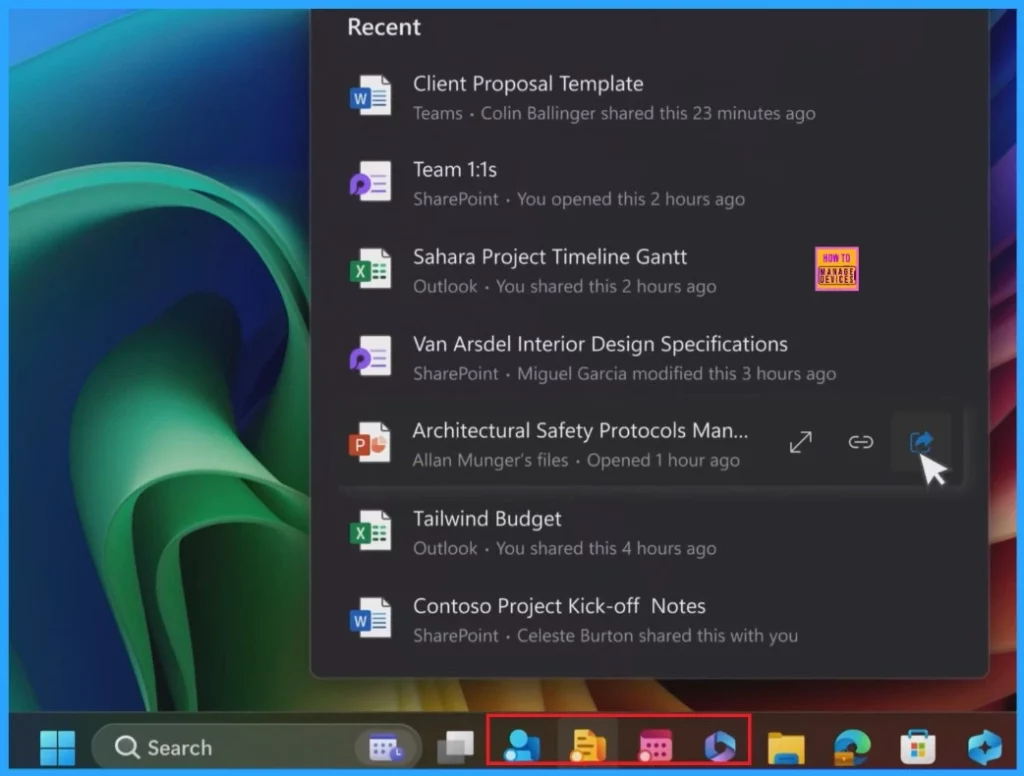
- Below, you can see the MS 365 Companions in the Windows 11 taskbar
- How to Show or Hide Time and Date on Taskbar System Tray in Windows 11
- 3 Best Ways to Disable Taskbar Thumbnail Preview on Windows 11
- Microsoft 365 Copilot Oversharing Blueprint 3 Phases Shared on Ignite 2024
How it Works
Microsoft didn’t show a demo of how the feature would work, but they mentioned it would be similar to the Phone Link Start menu feature introduced in the 24H2 update. Also, Microsoft 365 Companions seems similar to the Microsoft Teams integration added to the Windows 11 Taskbar.
| What Can Expect from this New Improvement |
|---|
| This feature makes it easier to share critical content, helping users collaborate more effectively. |
| Providing quick access to essential tools and information. |
| Users can now find their Microsoft 365 apps and content directly from File Explorer. |
| What can Expect from this New Improvement? |
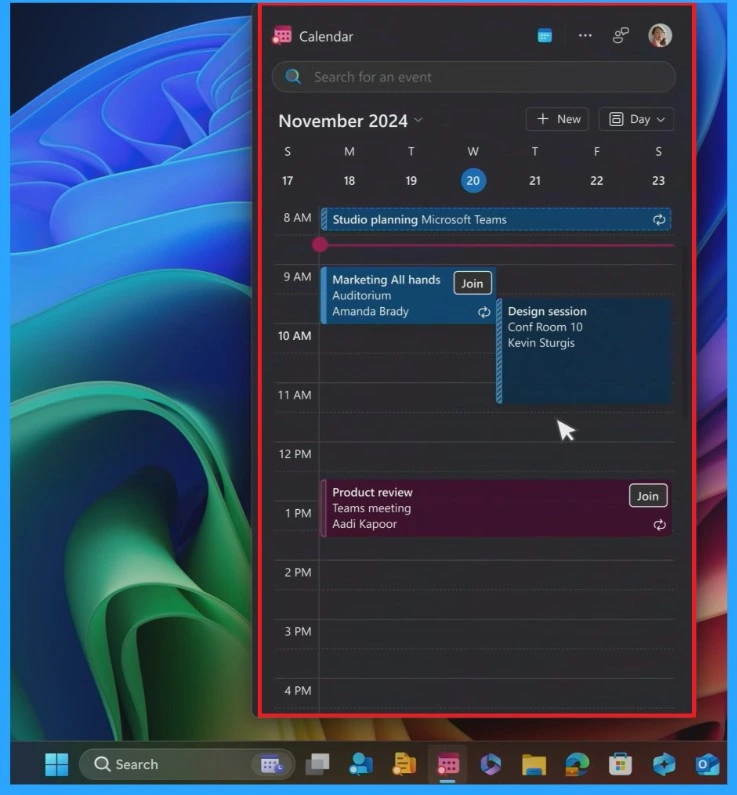
People files in the calendar right on your taskbar. This makes finding people in your organization easier and allows you to collaborate with those who work with you the most. It also gives you instant access and the ability to share essential content and helps you manage time. All this is just a click away on your Windows desktop.
- Just one click to join on the Teams.
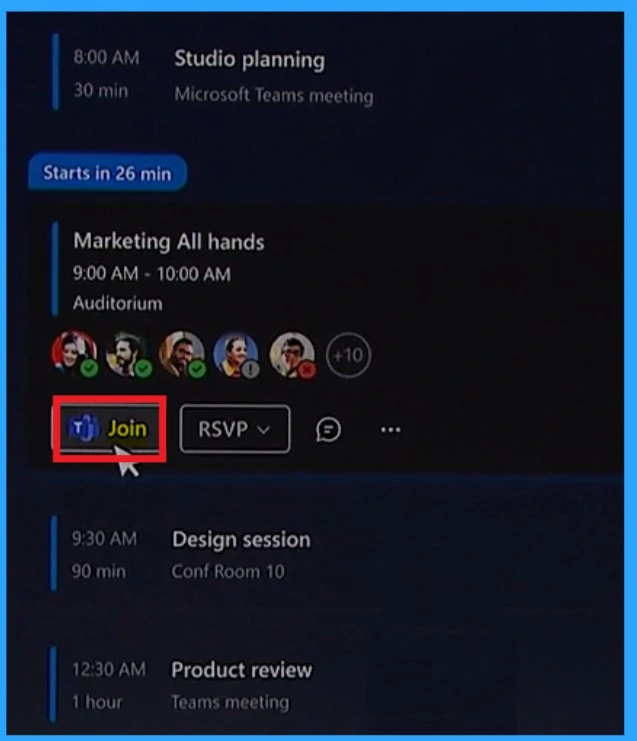
Source: What’s New in Windows Security, Productivity and Cloud
Need Further Assistance or Have Technical Questions?
Join the LinkedIn Page and Telegram group to get the latest step-by-step guides and news updates. Join our Meetup Page to participate in User group meetings. Also, Join the WhatsApp Community to get the latest news on Microsoft Technologies. We are there on Reddit as well.
Author
Anoop C Nair has been Microsoft MVP from 2015 onwards for 10 consecutive years! He is a Workplace Solution Architect with more than 22+ years of experience in Workplace technologies. He is also a Blogger, Speaker, and Local User Group Community leader. His primary focus is on Device Management technologies like SCCM and Intune. He writes about technologies like Intune, SCCM, Windows, Cloud PC, Windows, Entra, Microsoft Security, Career, etc.




Discussion