






Surface Management Portal in Intune a Simplified Device Management for IT Admins
The Surface Management Portal in Intune provides IT administrators with a centralized platform for managing and supporting Surface devices. This portal simplifies tasks such as monitoring device coverage, tracking service and repair requests, and registering devices for easy management.
With easy access to essential support information, relevant documentation, and helpful tools, the portal helps IT admins efficiently maintain and oversee the lifecycle of Surface devices, ensuring they are always well-supported and adequately managed.
The portal overviews your Surface devices’ critical support and service-related details. This includes up-to-date information on warranty status, support options, and other relevant service details that IT admins need to keep track of.
If a Surface device needs repairs or service, admins can initiate service requests directly through the portal. The Surface Management Portal lets IT admins monitor the progress of these requests, keeping track of their status and ensuring that devices are repaired or replaced promptly.

Table of Contents
Explore Surface Management Portal in Intune
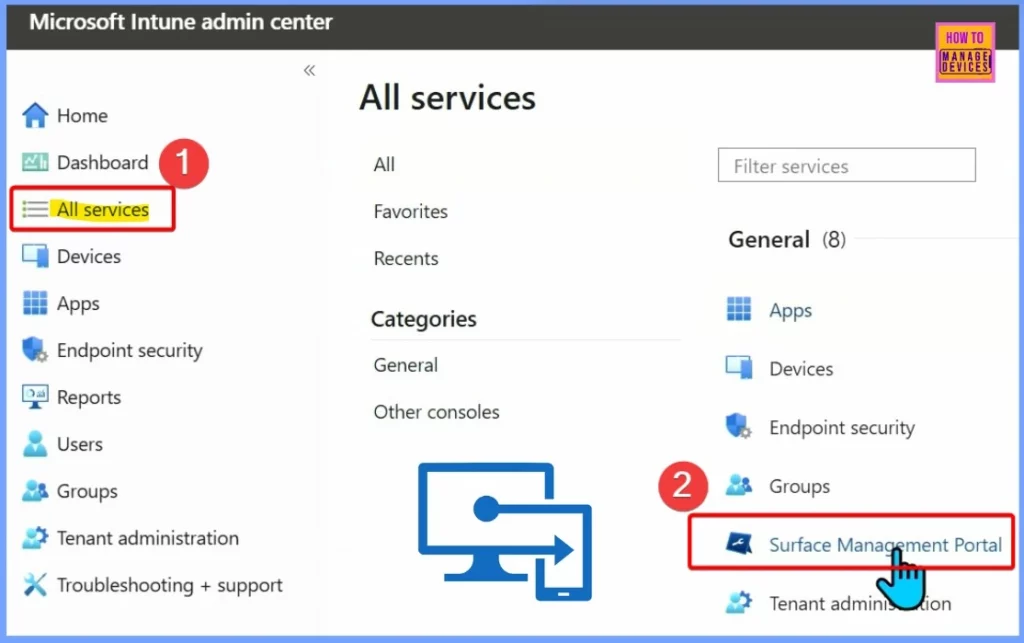
If you have any Surface devices in your environment, even just one, go to Intune.microsoft.com. Once there, navigate to All Services and select the Surface Management Portal. This is where you can easily manage and support your Surface devices.
As a Microsoft leader, Frank Buchholz oversees a team that drives innovation in the Surface product line. The team focuses on modern deployment, management, security, and AI integration. Buchholz highlights how the Surface Management Portal in Intune simplifies device management for IT admins, making it easier to monitor, support, and manage Surface devices efficiently.
- Download and Install the Surface App for Microsoft Surface PCs
- Configure Attack Surface Reduction ASR Rules in Intune
Overview Settings
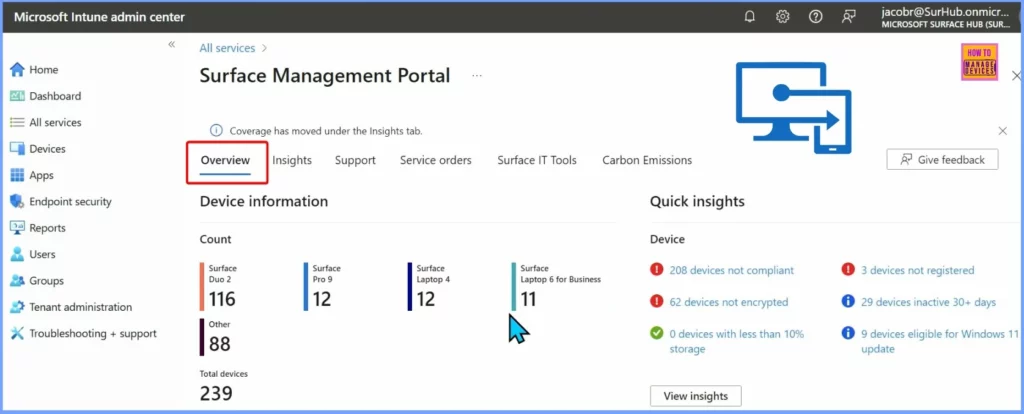
The Surface Management Portal offers several settings to help you manage your Surface devices, including Overview, Insights, Support, Service Orders, Surface IT Tools, and Carbon Emissions. In the Overview section, you can find quick insights and details about your devices, such as their status and key information. This section gives you an easy way to get a snapshot of your Surface devices at a glance.
Insights
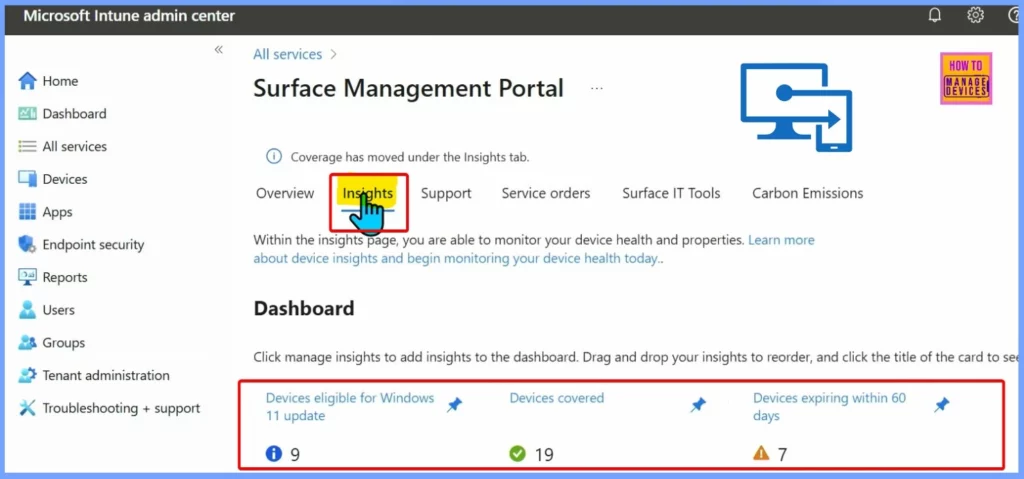
Insight is an essential aspect of the Surface Management Portal. To add insights to your dashboard, click Manage Insights. You can then drag and drop the insights to reorder them. To see more details, click on the title of the insight card.
The list below shows other details related to the Insights setting.
- Devices eligible for Windows: Devices that meet the requirements for Windows updates.
- Devices covered: Devices that are currently under warranty or support.
- Devices expiring within 60 days: Devices whose support or warranty will expire soon.
Support
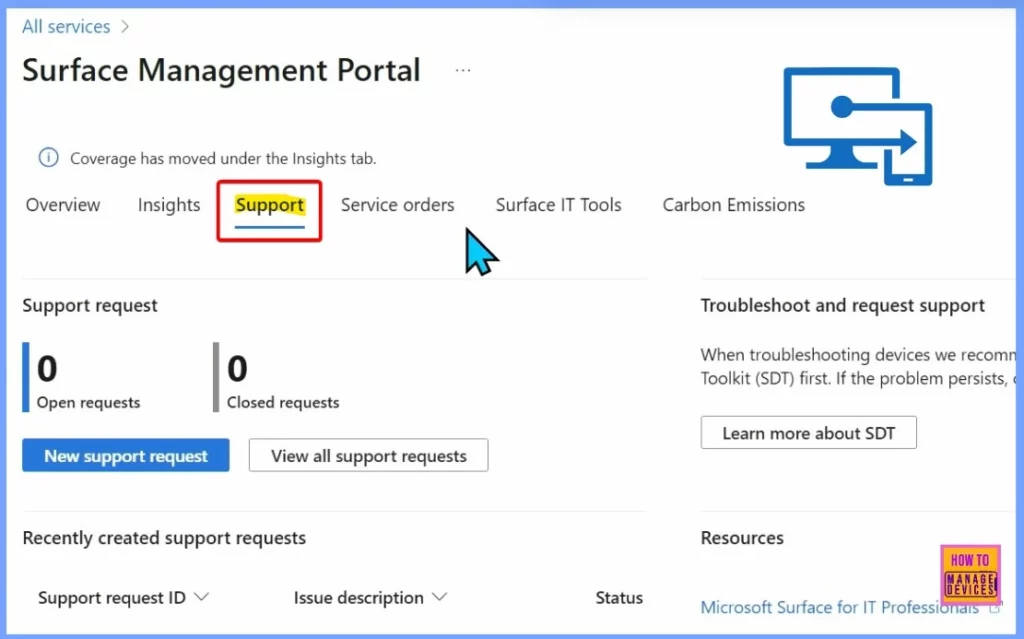
Support is the third setting in the Surface Management Portal. It helps you manage support-related tasks by showing information like current support requests, recently created requests, and options to troubleshoot or request support. This section makes tracking and managing any issues with your Surface devices easy.
Service Orders
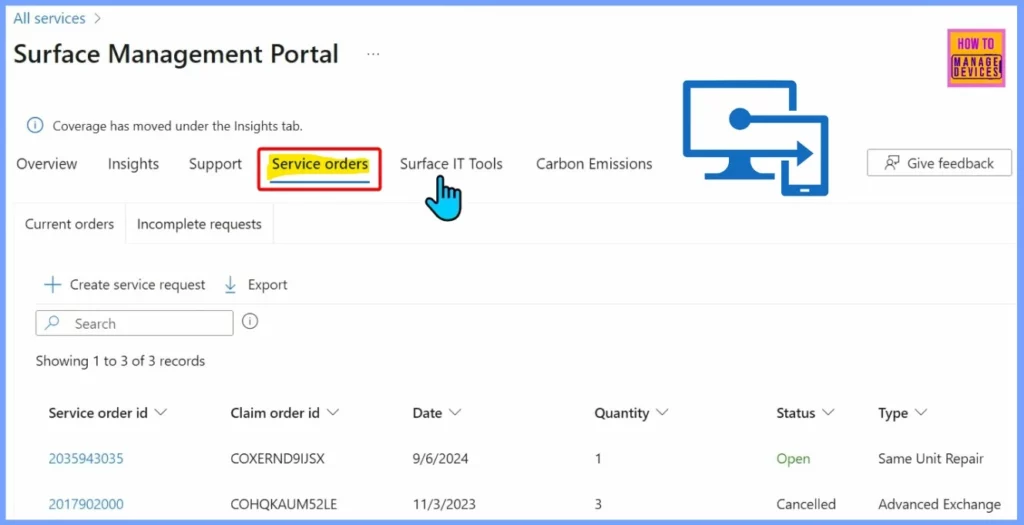
The Service Orders setting helps you manage details related to service requests for your Surface devices. It shows information such as the service order ID, claim order ID, date, quantity, status, and type of service. This section makes it easy to track and handle all your service orders in one place.
Surface IT Tools
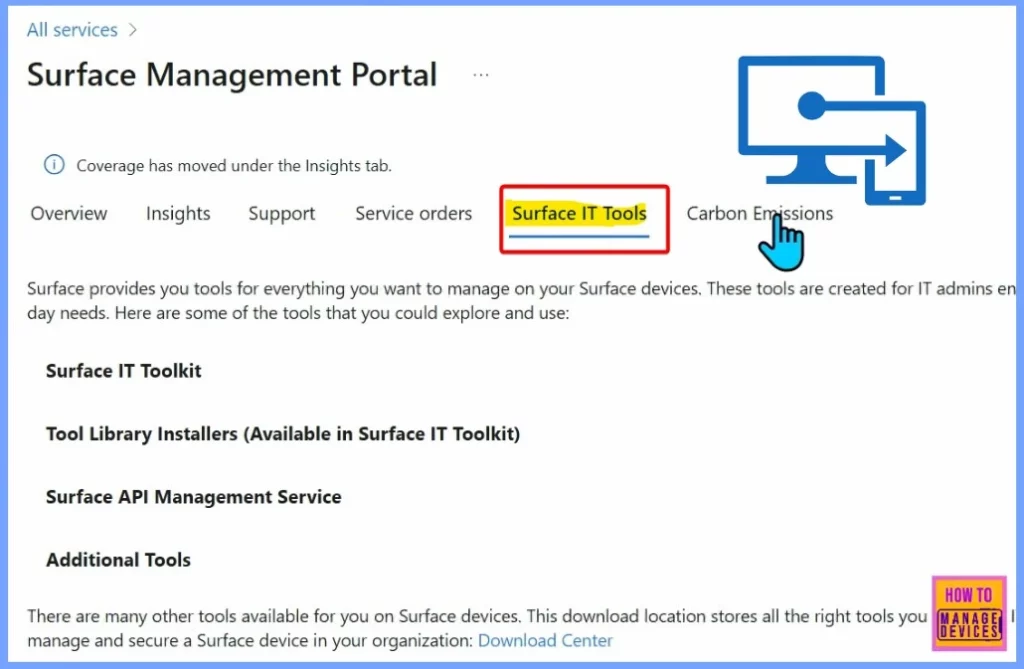
Surface provides various tools to help you manage your Surface devices. These tools are designed for IT admins to support their daily tasks. There are many other tools available for managing Surface devices. The Download Center is where you can find and download all the tools required to deploy, manage, and secure Surface devices in your organization.
| Some of the tools you can explore and use include |
|---|
| Surface IT Toolkit |
| Tool Library Installers (available in the Surface IT Toolkit) |
| Surface API Management Service |
| Additional Tools |
Carbon Emissions
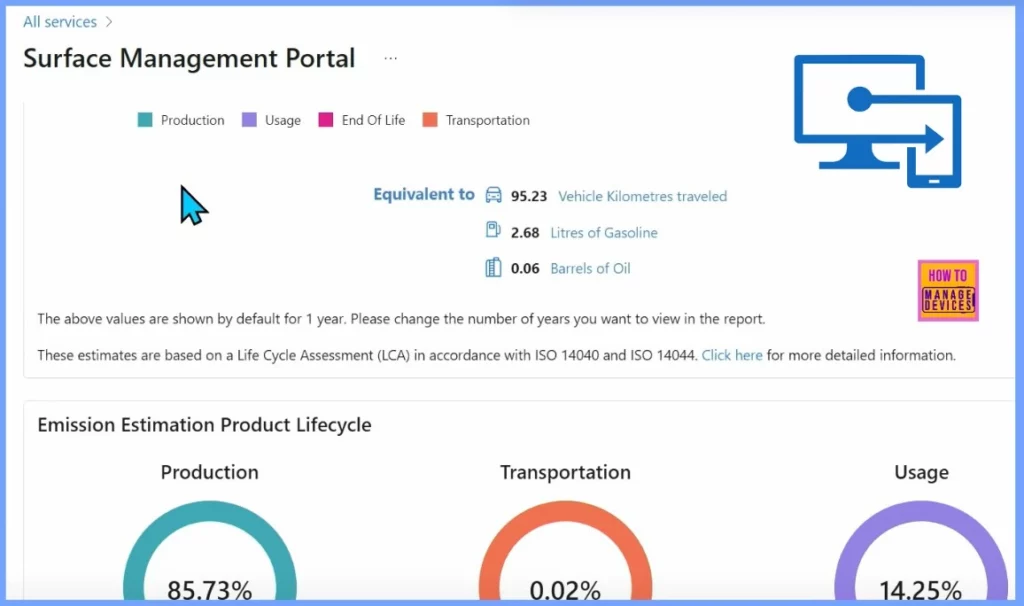
The Carbon Emissions setting in the Surface Management Portal helps you track and manage the environmental impact of your Surface devices. It provides information about the carbon emissions related to your organization’s devices.
Need Further Assistance or Have Technical Questions?
Join the LinkedIn Page and Telegram group to get the latest step-by-step guides and news updates. Join our Meetup Page to participate in User group meetings. Also, Join the WhatsApp Community to get the latest news on Microsoft Technologies. We are there on Reddit as well.
Resources
Secure your endpoints with Surface
Author
Anoop C Nair has been Microsoft MVP from 2015 onwards for 10 consecutive years! He is a Workplace Solution Architect with more than 22+ years of experience in Workplace technologies. He is also a Blogger, Speaker, and Local User Group Community leader. His primary focus is on Device Management technologies like SCCM and Intune. He writes about technologies like Intune, SCCM, Windows, Cloud PC, Windows, Entra, Microsoft Security, Career, etc.


Discussion