






New Facilitator Agent Enhancing Meeting Productivity with Real Time Notetaking in Microsoft Teams
Let’s Discuss the new facilitator agent that enhances meeting productivity with real-time Notetaking features in Microsoft Teams. Microsoft introduced this feature at Ignite 2024. These agents add special skills while automating tasks. Here, we are discussing the Facilitator agent. Microsoft 365 Copilot uses personal artificial intelligence assistance to analyze and organize data in your Microsoft applications.
A team or organization works towards handling both simple and complex tasks related to global and practical jobs, leading them towards multi-step business processes. Microsoft 365 agents guide each organization towards the next level of business value.
While real-time note-taking works for scheduled meetings for online participants, they are expanding the experience to Microsoft Teams Rooms. Shortly, we will be able to invite a Microsoft Teams Room to a meeting so that everyone in the meeting can see real-time notes happening there.
At Ignite 2024, Microsoft also announced some new features for Copilot. Users can automate tasks by setting up prepare prompts once. Once we activate the Facilitator agent feature, the task will be completed. The facilitator is a robotic meeting assistant designed to add value to team meetings and chats.

Table of Contents
What is a Facilitator Agent?
| Limitations of the Facilitator Agent in Teams Chat |
|---|
| Doesn’t have access to the user edits or deletions |
| Doesn’t have access to call transcripts. |
| Doesn’t have access to files shared in the chat. |
New Facilitator Agent Enhancing Meeting Productivity with Real Time Notetaking in Microsoft Teams
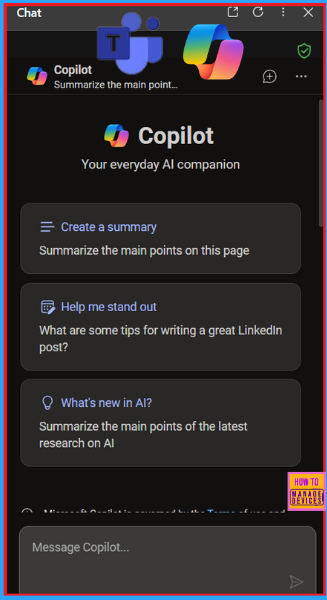
We were introduced to the new agents in Microsoft 365 at the Microsoft Ignite event. These agents in Copilot give us specialized skills and knowledge while automating specific tasks. The Facilitator agent in Teams can take real-time notes during a meeting and in chats.
- Project Manager Agent in Microsoft Planner on Teams for Simplified Task Management
- Copilot Simplify SharePoint Presentations with Speaker Notes Animations and Transitions
- Microsoft 365 Copilot Oversharing Blueprint 3 Phases Shared on Ignite 2024
Collaborating With Facilitator Agent
Here we are introducing the new Facilitator agent. Now, we have a shared agent who works within Teams meetings and chats for more effective collaboration. For Teams meetings, the Facilitator starts taking real-time notes during your meetings, allowing everyone to co-author and collaborate seamlessly. This allows us to focus and engage in-depth in meetings and also helps drive alignment before the meeting ends.
- In the Team Meet, we can see that when we click on notes, AI generates meeting notes itself.
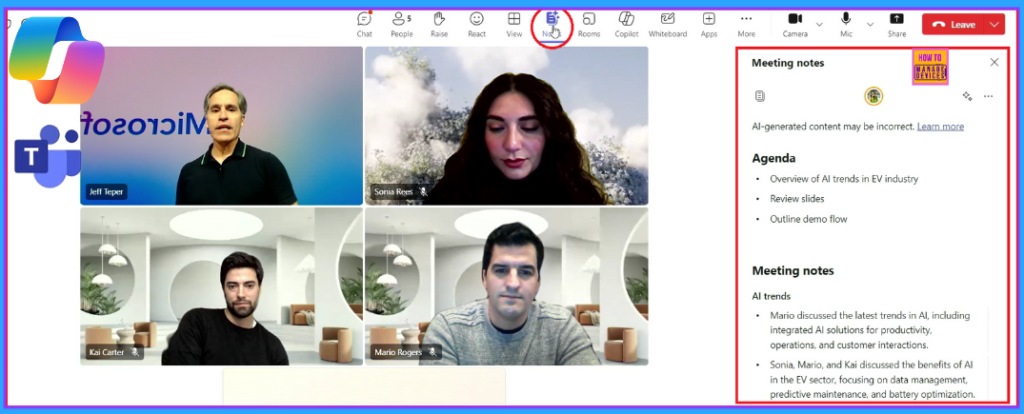
In Teams chat, the Facilitator creates and gives an up-to-date summary of important information as the conversation happens. It includes vital decisions, action items, and open questions. This helps us to focus on what matters, drive faster alignment, and resolve open issues proficiently.
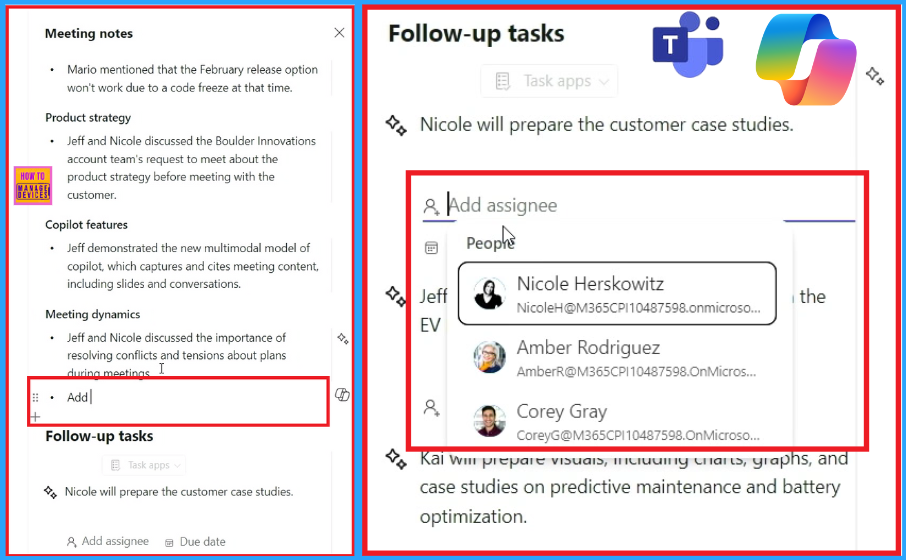
The Facilitator Creates an editable note so that we can add some extra notes to the summary. From the tasks, we can assign notes to people (Fig. 2). The meeting note includes the following list:
- AI Trends
- Release Planning
- Product Strategy
- Copilot Features
- Meeting Dynamics
Resources
- Unlock the Value of Microsoft 365 Copilot and Copilot Studio
- Introducing new agents in Microsoft 365
Need Further Assistance or Have Technical Questions?
Join the LinkedIn Page and Telegram group to get the latest step-by-step guides and news updates. Join our Meetup Page to participate in User group meetings. Also, Join the WhatsApp Community to get the latest news on Microsoft Technologies. We are there on Reddit as well.
Author
Anoop C Nair has been Microsoft MVP from 2015 onwards for 10 consecutive years! He is a Workplace Solution Architect with more than 22+ years of experience in Workplace technologies. He is also a Blogger, Speaker, and Local User Group Community leader. His primary focus is on Device Management technologies like SCCM and Intune. He writes about technologies like Intune, SCCM, Windows, Cloud PC, Windows, Entra, Microsoft Security, Career, etc.


Discussion