






SCCM Task Automation Application Deployment Updates – Patch My PC Review 2
This post continues “SCCM Application Creation Automation – Patch My PC Review 1.” In this post, Review #2, you will see more details from the SCCM side.
Let’s see how Patch My PC can help with SCCM automation activities like third-party software updates and application creation.
SCCM third-party software updates without using SCUP is an excellent feature. As I mentioned in the post List of Free SCCM Catalogs for Third-Party Software Updates, most third-party applications are not providing free update catalogs for their applications.
As I mentioned in my previous post, Patch My PC can help SCCM admins streamline the patching and application packaging process. Patch My PC publishing service can automatically update third-party application deployments in the SCCM environment.

| Index |
|---|
| Video – SCCM Automation |
| Select the Patch My PC Products |
| Software Update Sync |
| SCCM Automation – Application Creation |
Video – SCCM Automation
SCCM Automation Using Patch My PC Review #2. You will get answers to the following questions.
- How do the third-party updates get synced with SCCM Automation?
- What are the products that you need to select from SCCM automation?
- How the Patch My PC will automatically create third-party software updates and third-party applications in the SCCM automation console?
In the following video, we will see the second part of the Review of the Patch My PC product.
Select the Patch My PC Products
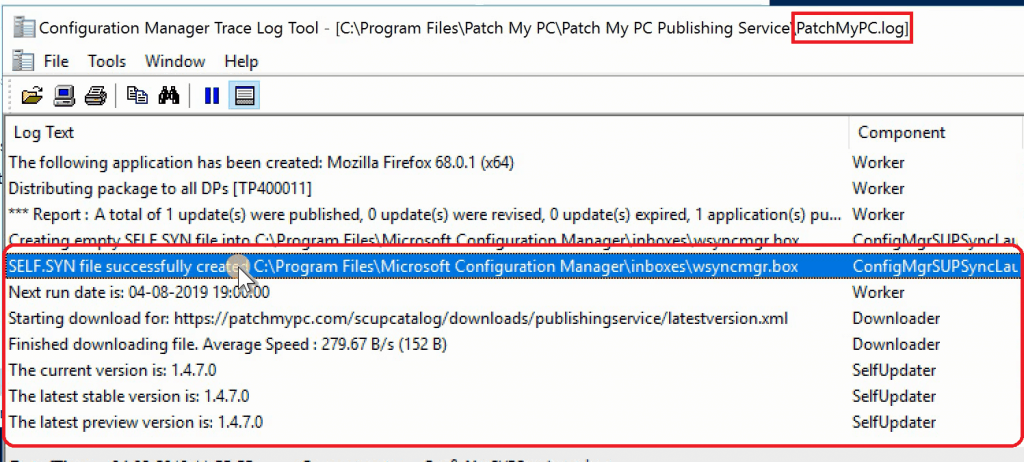
Once you click on the Run Publishing Service Sync button (as I explained in review #1), the Patch My PC publishing service will initiate a sync with WSUS/SCCM.
This action will ensure the Patch My PC product’s availability under Software Update Point Component Properties.
The PatchMyPC.log is your friend for tracing the Patch My PC activities using the SMS Provider and WSUS. You can check PatchMyPC.log to confirm whether the sync between the publishing service and SCCM has been completed.
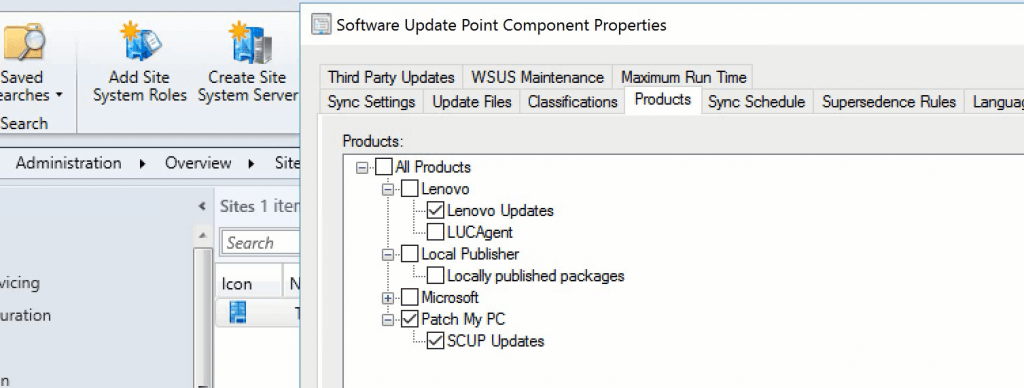
Select the following products from Software Update Point Component Properties. These products help to publish third-party software updates.
- Patch My PC
- SCUP Updates
Software Update Sync
Initiate the Software Update Sync to make all the third-party software updates into SCCM.
Unlike native SCCM Third-party software updates, you don’t need to Publish Third-Party Software Update Content when you use the Patch My PC publishing service.
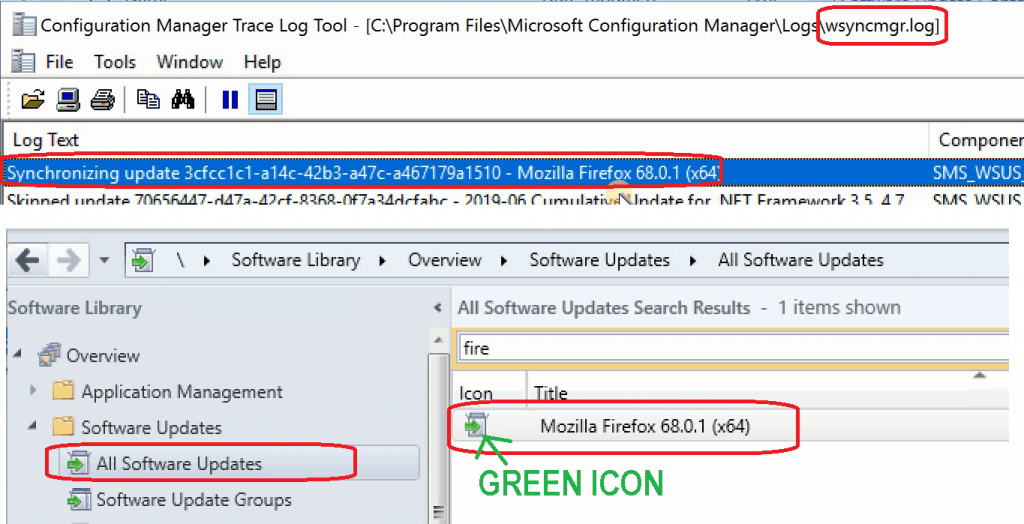
As mentioned above, the Mozilla Firefox 68.0.1 (x64)update is available in the SCCM console after the sync. Moreover, the update is ready to deploy with the Green color icon.
SCCM Automation – Application Creation
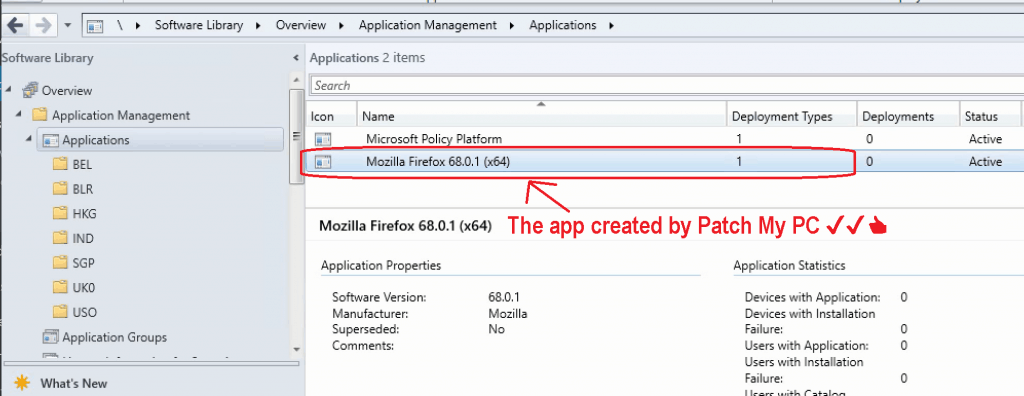
Patch My PC publishing service created an SCCM application called Mozilla Firefox 68.0.1 (x64). The automatic creation of the new application version is useful in real-world scenarios.
In many organizations, the packaging team creates the application packages whenever a vendor releases a new update.
And they also follow a specific process to create an application model for each vendor app in SCCM. All the package customization actioned can be embedded in the application package.
Review post #1. explains more details about the customization actions you can perform as part of the Software update.
Resources
- https://www.anoopcnair.com/sccm-application-creation-patch-my-pc-review-1/
- SCCM Third-Party Software Updates Setup Step-by-Step Guide Post 1
- List of Free SCCM Catalogs for Third-Party Software Updates
- SCCM Third-Party Updates Step-by-Step Troubleshooting Process Guide
- Download the Patch My PC for Free
We are on WhatsApp. To get the latest step-by-step guides and news updates, Join our Channel. Click here –HTMD WhatsApp.
Author
Anoop C Nair is Microsoft MVP! He is a Device Management Admin with more than 20 years of experience (calculation done in 2021) in IT. He is a Blogger, Speaker, and Local User Group HTMD Community leader. His main focus is on Device Management technologies like SCCM 2012, Current Branch, and Intune. He writes about ConfigMgr, Windows 11, Windows 10, Azure AD, Microsoft Intune, Windows 365, AVD, etc




Discussion