






Microsoft Introduces Platform Level Device Cleanup Rules in Intune with Scoped RBAC Permissions
Microsoft Introduces Platform Level Device Cleanup Rules in Intune with Scoped RBAC Permissions! Microsoft has introduced a new Intune feature to make device management easier.
This update shows Microsoft’s commitment to providing IT administrators with powerful tools to manage devices more effectively throughout their lifecycle. This new feature helps admins keep their systems clean and secure by more effectively targeting and removing outdated devices for each platform.
Device Cleanup Rules help IT administrators automatically remove unused, inactive, or outdated devices from their system. These rules are typically used to maintain a clean and secure environment by identifying devices that have not been active for a specified period.
In this post, you will find all the details about Microsoft’s new feature: Platform-Level Device Cleanup Rules in Intune with Scoped RBAC Permissions. We will explain everything you need to know about these rules and how they work in simple terms.

Table of Contents
Platform Level Device Cleanup Rules in Intune with Scoped RBAC Permissions
Intune allows you to set up automatic device removal for inactive, stale, or unresponsive devices. These cleanup rules keep your device list updated by checking device activity regularly. Any device that isn’t active gets removed from Intune management, ensuring only active devices are shown. This applies to all devices managed by Intune, not just selected ones.
- How to Delete Devices from Microsoft Intune
- Remove Windows Device from Azure AD Join | Intune Management
- Intune Delete action no longer Retire iOS and Android Devices
OS Platform Level Targeting of Device Cleanup Rule
Platform-level targeting for Device Cleanup rules helps admins remove stale or inactive devices from their system based on the number of inactive days they set. These scoped and targeted rules allow admins to focus on specific platforms or operating systems, making it easier to manage and clean up devices.
| Feature | Description |
|---|---|
| Device Cleanup Rules per Platform | Set one cleanup rule for each platform (Windows, iOS/macOS, iPadOS, Android, Linux). |
| Different RBAC Permissions | Configure and assign different RBAC permissions for device cleanup management. |
| Active Days Rule | Admins can specify how many days of inactivity should trigger device removal. |
| Scoped and Targeted Cleanup | Allows admins to configure and apply cleanup rules at platform or OS level. |
How Device Cleanup Rules Work
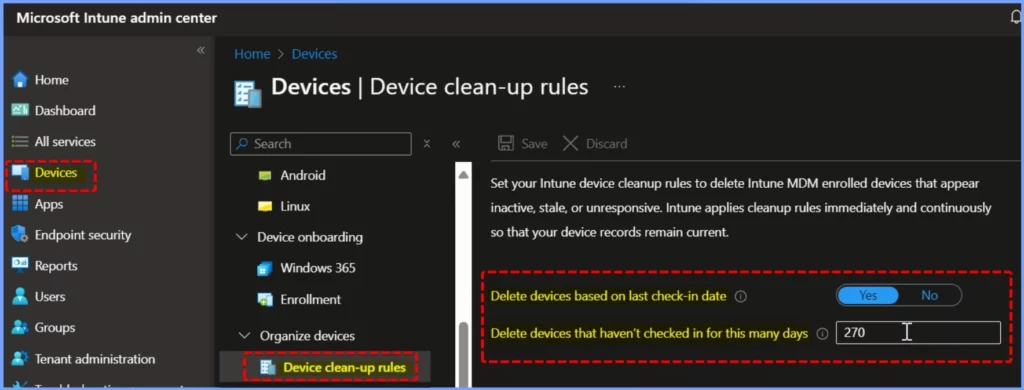
When a device cleanup rule runs, it removes the device from Intune. The device must then go through the re-enrollment process to reappear in the console. The list below shows the steps to configure device cleanup rules.
- Go to the Microsoft Intune admin center.
- Select Devices > Device cleanup rules and enable the option by choosing Yes.
- In the Delete devices that haven’t checked in for this many days field, enter a value between 30 and 270 days.
- Click Save to apply the rule.
Important Details about Device Cleanup Rules
Let’s go over some key points about Device Cleanup Rules. The table below provides a simple overview of all the important details.
| Feature | Details |
|---|---|
| Device Reappearance | Removed devices that check in before certification expires will reappear in the admin centre. |
| No Wipe or Retire Action | Device cleanup rules do not trigger a wipe or retire for the device. |
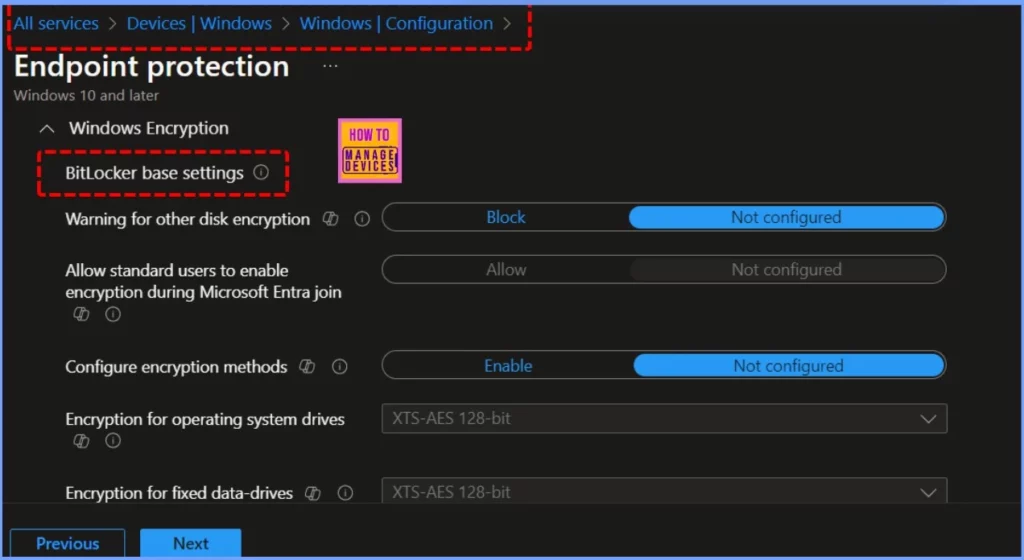
| BitLocker Encryption | Cleanup rules do not suspend BitLocker when Intune manages encryption. |
| Jamf-Managed Devices | Device cleanup rules are not available for Jamf-managed devices. |
| Required Permission | To update cleanup rules, you need the “Managed Device Cleanup Settings” permission with “Update” set to Yes. |
Need Further Assistance or Have Technical Questions?
Join the LinkedIn Page and Telegram group to get the latest step-by-step guides and news updates. Join our Meetup Page to participate in User group meetings. Also, Join the WhatsApp Community to get the latest news on Microsoft Technologies. We are there on Reddit as well.
Resources
In development – Microsoft Intune | Microsoft Learn
Author
Anoop C Nair has been Microsoft MVP from 2015 onwards for 10 consecutive years! He is a Workplace Solution Architect with more than 22+ years of experience in Workplace technologies. He is also a Blogger, Speaker, and Local User Group Community leader. His primary focus is on Device Management technologies like SCCM and Intune. He writes about technologies like Intune, SCCM, Windows, Cloud PC, Windows, Entra, Microsoft Security, Career, etc.


Discussion