






SCCM Orchestration Group Setup Step-by-Step Guide for Server Patching
Microsoft recently released the SCCM 1909 technical preview. Let’s check out the SCCM Orchestration Group (controlled patching) setup guide. This feature is part of a specialized preview version of SCCM and is subject to change.
I feel SCCM orchestration groups for server patching are made up of some logic from Phased Deployments and Automatic Deployment Rules. But I could be wrong.
If you don’t have a technical preview lab, I strongly recommend creating one. The baseline version of the SCCM technical preview is 1907. You can download this from the Microsoft eval center.
| Index |
|---|
| What are SCCM Orchestration Groups |
| Step-by-Step Orchestration Group Setup |
| How to Test Orchestration Group |
| SCCM Orchestration Group Logs |
| Results |
What are SCCM Orchestration Groups
SCCM Orchestration Groups are the evolution of SCCM Server Groups. They allow for more controlled patching of servers.

Update: What is the difference between SCCM Orchestration groups and Server Groups? As per David James, director of the SCCM engineering team at Microsoft. There are changes on the client-side and as well as server-side. Also, the admin UI is changed.
I Quote: “The server-side backend is different. The server-side front end has a much better UI. The client side is the same in the TP, but it will be changed in the next TP to be different and more real-time controlled from the primary.”
SCCM orchestration groups are the advanced version of server groups in SCCM. I don’t know how many of you are using server groups to Patch the cluster servers and exchange servers, domain controllers, etc. If you are using server groups, you know there are some issues with those server groups.
With the release of orchestration, groups are the SCCM trying to eliminate those pain points while doing the server patching.
As I mentioned above, today, install the SCCM 1906 technical preview version and play around with orchestration groups for SCCM server patching.
NOTE! – The site disables the Server Groups feature when you enable Orchestration Groups. This behavior avoids any conflicts between the two features.
Step-by-Step Orchestration Group Setup
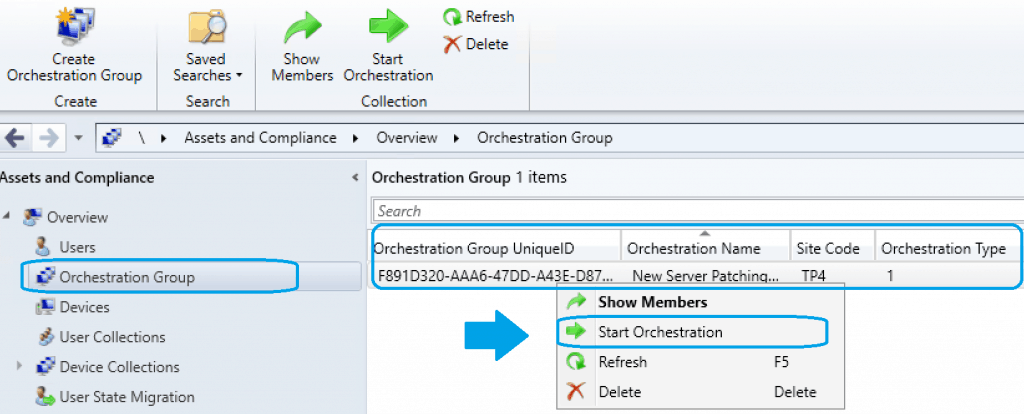
In the SCCM console, go to the Assets and Compliance workspace, and select the Orchestration Group node.
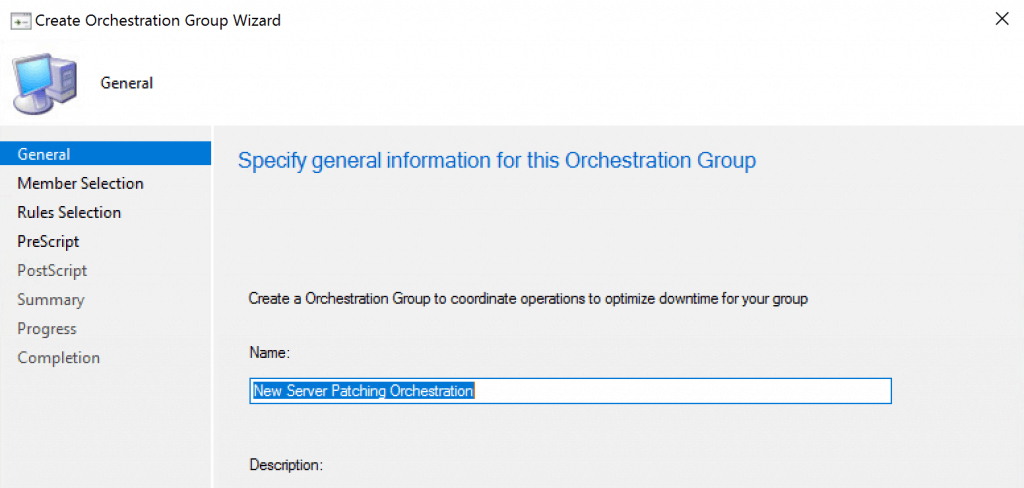
Select Create Orchestration Group to open the Create Orchestration Group Wizard. On the General page, give your orchestration group a Name and, optionally, a Description.
New Server Patching Orchestration
NOTE! – Create an Orchestration group to coordinate operations to optimize downtime for your group.
The latest updates about Orchestration Groups are available with the SCCM|ConfigMgr 2002 version.
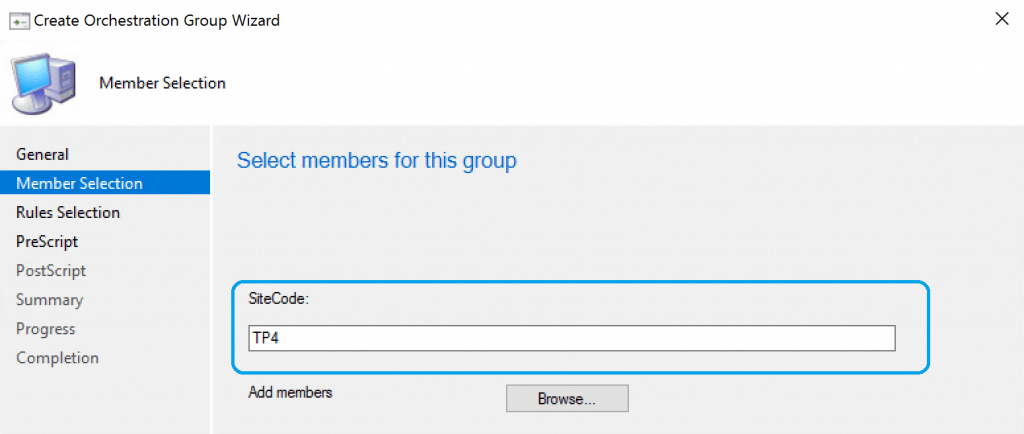
On the Member Selection page, first, specify the current Site code. Then select Browse to add device resources as members of this SCCM orchestration group.
- Search for devices by name, or you can search by
- Search with Resource Type
- Search in Collection use can use the BROWSE button to check the collections (exciting!)
- Advanced search options to select Orchestration Members/Resources
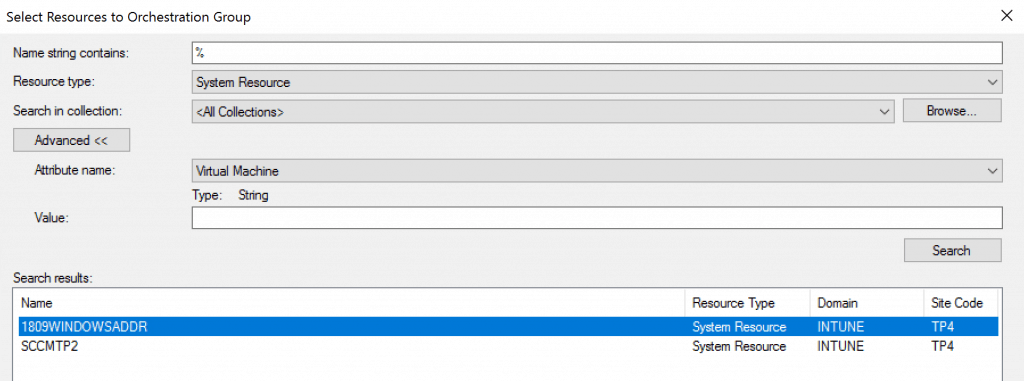
Once you select the resource, click Add them to SCCM Orchestration Group to perform server patching. Select OK when you finish adding devices to the Selected resources list.
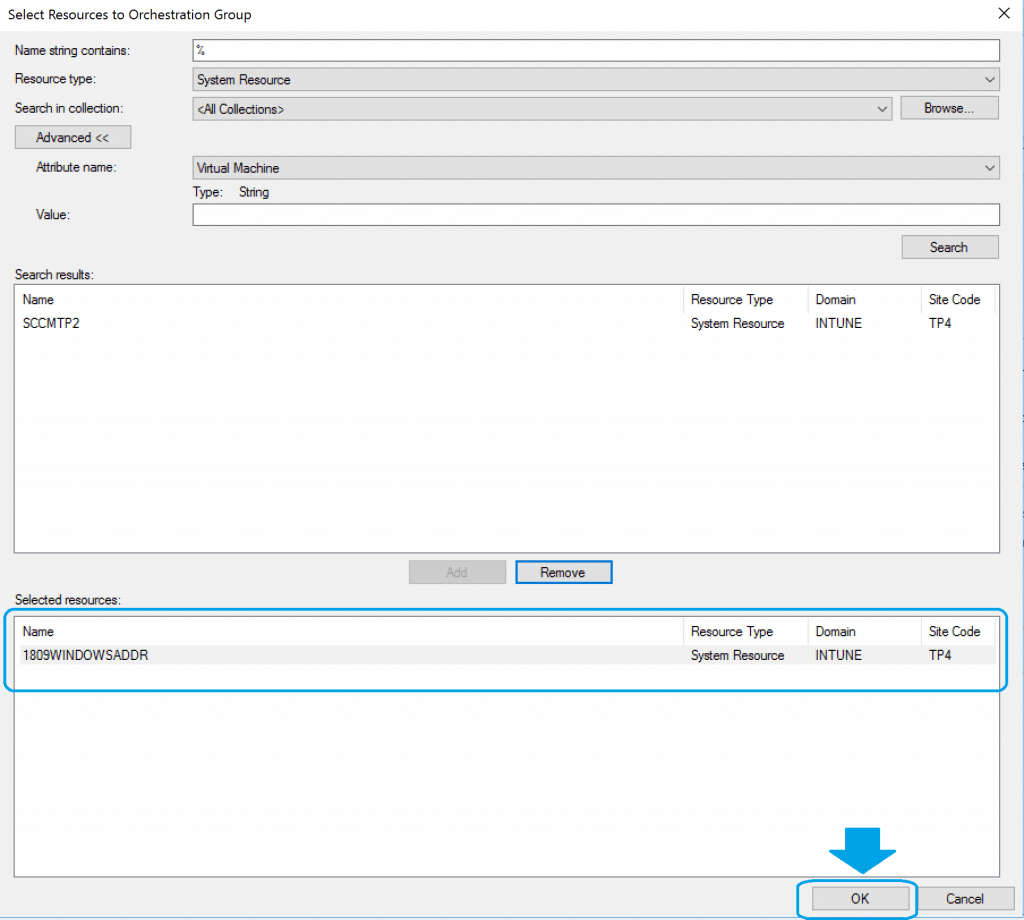
- Click Next to continue once you have selected the resources
NOTE! – It seems the REMOVE button cannot remove the resources.
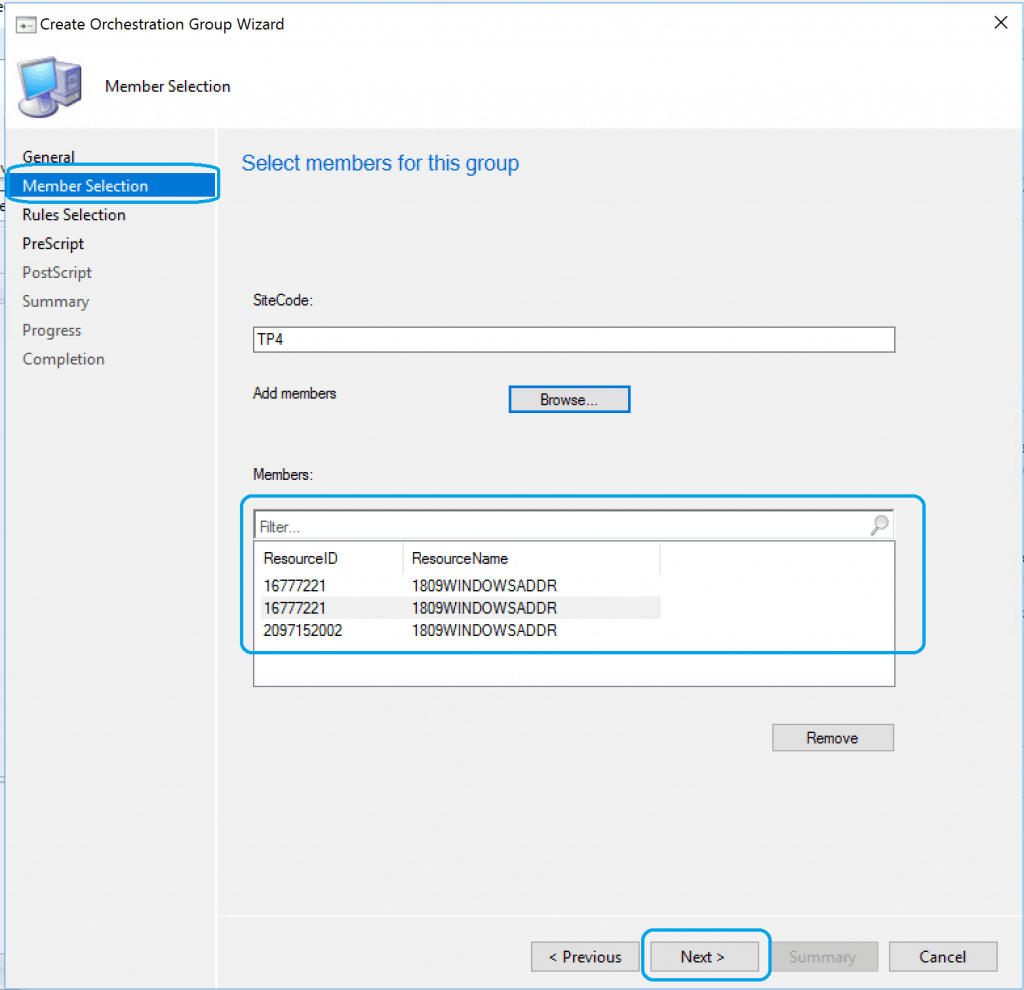
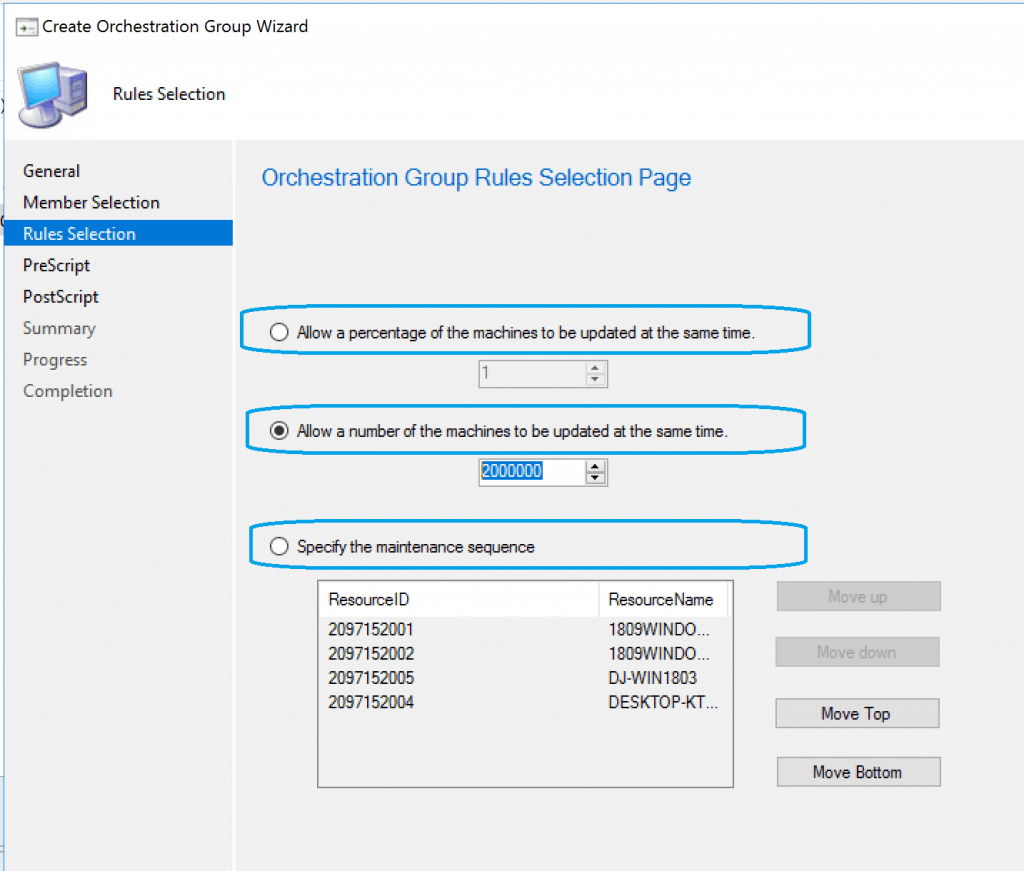
SCCM Orchestration Group Rules Selection Page allows you to set the logic for the orchestration for patching cluster or domain controllers.
- Allow a Percentage of the machines to be updated at the same time
- (Default option) Allow a number of the devices to be updated at the same time (The Supported maximum number is 2000000)
- Specify the maintenance sequence
The above granularity in selecting the logic of orchestration is amazing, as it caters to complex environments and the requirements of server patching.
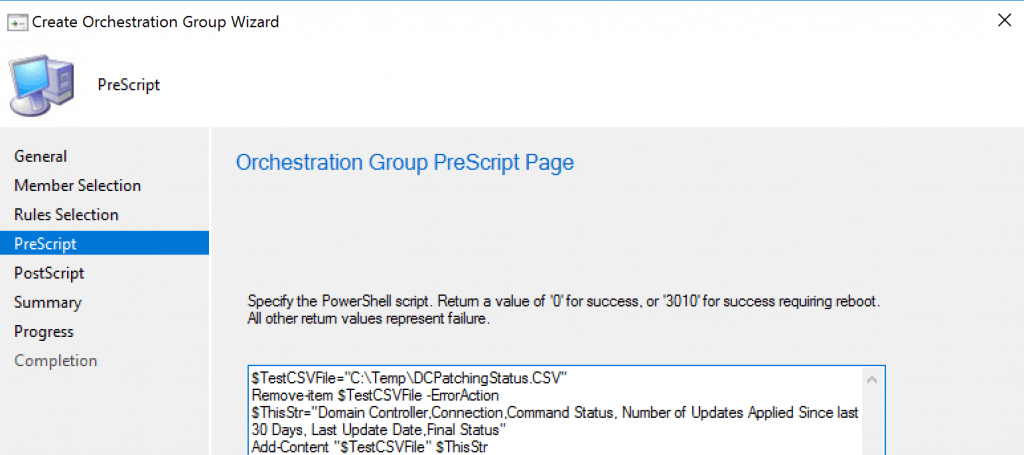
SCCM Orchestration Group PreScript Page – Specify the PowerShell script before orchestrating the selected devices.
Script timeout (in seconds) – Maximum Timeout in the second possibility is 2000000, and the minimum timeout is 1.
NOTE! – The script should return a value of 0 for success or 3010 for success with a restart. You can also specify a Script timeout value, which fails the script if it doesn’t complete in the specified time.
SCCM Orchestration Group PostScript Page – Specify the PowerShell script After running the orchestration on the selected devices.
Script timeout (in seconds) – Maximum Timeout in the second possibility is 2000000, and the minimum timeout is 1.
NOTE! – The script should return a value of 0 for success or 3010 for success with a restart. You can also specify a Script timeout value, which fails the script if it doesn’t complete in the specified time.
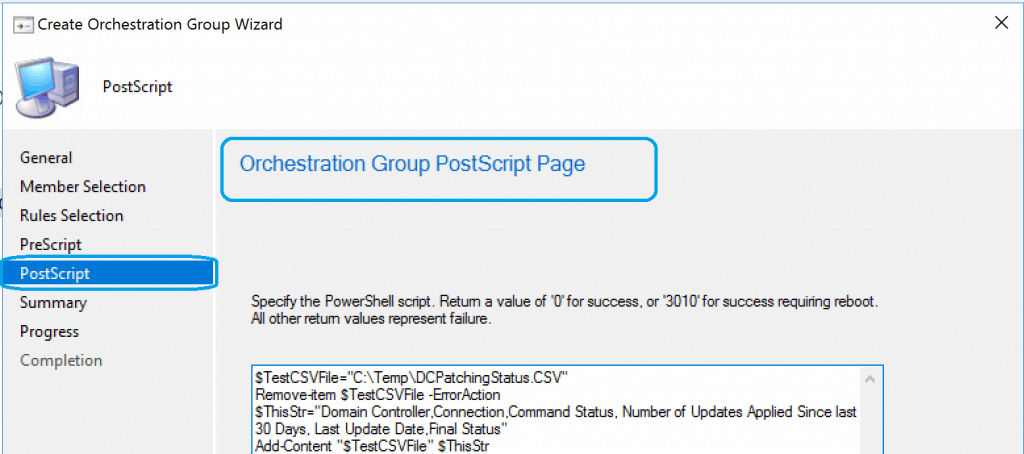
Click Next, Next, and Finish to complete the creation of the SCCM Orchestration Group for server patching.
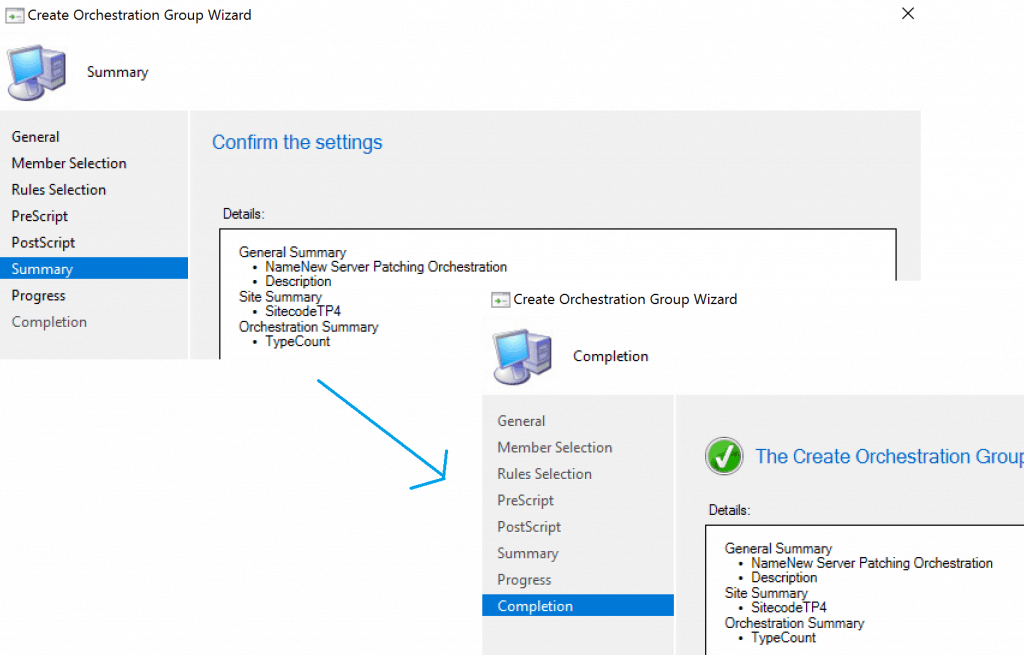
How to Test Orchestration Group
Now you have to see the behavior of the SCCM orchestration group for server patching. This testing of orchestration groups can be performed by Software Update deployment or standard SCCM patching methods.
More details – SCCM Patching Software Update Process Guide
Once you create a software update group, deploy the same to a collection containing the orchestration group members.
SCCM Orchestration Group Logs
Use the following log files on the SCCM site server to help monitor and troubleshoot the SCCM Orchestration Group:
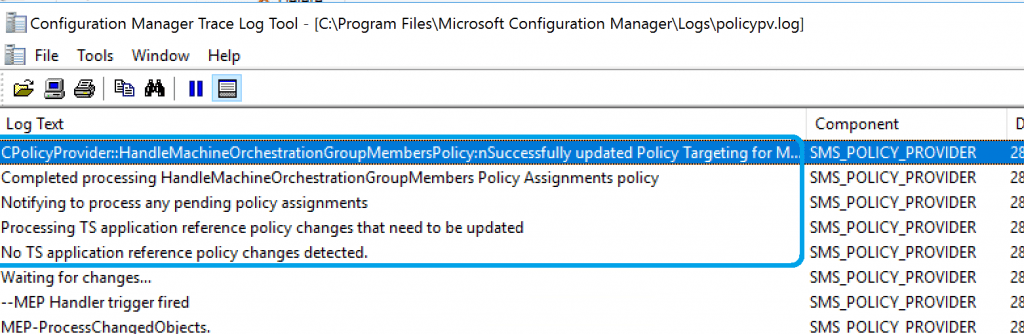
- Policypv.log: shows that the site targets the orchestration group to the clients
~Begin processing MachineOrchestrationGroup policy  $$<09-28-2019 18:16:27.374-330>
Notifying policy provider about changes in policy content/targeting~  $$<09-28-2019 18:16:27.425-330>
 ~Policy or Policy Target Change Event triggered.  $$<09-28-2019 18:16:27.426-330>
 ~CPolicyProvider::HandleMachineOrchestrationGroupPolicy: Successfully created Policy for F891D320-AAA6-47DD-A43E-D873368F1382  $$<09-28-2019 18:16:27.426-330>
CPolicyProvider::HandleMachineOrchestrationGroupMembersPolicy:nSuccessfully updated Policy Targeting for Machine (ID:2097152004)
Completed processing HandleMachineOrchestrationGroupMembers Policy Assignments policy
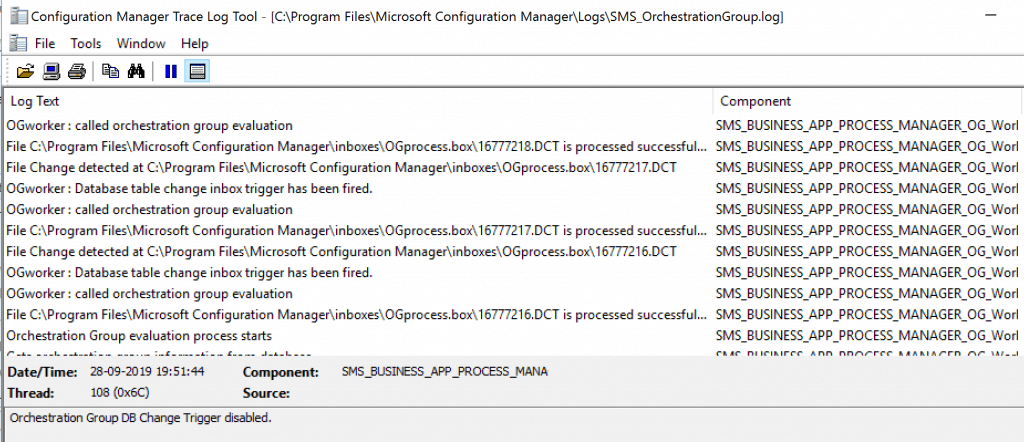
- SMS_OrchestrationGroup.log: shows the behaviors of the orchestration group
Results
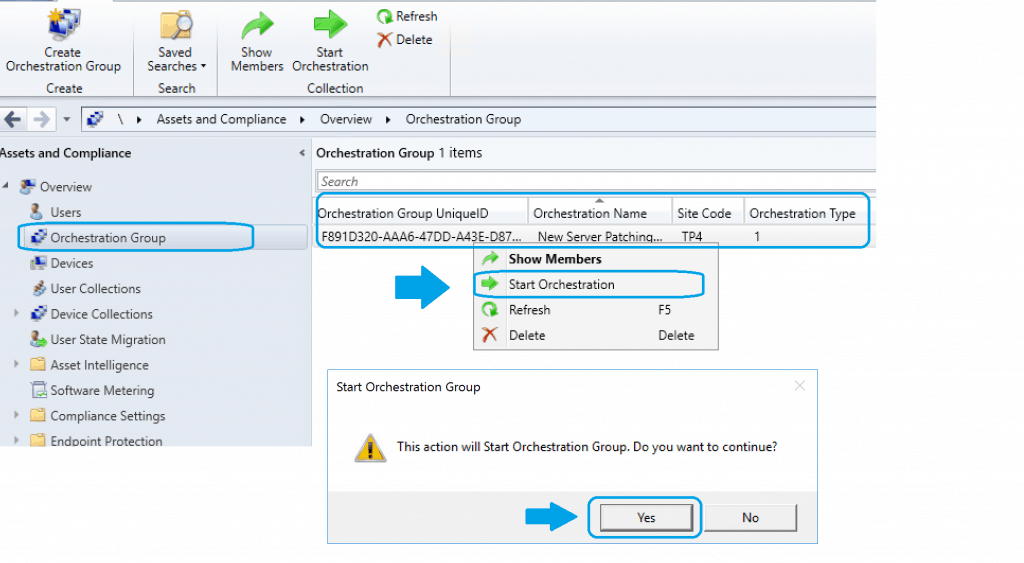
Navigate \Assets and Compliance\Overview\Orchestration Group\ to check the members of Orchestration Group and Start Orchestration and verify the log files. Also, verify the end-to-end Server patching orchestration process.
We are on WhatsApp. To get the latest step-by-step guides and news updates, Join our Channel. Click here –HTMD WhatsApp.
Author
Anoop C Nair is Microsoft MVP! He is a Device Management Admin with more than 20 years of experience (calculation done in 2021) in IT. He is a Blogger, Speaker, and Local User Group HTMD Community leader. His main focus is on Device Management technologies like SCCM 2012, Current Branch, and Intune. He writes about ConfigMgr, Windows 11, Windows 10, Azure AD, Microsoft Intune, Windows 365, AVD, etc




Hmm, interesting.. but do you have any examples of pre and post scripts to run?
Did they totally remove the node drain and node resume script functionality in Orchestration Groups? I need this to be able to patch SQL clusters effectively…since a pre/post only run at the start and end of the orch group as a whole. This results in 1 failover happening and 1 node patching…then it just sits since it doesn’t run the failover scripts PER node….like it used to with server groups.
Jeff, The pre/post scripts run on each node as they start/finish any patching. They do not run against the group as a whole. You can use this for SQL cluster patching, that is the intended design.
I take it you can only have one pre-script and one post-script?
do you have any examples of pre and post installation scripts for windows server?