






Enhance macOS App Deployment with Intune Pre and Post Install Scripts
Let’s discuss Enhance macOS App Deployment with Intune Pre and Post Install Scripts. Pre-install and post-install scripts automate tasks before and after application installation. The pre-install script runs before the application is installed, and the post-install script executes after installation.
Using pre-install and Post-Install scripts in macOS PKG Apps has many advantages. These apps aim to reduce the overhead and pressure on IT admins that typically come with repackaging PKGs. During app installation, an expanded set of options is also enabled.
As you know, PKG apps in macOS are installer packages used to distribute and install software on macOS devices. These packages contain all the necessary files, scripts, and metadata for installation.
Proper handling and customization of these scripts pave the way for a smoother, more reliable management experience in macOS environments. In this blog post, I will discuss the advantages of Pre-Install and Post-Install Scripts for macOS PKG Apps in Microsoft Intune.


Table of Contents
Pre-Install and Post-Install Scripts for macOS PKG Apps in Microsoft Intune
Implementation of pre-install and post-install scripts in Intune for macOS-managed devices provides robust capabilities for enhancing application deployment and management.
Advantages
As mentioned above, there are many advantages to having Pre-Install and Post-Install Scripts for macOS PKG Apps. They offer significant benefits that can enhance the deployment process. The following table shows the advantages.
| Advantages | Details |
|---|---|
| Ensure Prerequisites | Pre-install scripts can check for and configure any prerequisites before the application installation |
| Remove Conflict | It avoids conflicts |
| Streamlined Deployment | It reduces the manual workload on IT administrators |
- Network Requirements for PowerShell Scripts and Win32 Apps Coming to the Microsoft Intune
- Easy Way to Install a Language Pack using Intune PowerShell Script
- How to Retrieve PowerShell Scripts from Intune using Microsoft Graph
Pre-Install Scripts
Intune runs pre-install scripts before the application is installed, but only if the app isn’t detected as already installed. The endpoints‘ state can be validated prior to app installation or prepared for the app’s installation.
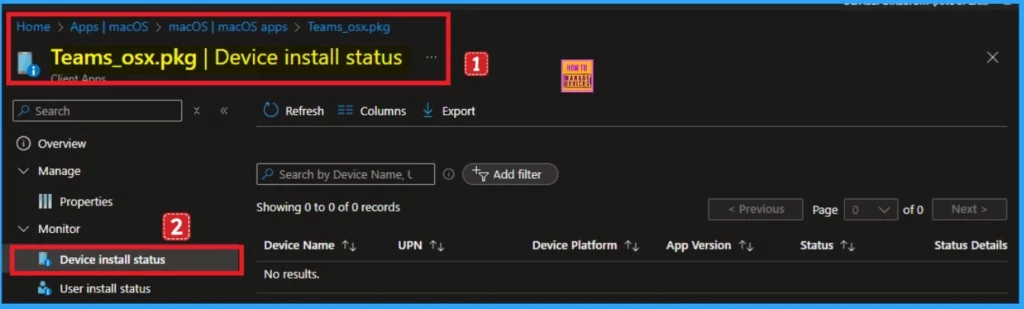
- Open Microsoft Intune admin center
- Apps > macOS apps > [select targeted app] > Device install status.
- If the pre-install script exits with a non-zero code, which indicates a failure, the status details in the admin center will report the following
- “The custom pre-install script did not complete successfully. (0X87D3014A)”
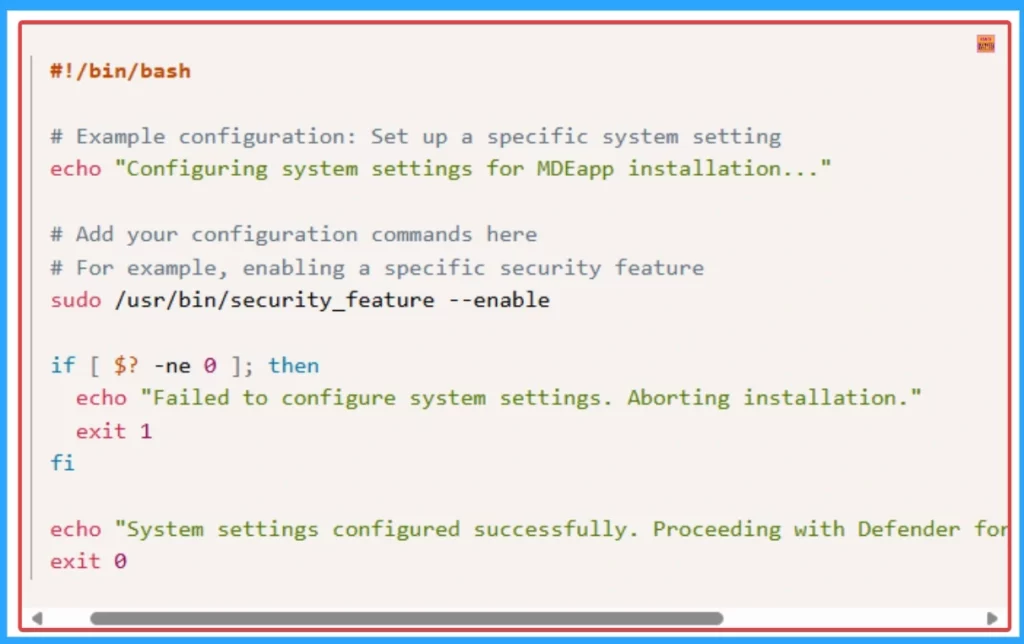
Sample Of Pre-install Scripts Scenarios
Prerequisite configurations before Microsoft Defender for Endpoint app installation. Before installing the Defender for Endpoint app, ensure that all necessary configurations are completed. This includes setting up specific system settings or prerequisites that the Defender for Endpoint app requires to function correctly.
Post-install Scripts
Post-install scripts to perform tasks that need to be done after the installation. Post-install scripts run after Intune successfully installs the application. A successful app installation followed by a failed post-install script will report the app installation status as “success” in the admin center.
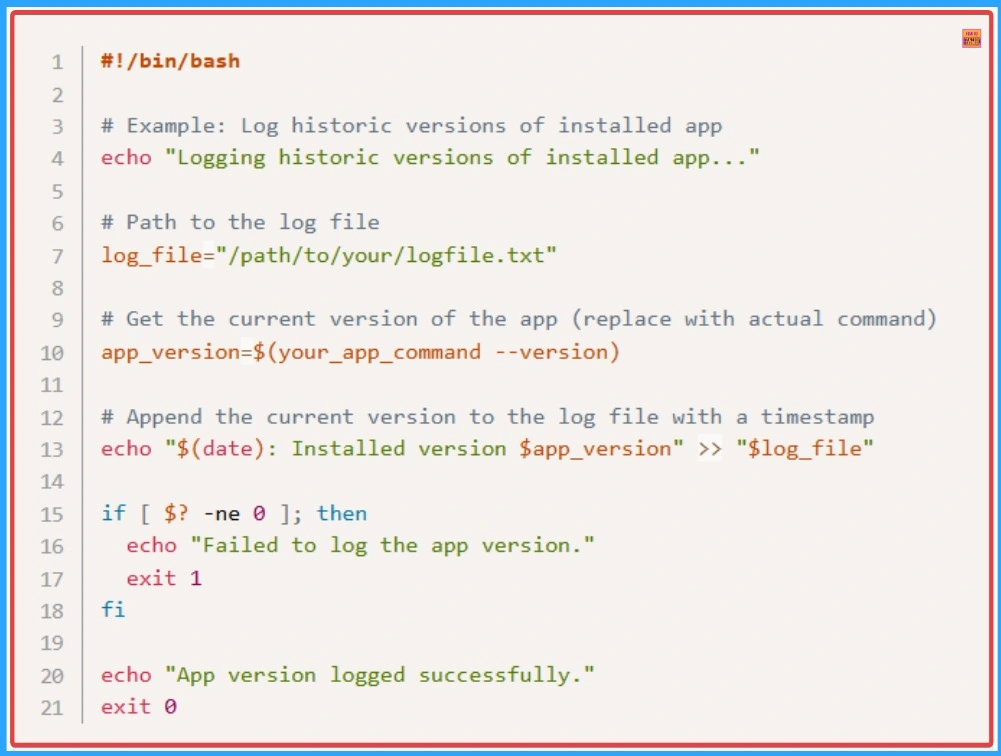
Sample Post-install Scripts Scenarios
Logging historic versions of installed apps. Record and save a log of historic versions of the application installed on the targeted device. This log can be stored locally on the device for future reference and auditing purposes.
Need Further Assistance or Have Technical Questions?
Join the LinkedIn Page and Telegram group to get the latest step-by-step guides and news updates. Join our Meetup Page to participate in User group meetings. Also, Join the WhatsApp Community to get the latest news on Microsoft Technologies. We are there on Reddit as well.
Resource
Understand pre-install and post-install scripts for macOS in Microsoft Intune
Author
Anoop C Nair has been Microsoft MVP for 10 consecutive years from 2015 onwards. He is a Workplace Solution Architect with more than 22+ years of experience in Workplace technologies. He is a Blogger, Speaker, and Local User Group Community leader. His primary focus is on Device Management technologies like SCCM and Intune. He writes about technologies like Intune, SCCM, Windows, Cloud PC, Windows, Entra, Microsoft Security, Career, etc.


Discussion