






Microsoft Announce the Depreciation of Line Printer Daemon LPR or LPD
Hi, Let’s Discuss on Microsoft Announce the Depreciation of Line Printer Daemon LPR or LPD. As you all know, the Line Printer Daemon Protocol (LPD) is one of the crucial parts of network printing. LPD has been working in network printing for a long year.
The Line Printer Daemon (LPD) protocol, also known as the Line Printer Remote (LPR) protocol, has been an important part of network printing since the early 1980s and has allowed computers to send print jobs to printers over a network.
Also, Microsoft announced that they are planning to completely Depreciate the Line Printer Daemon (LPR/LPD) protocol, which was initially deprecated with Windows Server 2012. Microsoft announces to the users that if anyone is using this protocol to print, they will no longer be able to do so once the protocol is removed.
The LPD is mainly designed to allow computers to send print jobs to printers over a network, enabling multiple computers to share the same printers. This tool also has some drawbacks, such as the authentication process and encryption. So, Let’s a look on to the MS Announcement.

Table of Contents
Microsoft Announce the Depreciation of Line Printer Daemon LPR or LPD
As we above discussed a lot of things about the Microsoft Announce the Depreciation of Line Printer Daemon LPR or LPD. The Line Printer Daemon (LPD) protocol has been important for network printing, especially for UNIX clients. UNIX clients are advised to switch to IPP (Internet Printing Protocol).
| Feature | Details | Depreciation Announced |
|---|---|---|
| Line printer daemon protocol (LPR/LPD) | The line printer daemon protocol (LPR/LPD) was deprecated starting in Windows Server 2012. As removal of the line printer daemon protocol nears, we’d like to remind customers to ensure their environments are prepared for removal. When these features are eventually removed, clients that print to a server using this protocol, such as UNIX clients, will not be able to connect or print. Instead, UNIX clients should use IPP. Windows clients can connect to UNIX shared printers using the Windows Standard Port Monitor. | February 2025 |

- How to Fix Printer Connection Printing Problems in Windows 11
- Microsoft Removes Location History Feature from Cortana in Windows
- How to Fix Printer Connection Printing Problems in Windows 11
Microsoft Announcement
In the MS depreciation announced that, the Line Printer Daemon Protocol (LPR/LPD) is being deprecated. Once this feature is removed, clients that depend on this protocol to print to a server, such as UNIX clients, will no longer be able to connect or print.
- UNIX clients should transition to using IPP.
- While Windows clients can connect to UNIX shared printers via the Windows Standard Port Monitor.
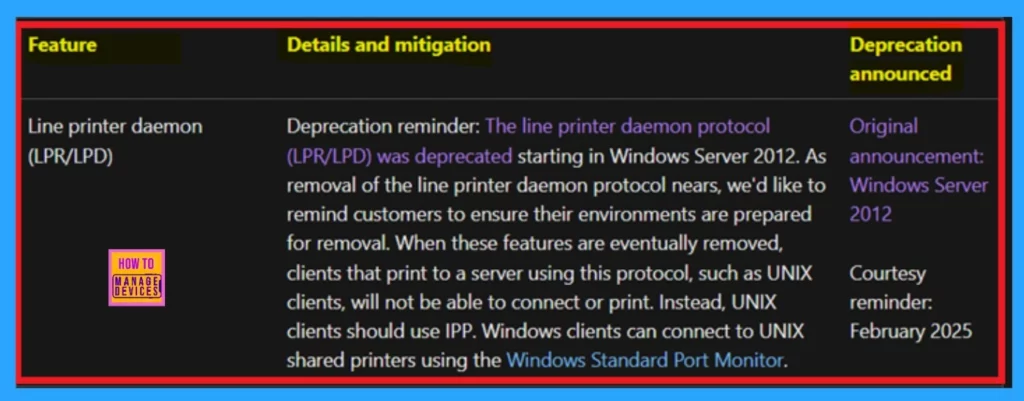
Source: Deprecated features for Windows client
Need Further Assistance or Have Technical Questions?
Join the LinkedIn Page and Telegram group to get the latest step-by-step guides and news updates. Join our Meetup Page to participate in User group meetings. Also, Join the WhatsApp Community to get the latest news on Microsoft Technologies. We are there on Reddit as well.
Author
Anoop C Nair has been Microsoft MVP from 2015 onwards for 10 consecutive years! He is a Workplace Solution Architect with more than 22+ years of experience in Workplace technologies. He is also a Blogger, Speaker, and Local User Group Community leader. His primary focus is on Device Management technologies like SCCM and Intune. He writes about technologies like Intune, SCCM, Windows, Cloud PC, Windows, Entra, Microsoft Security, Career, etc.




Discussion