






Windows Updates Ramblings SSU WUA UUP CU WaaS SCCM Many More
Let’s discuss Windows Updates Ramblings SSU WUA UUP CU WaaS SCCM, and Many More. I find recent changes to the Windows update mechanism most confusing.
I am having trouble understanding the recent changes to the Windows update mechanism. It seems like many new terms and components are being introduced, such as Windows Updates Ramblings, SSU, WUA, UUP, CU, WaaS, and SCCM.
The recent changes have made understanding Microsoft’s strategy for Windows 10 updates quite challenging. It requires time and effort to find clear information about how these different components work together and the overall strategy.
In this post, I will share some tips about service Stack Updates, Windows Update Clients, and other related topics (SSU WUA WaaS UUP).

12th Nov 2019 – You will get Windows 10 1909 as part of patch Tuesday. Here are more details about the Windows 10 1909 Deployment Enhancement Enablement Package.
- Windows 10 Bandwidth Management DO Delivery Optimization with LEDBAT in LAN?
- SCCM and Microsoft Connected Cache Integration to Help with Bandwidth Issues
- Microsoft Connected Cache Container Instances in Azure
- Basics of Windows Dynamic Update Explained Update Management
Windows Updates Ramblings SSU WUA UUP CU WaaS SCCM
I’m sure you might be wondering about the difference between SSU, WUA, UUP, and CU updates apart from Windows 10 feature updates.
Another confusing term in the Windows Updates world is WaaS. The post below provides more details about WaaS.
- SSU – Service Stack Update. These are Critical updates.
- WUA – Windows Update Agent/Windows Update Client
- CU – Cumulative Update
- UUP – Unified Update Platform (limited preview)/Express Content
More Detailed Community Discussions on SSU, CU, & UUP Windows Updates Discussion and SSU WUA UUP CU SCCM – Join Community forums
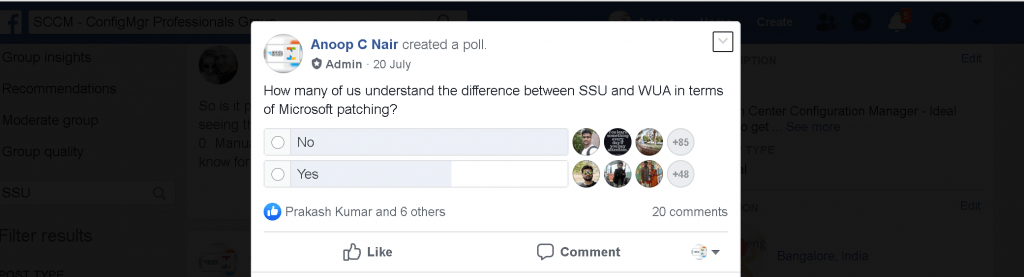
Data Points
Let’s see more details about SSU WUA, UUP, and CU.
WUA (Windows Update Agent)
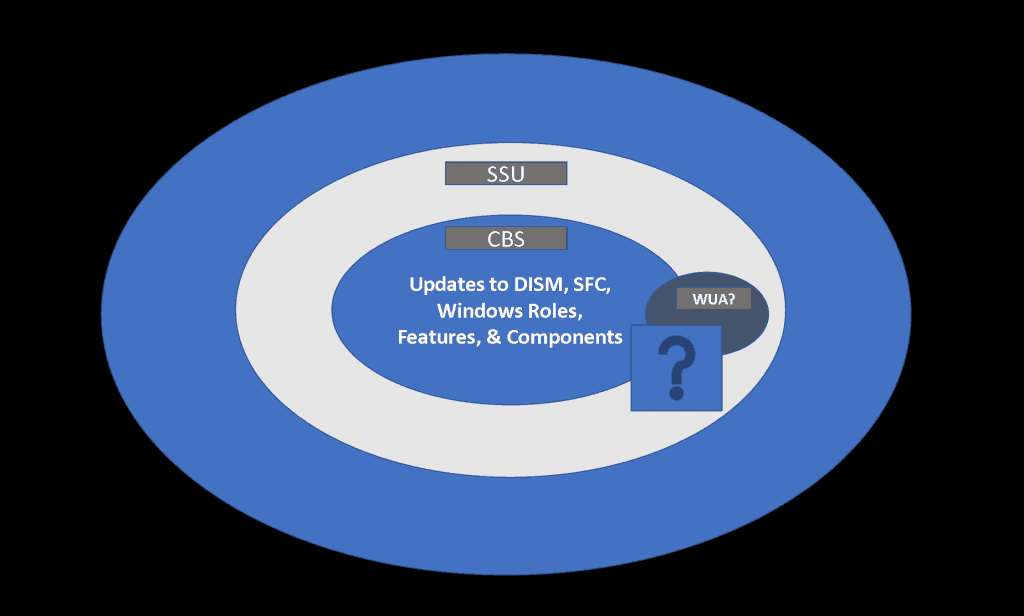
Data Point #1 – The WUA is a subset of the SSU. (Thanks to Bryan, check the link to the post below). SSU is designed to update the Windows updating software itself.
More details on SSU and WUA – Excellent Post from Bryan Dam
SSU (Service Stack Update)
Data Point #2 – The SSU updates WUA, and all things around servicing changes to the Windows endpoint. (Thanks to Jay for the clear explanation)
NOTE! – SSU & LCU are part of the Windows Cumulative update. I will share more details in a future post about the Windows update.
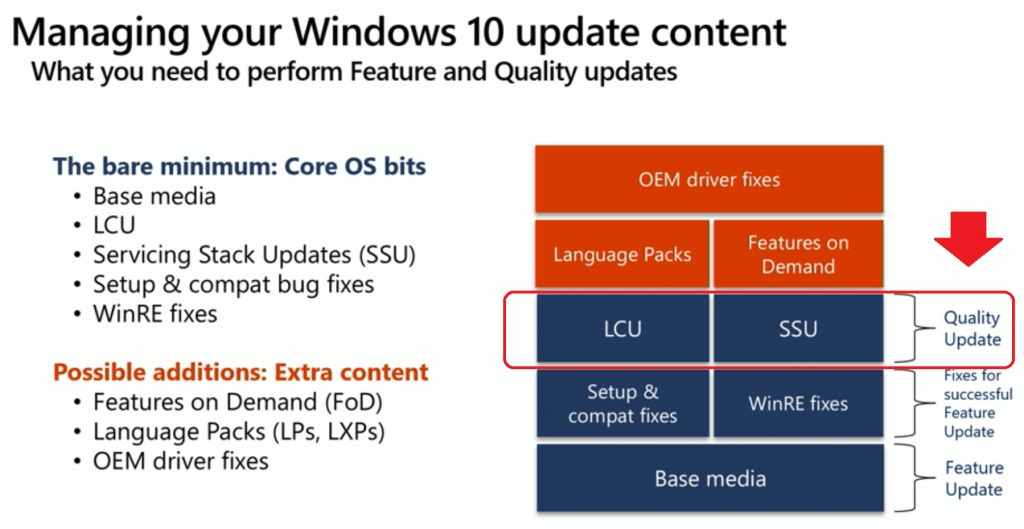
Data Point #3 – SSUs are considered a pre-requisite and recommended (even if not enforced via metadata on newer Windows 10 versions) before installing CUs—more Details from Microsoft Documentation.
UUP (Unified Update Platform)
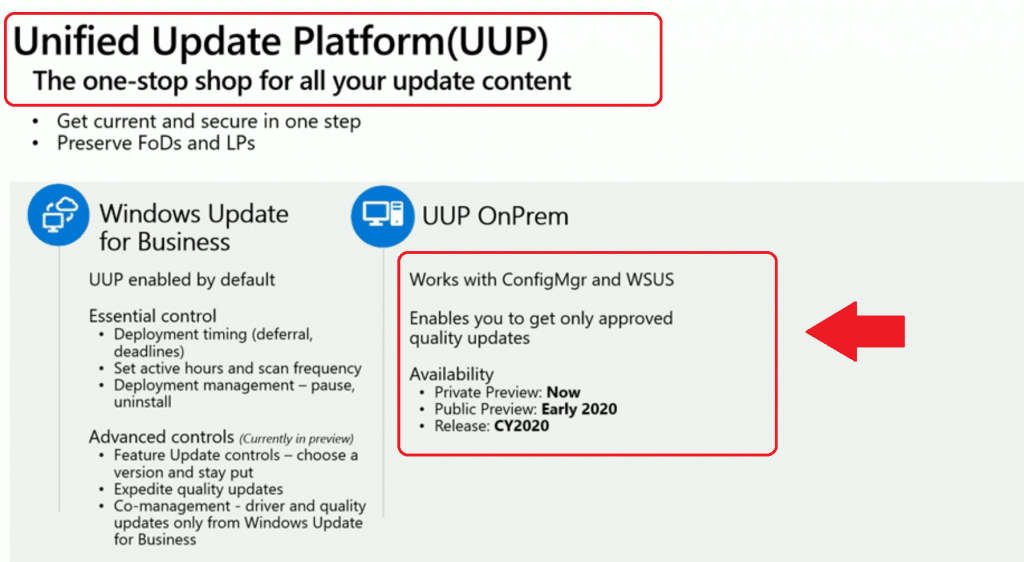
Data Point #4 – Does UUP help simplify all the above complex scenarios, or is it more related to the “Delivery mechanism” overall Windows update experience? More details about UUP. Microsoft is still working to improve the UUP experience with some customers as per the KB article 4512745.
NOTE! The unified update platform (UUP) is a one-stop shop for all your Windows Update content. It’s available for Windows Business for Update (Intune) and is coming soon for SCCM and WSUS.
Data Point #5 – Are you confused about SSU and SCCM-related restarts? Read through the commentary by Scott Williams.
Data Point #6 – Install a Windows 10 SSU before the LCU using SCCM, an excellent post by MVP colleague Mike.
Service Stack Updates – SSU Troubleshooting
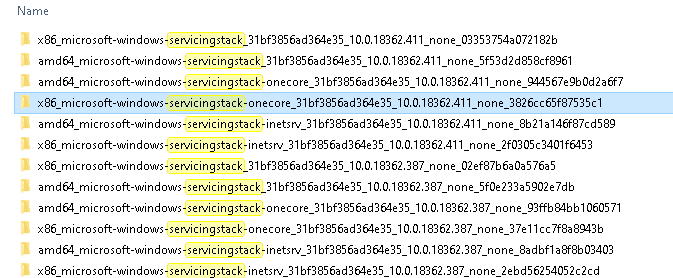
Do you want to track more details about SSU? The following log will provide insight into the update installation part of the servicing stack.
| CBS.log | %systemroot%\Logs\CBS |
Keep Track of SSU
You can keep track of the latest version of Service Stack Update (SSU) – https://portal.msrc.microsoft.com/en-us/security-guidance/advisory/ADV990001
WaaS for SCCM & Intune Admins
Maurice Daly and Paul Winstanley (MVP Colleagues) produced an excellent technical ebook report on Windows as a Service. This eBook is explicitly targeted at Microsoft SCCM and Intune administrators.
This report (eBook?) aims to help you plan and implement ways to make your life a lot easier—year after year.
- On-demand webinar: http://www2.adaptiva.com/report/waas-for-admins
- WaaS Report: http://www2.adaptiva.com/downloads/webinar/2019-10-22/waas-for-smarties
Resources
- Windows Update Architecture – Microsoft Documentation
- Unified Update Platform (UUP) architecture – Microsoft Documentation
- Windows Update log files – Microsoft Documentation
We are on WhatsApp. To get the latest step-by-step guides and news updates, Join our Channel. Click here –HTMD WhatsApp.
Author
Anoop C Nair is Microsoft MVP! He is a Device Management Admin with more than 20 years of experience (calculation done in 2021) in IT. He is a Blogger, Speaker, and Local User Group HTMD Community leader. His main focus is Device Management technologies like SCCM 2012, Current Branch, and Intune. He writes about ConfigMgr, Windows 11, Windows 10, Azure AD, Microsoft Intune, Windows 365, AVD, etc.




Discussion