






Windows 10 1909 Deployment Enhancement Enablement Package
This post will show the difference in Windows 10 1909 deployment or update. The screenshots of this post are taken from Vivek Singh Gaur’s Microsoft Ignite session. More details about the session and recording are available in the section below.
Windows 10 versions 1903 and 1909 have the same core operating system and system files. The new features in version 1909 are already present in version 1903 but are inactive. An “enablement package” can be installed to activate these features, allowing for an easy update from version 1903 to version 1909 with just one restart.
For devices updating from version 1809 or earlier, the enablement package is included with the update to version 1909, but it cannot be manually installed, and the installation time is not reduced.
Windows 10 1909 leverages servicing technologies used for the monthly quality update process. From Microsoft’s perspective, Windows 10 1909 was less disruptive for customers already in 1903.

Ignite 2019 Coverage
- Microsoft Endpoint Management SCCM Intune Windows Updates
- Microsoft Endpoint Manager is the future of SCCM Intune MEMMI MEMCM
- iOS Android macOS Mobile Enrollment Options with Intune
- Basics of Windows Dynamic Update Explained Update Management
- WVD End User Experience Availability Updates
- MSIX Updates from Ignite Reliability Network Disk-space
- Microsoft Learning Certification Exams Updates
- Intune Reporting Strategies Advanced Reporting
- Intune Endpoint Security Policies Enhancements
- Intune Policy Sets Collection of Workflows
- Windows Autopilot Updates Timelines
- Microsoft Connected Cache Container Instances in Azure
Deployment Changes for Windows 10 1909 Updates
If you are on Windows 10 1809 or earlier, there will be many changes in the deployment behavior of Windows 10 1909. Otherwise (Windows 10 1903 or later), you will get a much faster update/upgrade experience.
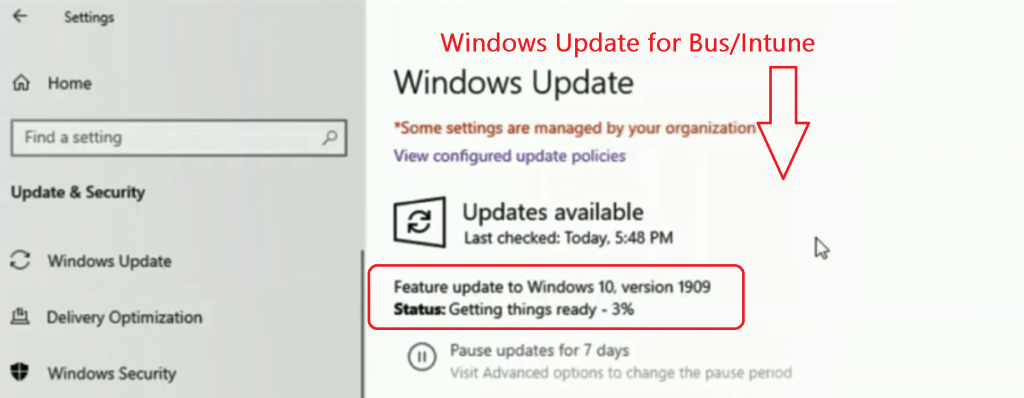
Windows Update for Business Changes
- Windows 10 1809 or Earlier – The Windows team confirmed no difference in the deployment experience. Suppose the update comes down from Windows Update for Business (configured via Intune?). The experience will be similar to all previous feature update experiences.
- Windows 10 1903 – This Windows 10 1909 update experience will be much faster and less disruptive. It may be similar to monthly cumulative updates.
WSUS/SCCM Windows 10 1909 Update Experience?
- Windows 10 1809 or Earlier – No change in the deployment mechanism. Continue to use
- IPU Task Sequence
- Installation Media
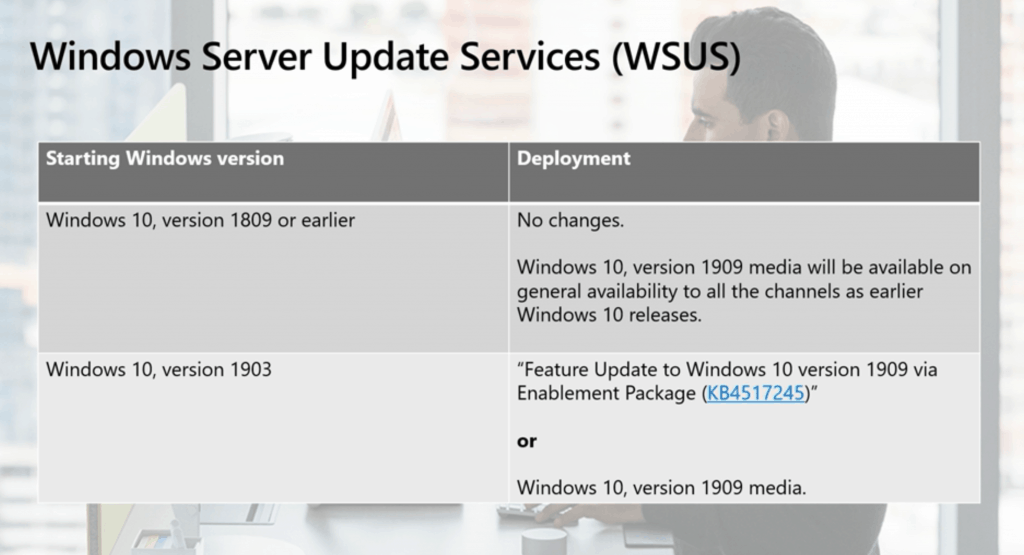
- Windows 10 1903 Devices – Windows 10 Feature update to Windows 10 1909 will be delivered via Enablement package KB4517245.
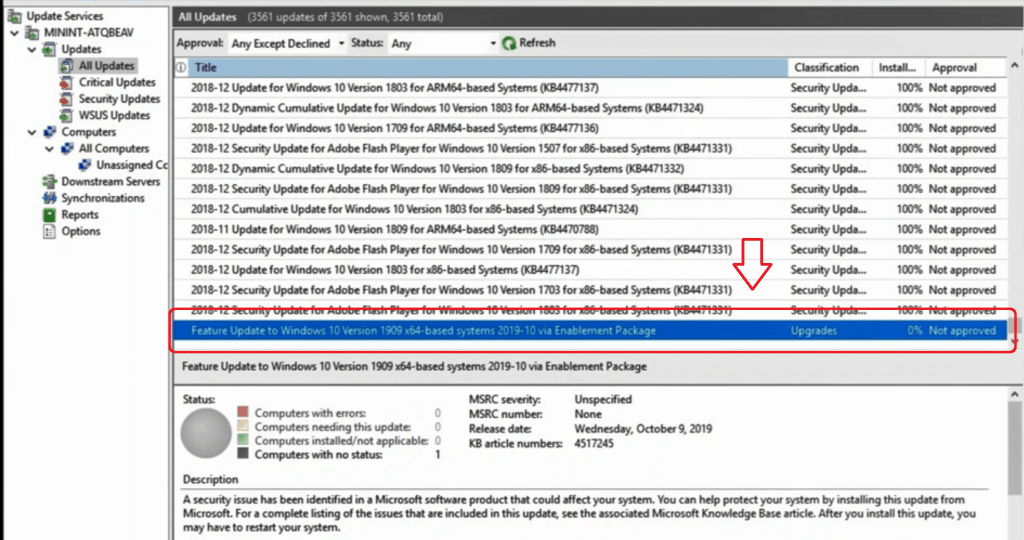
- The SCCM experience would be similar to monthly cumulative patches. ADRs??
- WSUS category of this update is Upgrades
- You can also use all the above mentioned methods, such as IPU TS, installation media, or 1909. However, that experience will be similar to 1809 feature updates.
Servicing of Windows 10 1909
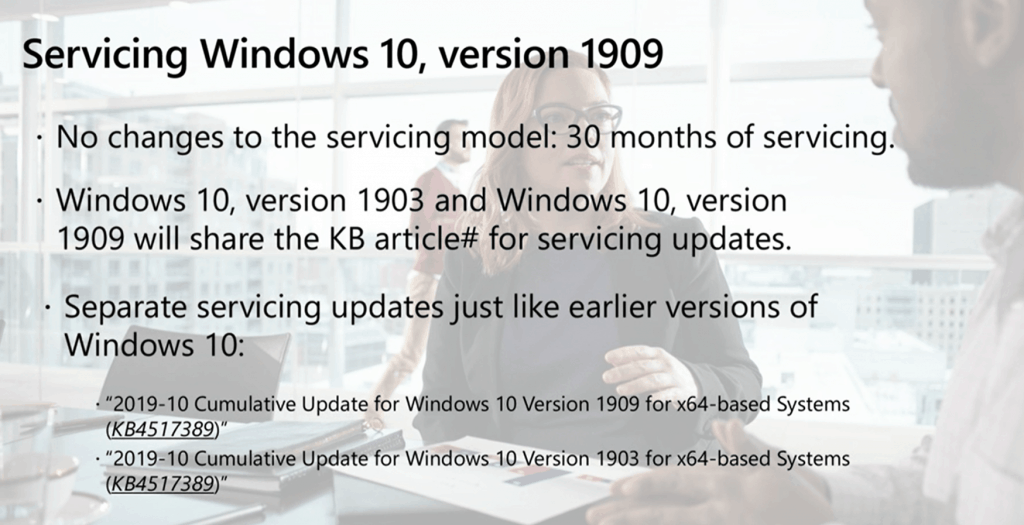
- 30 months of servicing
- Windows 10 1903 and 1909 share the same core operating system. So, KBs for the servicing updates (CU) will be common between both versions.
- Two different updates will be available via WSUS/SCCM, and all?
End User Experience of WSUS/SCCM Update to 1909?
I feel the Windows 10 1909 update experience will be similar to the monthly patch experience.
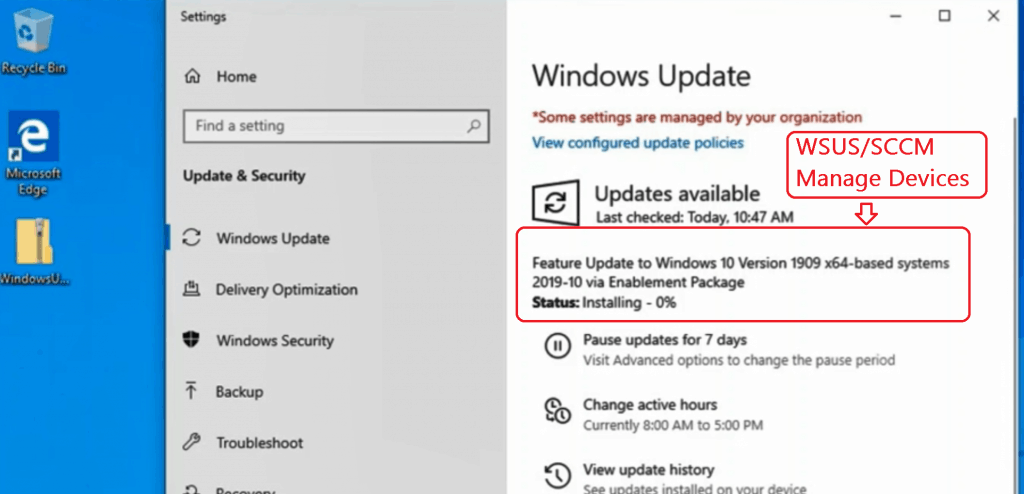
Session – Windows 10 1909 Deployment
- The next feature update for Windows 10 – Windows 10, version 1909 – will be a scoped set of features for select performance improvements, enterprise features, and quality enhancements. To deliver these updates in a less disruptive fashion.
Resources
- Understanding Windows 10 UEFI Secure Boot
- Understanding Device Health Attestation Intune Device Compliance Check
We are on WhatsApp. To get the latest step-by-step guides and news updates, Join our Channel. Click here –HTMD WhatsApp.
Author
Anoop C Nair is Microsoft MVP! He is a Device Management Admin with more than 20 years of experience (calculation done in 2021) in IT. He is a Blogger, Speaker, and Local User Group HTMD Community leader. His main focus is on Device Management technologies like SCCM 2012, Current Branch, and Intune. He writes about ConfigMgr, Windows 11, Windows 10, Azure AD, Microsoft Intune, Windows 365, AVD, etc.




Discussion