






Windows 7 Extended Security Update Step-by-Step Prerequisite Guide
Windows 7 will cease support on January 14, 2020. Hence, Microsoft is putting a lot of effort into migrating all Windows 7 devices to Windows 10 as a best practice.
Also, we shall see more about Windows 7 Extended Security Update (ESU). Goodbye To Windows 10 With 22H2 Version And Welcome Windows 11 LTSC.
Let’s see How to get Extended Security Updates for eligible Windows 7 devices. Also, check three(3) prerequisites before 14th January 2020.
NOTE! – Windows 7 devices get the last security patch on 14th January 2020!

- KB Articles Required
- Install Additional ESU Add-Key Activation
- Test, Test, and Test
Windows 7 Extended Security Update
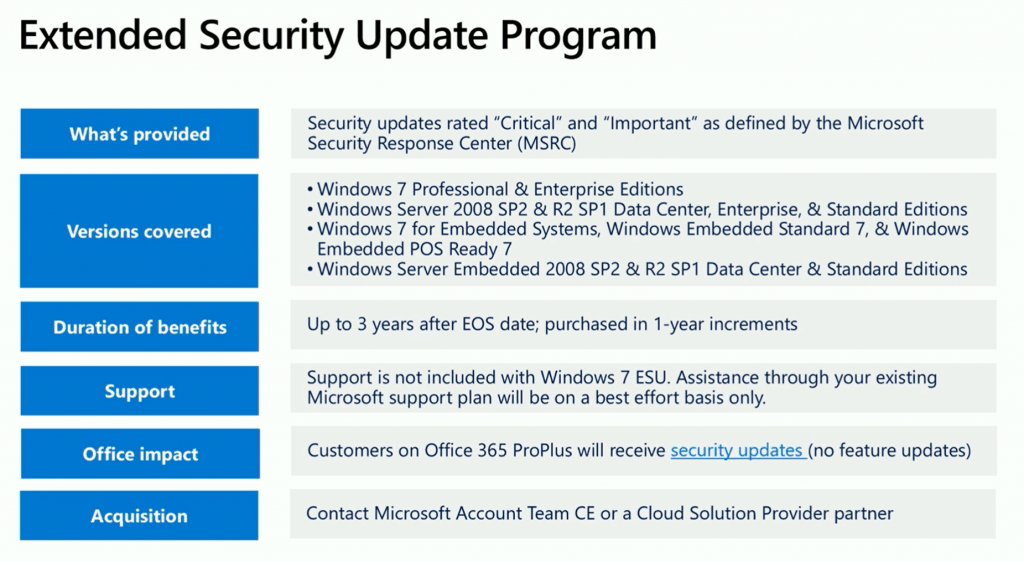
The provided benefits include critical and important security updates for specified Windows versions for up to 3 years after the end of the support date, with support available on a best-effort basis through existing Microsoft support plans. Office 365 ProPlus customers will receive security updates, and for acquisition, you can contact the Microsoft Account Team CE or a Cloud Solution Provider partner.
| Aspect | Details |
|---|---|
| What’s provided | Security updates rated “Critical” and “Important” by the Microsoft Security Response Center (MSRC) are provided. |
| Versions covered | Windows 7 Professional & Enterprise Editions Windows Server 2008 SP2 & R2 SP1 Data Center, Enterprise, & Standard Editions Windows 7 for Embedded Systems, Windows Embedded Standard 7, & Windows Embedded POS Ready 7 Windows Server Embedded 2008 SP2 & R2 SP1 Data Center & Standard Editions |
| Duration of benefits | Up to 3 years after the end of support (EOS) date, purchased in 1-year increments. |
| Support | Windows 7 ESU does not include support. Assistance through your existing Microsoft support plan will be on a best effort basis only. |
| Office Impact | Customers on Office 365 ProPlus will receive security updates but no feature updates. |
| Acquisition | Contact Microsoft Account Team CE or a Cloud Solution Provider partner. |
Updates Required for Windows 7 Extended Security Update
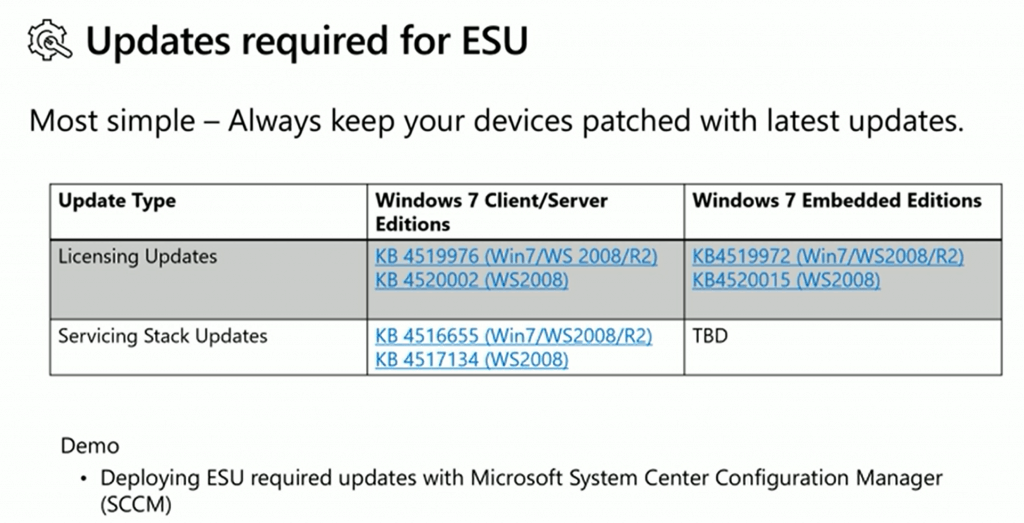
Following are the updates required for Windows 7 Extended Security Updates (ESU) availability on your Windows 7 devices. Ensure you have installed the following updates on the Windows 7 devices to get extended security updates after 14th January 2020.
- Licensing Updates
- Servicing Stack Updates (SSU)
Use SCCM to Deploy Windows 7 ESU
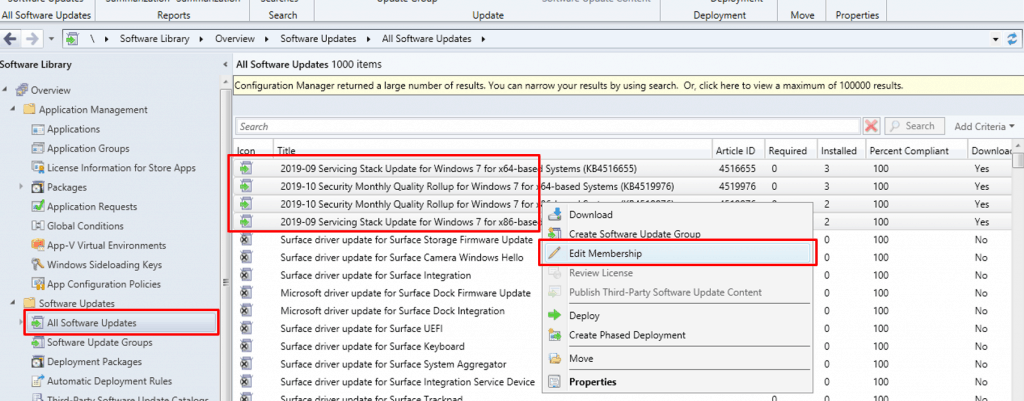
Make sure to deploy all the above KB articles using SCCM to ensure that your Windows 7 is secured and getting ESU.
Install ESU Add-on Product key
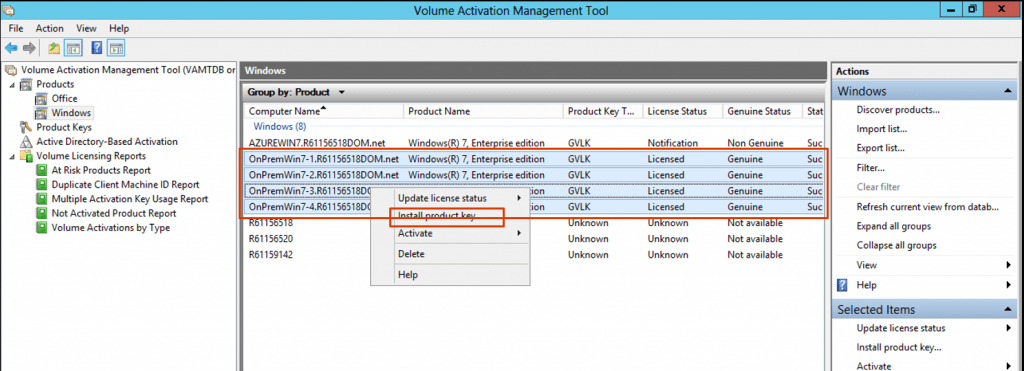
One option is to install a Volume Activation Management Tool (VAMT) and manage the ESU add-on product key to get extended security updates for Windows 7 devices.
Test Windows 7 ESU Configuration with KB4528069
As per Microsoft, you can test your Windows 7 extended security update workflow with the following update: KB4528069. If you have completed the above two steps, you can install the KB to test Windows 7 ESU.
NOTE! – All the screenshots are taken from Ignite’s presentation! All credit to Michael Raschko.
Related Posts
- https://support.microsoft.com/en-us/help/4522133/procedure-to-continue-receiving-security-updates
- Announcement: Availability of ESU for purchase
- Prepare for Windows Server 2008 end of support
- Extended Security Updates FAQ
- Windows 7 end of support information for enterprises
- Windows 7 end of support FAQ
We are on WhatsApp. To get the latest step-by-step guides and news updates, Join our Channel. Click here –HTMD WhatsApp.
Author
Anoop C Nair is Microsoft MVP! He is a Device Management Admin with more than 20 years of experience (calculation done in 2021) in IT. He is a Blogger, Speaker, and Local User Group HTMD Community leader. His main focus is on Device Management technologies like SCCM 2012, Current Branch, and Intune. He writes about ConfigMgr, Windows 11, Windows 10, Azure AD, Microsoft Intune, Windows 365, AVD, etc.




Will ESU supports with SCCM 1906?
StaffYes I think
Hi, notice that Msft have changed the process check https://support.microsoft.com/en-us/help/4528069/update-for-eligible-windows-7-and-server-2008-r2-devices-can-get-esu
replaced by
https://support.microsoft.com/en-us/help/4522133/procedure-to-continue-receiving-security-updates
cheers.
Hello ,
Currently it is possible to manage Windows 7 devices with the new versions of SCCM CB. We have the latest version of SCCM CB installed.
I have a platform of 200 Windows 7 devices that we cannot yet migrate and I would like to know if I can manage them and if all the services will be functional for those Windows 7 devices.
Thanks.