






SCCM Admin Web Console SoftwareCentral Review Post 1
In this post, we will learn some of the SCCM admin web console options. I will review the overview of SoftwareCentral SCCM admin web console features with several positions. This is the first post in this series.
You know I’m a big fan of SCCM web consoles. I have written a couple of other reviews of them. From the SCCM functionality perspective, SoftwareCentral seems to be a mature product.
More Details about https://www.softwarecentral.com
SoftwareCentral Cloud is another progressive step towards the cloudification and mobile version of SoftwareCentral (I would love to see the PWA version of SoftwareCentral).

SCCM Admin Web Console SoftwareCentral
The following are some of the highlights of the SoftwareCenter. I will try to cover some of these in this series of blog posts.
- A simple web-driven interface
- Create custom security roles (personas)
- Create Application Templates (tight integration with other packaging products)
- Options to create Device Templates with variables.
- Enable Helpdesk and Supports to do common SCCM operations
- Enable end-users to order software for their devices
- Assist SCCM admins in standardizing their daily operations
- Make sure that the SCCM server is the owner of all important data (Designed as per Microsoft supported way)
Installation
Installing SoftwareCentral is easy peasy. Follow the step-by-step documentation provided in “Installing SoftwareCentral Overview.”
NOTE! Ensure you have completed all the prerequisites documented in the chapter Prerequisites for SoftwareCentral. As part of the prerequisite, the users, AD-groups, and databases.
Custom Security Personas
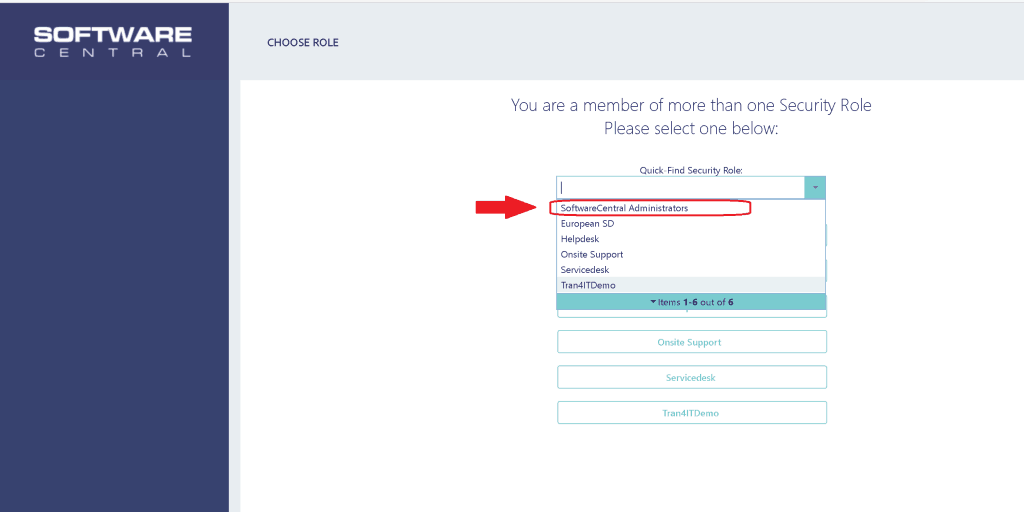
You can create custom personas profiles (Security Roles) in SoftwareCentral. Select your role from the following personas:
- SoftwareCentral Administrators
- European Service Desk
- Helpdesk
- Onsite Support
- Servicedesk
Administrator View SoftwareCentral
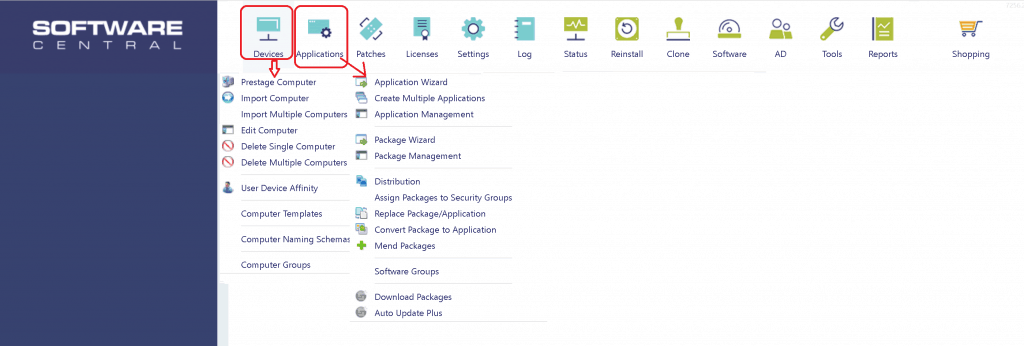
I feel Devices and Applications are the favorite features set of SoftwareCentral. As you can see in the screenshot below, there are many other functionalities built-in to SoftwareCentral listed below:
- Patches
- Licenses
- Settings
- Logs
- Etc.
NOTE! – You can customize the following buttons with SoftwareCentral Design HTA documentation.
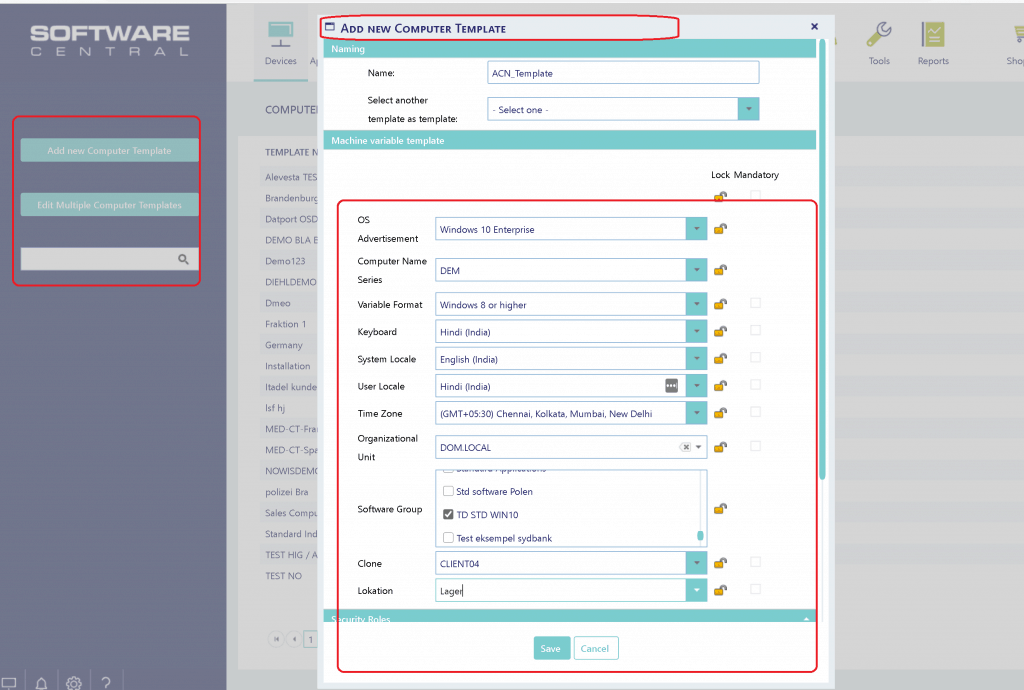
Create a New Computer Template
One of my favorite workloads in this tool is creating new templates. You have many useful options for creating templates with different requirements.
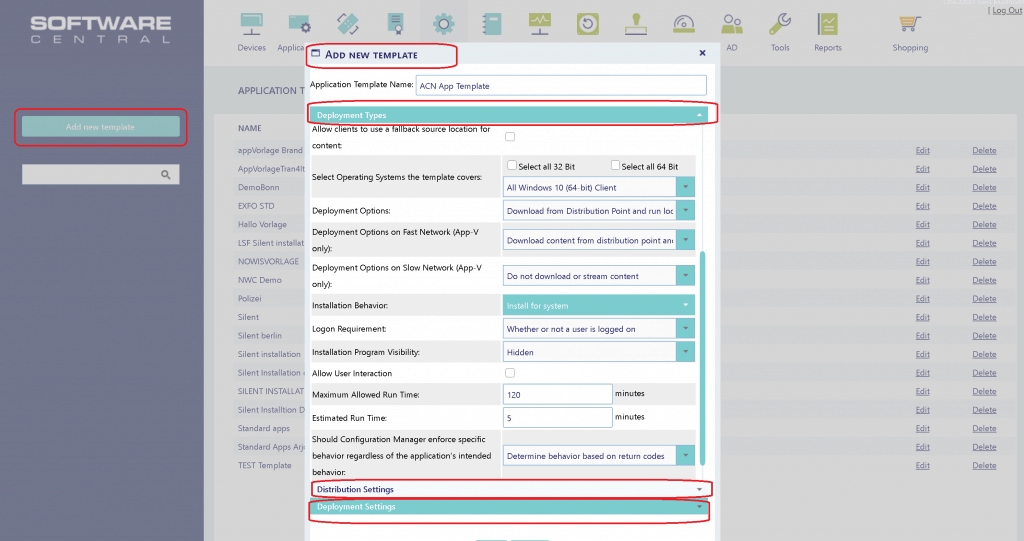
Application Templates
I felt that the SCCM application template option (Settings button) available in SoftwareCentral makes the lives of SCCM admins and application owners more comfortable.
Once the application template is agreed upon and defined, creating SCCM applications is straightforward for Level 1 or Level 2 teams.
With application templates, you can define all the main characteristics like:
- Deployment Types (All the supported attributes)
- Distribution Settings (Selection of DPs etc.)
- Deployment Settings (Required/Available etc.)
SoftwareCentral Notifications
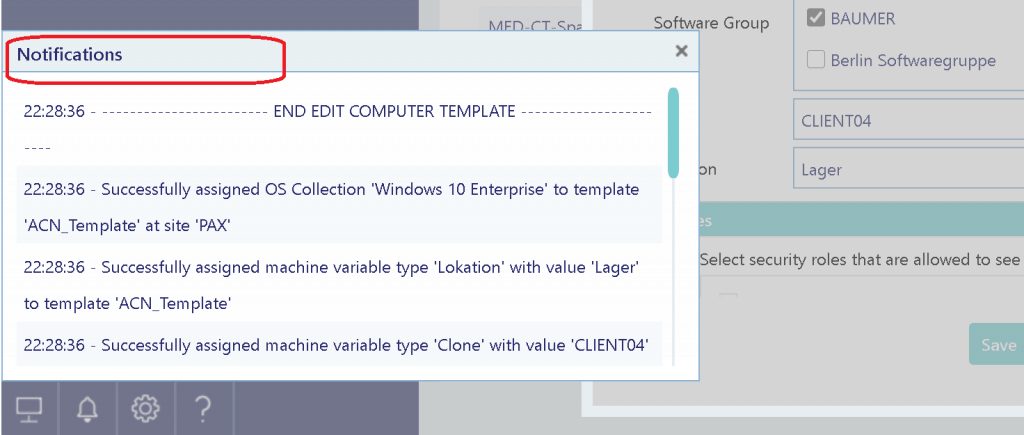
Initially, I wondered what “this thing” was popping up on the left side of the browser whenever I changed something in the SoftwareCentral portal. After using the doorway for a few days, I feel the notification is useful in many scenarios.
NOTE! – You can view all notifications from the LOG button. The logging options of this tool are useful.
Following are some of the other features:
- Deployment Monitor
- Notifications
- Settings
- Help.
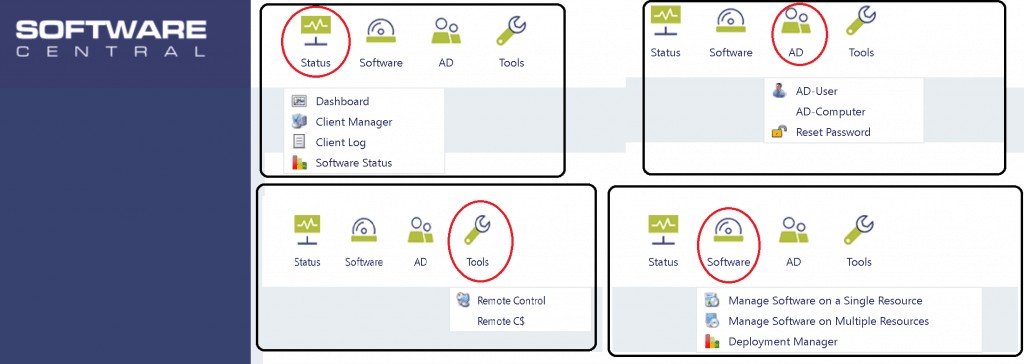
Helpdesk Persona – SoftwareCentral
I love the default persona available with the Helpdesk security profile. I feel it’s far better to experience your helpdesk team.
- Status
- Software
- Active Directory (AD)
- Tools(Remote Control/Remote C$ access)
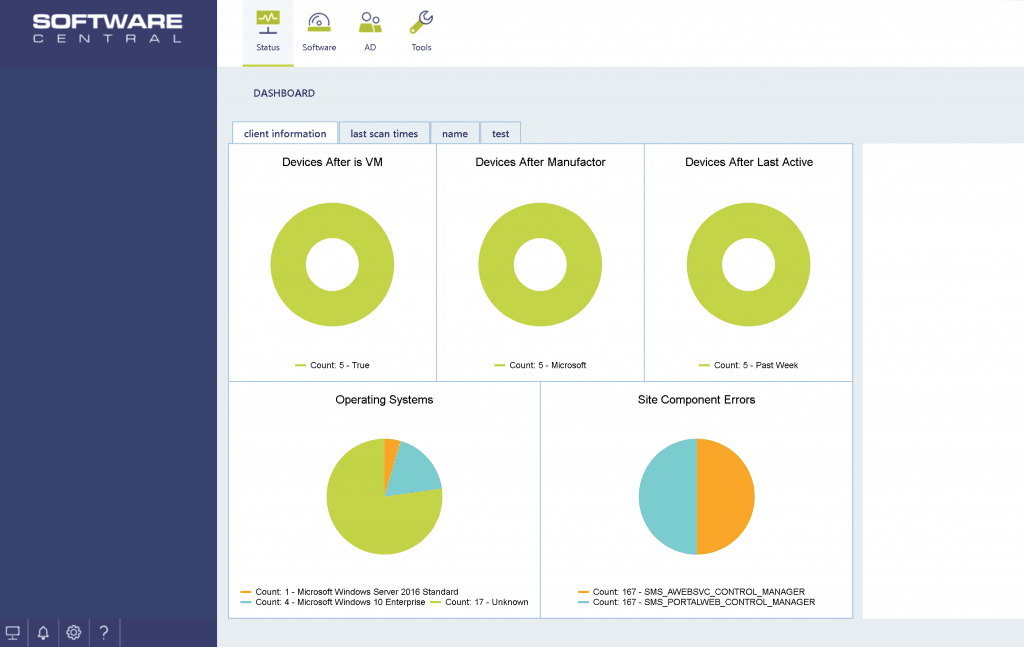
Dashboard
The dashboard options are useful, and a new section of the following dashboard is “Site Component Errors.”
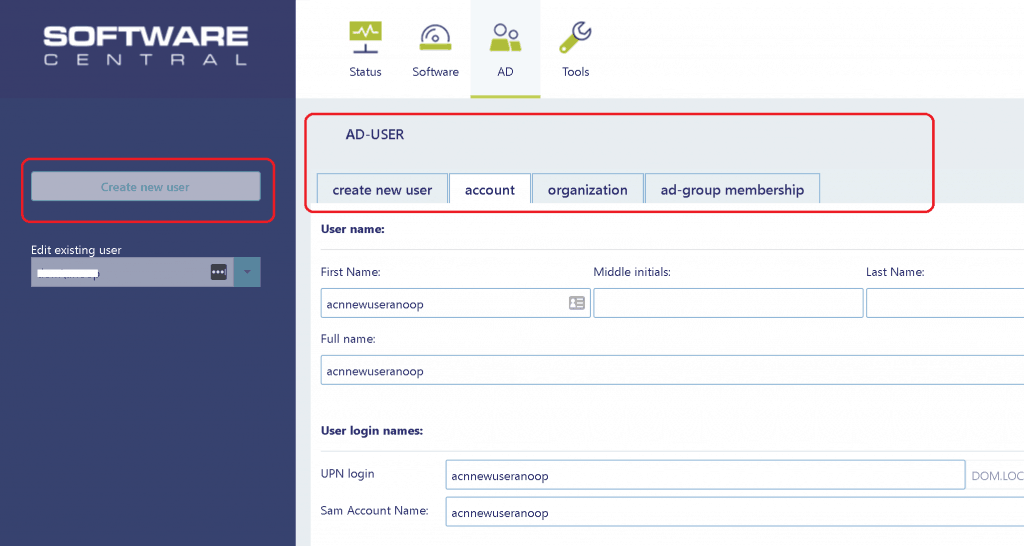
Active Directory UI for Helpdesk
Most organizations have AD infrastructure. The helpdesk wanted access to Active Directory to create and check the AD user profile.
And SoftwareCentral provides an excellent value add to the helpdesk user experience with the following UI interface.
Other useful features:
- Reset Password
- Etc…
Remote Control Options
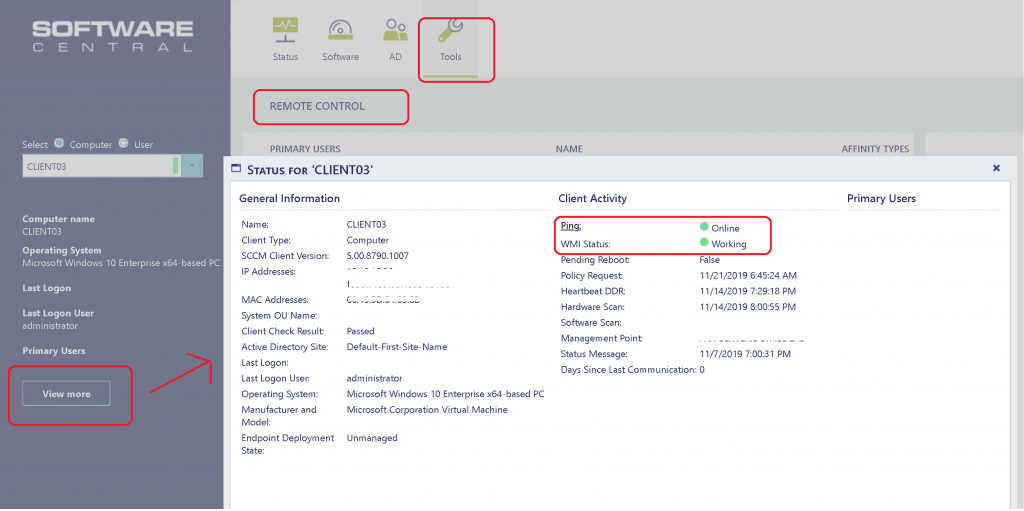
SoftwareCentral offers some exciting remote control options. I love the additional information helpdesk technicians can check about the devices/users.
- SCCM Applications deployed to the device
- SCCM App deployment status of that device
- WMI health checks/Status
- Ping Tests
- etc…
Resources
- SoftwareCentral simplifies and improves your Configuration Management
- More details Modern Application packaging
We are on WhatsApp. To get the latest step-by-step guides and news updates, Join our Channel. Click here –HTMD WhatsApp.
Author
Anoop C Nair is Microsoft MVP! He is a Device Management Admin with more than 20 years of experience (calculation done in 2021) in IT. He is a Blogger, Speaker, and Local User Group HTMD Community leader. His main focus is on Device Management technologies like SCCM 2012, Current Branch, and Intune. He writes about ConfigMgr, Windows 11, Windows 10, Azure AD, Microsoft Intune, Windows 365, AVD, etc.




Discussion