






How to Identify and Resolve Errors when Updating Automatic Account Management Name or Prefix in Intune
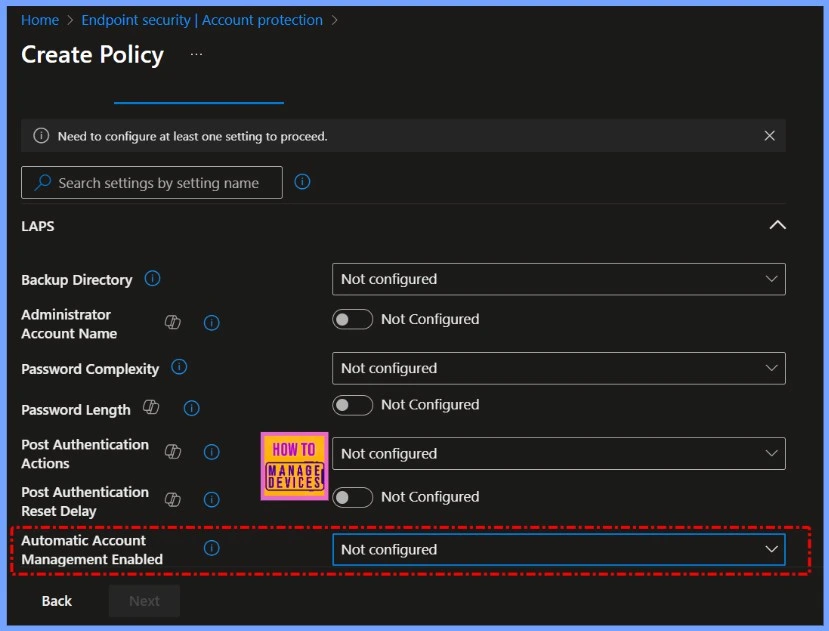
Let’s discuss how to Identify and Resolve Errors when Updating Automatic Account Management Name or Prefix in Intune. If you’re trying to create or edit a LAPS policy in Microsoft Intune, you might see an error when you fill in the field called “Automatic Account Management Name or Prefix” under Endpoint Security > Account Protection.
This error happens as soon as you enter a custom name or prefix like “Admin-” and try to save or assign the policy. This issue stops the LAPS policy from being saved or assigned if you enter anything in the “Automatic Account Management Name or Prefix” field — even if the value is completely valid, like “Admin-” or “LAPSUser“.
As soon as this field is filled out and you try to proceed, Intune throws an error, blocking the policy update. Leaving the field empty allows the policy to save without problems, which confirms the issue is related specifically to that setting.
In this post, you will find all the details on how to identify and resolve errors that occur when updating the “Automatic Account Management Name or Prefix” in Intune. We’ll also explore potential workarounds and what you can do while awaiting a fix from Microsoft. Whether you’re troubleshooting this error in your environment or just looking for a solution, this post will guide you step-by-step.


Table of Contents
Is this Issue Specific to My Intune Tenant or Configuration?
No, the issue has been reproduced across multiple Intune tenants, which indicates it is a widespread problem not related to tenant-specific configurations.
What Happens when I Try to Save or Assign the Policy after Modifying the Prefix Field?
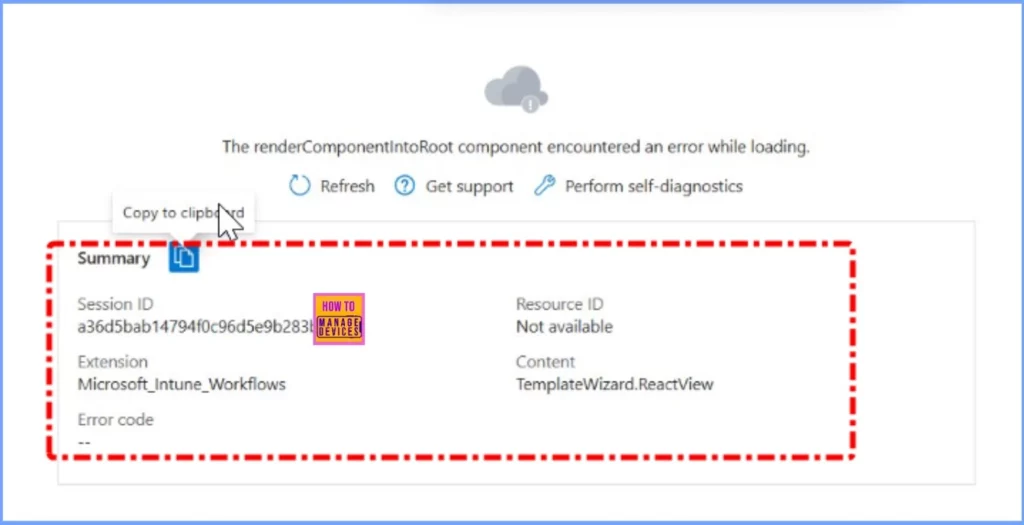
After entering a value in the “Automatic Account Management Name or Prefix” field and attempting to save or assign the policy, you will encounter an error message, preventing the policy from being saved or assigned.
Errors when Updating Automatic Account Management Name or Prefix in Intune
This issue has been confirmed across multiple Intune tenants, making it clear that it’s not caused by any specific configuration, permission setting, or custom policy. Admins have reported the same error when trying to set the “Automatic Account Management Name or Prefix” in various environments.
Since the problem occurs consistently and independently of how the environment is set up, it strongly suggests a backend platform bug introduced by Microsoft. A fix will likely require an update from the Intune service side.
- Troubleshoot Intune Managed Application Deployments Errors
- How to Start Troubleshooting Intune Issues
- How to Troubleshoot Windows 10 Intune MDM Issues
Temporary Workaround and Recommended Actions for Admins
To avoid the current error, do not modify the “Automatic Account Management Name or Prefix” field when creating or editing a LAPS policy in Intune. Leaving this field blank allows the policy to save and function as expected using the default settings.
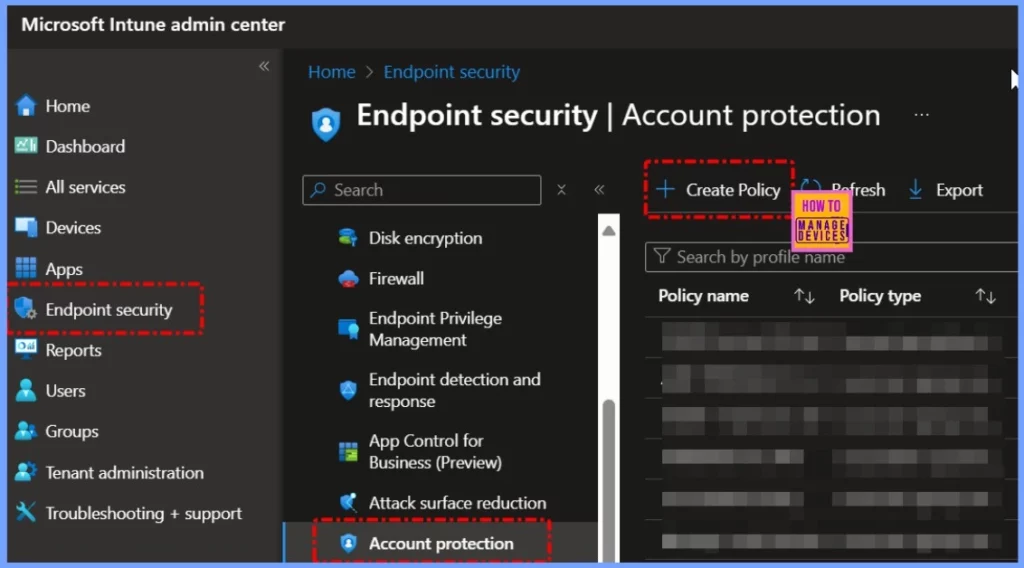
- Go to https://intune.microsoft.com
- Go to Endpoint security > Account protection.
- Select + Create Policy.
Use PowerShell
You may attempt to set the value manually via PowerShell or Graph API, but this is only recommended for advanced users.
Test in a non-production tenant before making any policy changes in live environments.
What Admins Should Do
If this issue affects your production environment, it’s recommended to log a support ticket with Microsoft to raise visibility. Additionally, submitting feedback directly through the Intune portal can help accelerate a resolution.
Microsoft Confirms Limited Tenant Impact – Issue Reproduced and Under Investigation
The support team has reviewed the problem and, based on their initial analysis, it looks like the issue is not affecting all tenants, but only some specific ones. The problem is not widespread across the entire Intune service, which could point to a configuration, region-based, or backend-specific condition that triggers the error.
Additionally, the team has been able to reproduce the same error internally in their testing environment. This is an important step because it confirms the issue is real and not isolated to just user-reported cases.
Need Further Assistance or Have Technical Questions?
Join the LinkedIn Page and Telegram group to get the latest step-by-step guides and news updates. Join our Meetup Page to participate in User group meetings. Also, Join the WhatsApp Community to get the latest news on Microsoft Technologies. We are there on Reddit as well.
Author
Anoop C Nair has been Microsoft MVP from 2015 onwards for 10 consecutive years! He is a Workplace Solution Architect with more than 22+ years of experience in Workplace technologies. He is also a Blogger, Speaker, and Local User Group Community leader. His primary focus is on Device Management technologies like SCCM and Intune. He writes about technologies like Intune, SCCM, Windows, Cloud PC, Windows, Entra, Microsoft Security, Career, etc.


Discussion