






How to Troubleshoot Hyper-V VM Freeze or Restart Issues on Windows Server 2022
Let’s discuss How to Troubleshoot Hyper-V VM Freeze or Restart Issues on Windows Server 2022. Azure confidential VMs provide strong security through hardware-based protection. It lets to move applications to the cloud without code changes while keeping your VMs secure.
Microsoft has discovered a problem where specific confidential virtual machines (VMs) operating on Hyper-V with Windows Server 2022 may occasionally freeze or restart unexpectedly. This issue impacts service availability and necessitates manual intervention.
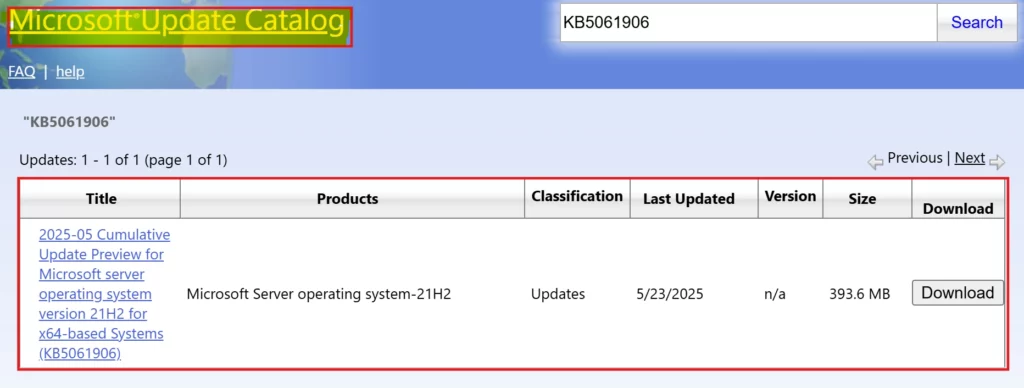
This issue mainly affects Azure confidential VMs. It is not expected to affect typical Hyper-V setups, only rarely occurring in preview or pre-production environments. To solve this issue, Microsoft published an out-of-band (OOB) update (KB5061906) on May 23, 2025. This non-security update for Windows Server 2022 is only available through the Microsoft Update Catalog.
For IT environments with Windows Server 2022 devices running Hyper-V, Microsoft recommends installing the out-of-band (OOB) update KB5061906, released on May 23, 2025. This update is an alternative if the May 2025 Windows security update (KB5058385) has not yet been deployed. Organizations not experiencing the issue do not need to install this OOB update.

Table of Contents
What is the Purpose of the Windows Server 2022 Servicing Stack Update (KB5058531)?
The Windows Server 2022 servicing stack update (KB5058531) aims to improve the quality of the servicing stack. It is very crucial for installing Windows updates. By ensuring a robust and reliable servicing stack, this update helps devices consistently receive and install Microsoft updates.
How to Troubleshoot Hyper-V VM Freeze or Restart Issues on Windows Server 2022
Getting this update means you are getting a combined package from Microsoft. If you’re updating an offline system, you must first install KB5030216 (from September 12, 2023) or a newer update. This is because it updates a crucial part of the system (the SSU) to version 20348.1960, which is needed to avoid installation errors.
| Release Date | Version | Known Issues |
|---|---|---|
| 5/23/2025 | OS Build 20348.3695 | As of May 26, 2025, Microsoft has not identified any issues with this update. |
- Feature Comparison Of Windows Server 2025 Vs 2022 Vs 2019 Hotpatching High Security And Faster Storage
- Emergency Fix For Windows Server Crashes Out-of-Band Updates Released By Microsoft
- Windows 11 Version Numbers Build Numbers Major Minor Build Rev
How to Install OOB Update for Hyper-V on Windows Server 2022
To install this update, you have several options available through official Microsoft release channels. These include Windows Update, Business channels, the Microsoft Update Catalog, and Server Update Services.
You can choose the most suitable method for your environment. The following table showcases the available or unavailable methods for installing this update.
| Official Microsoft Release Channels for Update Installation | Available or Unavailable | Next Step |
|---|---|---|
| Windows Update |  | See the other options. |
| Business Channels | | See the other options. |
| Microsoft Update Catalog |  | To get the standalone package for this update, go to the Microsoft Update Catalog. |
| Server Update Services | | See the other options. |
Need Further Assistance or Have Technical Questions?
Join the LinkedIn Page and Telegram group to get the latest step-by-step guides and news updates. Join our Meetup Page to participate in User group meetings. Also, Join the WhatsApp Community to get the latest news on Microsoft Technologies. We are there on Reddit as well.
Resources
Author
Anoop C Nair has been Microsoft MVP from 2015 onwards for 10 consecutive years! He is a Workplace Solution Architect with more than 22+ years of experience in Workplace technologies. He is also a Blogger, Speaker, and Local User Group Community leader. His primary focus is on Device Management technologies like SCCM and Intune. He writes about technologies like Intune, SCCM, Windows, Cloud PC, Windows, Entra, Microsoft Security, Career, etc.




Discussion